v3.6Now on Android: Single Player mode · team profiles · sort by any statCheck it out
All help guides
Squad leaderboards: sort by average, fours, highest score and more
Full MatchSingle PlayerNew in 3.6
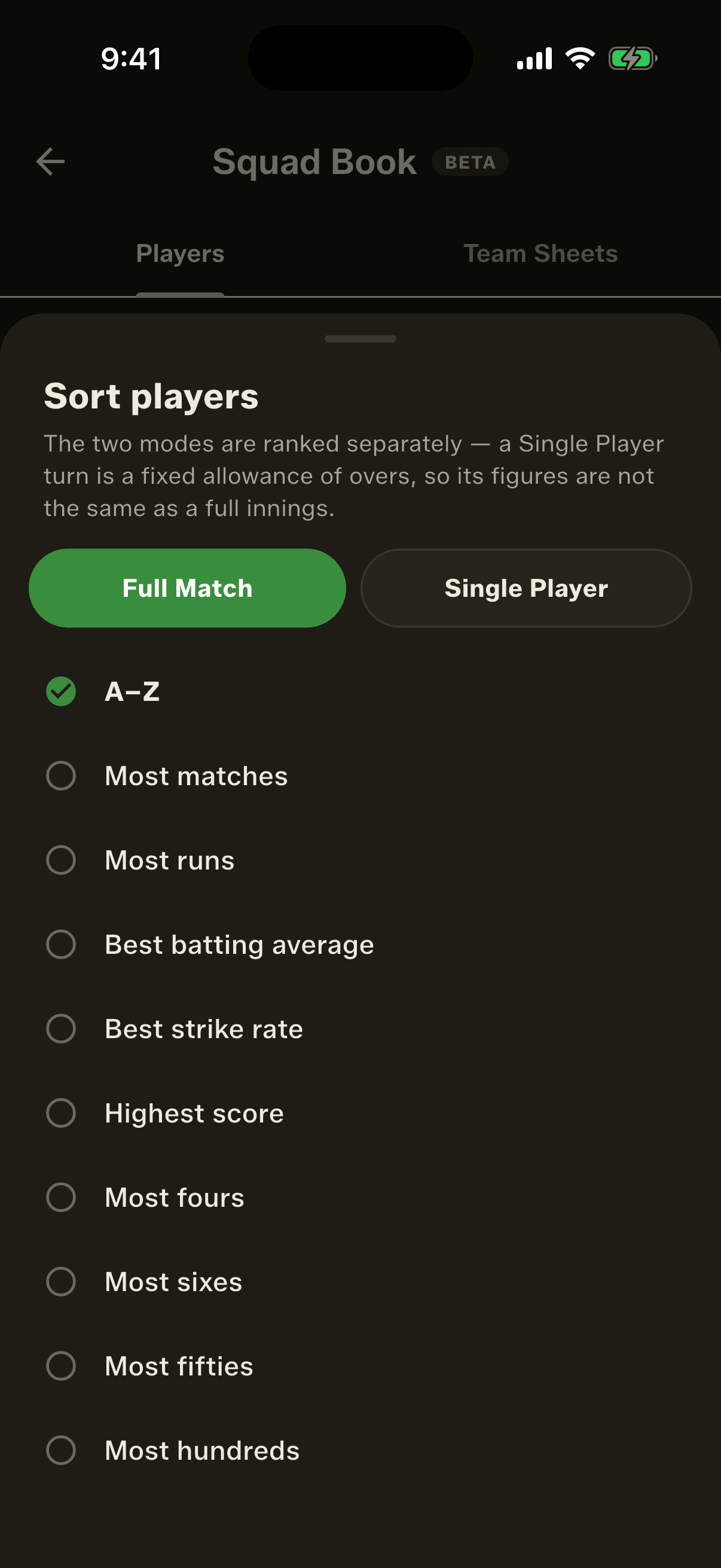
In the Squad Book's Players tab, tap the sort control, choose Full Match or Single Player, then pick a stat: runs, average, strike rate, highest score, fours, sixes, fifties, wickets, economy and more. The top three get medals.
Step by step
1
Tap the sort control
Top right of the Players tab. It reads A–Z by default.
2
Choose the mode
Full Match or Single Player, at the top of the sheet. The two are ranked separately.
3
Pick a stat
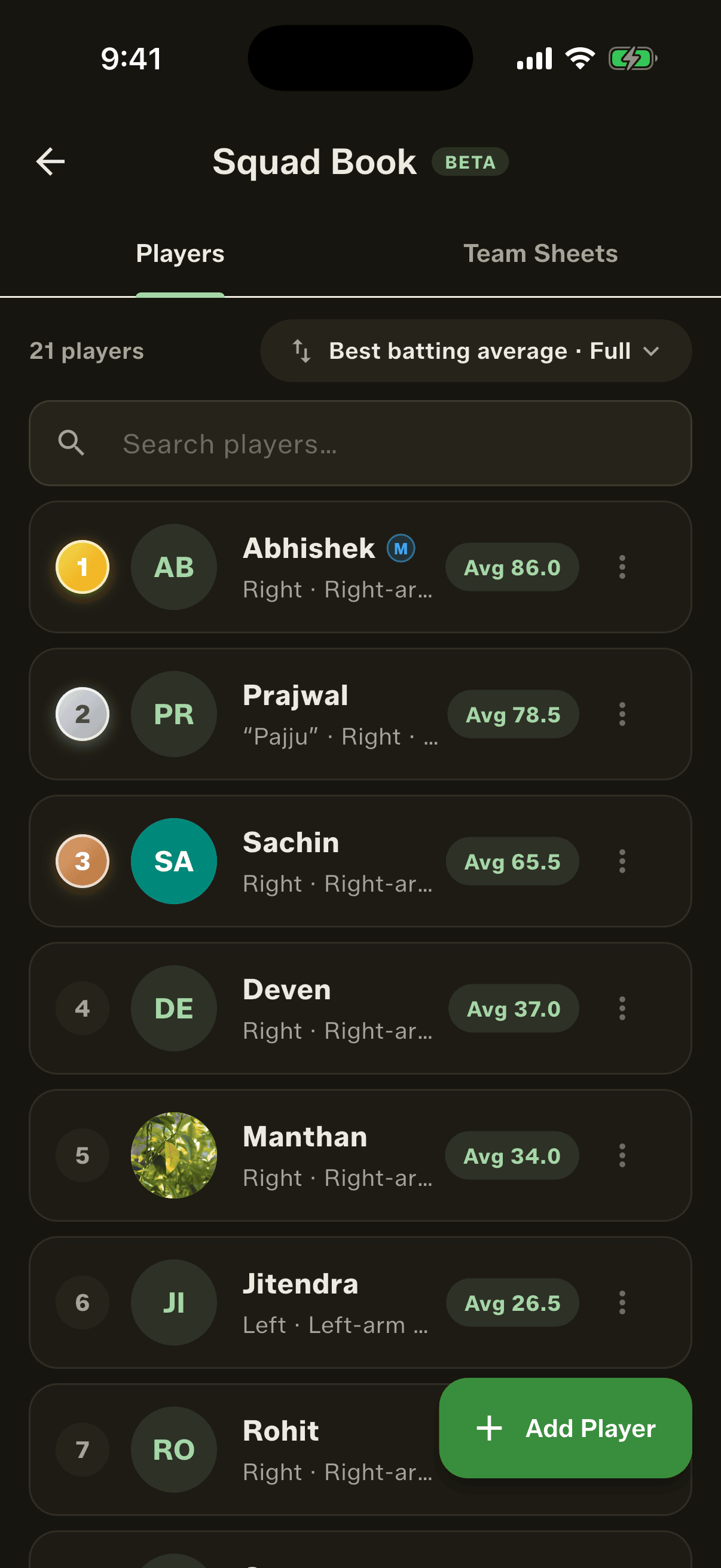
The list re-sorts and each player shows that figure beside their name.
The medals
Sort by any stat and the top three carry gold, silver and bronze. It turns a roster into a season leaderboard, which is the thing that actually gets screenshotted into the group chat.
Searching while sorted keeps the real ranking: filter to one player and their medal and position still reflect the whole squad, not the filtered list. A player with no figure for that stat in that mode is left unranked at the bottom, rather than shown as a zero.
What you can sort by
In both modes: most runs, best batting average, best strike rate, highest score, most fours, most sixes, most fifties, most wickets, best bowling, best bowling average and best economy.
Full Match only: most matches and most hundreds.
Single Player only: most rounds and most rounds won.
For economy and bowling average, lower is better, and the ranking knows it.
Why the two modes are kept apart
A Single Player turn is a fixed allowance of overs with one wicket, which isn't the same thing as a team innings. Adding the two together would flatter some players and bury others, so the sheet asks which one you want to rank.
People also ask
How do I see the top run scorer in my cricket team?
Sort the squad by runs. Gully Crix ranks every player and gives the top three gold, silver and bronze medals.
Can a cricket app rank players by batting average or most fours?
Yes. Gully Crix sorts the squad by batting average, most fours, most sixes, highest score, most fifties, strike rate, wickets, best bowling, bowling average and economy, and knows that for economy and bowling average lower is better.
Are Single Player stats mixed with match stats?
No. The sort sheet asks which mode to rank by, and Full Match and Single Player figures are never added together.