GullyCrix 3.6 — Single Player Mode: Everyone Bats for Themselves, Plus Team Profiles, Team Logos & Sort by Any Stat
Version 3.6 adds a third way to play. Single Player mode is the game every gully falls back on when there aren't enough people for two sides: everyone gets one turn with the bat, one wicket, the same overs, and the top score wins the round. The app shuffles the batting order, works out who bowls next and keeps the leaderboard while you score. Alongside it, every team in your Squad Book now has a profile with its record, its best players and its head to head, and you can sort the squad by any stat you like. 3.6 is out now on Android. The iPhone version follows once App Store review is done.
Single Player mode: everyone bats for themselves
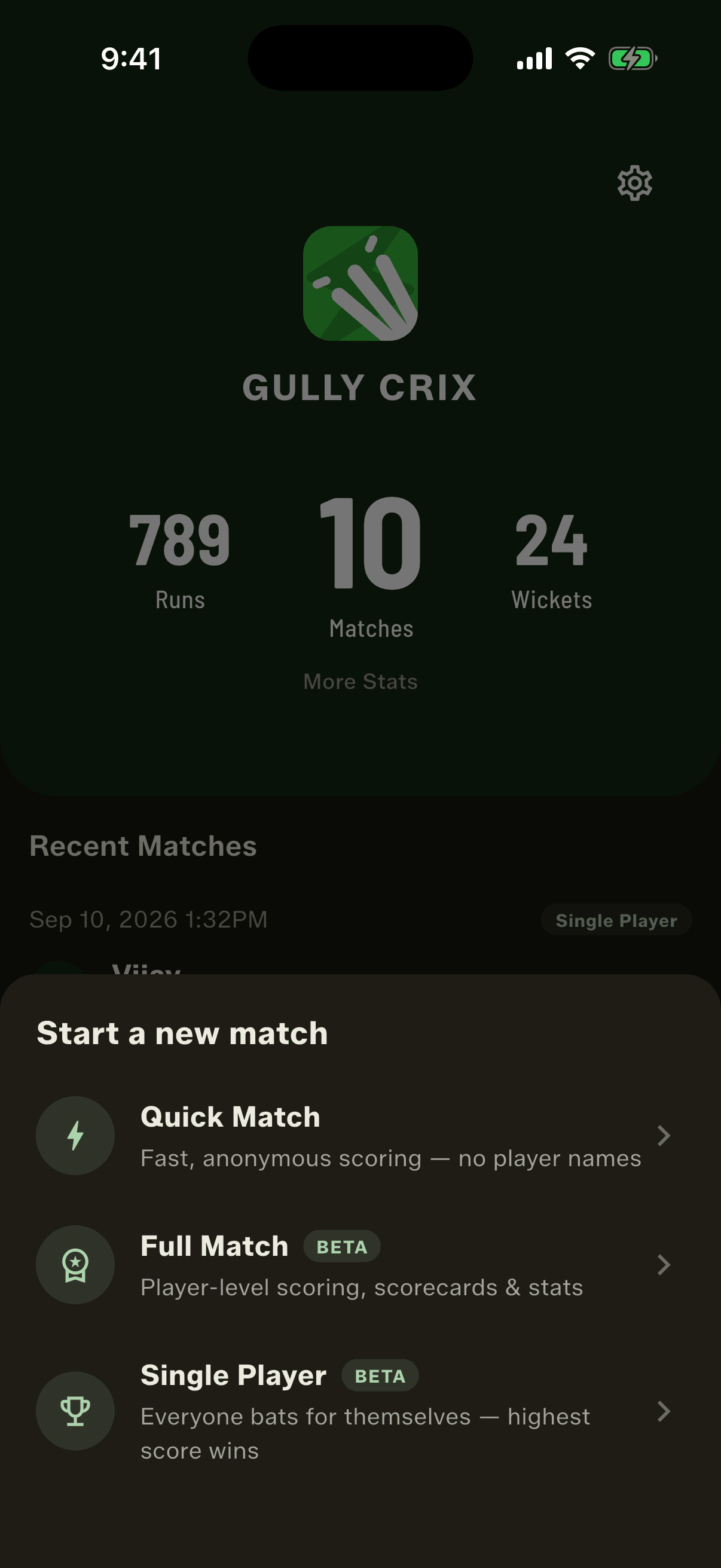
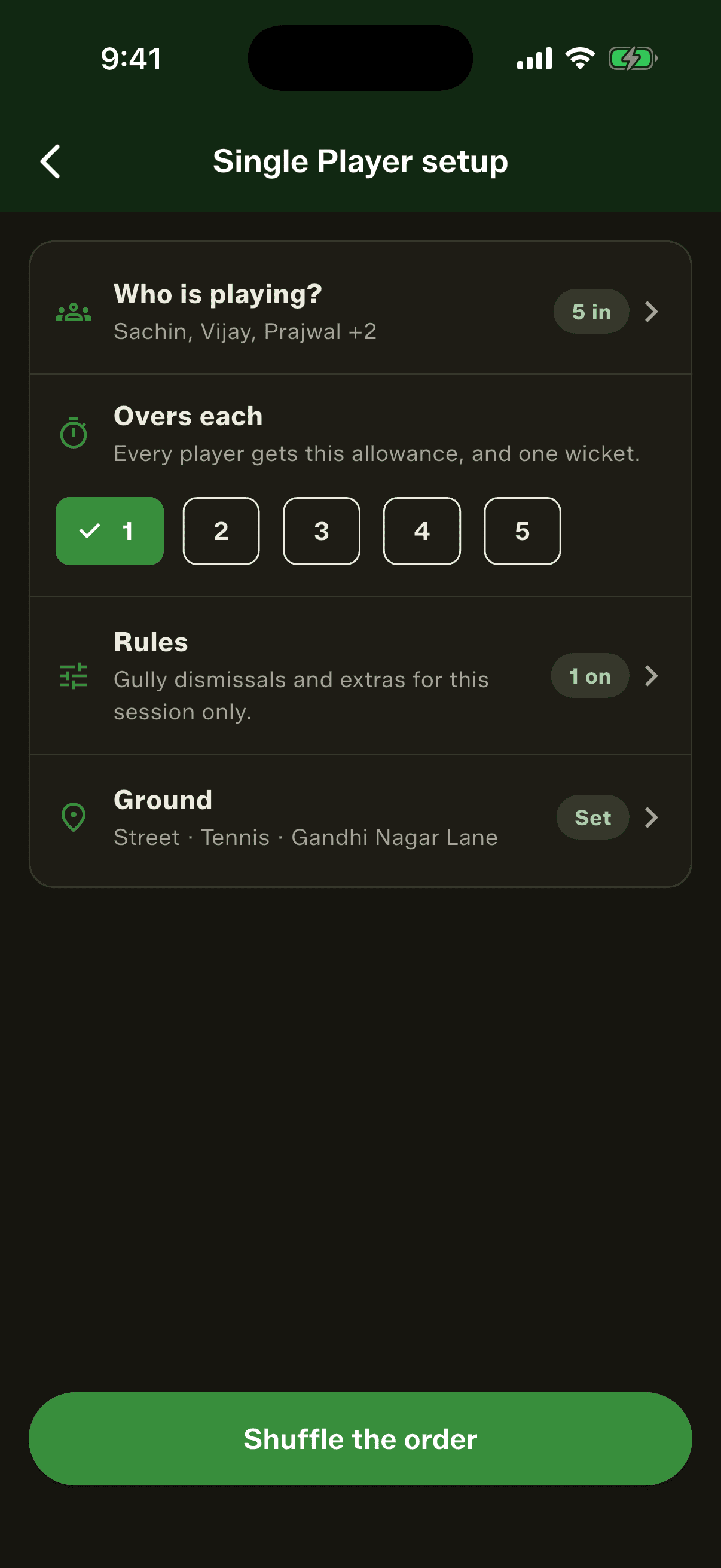
Every gully has a name for it. Single batting, one-one, apni apni. Four or five of you, no teams, everyone takes a turn and whoever scores most wins. Until now you kept that score in your head, or didn't keep it at all. In 3.6 it's the third option when you start a match, next to Quick Match and Full Match. Pick who's playing from your Squad Book, or add someone on the spot and they're saved for next time. Choose the overs each player gets, from one to five. Everyone has one wicket. Beating the leader doesn't end your turn: you bat on until you're out or your overs are used up, because the point is to set the highest score you can. Single Player is in beta, so tell us what your gully does differently.
The cards decide who bats first
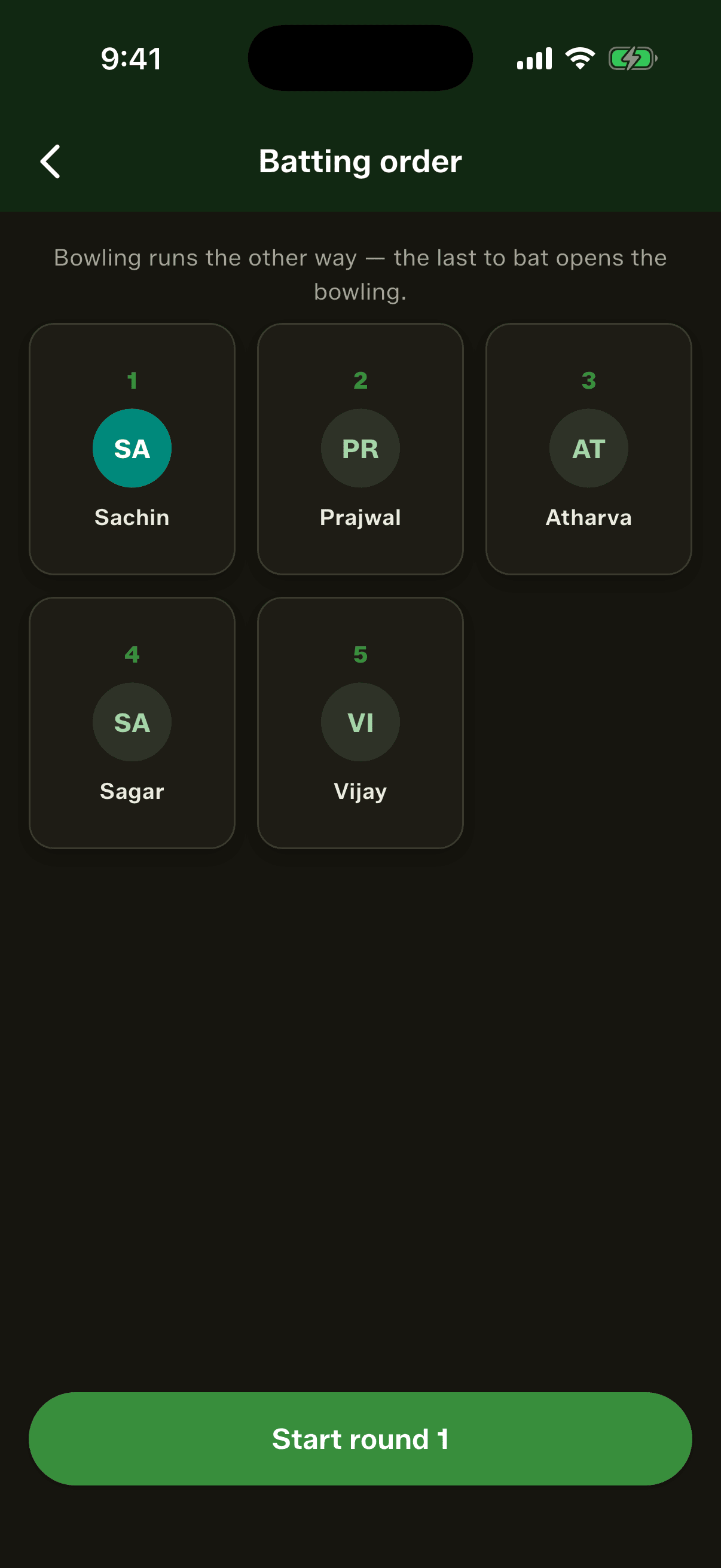
Nobody wants to go first and everybody wants to go last. So the app deals it. The players' own cards riffle together and fly out into a numbered batting order, three to a row, with a shuffle sound to go with it. It's drawn once, so there's no asking for a reshuffle because you didn't like your number. From round two onwards nobody shuffles at all: the winner of the last round bats first and everyone else follows in the order they finished.
Who bowls next, worked out for you
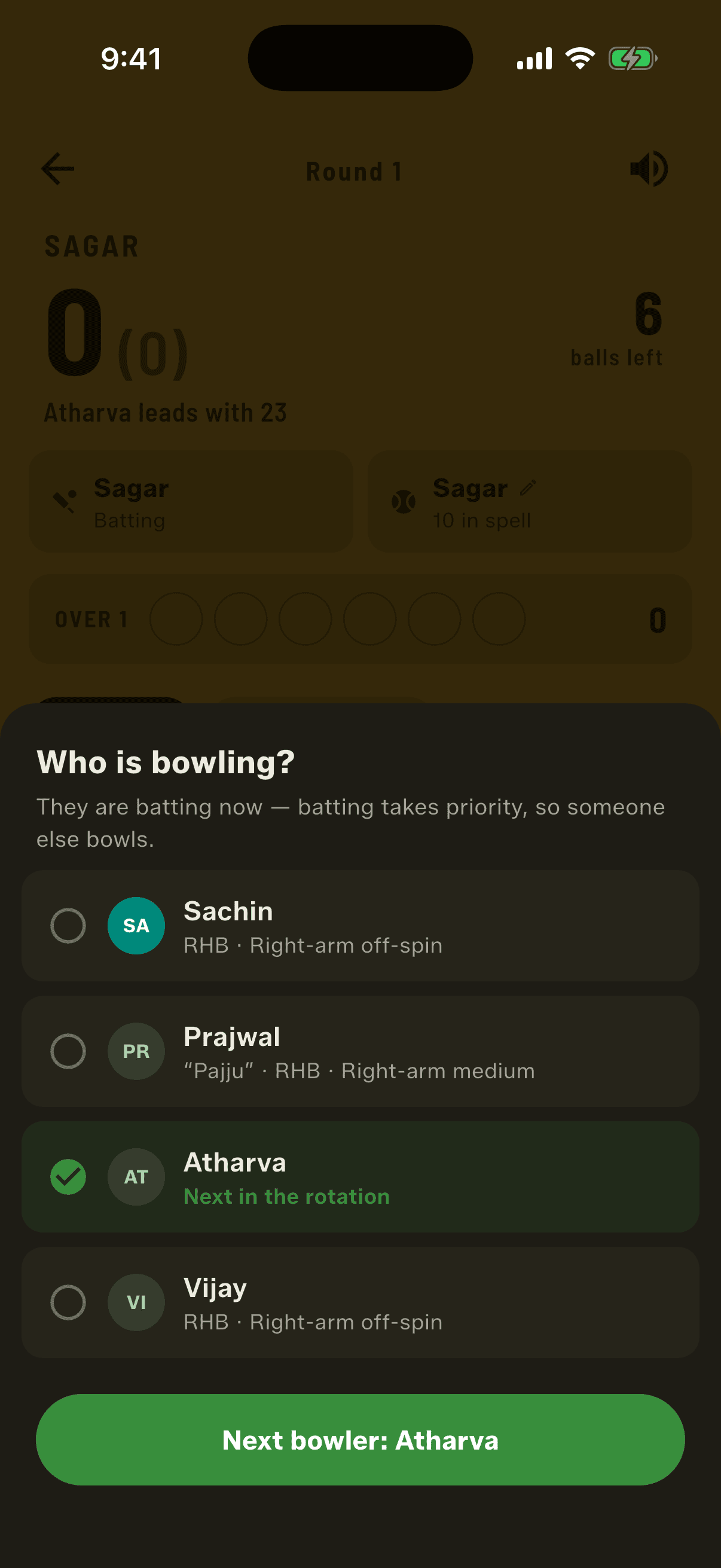
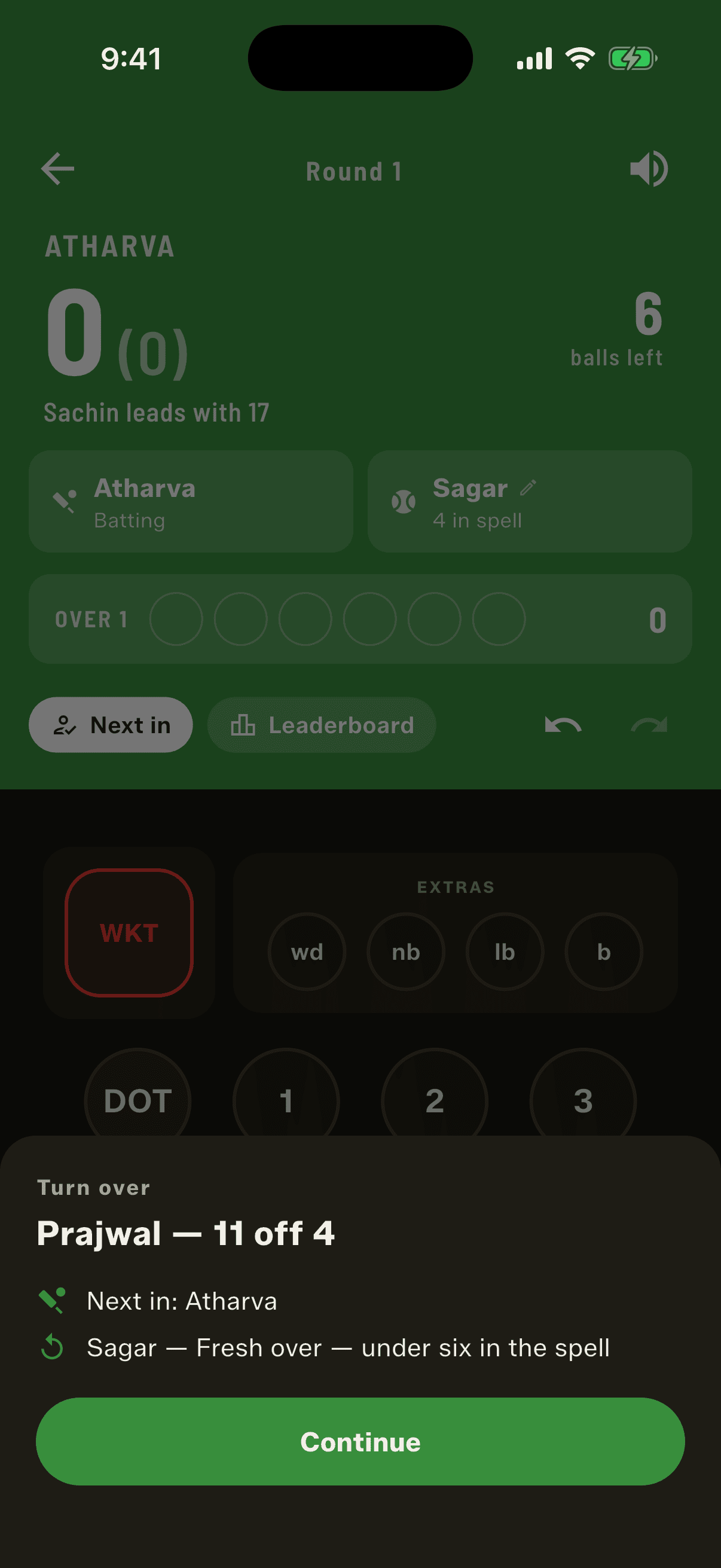
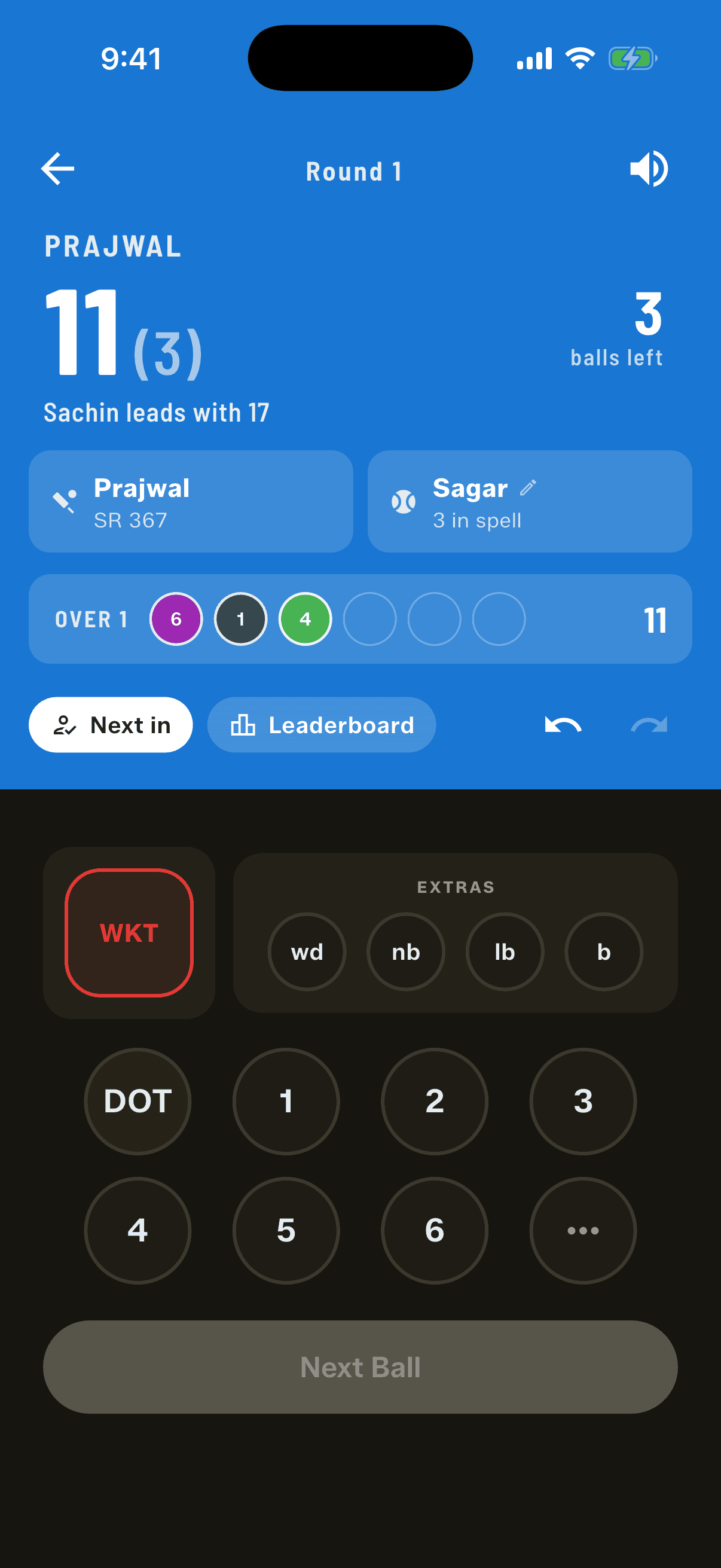
Bowling runs the other way round: the last player to bat bowls first. Nobody ever bowls to themselves. If it's your turn to bowl but you're the one batting, batting comes first and the app marks you as owed an over, then offers it to you at the next change. You can always pick someone else instead. There's one rule that makes Single Player work in a small group: a quick wicket earns a fresh over. Get a batter out before you've bowled six balls in your spell and you keep the ball for a fresh over at the next batter. Reach six and it passes on. Wides and no-balls count toward those six, and a run-out earns the fresh over too, though it never goes down as the bowler's wicket. The scoring screen shows the spell count, so nobody has to remember it.
A winner every round
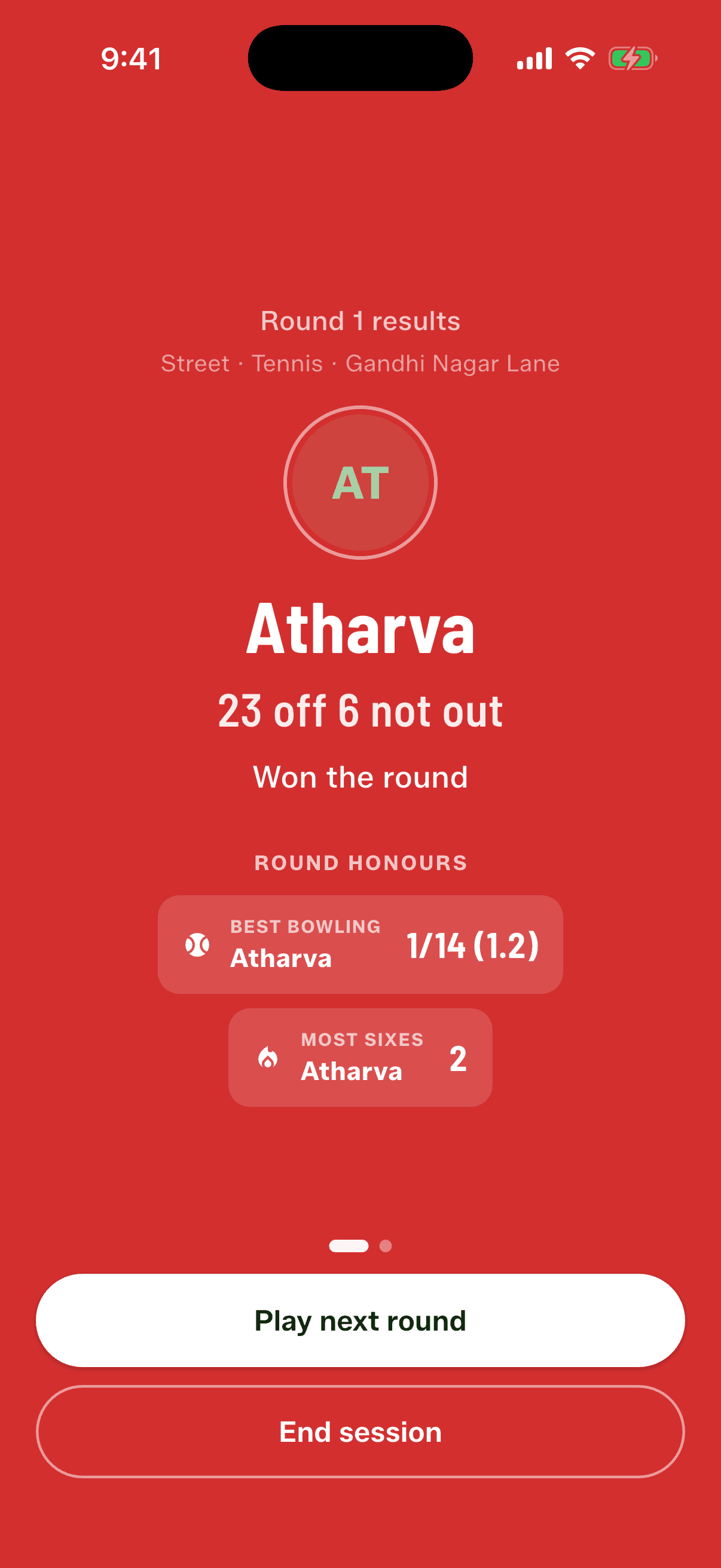
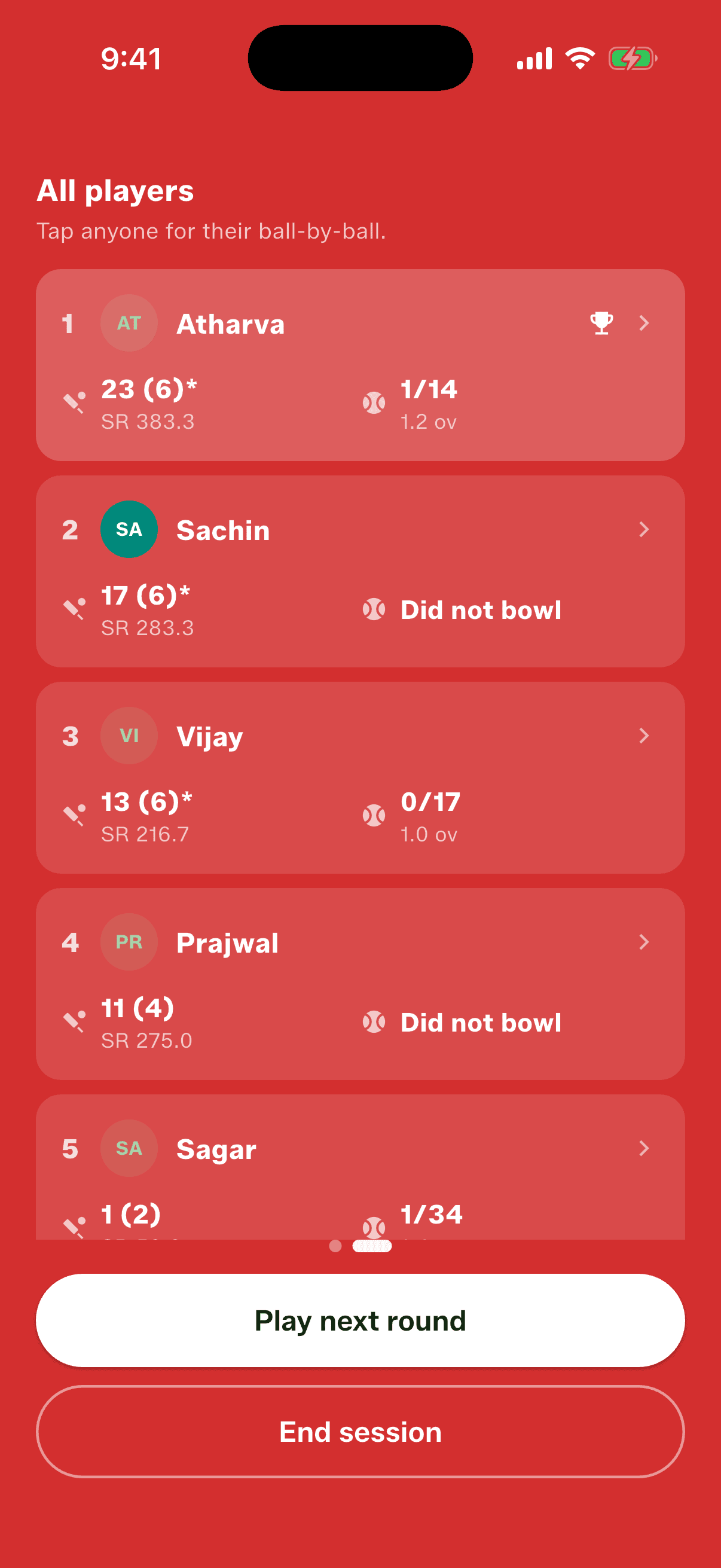
The scoring screen tells you who's leading and by how much while you play, and the leaderboard is one tap away. When the last player is done you get a winner's screen, with confetti, and the round's honours: best bowling and most sixes. Then every player's card, and a tap on any of them opens their ball-by-ball. Ties are settled the way you'd settle them at the ground. Level on runs, the faster scorer wins, then most sixes, then most boundaries. If it's still level, the app draws a winner and records the draw, so it never changes when you look again. Being not out doesn't help, so 16 off 9 and out beats 16 off 12 not out. Hit Play next round and you're straight back in. Rounds sit in your Recent Matches with a Single Player tag, and if the app closes mid-round it opens exactly where you left off.
Your teams keep a record
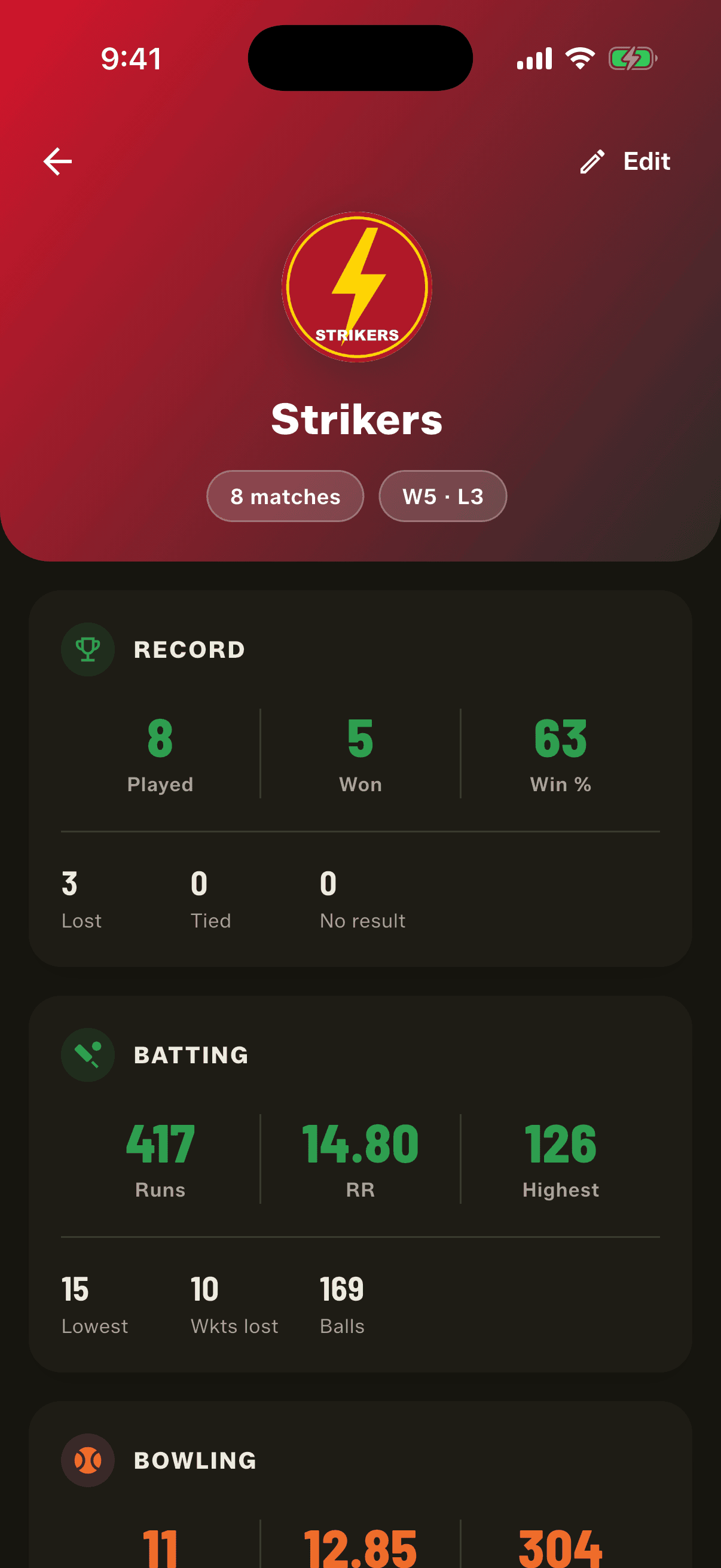
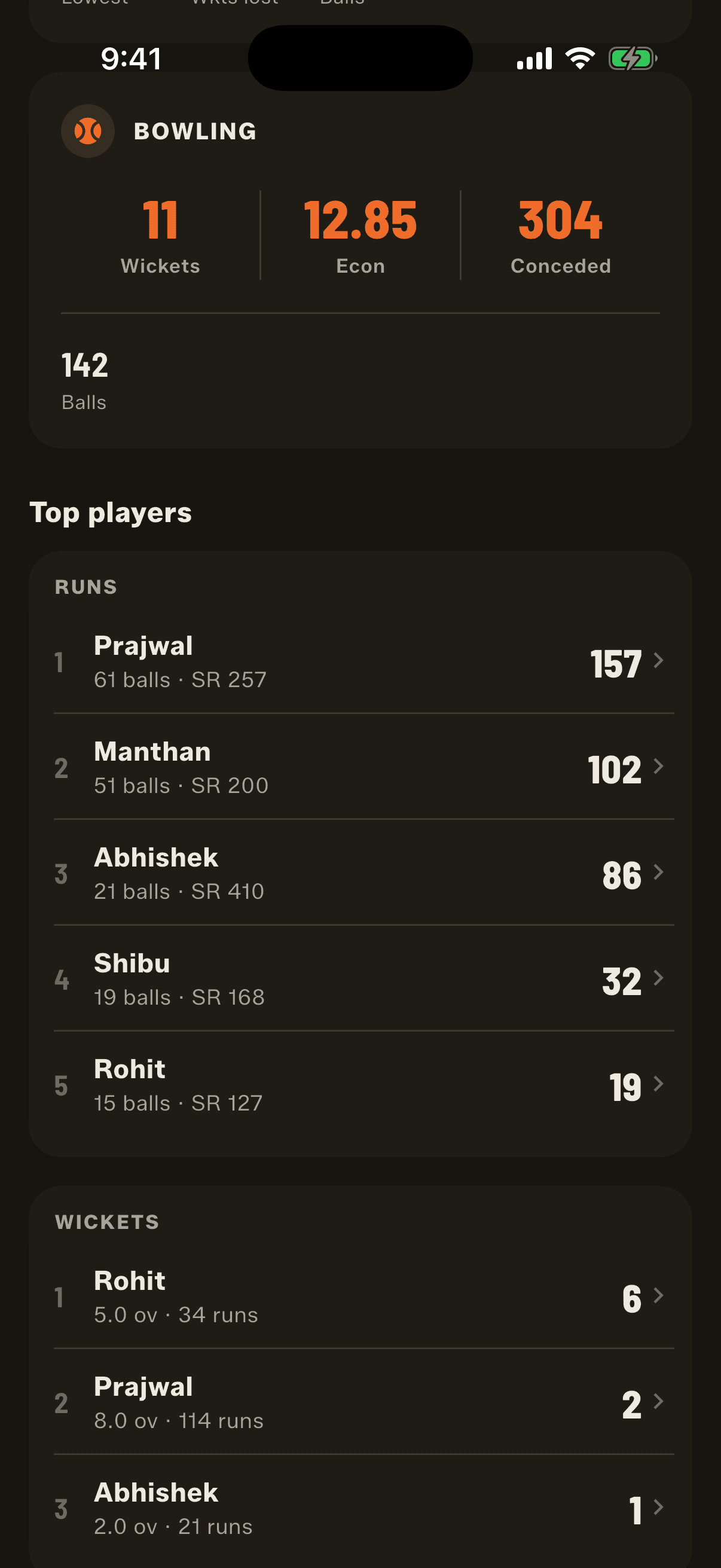
Tap any team in the Squad Book and it now opens a profile: matches played, won and lost, win percentage, runs, run rate, highest and lowest totals, wickets taken and economy. Its top five batters and bowlers. Its head to head against every team it has played. And every match, with a filter for Full Match or Quick Match once a team has played both. The top players are the ones who actually played for the team. People switch squads all the time in gully cricket, so the profile reads who was in each match's lineup on the day, not who's on the team sheet today. Someone who scored heavily for Strikers last season is still in Strikers' list after joining Titans.
Team logos, and photos cropped square
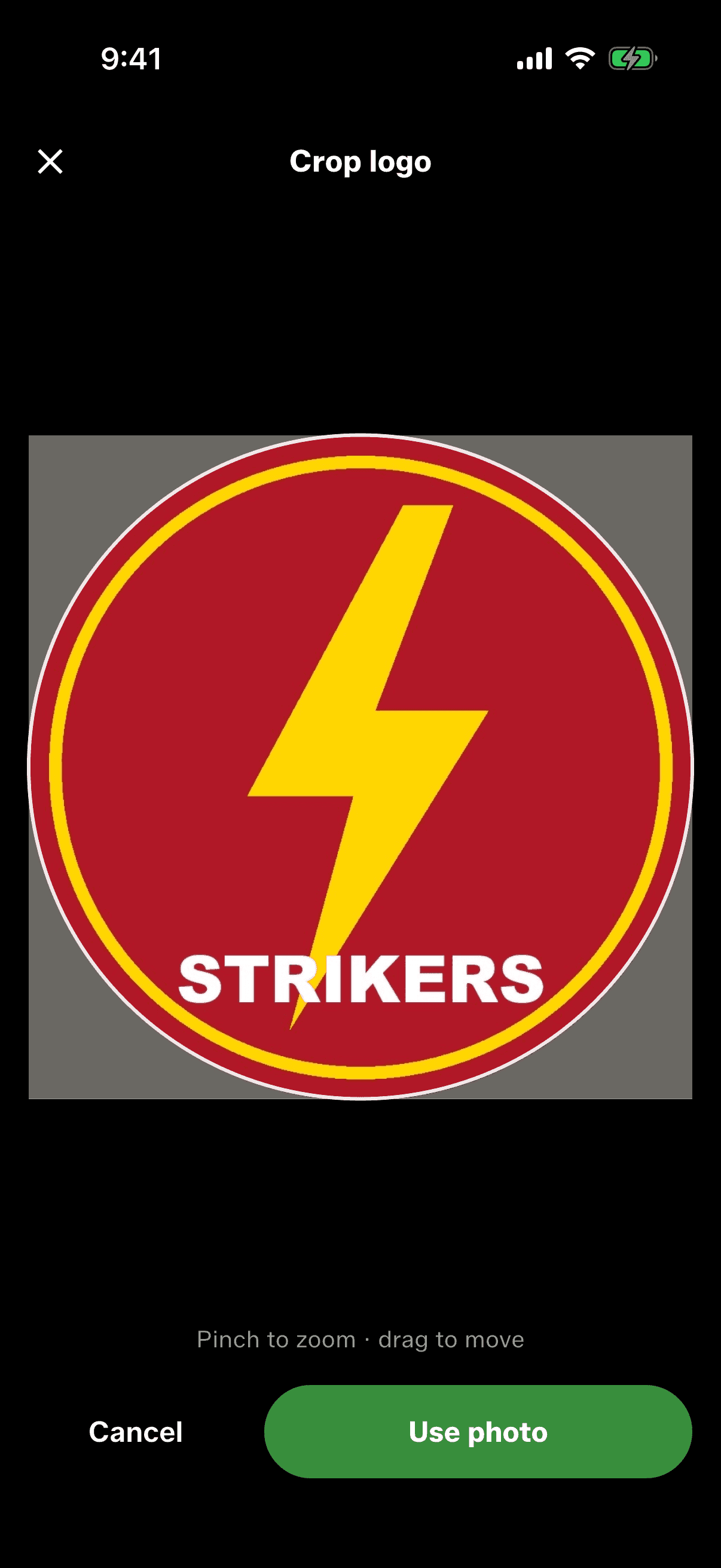
Give a team a logo from your gallery or take a photo of the one painted on your kit bag. It shows on the Squad Book, the team profile and match setup, and if you change it once it changes everywhere. Player photos and team logos both get a square cropper now: pinch to zoom, drag to move, and what you see in the circle is what gets saved.
Play a Quick Match as a saved team
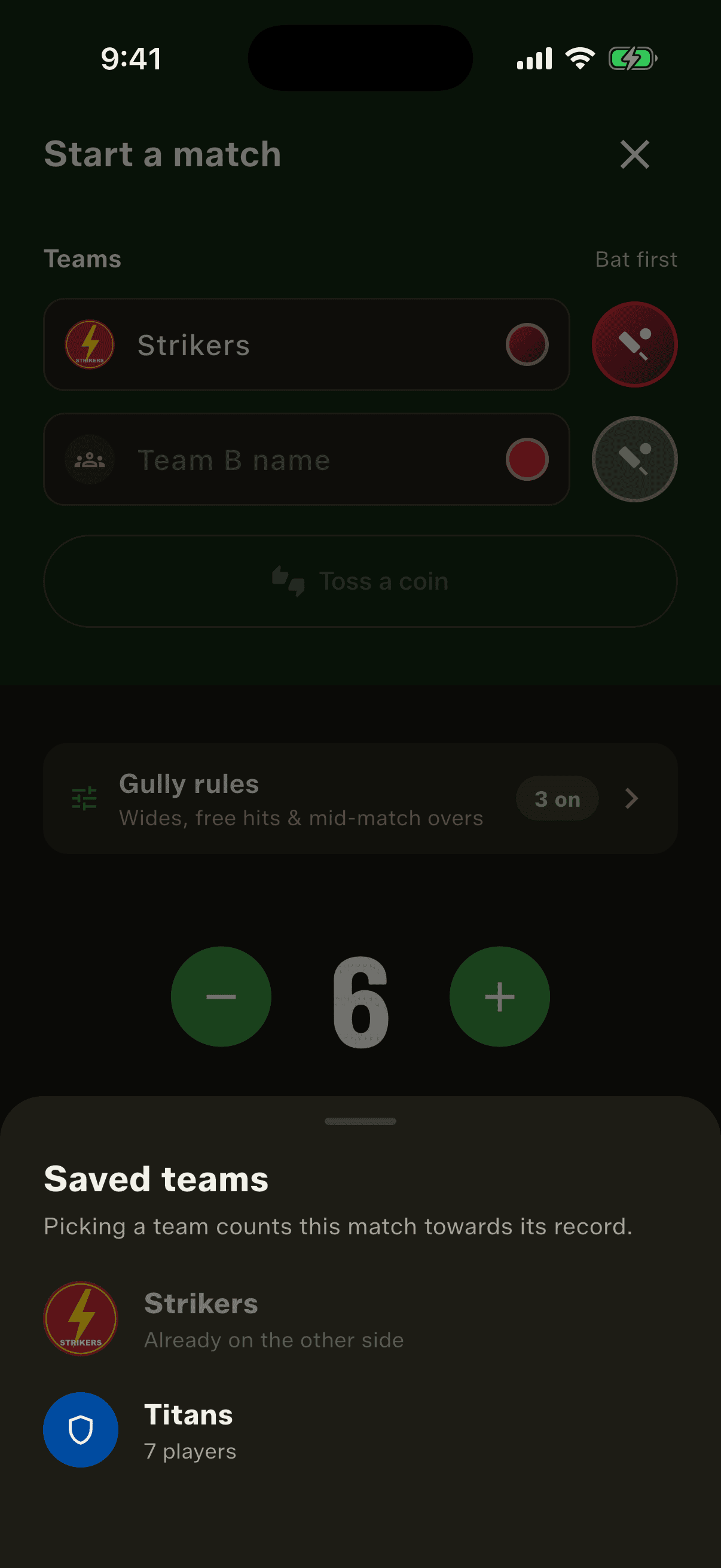
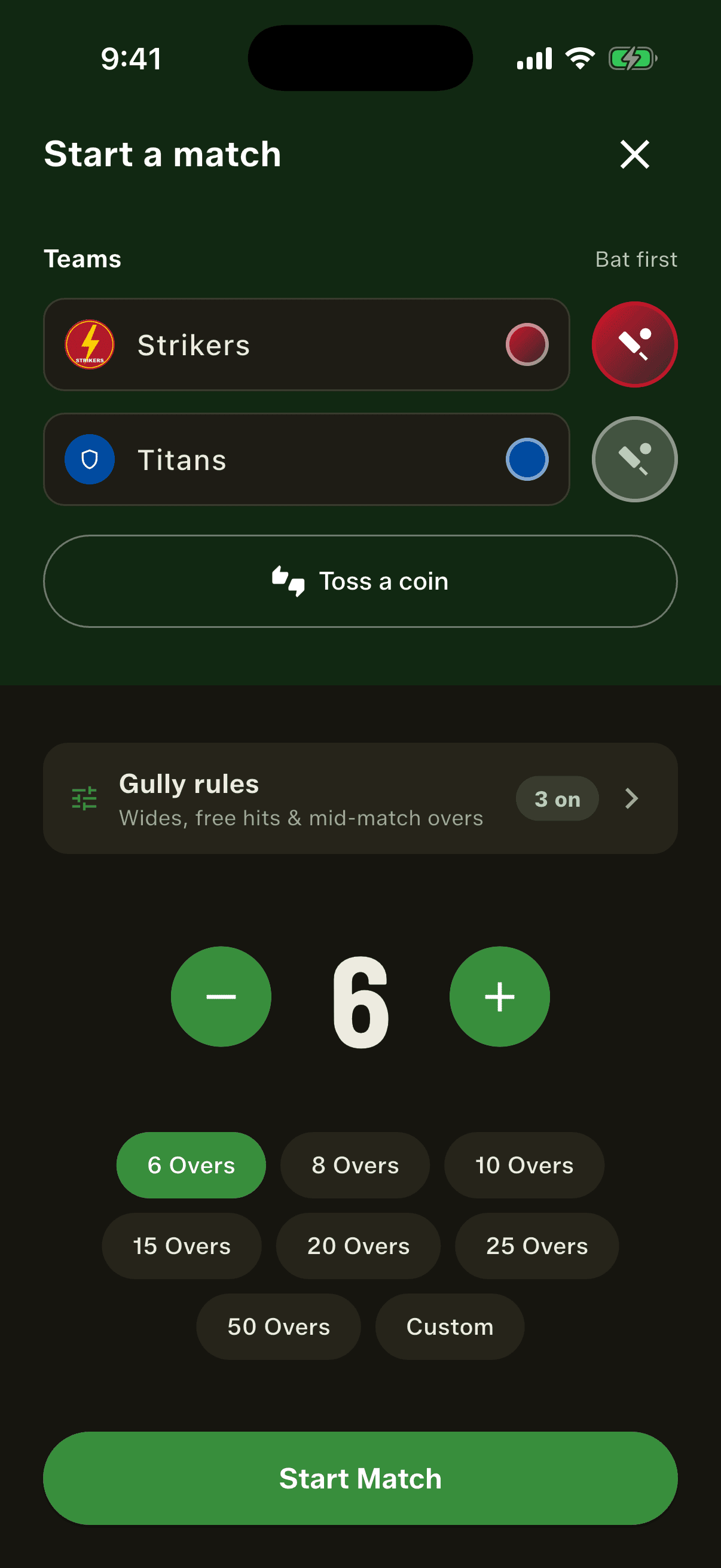
Quick Match stays as fast as it always was, but you can now tap the badge next to either team name and pick one of your saved teams. The name and colour fill in and the match counts toward that team's record. If both sides would end up the same colour, the other side moves to a free one. Type over the name and it goes back to being a one-off.
Sort the squad by any stat
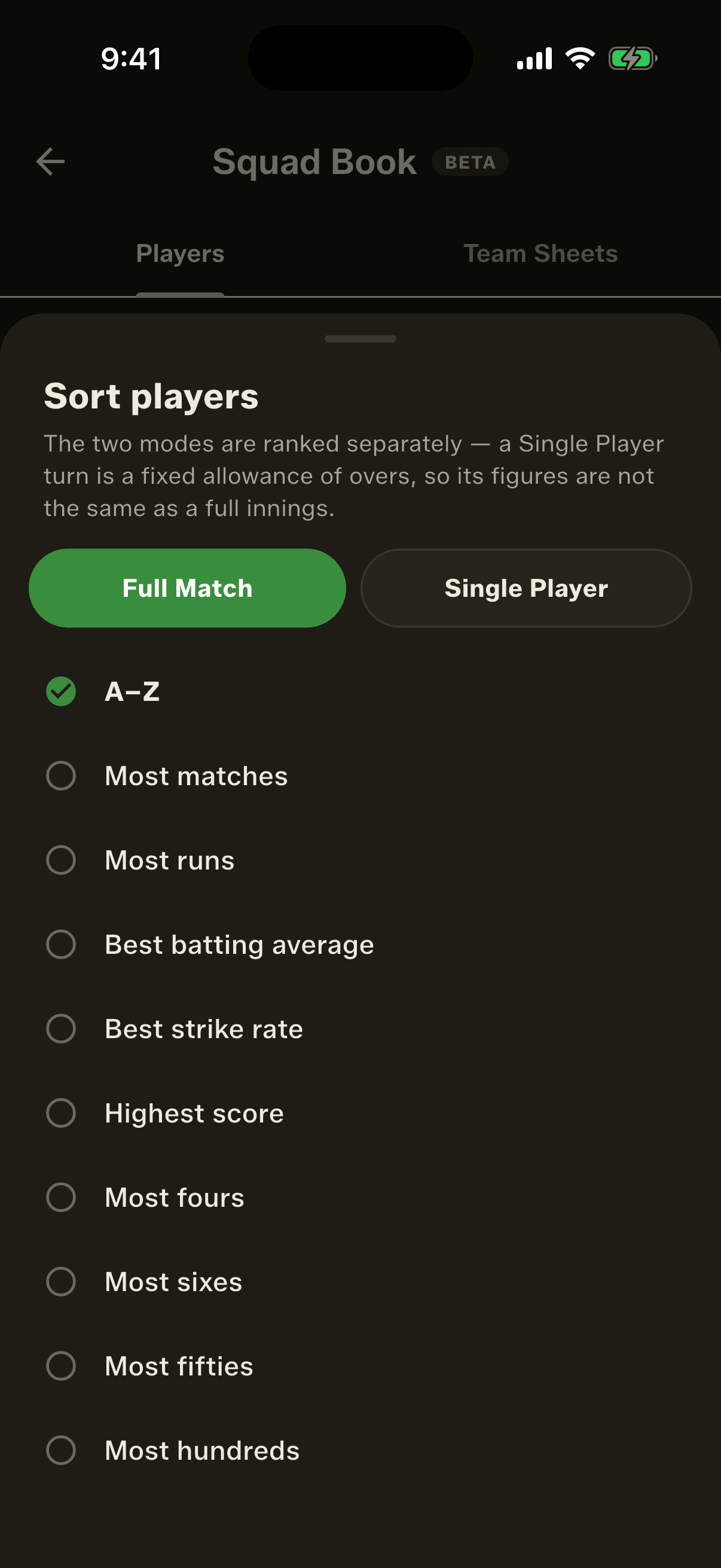
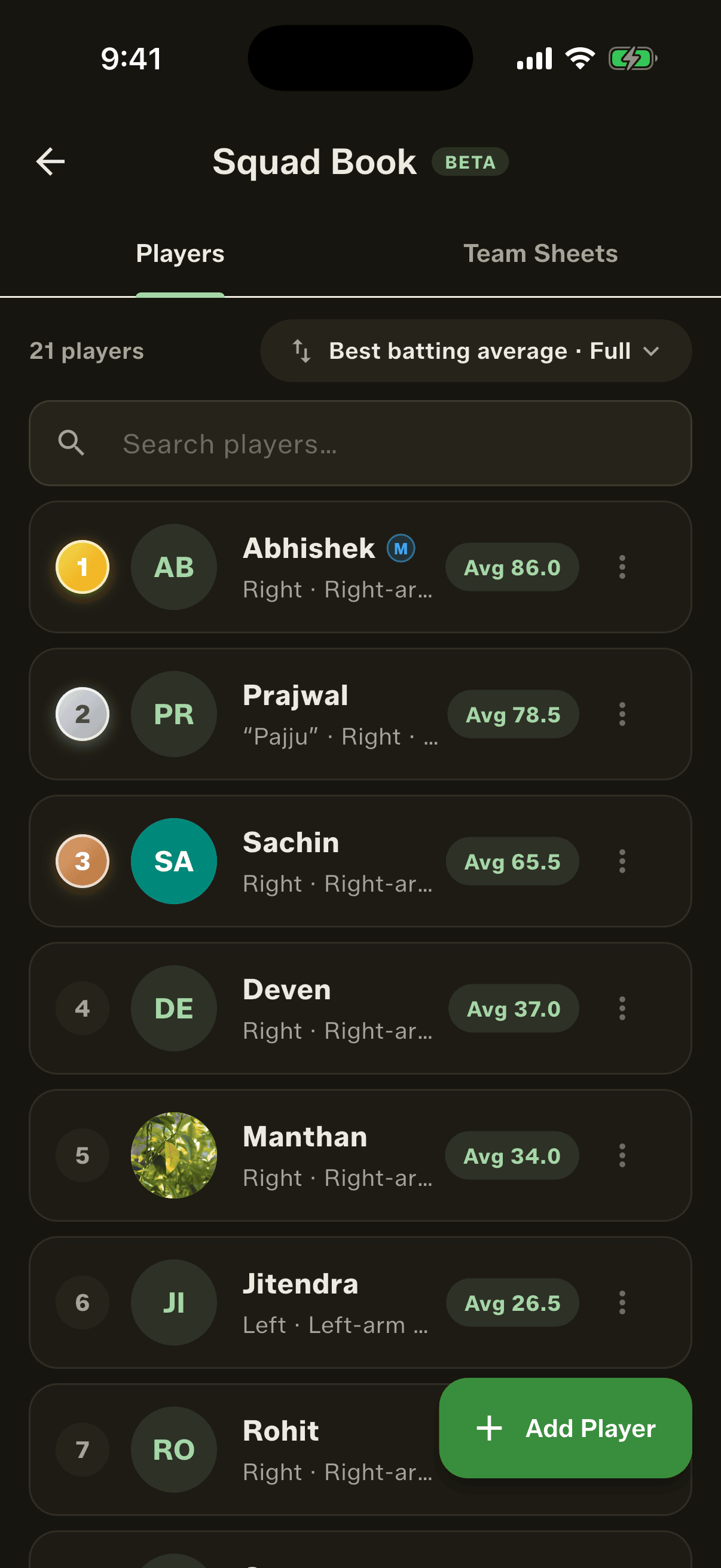
The most asked-for change after 3.5. The Squad Book sort is now a sheet with two modes, Full Match and Single Player, kept apart so the numbers never mix. Pick from most runs, best batting average, best strike rate, highest score, most fours, most sixes, most fifties, most wickets, best bowling, best bowling average and best economy. Full Match adds most matches and most hundreds; Single Player adds most rounds and most rounds won. The top three still get gold, silver and bronze, and a player with no figure in that mode is left unranked rather than shown as a zero.
Fixes worth calling out
Searching for a player in a bottom sheet used to push the results behind the keyboard, so you could type a name but not tap it. Every searchable sheet now rises above the keyboard. Player photos could also vanish after an app update on iPhone and fall back to initials, because iOS sometimes moves an app's storage when it updates. They now come back, and photos nothing uses any more are cleared out so they don't take up space. And when an update is downloading, a small icon beside Settings says so and tells you when it's ready.
How to get started
- Update GullyCrix to version 3.6 from Google Play. The iPhone update follows after App Store review.
- Tap Start a new match and choose Single Player.
- Pick who's playing, set the overs each, and tap Shuffle the order.
- Score each turn. The app picks the next bowler and keeps the leaderboard.
- At the end of the round, see the winner and tap Play next round.
- In the Squad Book, tap any team for its profile, or tap Sort to rank players by any stat.
Frequently asked questions
What is Single Player mode in cricket?
It's the game you play when there aren't enough people for two teams. Everyone bats for themselves with one wicket and the same number of overs, and the highest score wins the round. Players who aren't batting bowl and field. In GullyCrix it's the third mode alongside Quick Match and Full Match.
How many players do I need for Single Player?
Two or more. Everyone you pick gets one turn with the bat each round.
Who bowls in Single Player mode?
Everyone who isn't batting. The order runs the reverse of the batting order, so the last to bat bowls first, and nobody bowls to themselves. If someone misses their turn to bowl because they were batting, the app offers them the next change.
Why does the bowler sometimes keep the ball after a wicket?
A quick wicket earns a fresh over. If the bowler takes a wicket before bowling six balls in their spell, they bowl a fresh over to the next batter. At six or more, the ball passes on. Wides and no-balls count toward the six.
How are ties decided in Single Player?
Most runs first, then the higher strike rate, then most sixes, then most boundaries. If players are still level, the app draws a winner and records it, so the result never changes. Being not out doesn't count for anything in the ranking.
Do wides and no-balls give runs in Single Player?
Not by default: No runs for wides and no-balls is switched on when you start a session, though the ball is still bowled again. Switch it off and the penalty run goes to the batter facing. Byes and leg-byes never count toward a player's score, because they aren't the batter's runs.
Does Single Player change my Full Match stats?
No. Single Player figures are kept separate from team matches. In the Squad Book sort you choose which mode you're ranking by, and the two are never added together.
Can I share a Single Player round or stream it live?
Not yet. In 3.6 Single Player rounds are saved on your phone and show in Recent Matches, but there's no share card or live stream for them.
Who shows as a team's top player if people switch teams?
Whoever actually played for that team. The team profile reads each match's lineup from the day it was played, so a player's runs for a team stay with that team even after they've moved to another one.