v3.6Now on Android: Single Player mode · team profiles · sort by any statCheck it out
All help guides
How to see a team's record, top players and head to head
Full MatchQuick MatchNew in 3.6
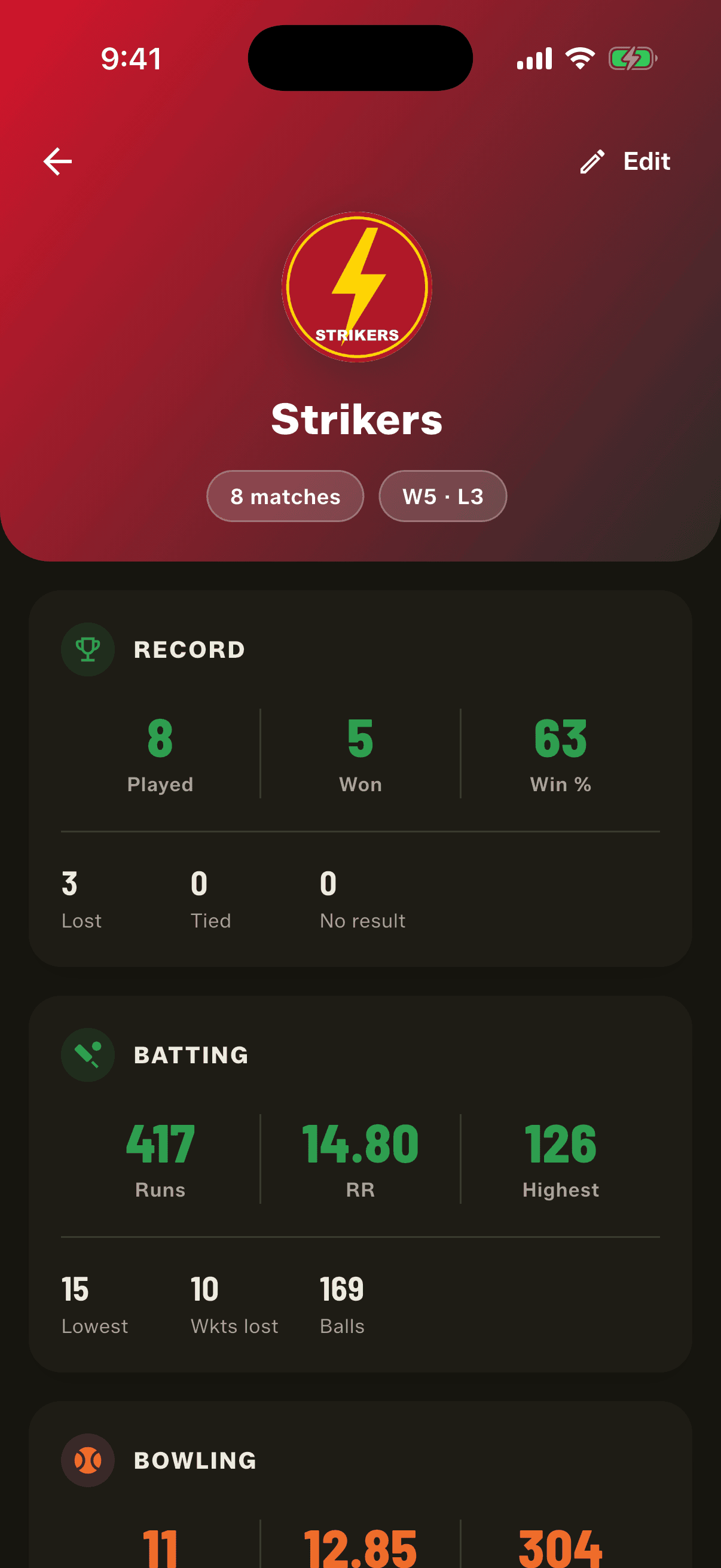
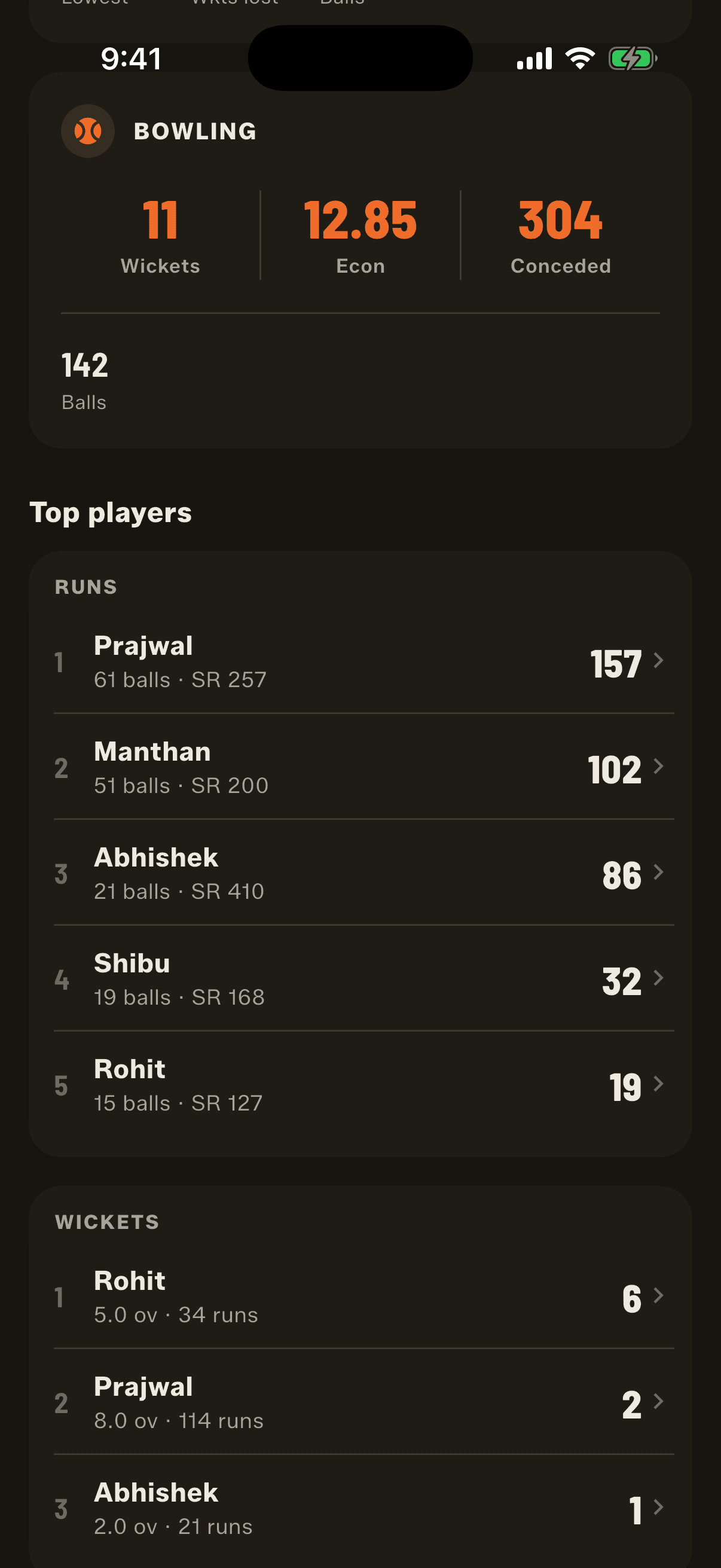
Open the Squad Book, go to Team Sheets and tap a team. Its profile shows matches won and lost, batting and bowling figures, its top five batters and bowlers, head to head against every opponent and every match it has played.
Step by step
1
Open Team Sheets
Settings, then Squad Book, then the Team Sheets tab.
2
Tap a team
The profile opens with the team's record, batting and bowling.
3
Scroll for top players and head to head
Top five by runs and by wickets, then the team's record against every side it has played, then the match list.
Top players follow the matches, not the team sheet
Gully squads change every week. So the profile doesn't look at who is on the team sheet today. It reads who was in each match's lineup on the day it was played. A player who scored heavily for Strikers last season still shows in Strikers' top players after joining Titans, and their new runs go to Titans.
Which matches count
Every Full Match the team played.
Every Quick Match where you picked the team from Saved teams (tap the badge next to the team name in Quick Match setup).
When a team has played both kinds, filter chips at the top let you see All, Full Match or Quick Match on its own.
Top players come from Full Matches only, because Quick Match doesn't record individual players.
Add a team logo
Tap Edit on the profile, then the round badge beside the team name. Choose a logo from your gallery or take a photo, pinch and drag it into the circle, and tap Use photo. The logo shows on the Squad Book, the team profile and match setup. Change it once and it changes everywhere.
People also ask
Can a cricket scoring app track a team's win record?
Yes. In Gully Crix every saved team has a profile with played, won, lost, win percentage, run rate, highest and lowest totals, and head to head against each opponent.
What happens to a team's stats when a player changes teams?
Nothing is lost. Gully Crix reads who was in each match's lineup on the day, so a player's runs for a team stay in that team's record after they move to another side.
How do I add a logo to my cricket team?
In Gully Crix, edit the team sheet and tap the round badge next to the name. Choose a logo from your gallery or take a photo, then crop it square.