Product Updates
The latest features and improvements shipped in Gully Crix.
GullyCrix 3.6 — Single Player Mode: Everyone Bats for Themselves, Plus Team Profiles, Team Logos & Sort by Any Stat
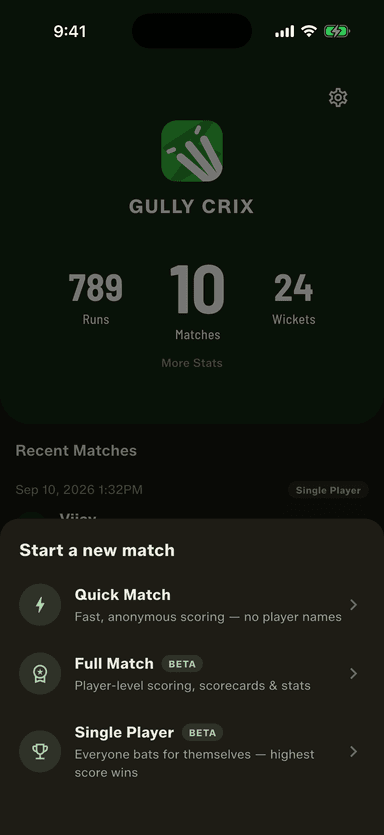
Five of you turned up and nobody wants to pick teams. 3.6 scores the game you play instead: everyone bats, one wicket each, highest score wins the round. And your saved teams finally keep a record of their own.
How to get started
- Update GullyCrix to version 3.6 from Google Play. The iPhone update follows after App Store review.
- Tap Start a new match and choose Single Player.
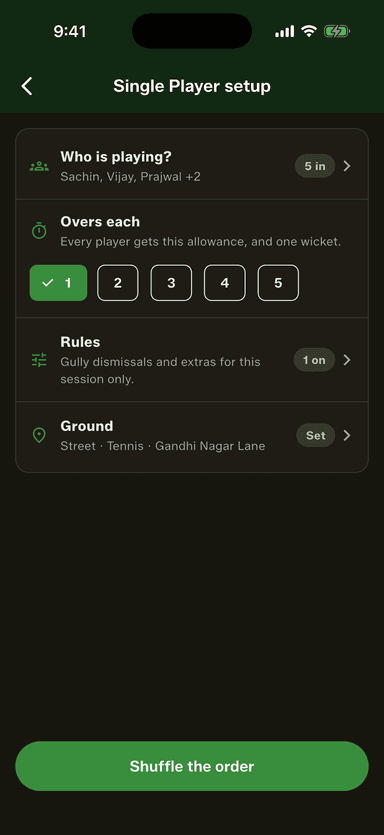
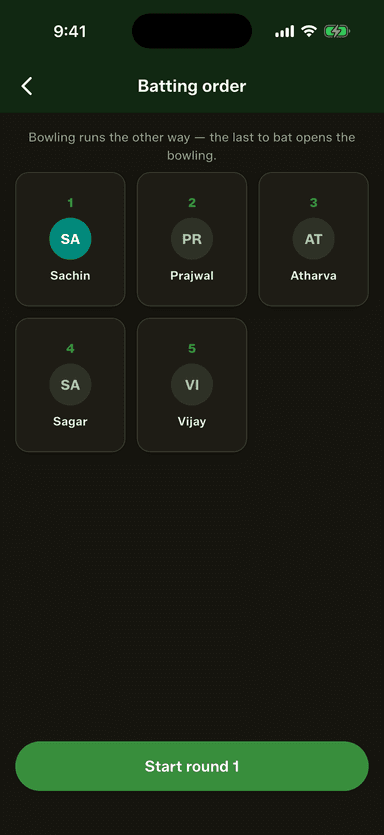
- Pick who's playing, set the overs each, and tap Shuffle the order.
- Score each turn. The app picks the next bowler and keeps the leaderboard.
- At the end of the round, see the winner and tap Play next round.
- In the Squad Book, tap any team for its profile, or tap Sort to rank players by any stat.
GullyCrix 3.5 — Your Ground, Your Rules: One Tip One Hand, Direct Out, Three Strikes & Saved Rule Sets
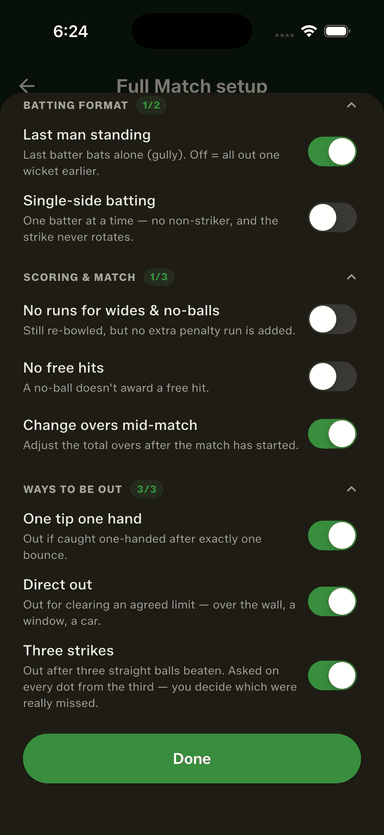
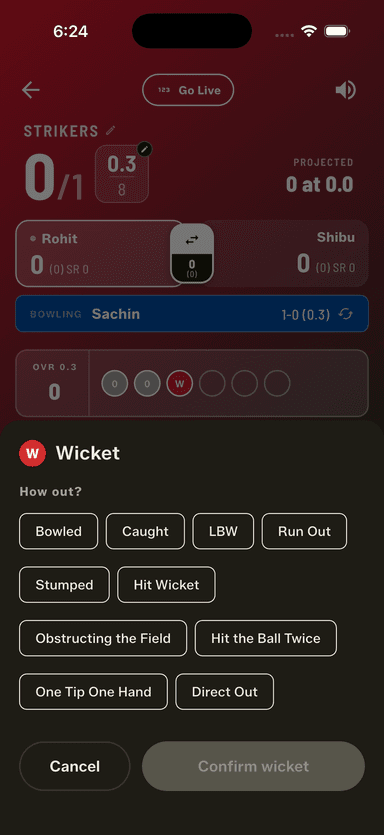
Every gully has ways of getting out that no scoring app has ever supported. 3.5 scores them — one tip one hand, direct out, three strikes — and remembers each ground's rules as a named set you pick once.
How to get started
- Update GullyCrix to version 3.5 from Google Play. On iPhone, 3.5 is in App Store review.
- In Full Match setup, tap Configure rules and open the new "Ways to be out" section.
- Switch on the dismissals your ground plays — one tip one hand, direct out, three strikes.
- Tap Save to name the set after your ground, and pick it in one tap next time.
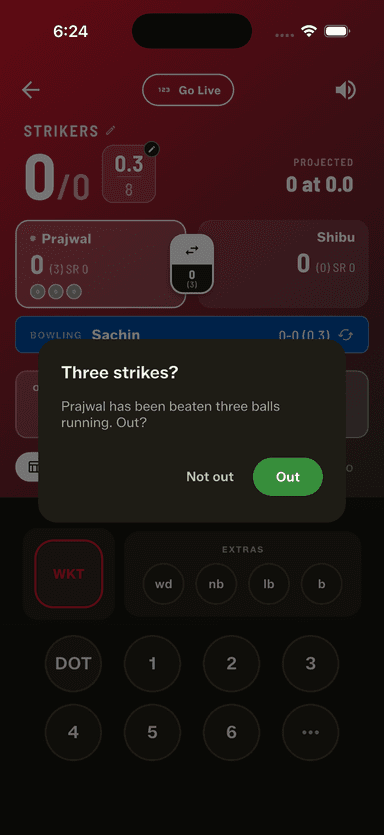
- Score a match: on the third straight dot, the app asks whether the batter is out.
- Got the toss backwards? The openers screen names the batting side — tap to switch.
GullyCrix 3.4 — Your Scorebook Now Remembers: Head-to-Head Records, Player Comparison & Tappable Ball-by-Ball
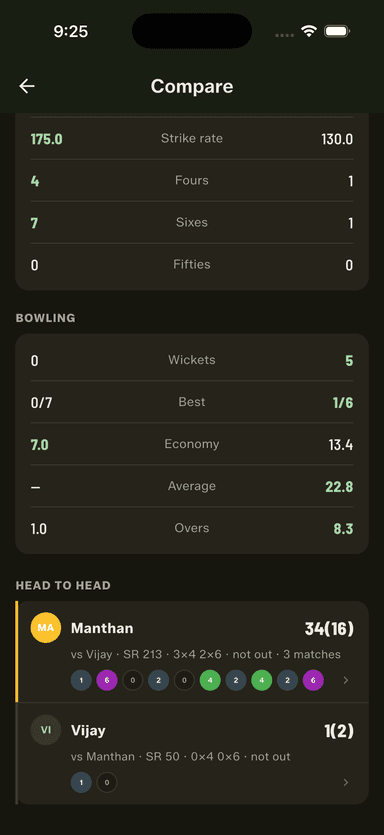
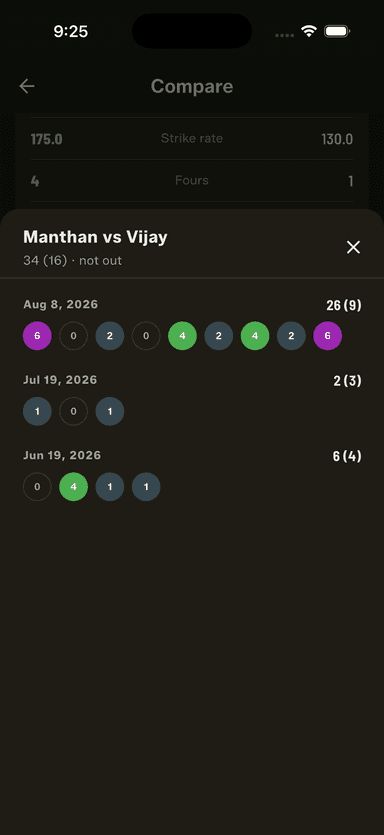
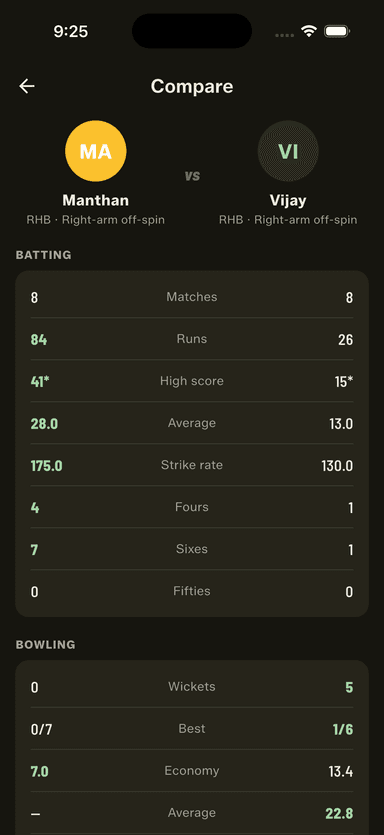
Until now the app recorded your cricket. Now you can question it — settle who owns whom with a real bowler-vs-batter record, stand two careers side by side, and tap any strip of balls to read every delivery behind it.
How to get started
- Update GullyCrix to version 3.4 from Google Play. On iPhone, these features arrive with 3.5.
- Open the Squad Book, pick a player, and tap "Compare with…" to stand them next to anyone else.
- Scroll to the bottom of the Compare screen for the head-to-head record between the two.
- Tap any strip of balls — a head-to-head, or a batter at the crease — to read every delivery behind it.
- Score a full match and watch the last-six-balls strip build on both batter cards.
- Got the same player twice in your book? Merge the two entries and their stats become one career.
GullyCrix 3.3 — Built for the Middle of the Ground: A Sunlight-Readable Scoreboard, More Gully Rules & New Share Cards
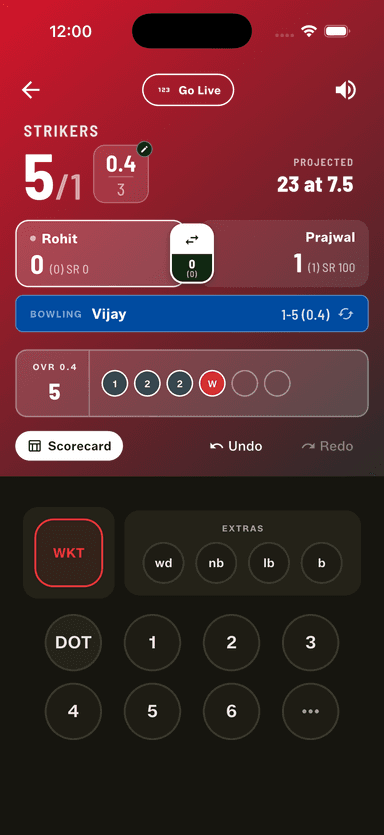
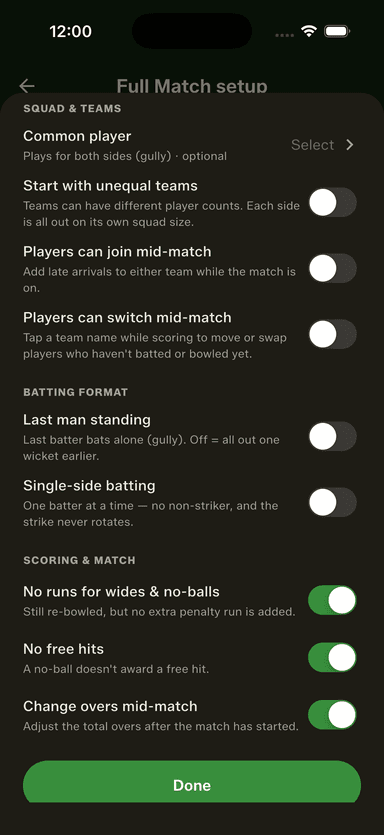
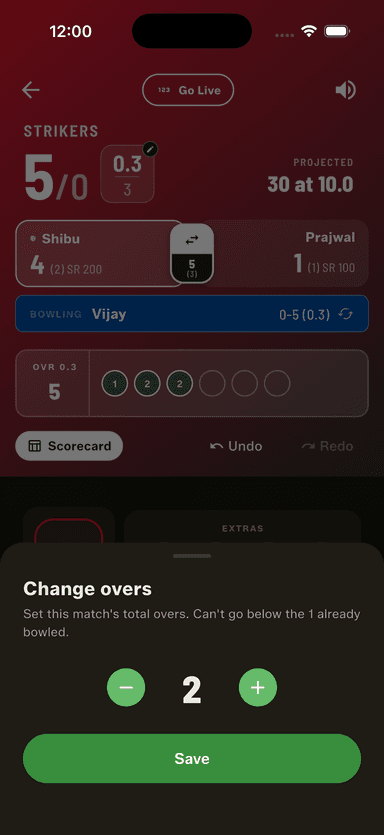
Score in the blazing sun and still read the board at a glance — a bigger, higher-contrast scoreboard with one clear projected/required line. Turn on more gully rules (no wide/no-ball penalty, no free hits, change overs mid-match), fix a scoring slip even after the last ball, and share partnerships, top performers and social-ready square/story cards.
How to get started
- Update GullyCrix to version 3.3 from the App Store or Google Play.
- Start a Full or Quick Match and score a few balls to see the new sunlight-readable scoreboard.
- Open Gully Rules to turn off the wide/no-ball penalty or free hits, or to change the overs mid-match.
- At the innings change, use the full-screen "Game On" break to start the chase — or jump back to fix the score.
- Made a mistake after the match ended? On the result screen tap "Fix scoring error" to reopen, undo and re-score.
- Tap Share and pick the new Partnerships, Top Performers and square/story social cards — everything's selected by default and remembered next time.
GullyCrix 3.2 — Gully Your Way: Uneven Teams, Single-Side Batting, Squad Leaderboards & PDF Export
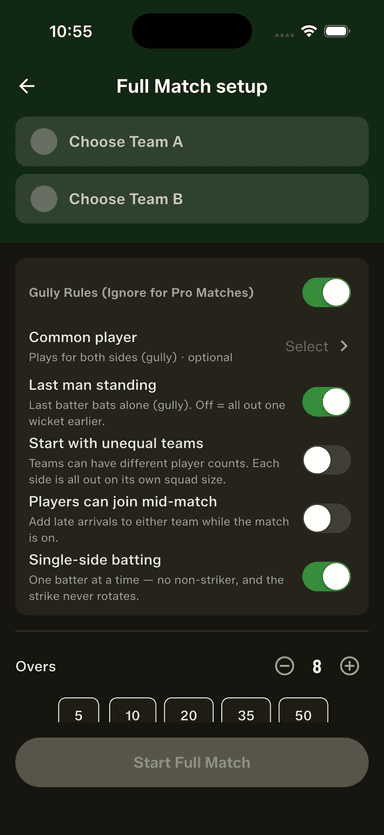
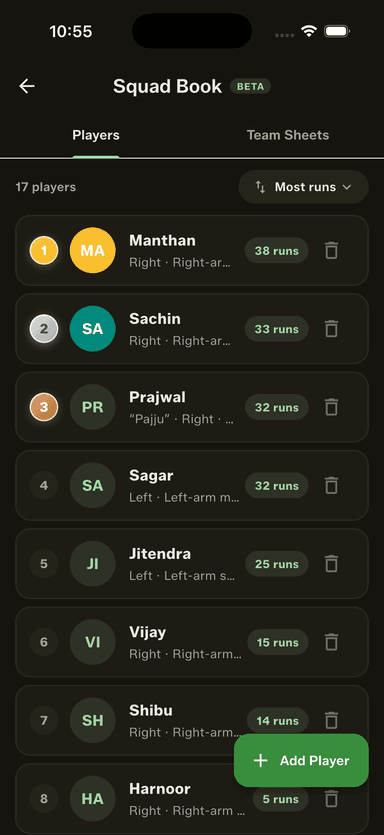
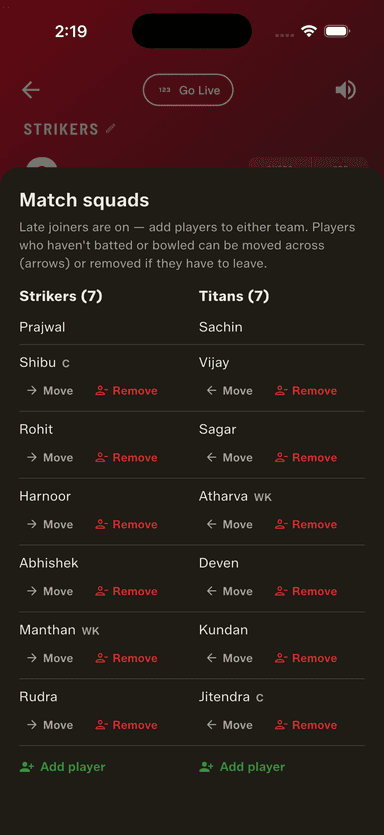
Score the game the way it's actually played — start with uneven teams, let players join, move or leave mid-match, or bat single-side with no non-striker. Then rank your Squad Book by runs, wickets, sixes, strike rate or economy with gold, silver and bronze medals, and export any match — or any player's stats — as a shareable PDF.
How to get started
- Update GullyCrix to version 3.2 from the App Store or Google Play.
- Start a Full Match and open Gully Rules to turn on unequal teams, mid-match joiners, or single-side batting.
- Mid-match, add, move or remove a player from the match squads sheet whenever your line-up changes.
- Open the Squad Book's Players tab and use the sort control to rank your players — watch the top three earn their medals.
- From a finished match tap Share and choose PDF, or open a player's profile to share their stats as an image or PDF.
- Explore the scorecard's Awards tab, and filter any player's career by arena and ball type together.
GullyCrix 3.1 — Share Your Match: Scorecards, Player Awards, Partnerships & Every Dismissal
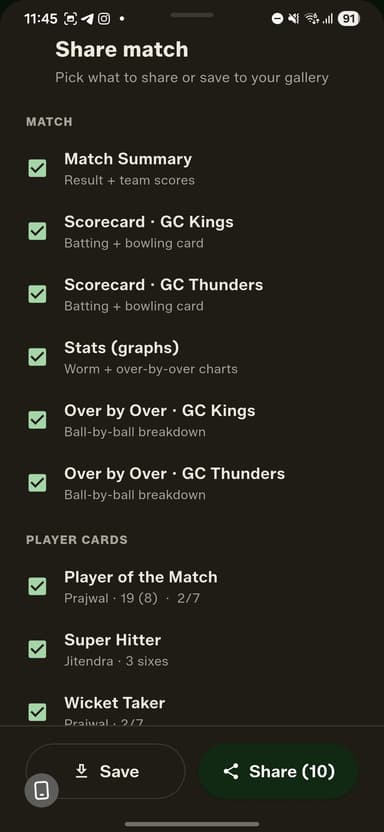
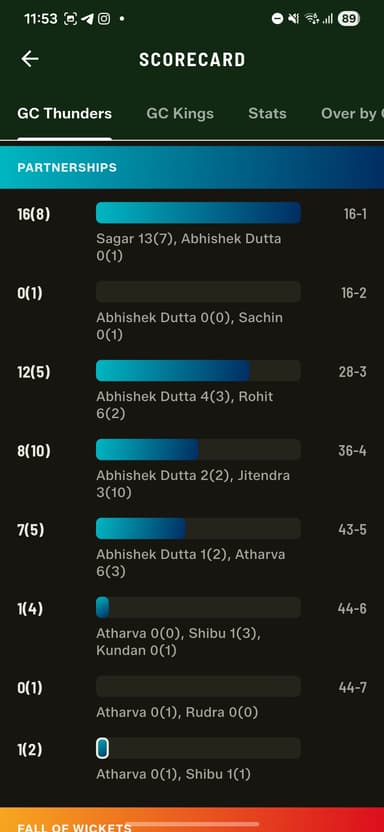
Turn any match into share-ready images — scorecards, stats graphs, over-by-over and player-award cards. Plus a full partnerships breakdown, a smarter live header with a projected score, the same depth in Quick Match, and every kind of dismissal — from obstructing the field to timed out — with a faster run-out flow.
How to get started
- Update GullyCrix to version 3.1 from the App Store or Google Play.
- Open any finished match and tap Share — tick the cards you want (summary, scorecards, stats graphs, over-by-over and player awards), then Save to your gallery or Share to send them on.
- While scoring, tap Stats to see the new Innings and Partnerships tabs — now in Quick Match as well as Full Match.
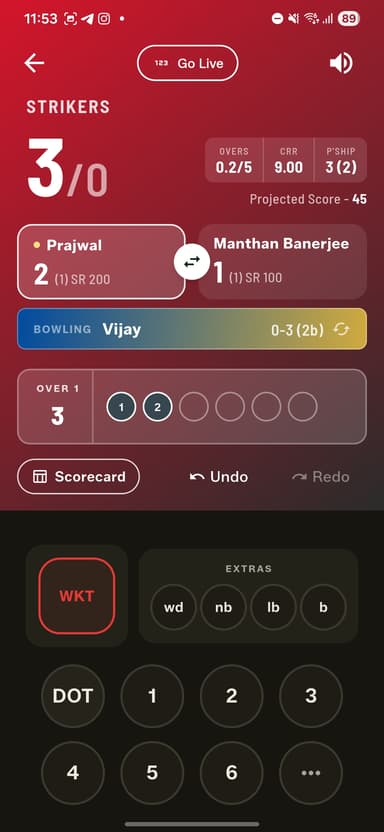
- Watch the live header for the current run rate, the partnership at the crease, and a projected first-innings score.
- On a wicket, pick the dismissal — including Obstructing the Field, Hit the Ball Twice and Timed out — and use the quicker run-out flow to choose the end and the fielders.
GullyCrix 3.0 — Full Match Mode: Player-Level Scoring, Scorecards & Career Stats
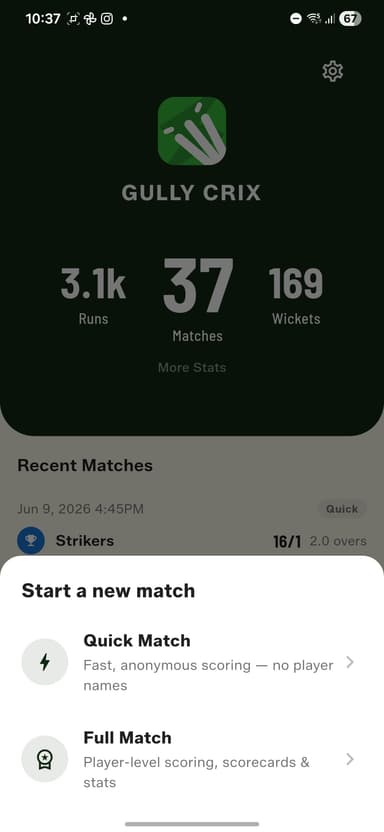
The biggest release yet. Full Match mode brings named players, a Squad Book with team sheets, ball-by-ball scorecards, every dismissal type, gully rules like Common Player and Last Man Standing, and career stats for every player in your squad.
How to get started
- Update GullyCrix to version 3.0 from the App Store or Google Play.
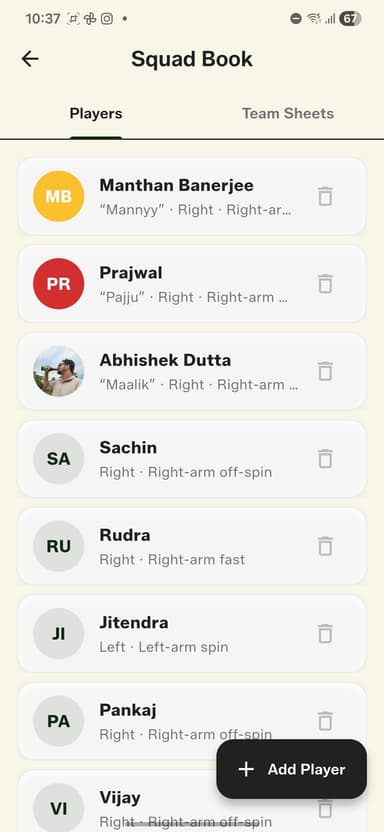
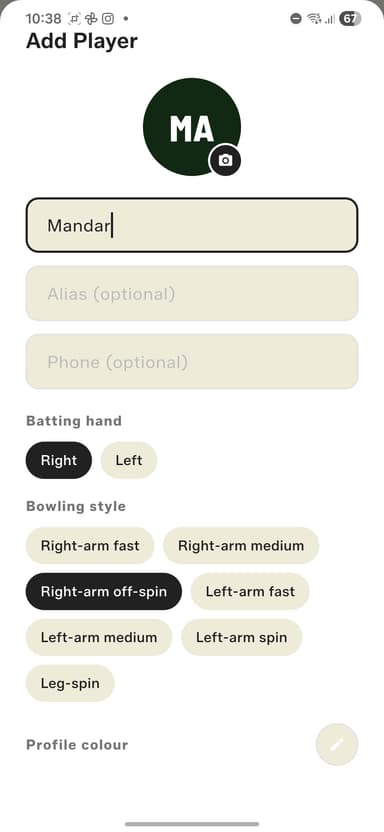
- Open the Squad Book and add your regular players — name, batting hand, and bowling style.
- Create Team Sheets from those players, tagging a wicket-keeper and captain if you like.
- Start a new match and choose Full Match, pick your teams, toss the coin, and set your rules — overs, bowler caps, Common Player, Last Man Standing, arena, and ball type.
- Pick your openers and opening bowler, then score ball by ball — the app handles dismissals, bowler quotas, and the scorecard for you.
- After the match, share the result card and watch every player's career stats grow in the Squad Book.
GullyCrix 2.2.0 — A Fresh Look, Deeper Stats & More Control
A redesigned scoreboard and scorecard, a whole new match stats section, end-of-over summaries, granular sound controls, app icon choices, and more.
How to get started
- Update GullyCrix to version 2.2.0 from the App Store.
- Start or resume a match to see the redesigned scoreboard and scorecard, now with CRR, live partnership, and the target context for chasers.
- Open Match Stats to view Match Progress, Over-by-Over charts, the two-team comparison, and the 4s/6s/extras breakdown.
- Finish an over to see the new End of Over summary before the next one begins.
- Open Settings to fine-tune individual event sounds and to choose your preferred app icon.
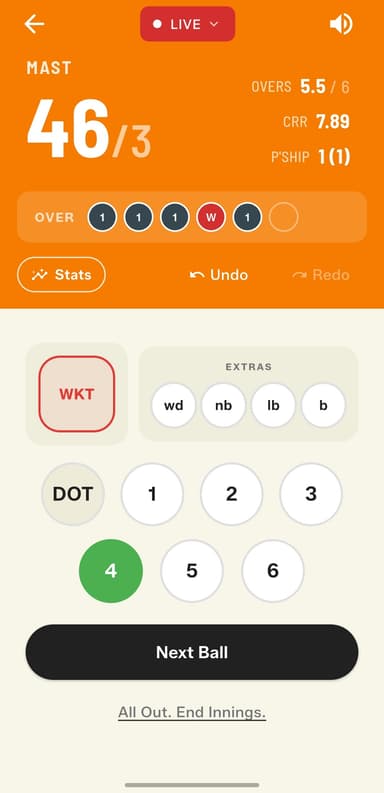
Live Match Streaming
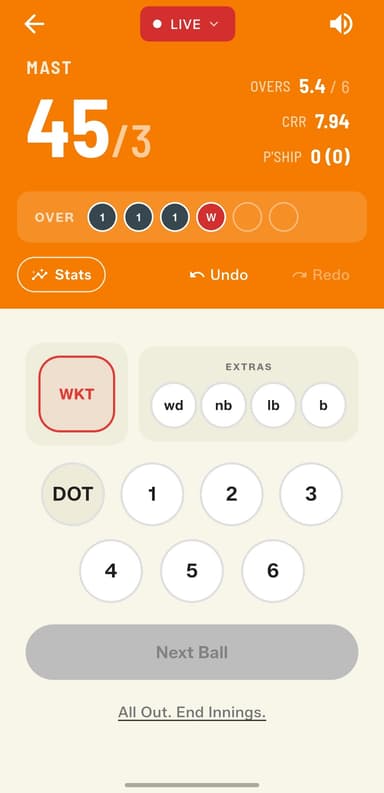
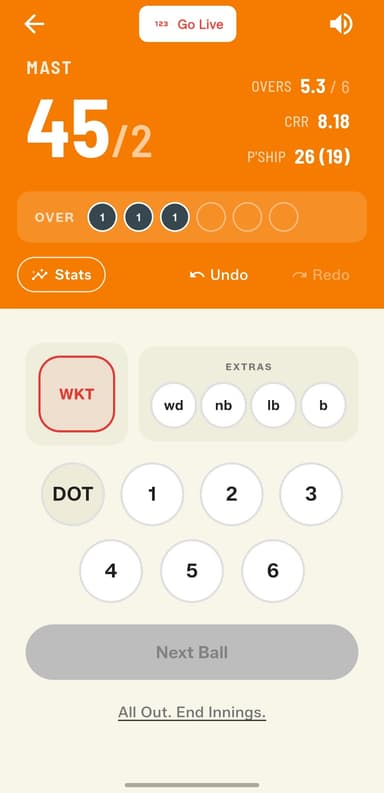
Watch any Gully Crix match live from anywhere in the world — real-time ball-by-ball updates straight to your browser.
How to get started
- Open the app and start or resume a match.
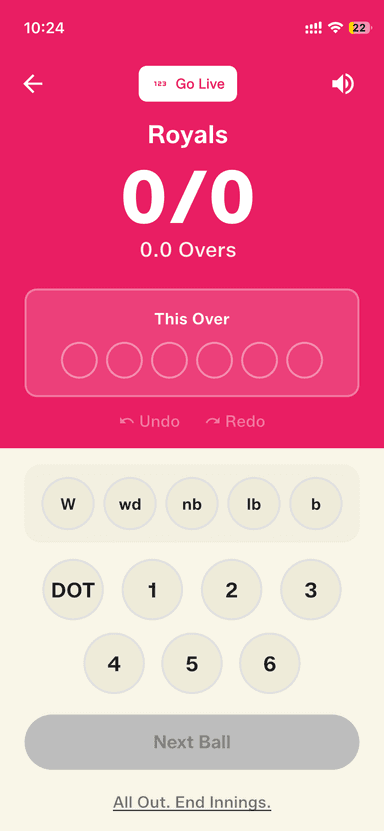
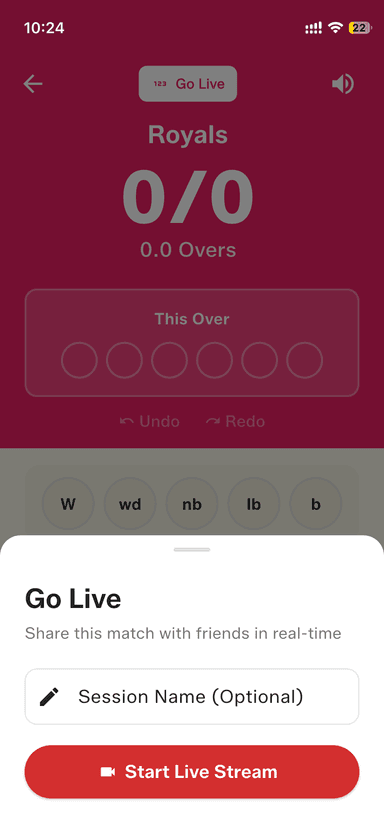
- Tap the "Go Live" button in the top right of the scoring screen.
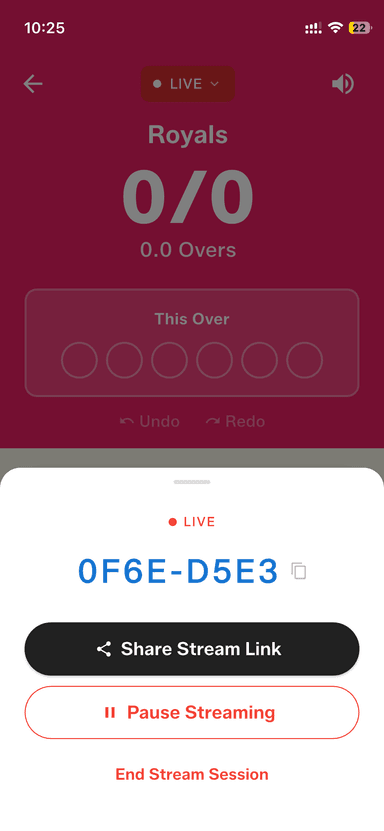
- A unique shareable link is generated instantly.
- Share the link via WhatsApp, Telegram, or copy it to clipboard.
- Viewers open the link in any browser — no account or app required.
- Scores update ball-by-ball in real time.
Built-in Coin Toss
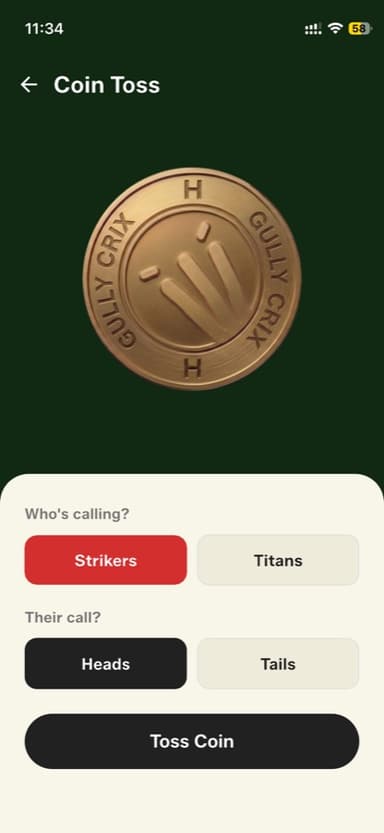
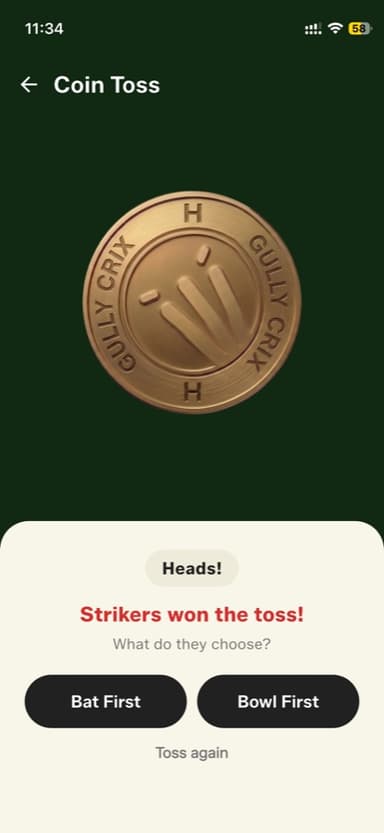
No more fumbling for a coin before the match. Gully Crix now has a proper 3D coin toss built right into match setup.
How to get started
- Start a new match and enter both team names on the match setup screen.
- Once team names are entered, the "Coin Toss" button enables — tap it.
- Select which team is calling the toss.
- Choose Heads or Tails for the calling team.
- Tap "Toss Coin" — the 3D coin spins and settles with a sound.
- The toss result is shown and the winning captain picks Bat First or Bowl First.
- Scoring starts immediately after the choice.
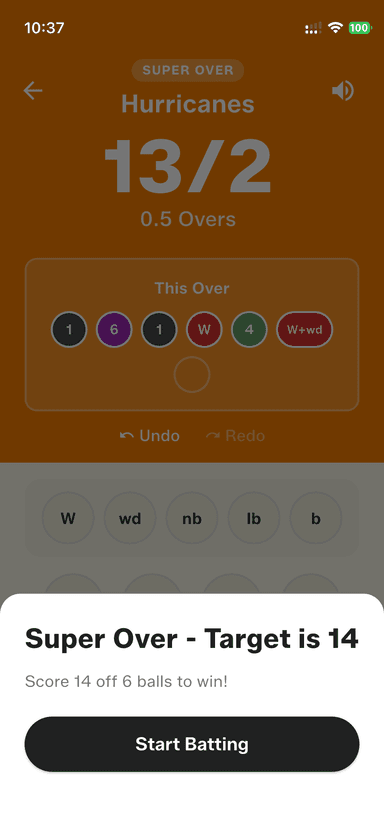
Super Over Tiebreaker
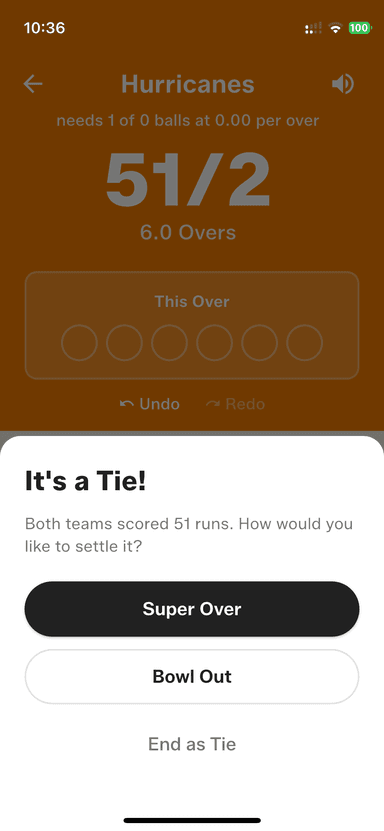
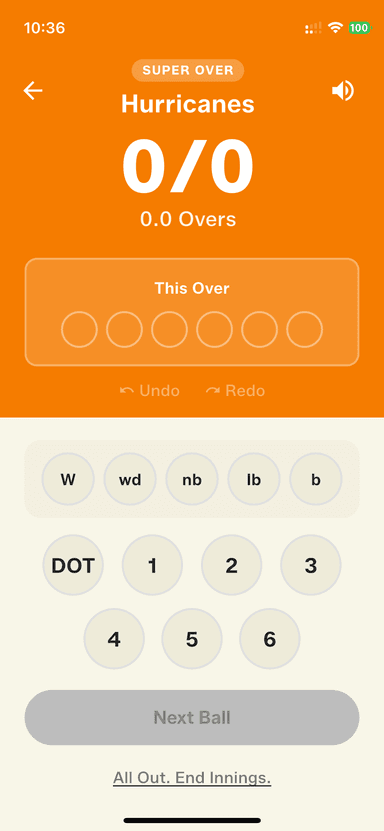
When scores are tied at the end of a match, settle it the exciting way — with a Super Over.
How to get started
- Complete a match that ends in a tie.
- Tap "Super Over" on the tiebreaker options screen.
- First team bats — score their over like any normal over.
- Second team gets their target and bats to chase it.
- The winner is declared automatically once both teams have batted.
- If the Super Over also ends in a tie, tap "Play Another Super Over" — you can keep going until someone wins.
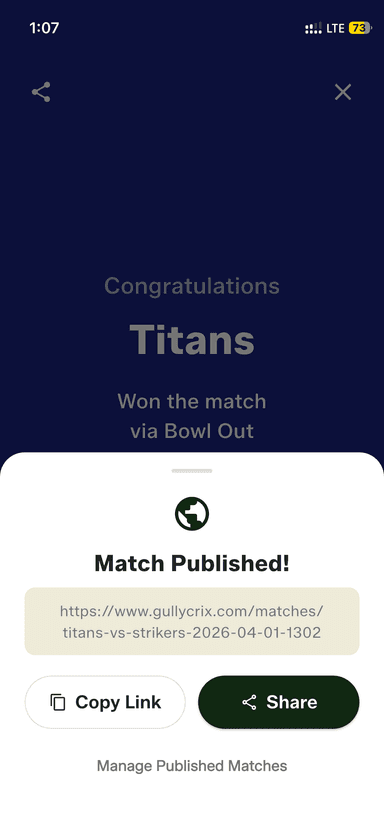
Publish Matches
Give every match a permanent public link. Share the full scorecard with anyone — no app, no account needed.
How to get started
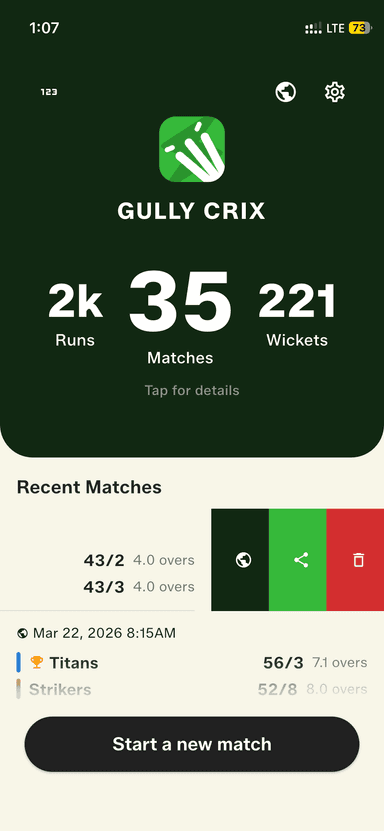
- Complete a match and tap 'Publish' on the result screen — or swipe on any recent match and tap the globe icon.
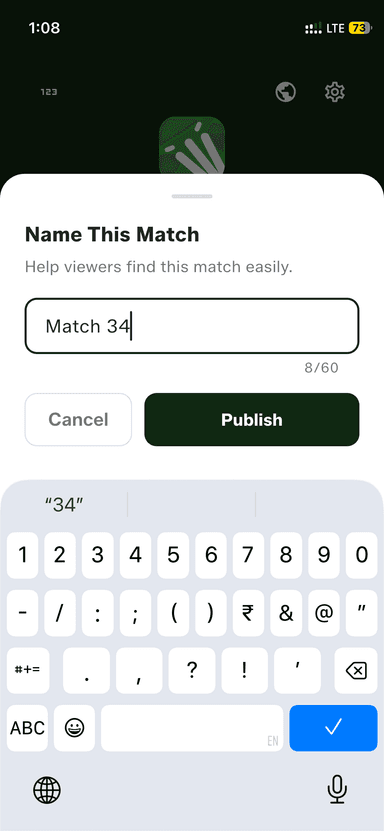
- Give your match a name (optional) so it's easy to find later.
- Tap Publish — your match gets a permanent public URL instantly.
- Share the link via WhatsApp, Telegram, or copy it to clipboard.
- Anyone with the link can view the full scorecard from their browser — no app or account required.
- To unpublish, open the Published Matches screen from the home screen globe icon and toggle it off.
Bowl Out Tiebreaker
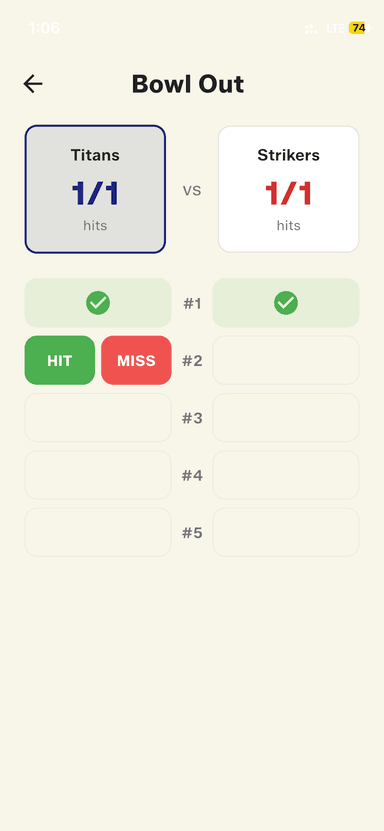
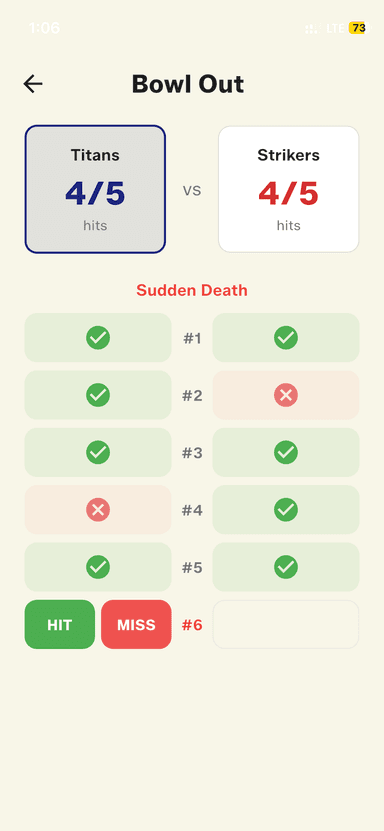
No time for a Super Over? Break the tie with a Bowl Out — cricket's version of a penalty shootout.
How to get started
- Finish a match that ends in a tie.
- Tap "Bowl Out" from the tiebreaker options screen.
- Enter the five bowlers for each team.
- Record each delivery — Hit or Miss.
- The team with the most hits wins. Ties go to sudden death.
Share Match Results
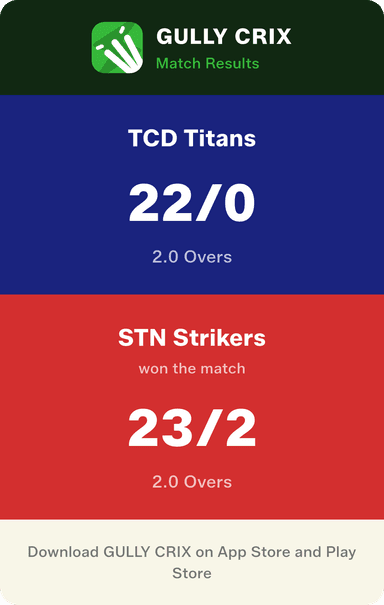
Generate a beautiful match result card and share it instantly to WhatsApp, Instagram, or anywhere else.
How to get started
- Complete your match.
- Tap "Share" on the match result screen.
- A match card is generated with both teams' scores.
- Tap the share icon to send via WhatsApp, Telegram, Instagram, or save to photos.
Full Scorecard with Batting & Bowling Stats
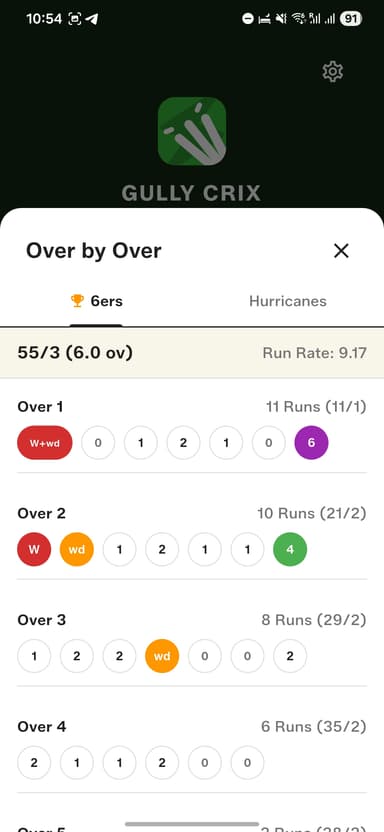
Every match now generates a complete scorecard — balls faced, strike rates, wickets taken, economy rates, the works.
How to get started
- Complete your match normally.
- Tap "View Scorecard" on the match result screen.
- View batting summary: total runs, balls, 4s, 6s, and strike rate for the innings.
- Switch to bowling view: overs bowled, wickets taken, runs conceded, and economy rate.
- Share the scorecard as a screenshot from your phone.
Match Ready in Under 10 Seconds
We redesigned the match setup flow. Enter team names, pick overs, toss — done. Less tapping, more cricket.
How to get started
- Tap "New Match" from the home screen.
- Enter Team A and Team B names (or use defaults).
- Set the number of overs (2 to 50).
- Tap who won the toss and chose to bat.
- Hit Start — you're scoring immediately.
Sound Effects for Boundaries & Wickets
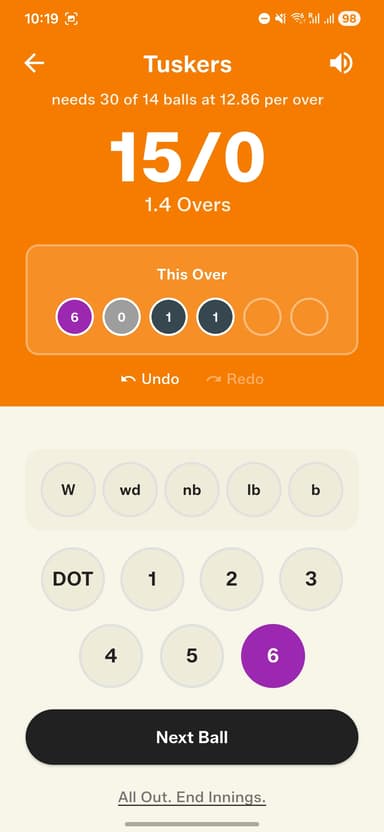
A six should feel like a six. Gully Crix now plays crowd sounds and celebratory audio cues for every big moment.
How to get started
- Make sure your phone volume is turned up.
- Start scoring a match as usual.
- Tap 4 or 6 — you'll hear the crowd roar.
- Tap W (wicket) — the stumps rattle sound plays.
- To mute sounds, go to Settings and toggle "Sound Effects" off.
Fully Offline — No Internet Required
Gully Crix works without any internet connection. Score from the ground, the rooftop, or the middle of nowhere.
How to get started
- Download Gully Crix on your iPhone.
- Turn off WiFi and mobile data — the app works exactly the same.
- Start a match, score every ball, complete the game.
- All data is saved locally to your device automatically.
- No account needed. No login. No cloud dependency.
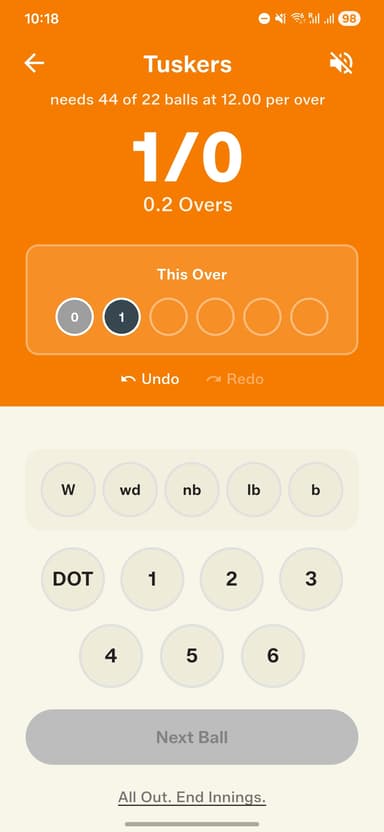
One-Tap Scoring — DOT, 1, 2, 3, 4, 6, W, Extras
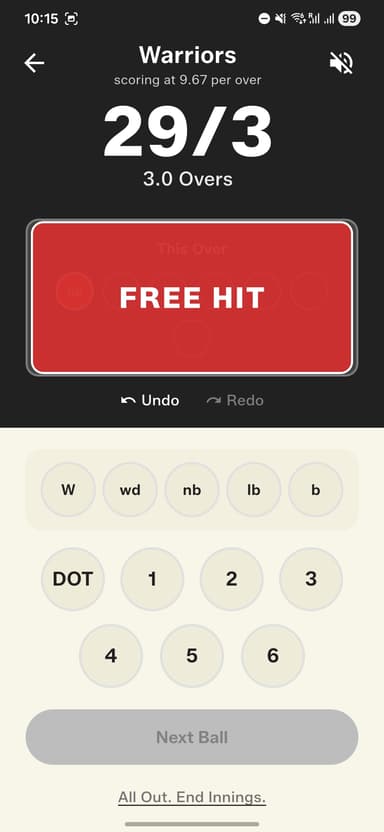
The core of Gully Crix: every delivery scored in a single tap. Fast enough to keep up with the game — including automatic Free Hit alerts.
How to get started
- Start a new match and begin the first over.
- The scoring pad shows all outcomes: DOT, 1, 2, 3, 4, 6, W.
- Tap once for runs — the score updates instantly.
- Tap "W" for a wicket — enter dismissal type and fielder.
- Tap "Extras" for wide, no-ball, leg bye, or bye.
- Tap no-ball — the next delivery is automatically marked as a Free Hit with a bold alert on screen.
- Over ends automatically after 6 legal deliveries.