v3.6Now on Android: Single Player mode · team profiles · sort by any statCheck it out
All help guides
How to find a player fast
Full MatchNew in 3.4
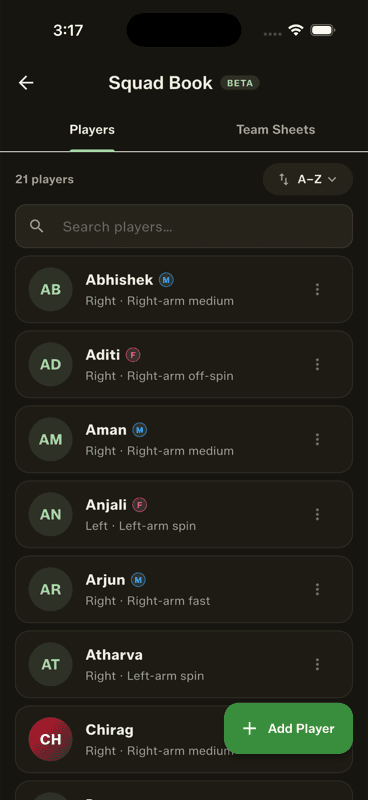
Type into the search box at the top of any player list. It matches names and nicknames, so “pajju” finds Prajwal. It appears wherever a list is long enough to need it — the Squad Book, team sheets and every in-match picker.
The search box sits above the list and filters as you type.
Where it shows up
The Squad Book players tab
The team sheet editor and each match's lineup editor
The common-player picker and the late-joiner sheet
Any picker with more than a handful of players
Two details worth knowing
The search bar stays pinned as the roster scrolls beneath it. And in the lineup editors it filters the batting order as well as the unpicked players — but dragging is disabled while a search is active, because reordering a filtered list would rewrite the order from only the visible players. Clear the search and dragging returns.
People also ask
How do I find a player quickly in a long cricket squad?
Search by name or nickname. Gully Crix filters as you type and matches both, so typing a nickname finds the player even if you never use their full name.
Can I search cricket players by nickname?
Yes. Give a player a nickname in their profile and it becomes searchable everywhere alongside their real name.