v3.6Now on Android: Single Player mode · team profiles · sort by any statCheck it out
All help guides
How to fix a scoring mistake — even after the match has ended
Quick MatchFull Match
Tap Undo on the scoring screen to take back the last ball — repeatedly, if needed — and Redo to restore it. If the match has already finished, open the result screen and tap Fix scoring error to reopen it.
Step by step
1
Undo the last ball
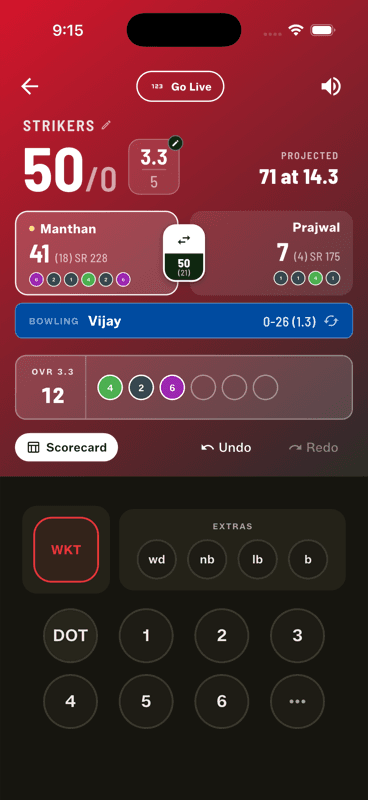
Tap Undo, next to the Scorecard button on the scoring screen. Every ball is reversible — runs, extras, wickets, even a retirement. Tap again to go further back.
2
Redo if you went too far
Redo restores what you just undid, so stepping back one ball too many costs nothing.
3
After the innings: Fix scoring error
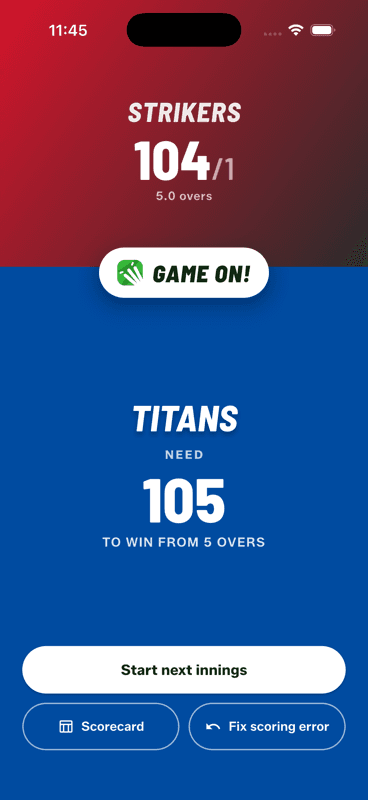
The innings break screen has a Fix scoring error button that takes you back into the first innings.
4
After the match: reopen it
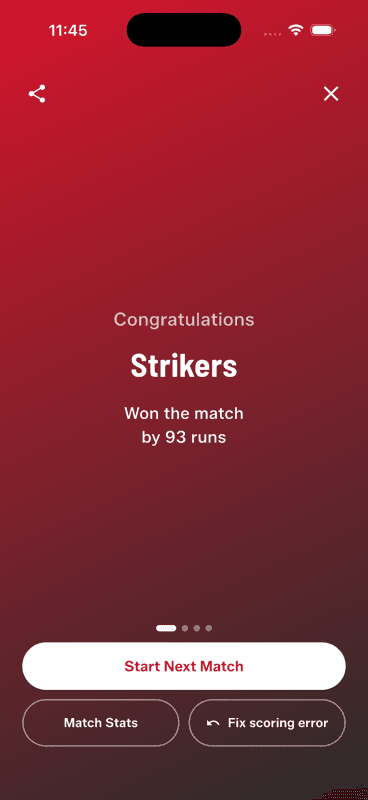
On the result screen, tap Fix scoring error. The match reopens for corrections, and the result recalculates when you finish again.
Undo is not just for the last ball
Undo steps back through the innings one delivery at a time, as far as you need. A wicket recorded two balls ago, a wide that was actually a no-ball, the wrong batter on strike — walk back to it, re-enter the balls correctly, and the score, over count and every player's figures recalculate as you go.
The match is over and someone spots a mistake
This is the one people assume is impossible. It is not: the result screen has a Fix scoring error button that reopens the finished match exactly where it ended. Undo back to the wrong ball, fix it, and finish the match again — the winner, margin and awards all recalculate from the corrected deliveries.
Career stats update too. Because player records are computed from the stored balls, correcting a match corrects every stat that came from it.
What Undo cannot do
Undo works within a match. It cannot bring back a match that was aborted from the home screen — an abort deletes the ongoing match for good, which is why the app asks you to confirm it.
People also ask
How do you fix a wrong score in a cricket scoring app?
Use undo to step back through the deliveries to the wrong ball, then re-enter it correctly. In Gully Crix every ball is reversible, and the score, overs and player figures recalculate as you go.
Can you edit a cricket match after it has finished?
In Gully Crix, yes — the result screen has a Fix scoring error button that reopens the completed match. The result, awards and career stats all recalculate once you finish it again.
Does correcting a match also correct player statistics?
Yes. Career stats are computed from the stored deliveries rather than kept as running totals, so fixing the ball fixes every number that came from it.