1. Was it a Full Match?
By far the most common cause. Quick Match records no player attribution, so those runs cannot appear on anyone's career. Check the badge on the match in your history.
2. Is there a duplicate player?
Half a career under “Rohit” and half under “Rohit S” looks exactly like missing stats. Search the name — if two entries exist, merge them and the career reassembles.
3. Is a filter on?
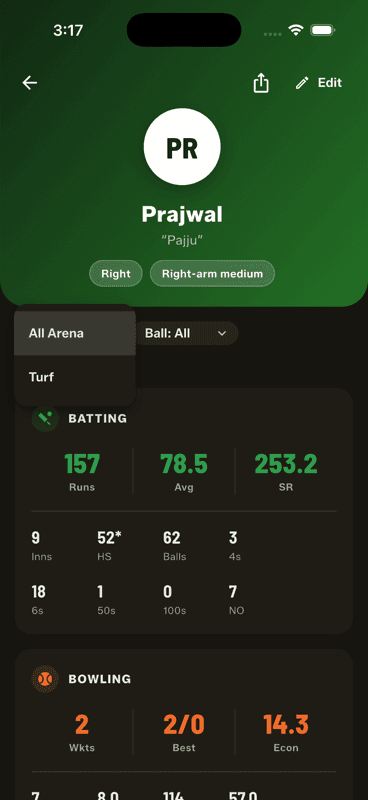
The player profile has Arena and Ball filters that persist while you are on the screen. If the numbers look small, check both read All.
4. Was the wrong player picked during the match?
If a ball was credited to the wrong name, reopen the match, undo back to it and re-enter it. Stats are computed from deliveries, so correcting the ball corrects every number that came from it.
Still wrong after all four? The scorecard is the source of truth — open the match and check the innings there before assuming the career is at fault.