v3.4Head-to-head records · compare two players · tap any ball strip · search your squadCheck it out
All help guides

How to share a scorecard to WhatsApp (images or PDF)

Quick MatchFull Match

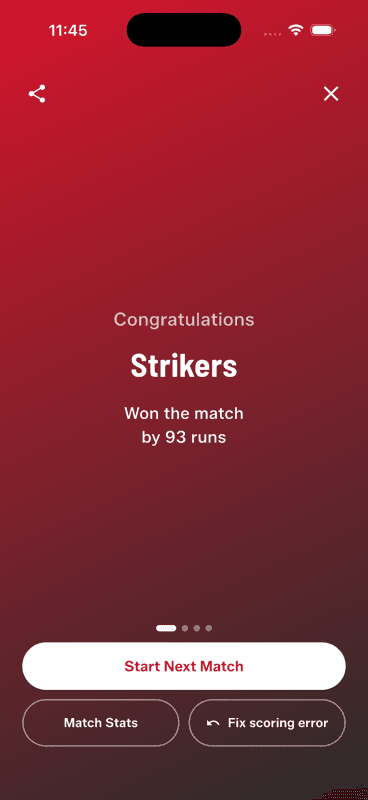
Finish the match, tap Share on the result screen, and pick Images or PDF. Everything is selected by default — tap Share and choose WhatsApp. Images suit the group chat; the PDF is one file with every card.

Step by step

  1. 1

    Open the share sheet

    From the result screen (or any finished match in your history), tap Share.

    Open the share sheet
  2. 2

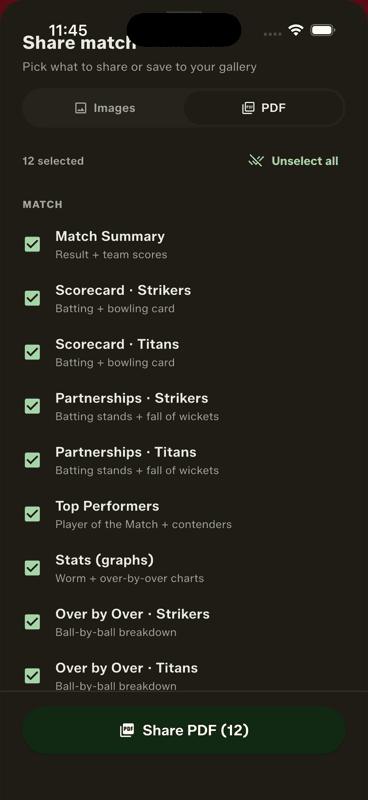
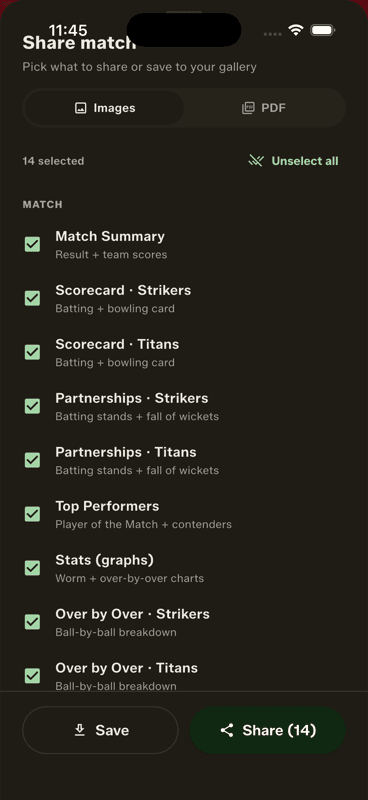
    Pick Images or PDF

    Images sends each card as a picture; PDF bundles everything into a single document. The app remembers which you used last time.

    Pick Images or PDF
  3. 3

    Choose the cards

    Summary, scorecards, over-by-over, partnerships, top performers and award cards are all selected by default — use Unselect all if you only want one or two.

    Choose the cards
  4. 4

    Share to WhatsApp

    Tap Share and pick WhatsApp (or any app) from the system sheet. You can also save to your gallery instead.

Which format for which job

  • Images — the group chat. Each card lands as its own picture, so the scorecard is readable without opening anything.
  • PDF — the record. One file with every selected card, ending with a scan-to-download QR page. Right for tournament organisers and league records.
  • Square and Story crops — the result card also comes in 1:1 and 9:16, sized for an Instagram post or a WhatsApp status.

What is on the cards

The summary carries the result, both innings and the format-and-rules strip, so a shared match shows the overs and any gully rules it was played under. Full Matches add named batting and bowling scorecards, partnerships, the Player of the Match and the award cards.

Story crops are for social, so they are image-only — the PDF deliberately leaves them out.

People also ask

How do you share a gully cricket scorecard on WhatsApp?

Finish the match, open the share sheet, choose Images, and share to WhatsApp. Each card lands as a picture so the scorecard is readable in the thread without anyone opening an attachment.

How can I make a cricket scorecard image to share?

Score the match in an app that generates share cards. Gully Crix produces branded summary, scorecard, partnership and award images automatically once the match ends.

Can I put a cricket score on my WhatsApp status?

Yes — Gully Crix exports the result card in a 9:16 story crop sized for WhatsApp status and Instagram stories.

Last updated 2026-08-09

Join Gully Crix Telegram Community