v3.6Now on Android: Single Player mode · team profiles · sort by any statCheck it out
All help guides
How to set up your first Full Match
Full Match
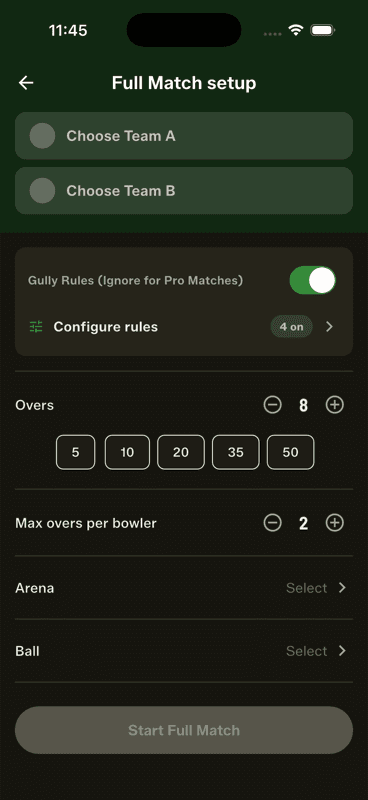
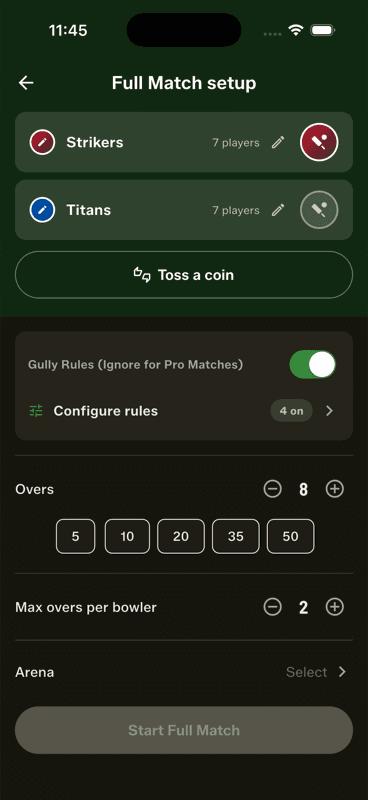
Pick a team sheet for each side, choose the overs, max overs per bowler, arena and ball, then tap Start Full Match and select your openers and opening bowler. Both teams need saved team sheets from the Squad Book first.
Step by step
1
Open Full Match setup
From the home screen, tap Start a new match and choose Full Match.
2
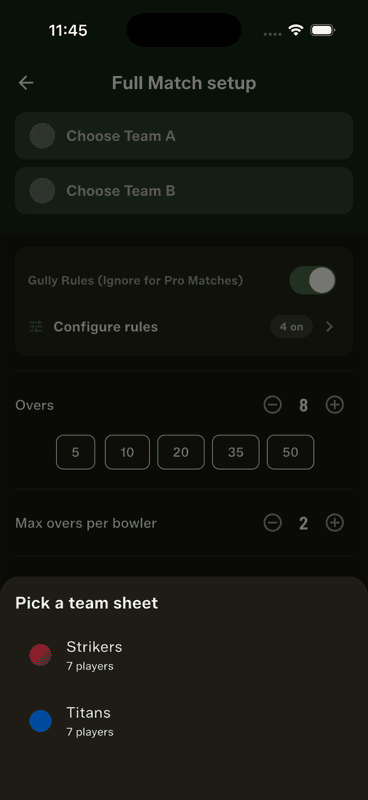
Pick a team sheet for each side
Tap Choose Team A, then Choose Team B. Team sheets are the saved lineups from your Squad Book — a sheet already in use is marked so you can't pick it twice.
3
Set the format
Choose the overs, the max overs per bowler, and turn on any gully rules your game plays by.
4
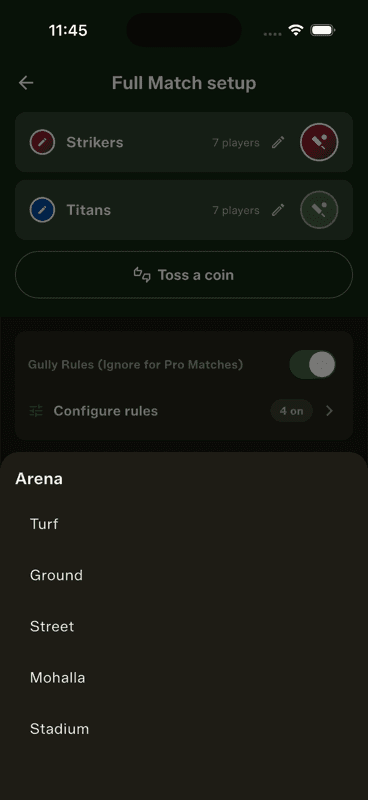
Choose arena and ball
Both are required — they tag the match so you can filter career stats by surface and ball type later.
5
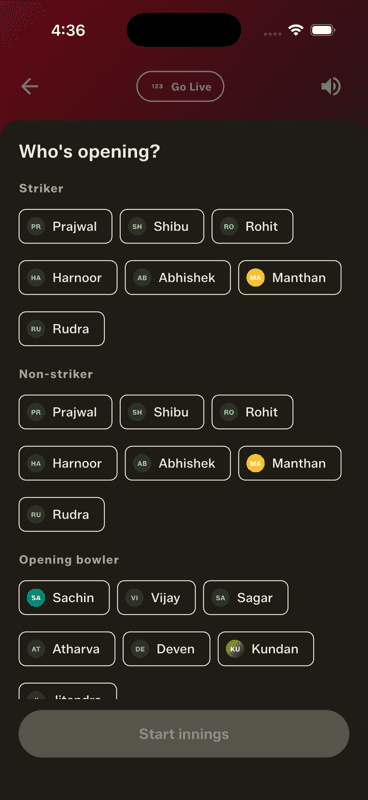
Start, then pick who's opening
Tap Start Full Match and choose the striker, non-striker and opening bowler.
If Start Full Match is greyed out
The button only lights up when the match is genuinely playable. It waits for all of these:
A different team sheet chosen for each side, both with players in them.
No player appearing in both lineups — unless they are the designated common player.
Equal squad sizes, unless Start with unequal teams is on.
Two different team colours (tap a colour dot to change one for this match).
Enough bowlers to cover the innings at the current max-overs-per-bowler cap.
An arena, a ball, and a match name — the name is pre-filled for you.
No team sheets yet? Build them in the Squad Book first — add your players, then save a lineup you can reuse every week.
The batting order
Tap the pencil beside a team to edit that side's lineup for this match only, including dragging the batting order. Your saved team sheet is left untouched.
People also ask
How do you set up teams in a cricket scoring app?
Add your players once, save each side as a team sheet, then pick those sheets at match setup. In Gully Crix this turns a five-minute setup into two taps.
Why is the start match button greyed out?
Because something the match needs is missing — usually a second team sheet, an arena or ball, matching team colours, or unequal squad sizes without the unequal-teams rule switched on.
Do both teams need the same number of players in cricket?
In the formal game yes, in gully cricket rarely. Switch on the unequal-teams rule and each side is simply all out on its own squad size.