v3.4Head-to-head records · compare two players · tap any ball strip · search your squadCheck it out
All help guides

How to score your first cricket match (in under a minute)

Quick Match

Open the app, tap Start a new match, choose Quick Match, type both team names, pick the overs and tap Start Match. No account, no signup, and it works with no internet.

Step by step

  1. 1

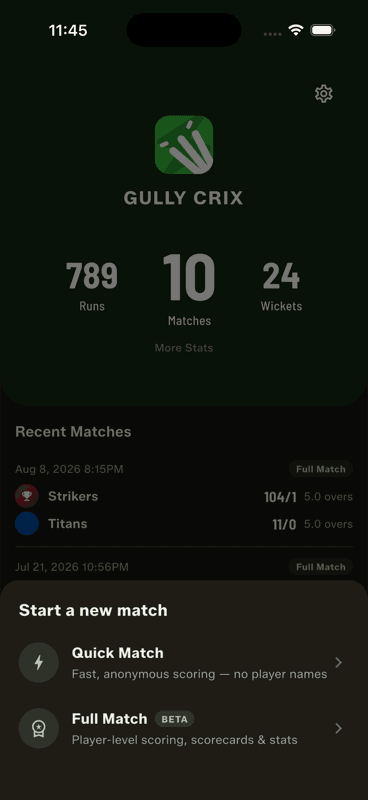
    Tap Start a new match

    It is the big button at the bottom of the home screen.

    Tap Start a new match
  2. 2

    Choose Quick Match

    Fast, anonymous scoring — the fewest taps between you and the first ball.

  3. 3

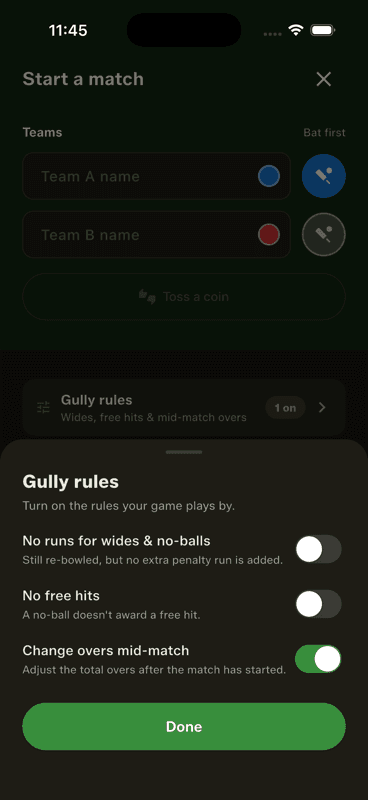
    Name the teams and pick the overs

    Type both team names and choose an over count — 6, 8, 10, 15, 20, 25, 50 or a custom number. Optionally toss a coin in the app to decide who bats.

    Name the teams and pick the overs
  4. 4

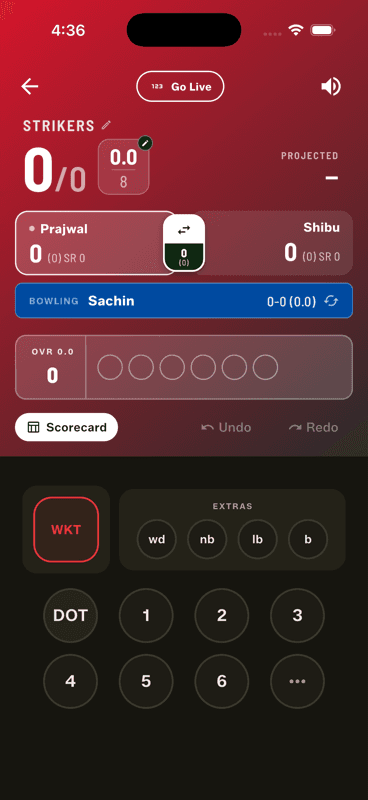
    Start scoring

    Tap Start Match. Every ball is a tap on the number pad, then NEXT BALL to confirm.

    Start scoring

That really is the whole setup

There is no account to create, no email to verify and no permission to grant. The match lives on your phone from the first ball, which is also why it keeps working when the ground has no signal.

Want named players, scorecards and career stats? That is Full Match — one step more at setup, and a permanent record afterwards.

People also ask

How do you score a cricket match for beginners?

Record what happens on each ball — runs, extras or a wicket — and let the app handle the overs, strike rotation and totals. In Gully Crix each ball is a tap on the number pad plus a confirm.

What is the easiest cricket scoring app to use?

One that starts without a signup. Gully Crix needs no account and no internet, and Quick Match takes two team names and an over count before you are scoring.

How do you keep score in gully cricket?

Traditionally a notebook and an argument. A scoring app removes the arithmetic — it tracks the total, wickets, overs, extras and each batter's runs automatically.

Last updated 2026-08-09

Join Gully Crix Telegram Community