GullyCrix 3.0 — Full Match Mode: Player-Level Scoring, Scorecards & Career Stats
Until now, GullyCrix scored matches the fast way — two team names, tap-tap-tap, done. Version 3.0 adds a second way to play: Full Match mode. Build your squad once, pick your team sheets, and score every ball against real named players — who's on strike, who bowled it, who took the catch. At the end you get a proper scorecard with fall of wickets, charts, a shareable result card with top performers, and career stats that grow with every match. Quick Match isn't going anywhere — it even got a fresh coat of paint. Here's everything that's new.
Two ways to score
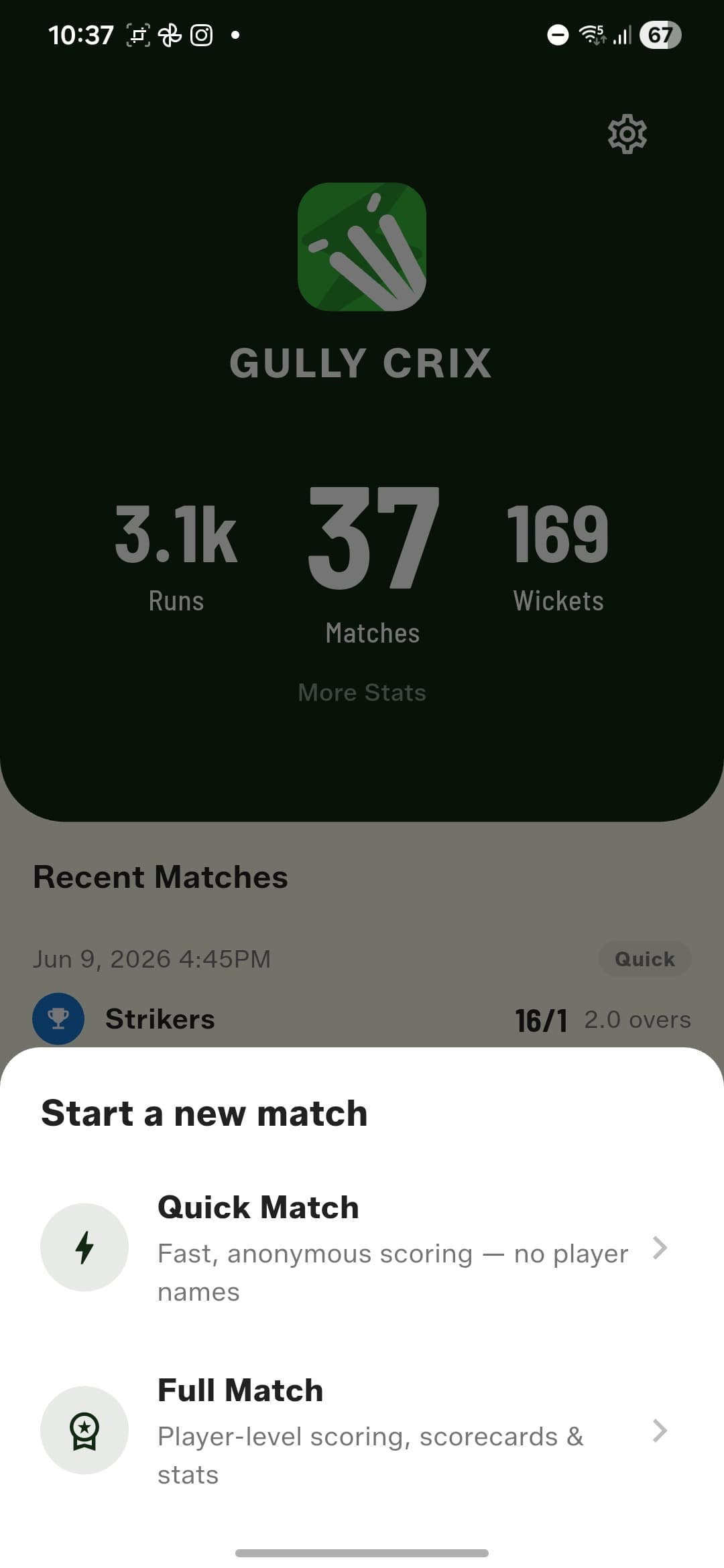
When you start a new match you now choose between Quick Match — fast, anonymous scoring with no player names — and Full Match, with player-level scoring, scorecards, and stats. Quick Match stays exactly as fast as it's always been.
Build your Squad Book once
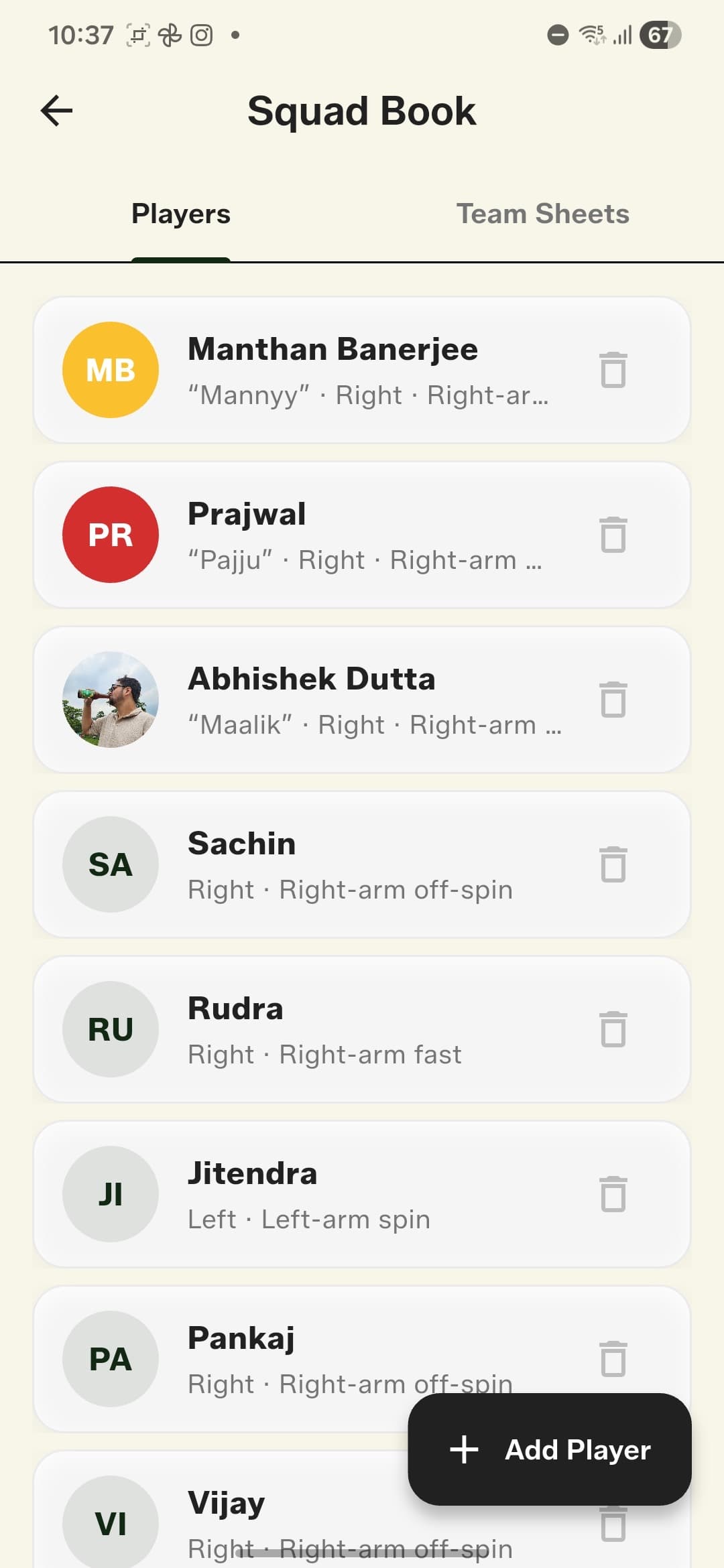
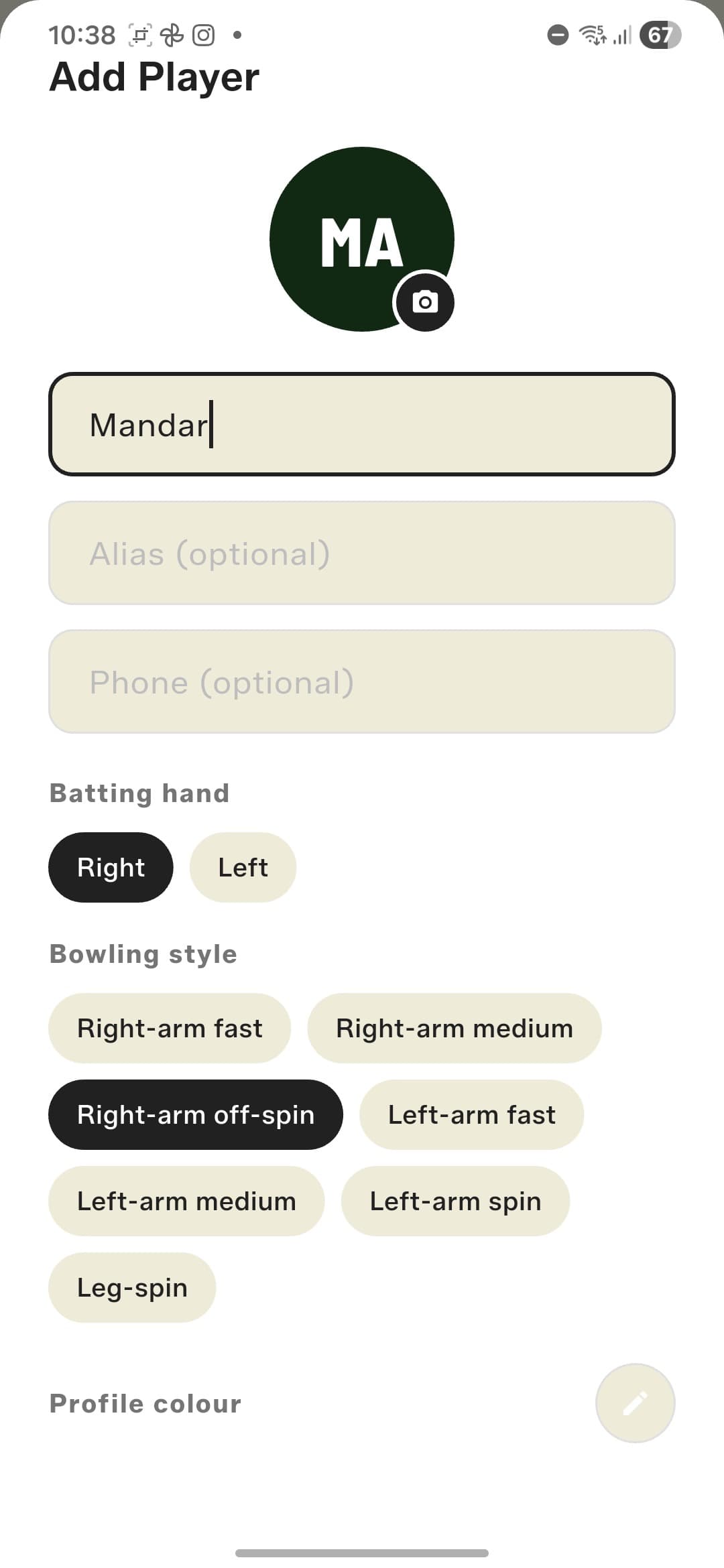
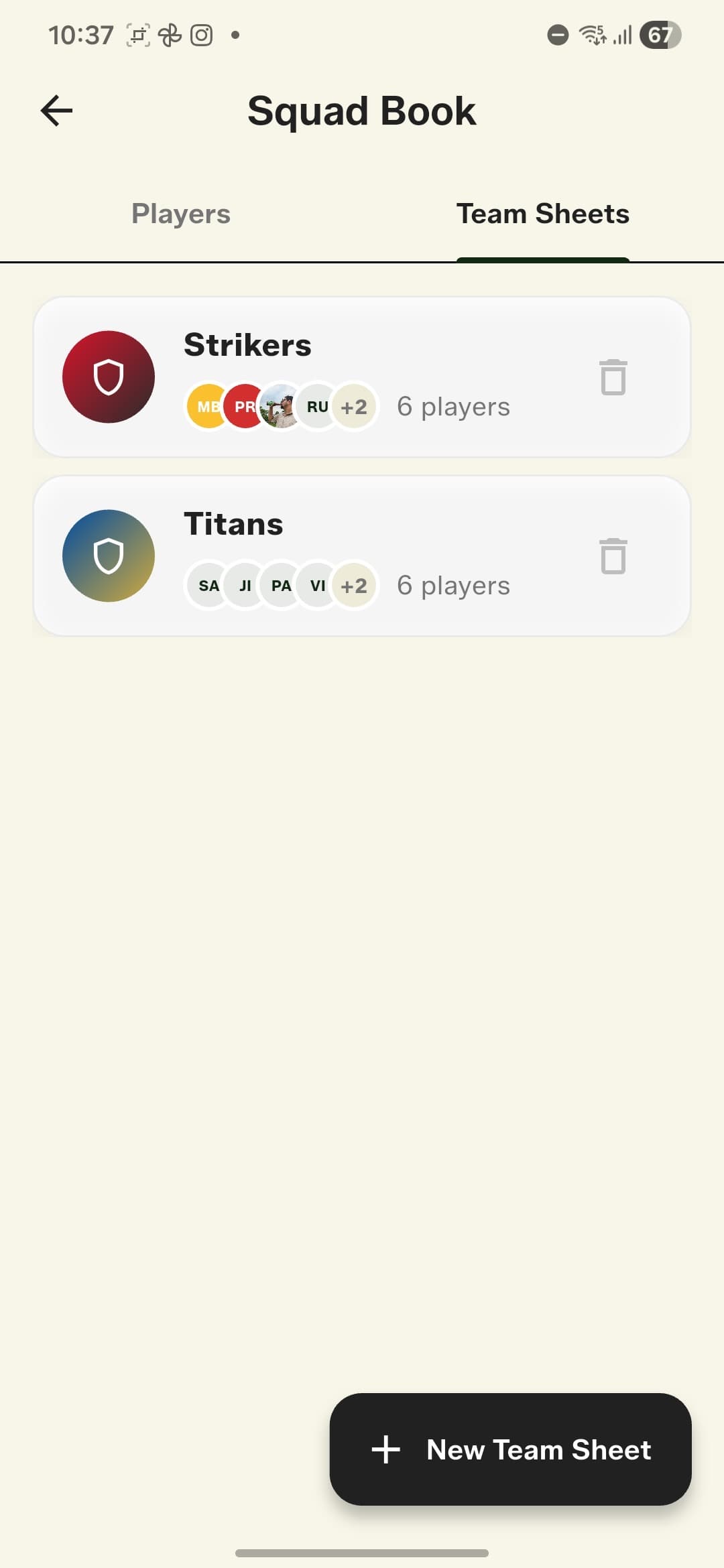
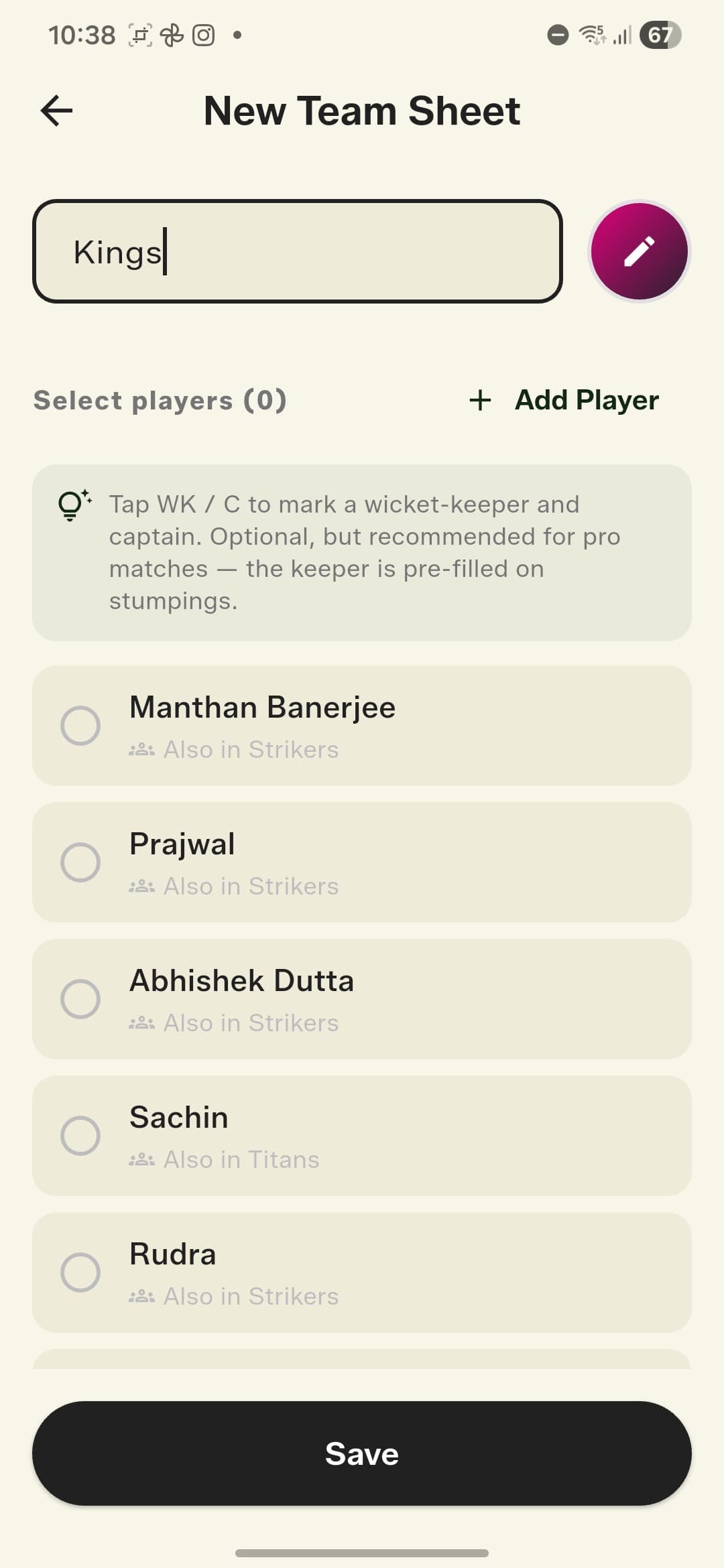
Add your regular players once: name, alias, batting hand, bowling style, even a photo and profile colour. Then build reusable Team Sheets from those players, with optional wicket-keeper and captain tags. The keeper is pre-filled on stumpings, and the app tells you when a player is already in another team.
Full Match setup, gully-style
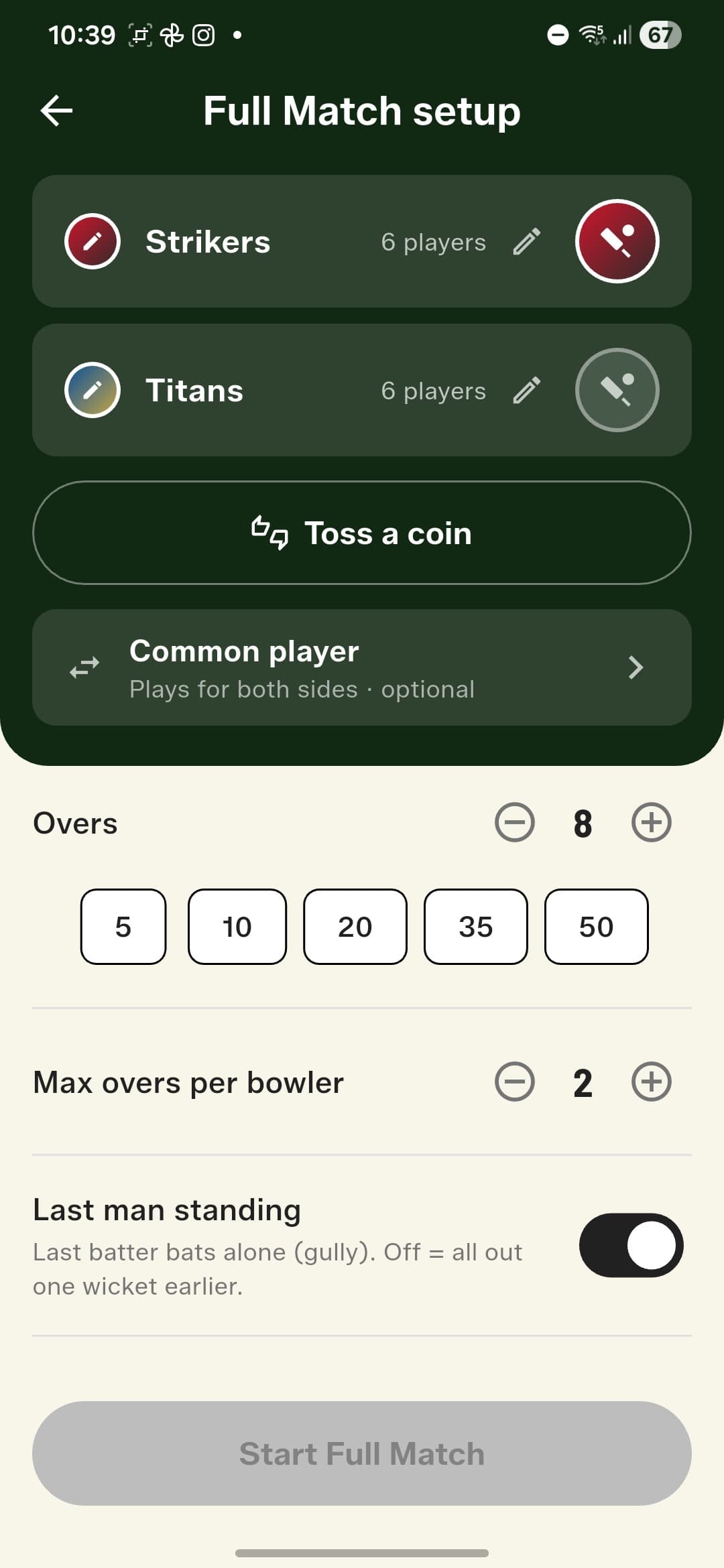
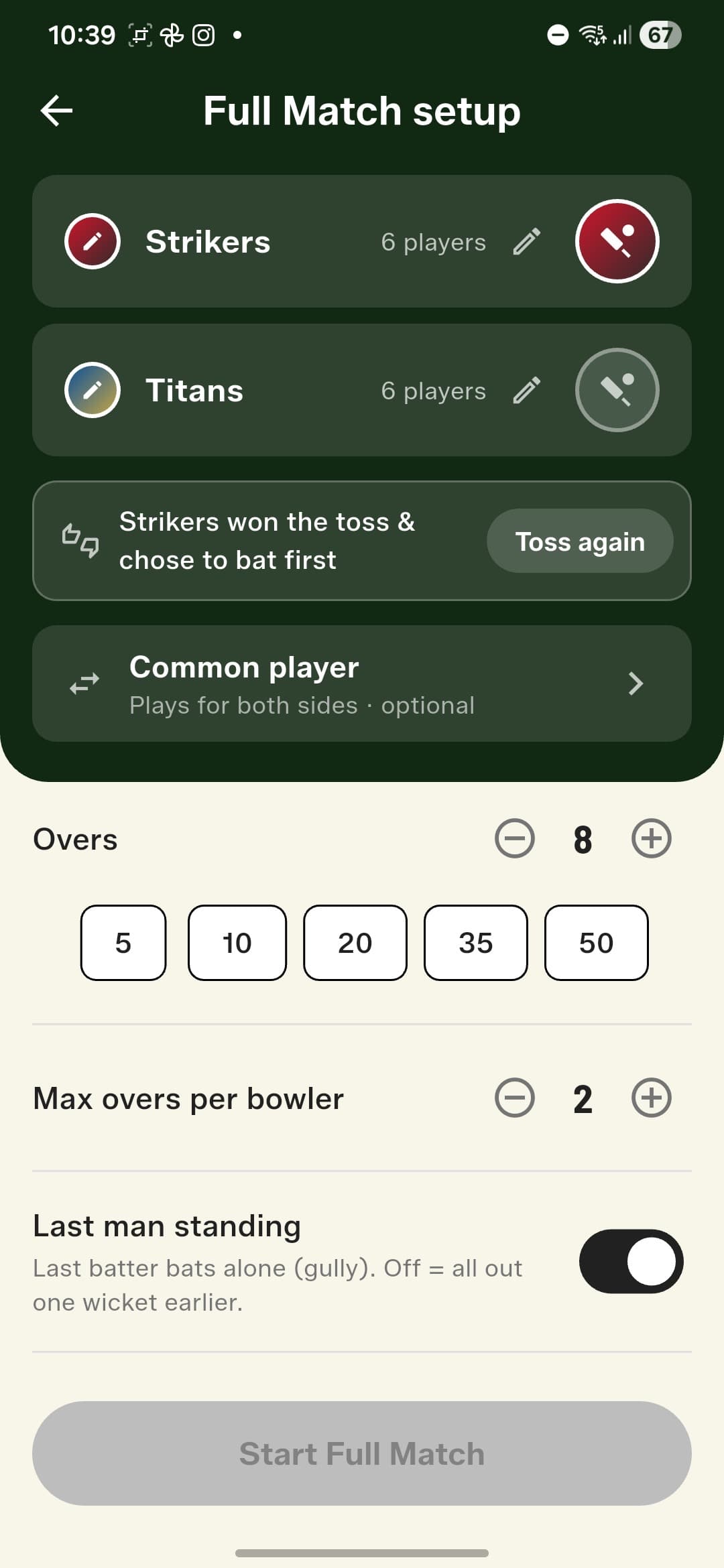
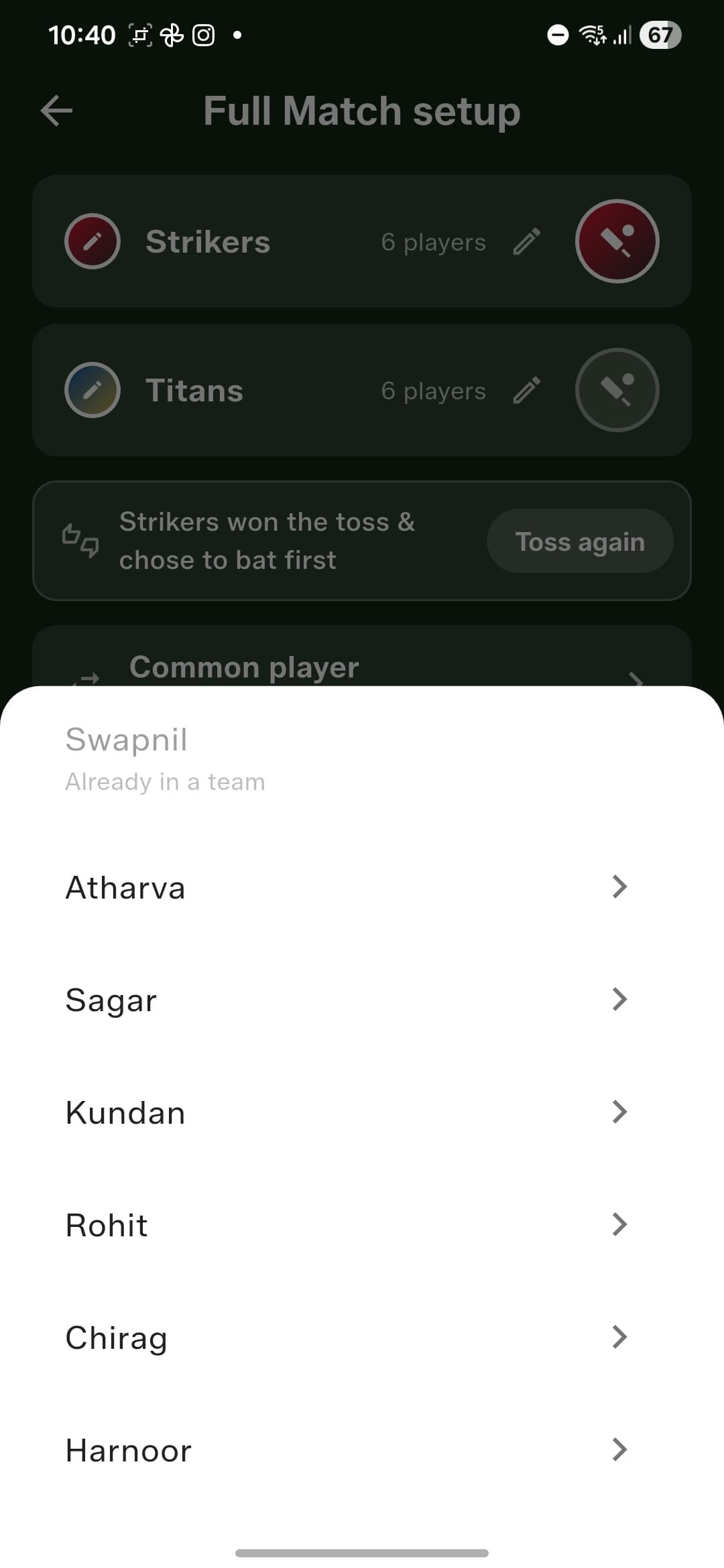
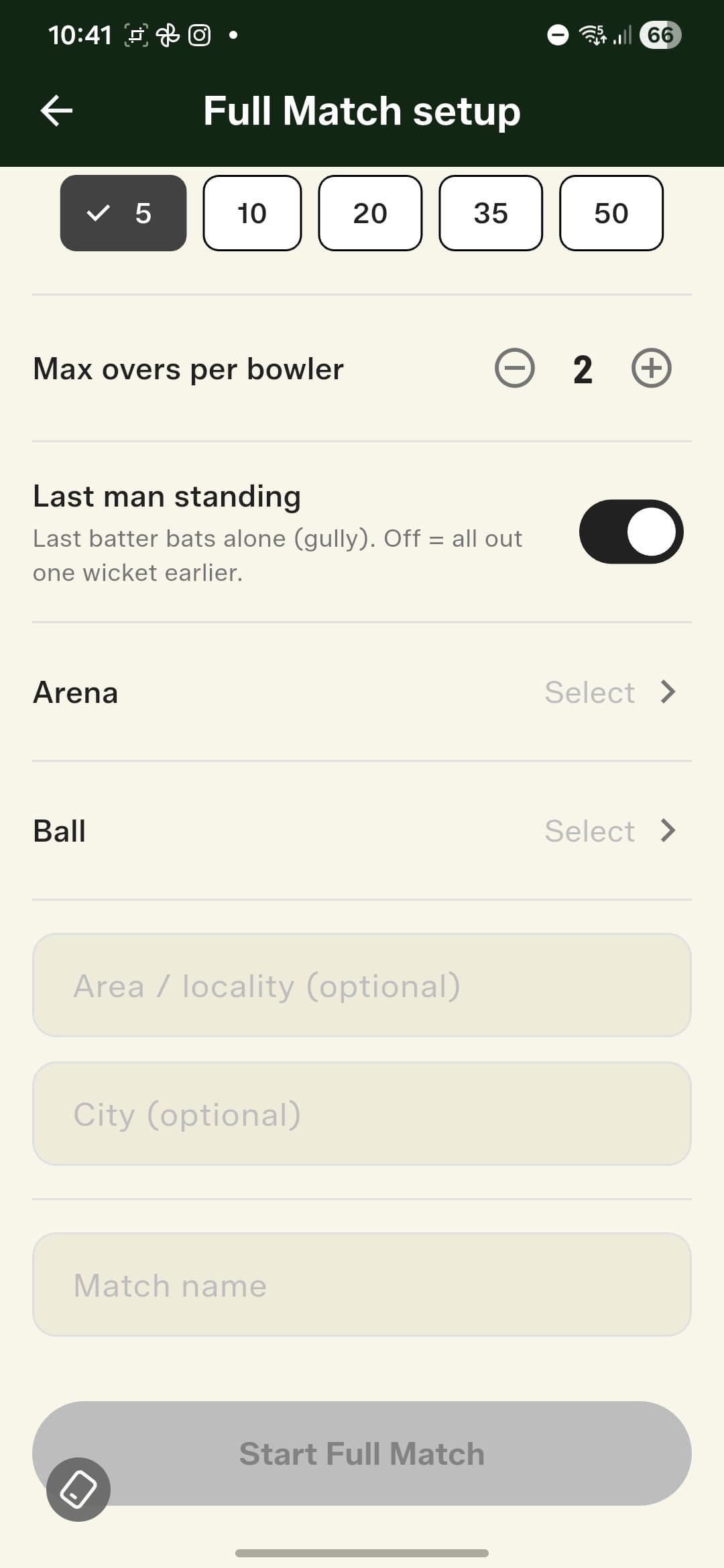
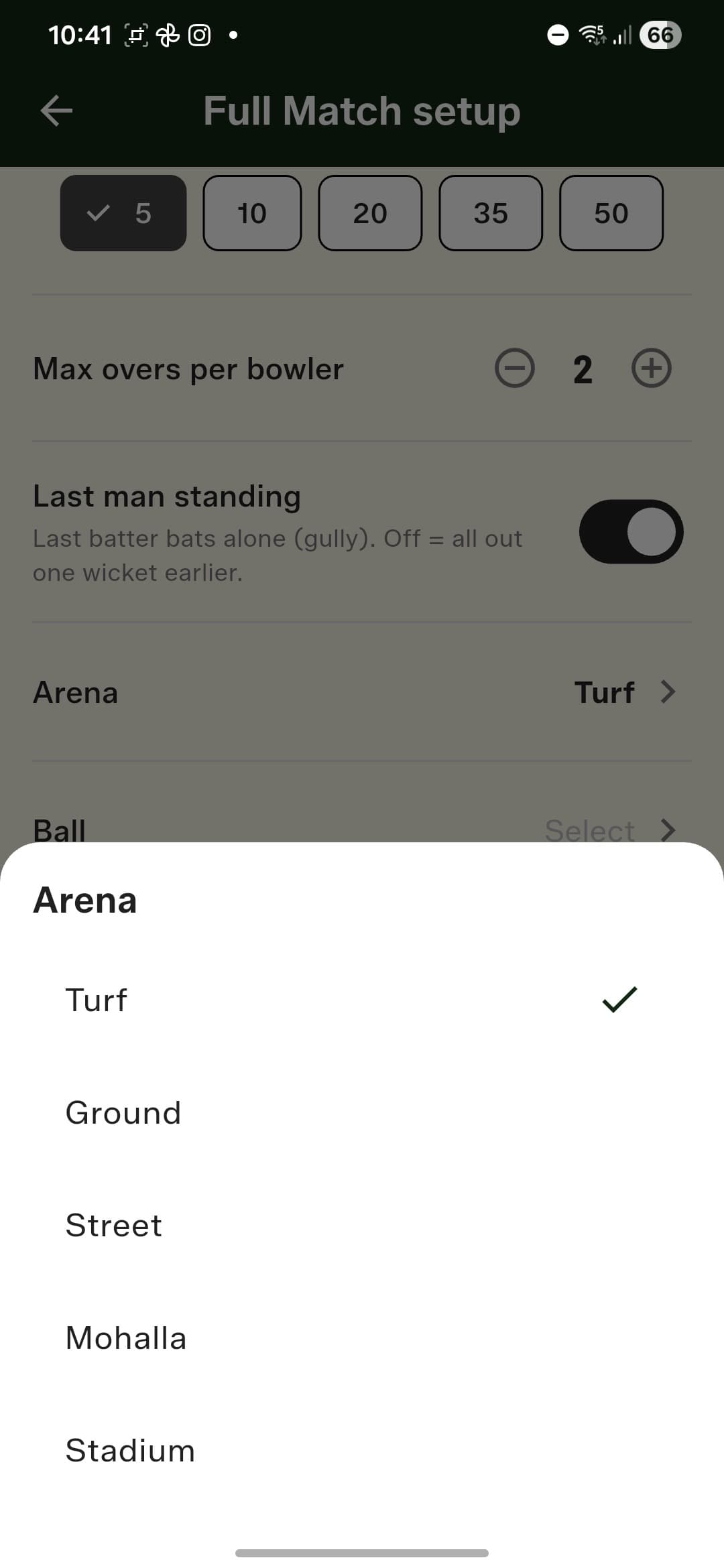
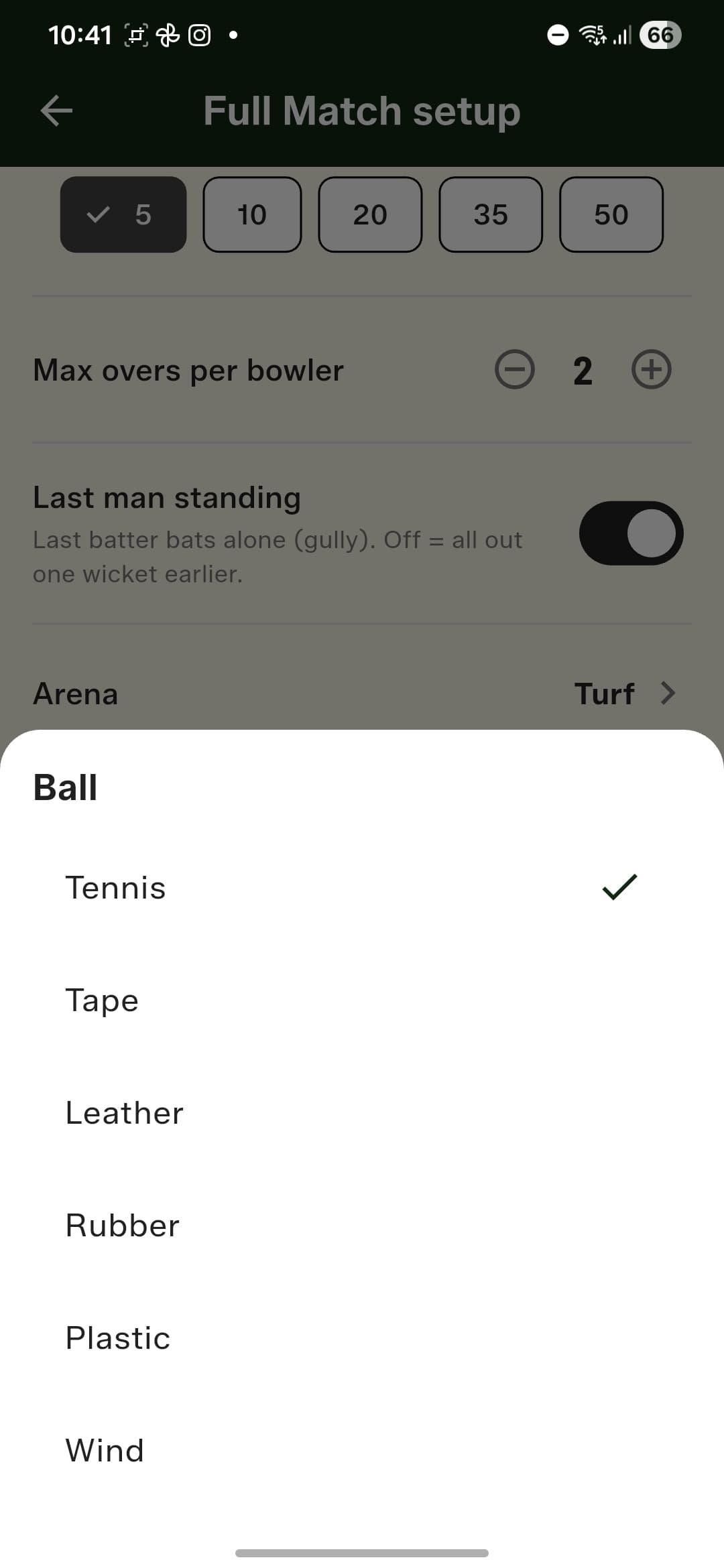
Pick your two saved teams, flip the built-in coin toss and see the result straight away, and set overs with quick-pick chips plus a maximum-overs-per-bowler cap. Gully rules are first-class citizens: pick a Common Player who bats for both sides — even someone who isn't in either team — and toggle Last Man Standing to let the last batter bat alone. You can also record where you played and what you played with, which power per-condition stats later.
A scoring screen in your team's colours
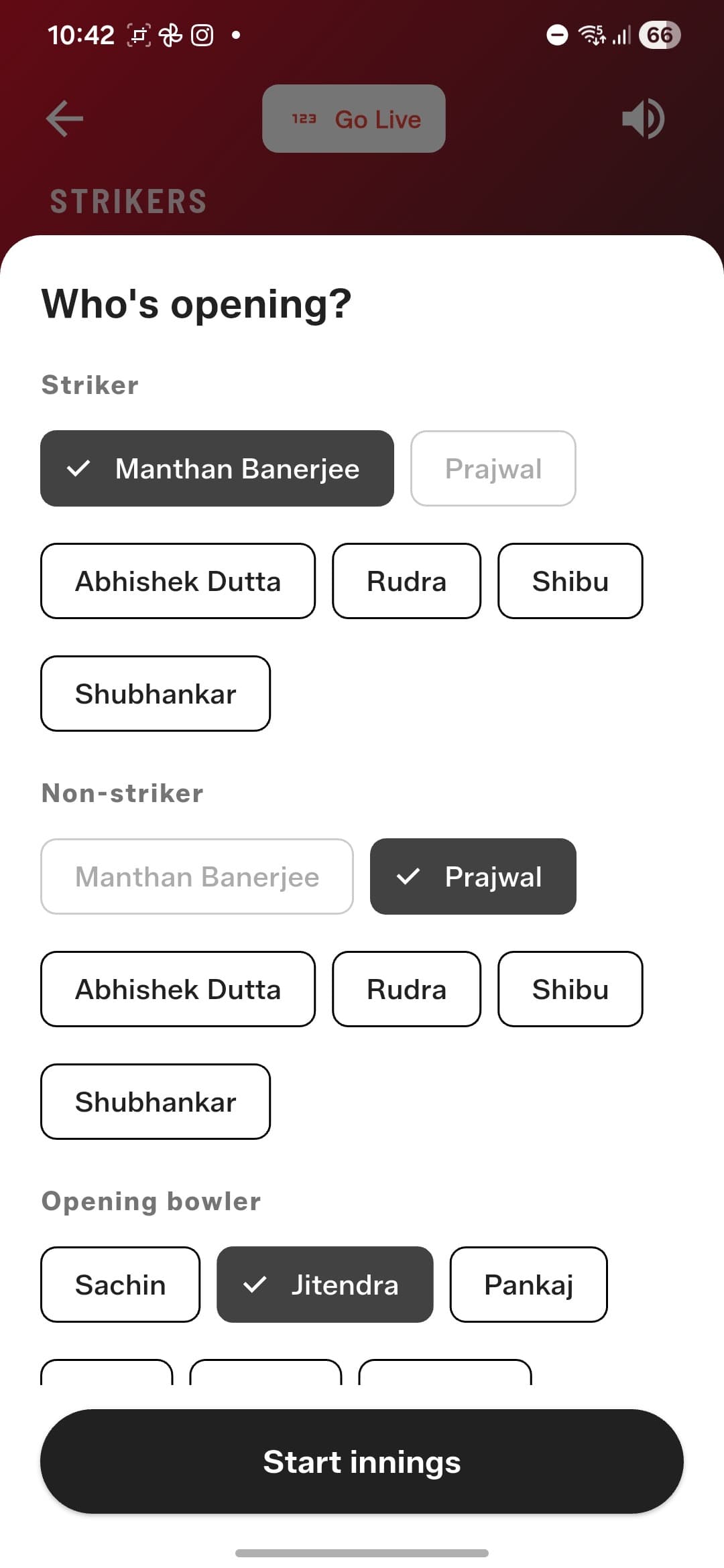
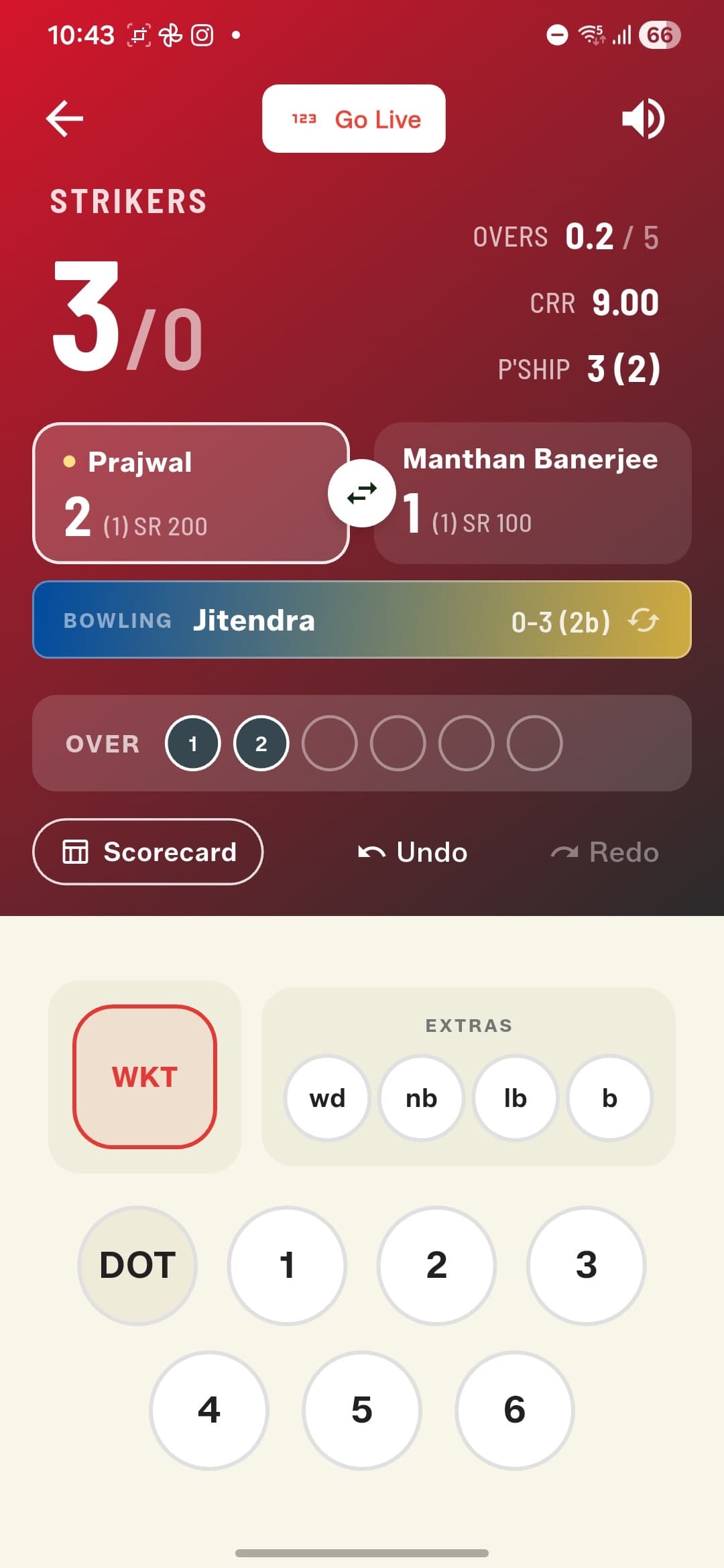
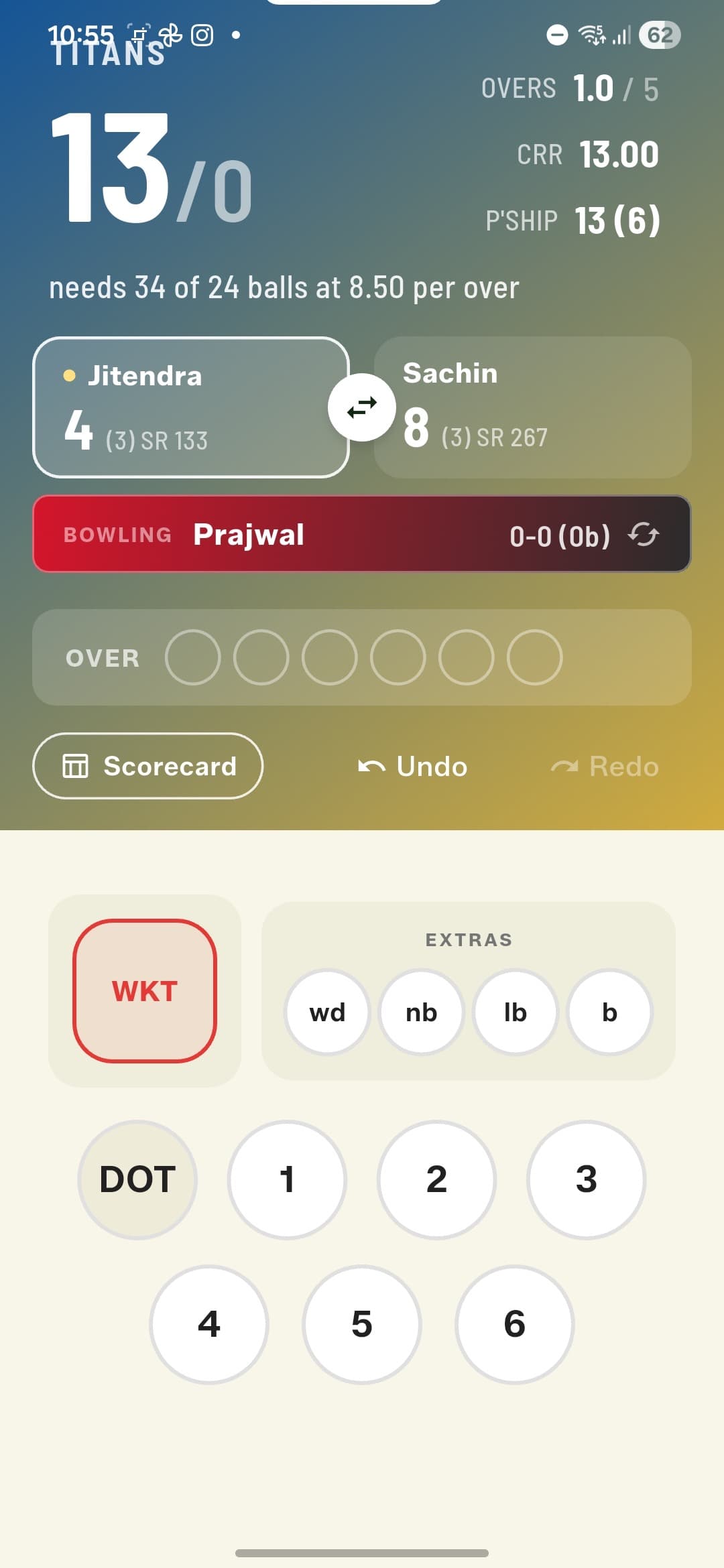
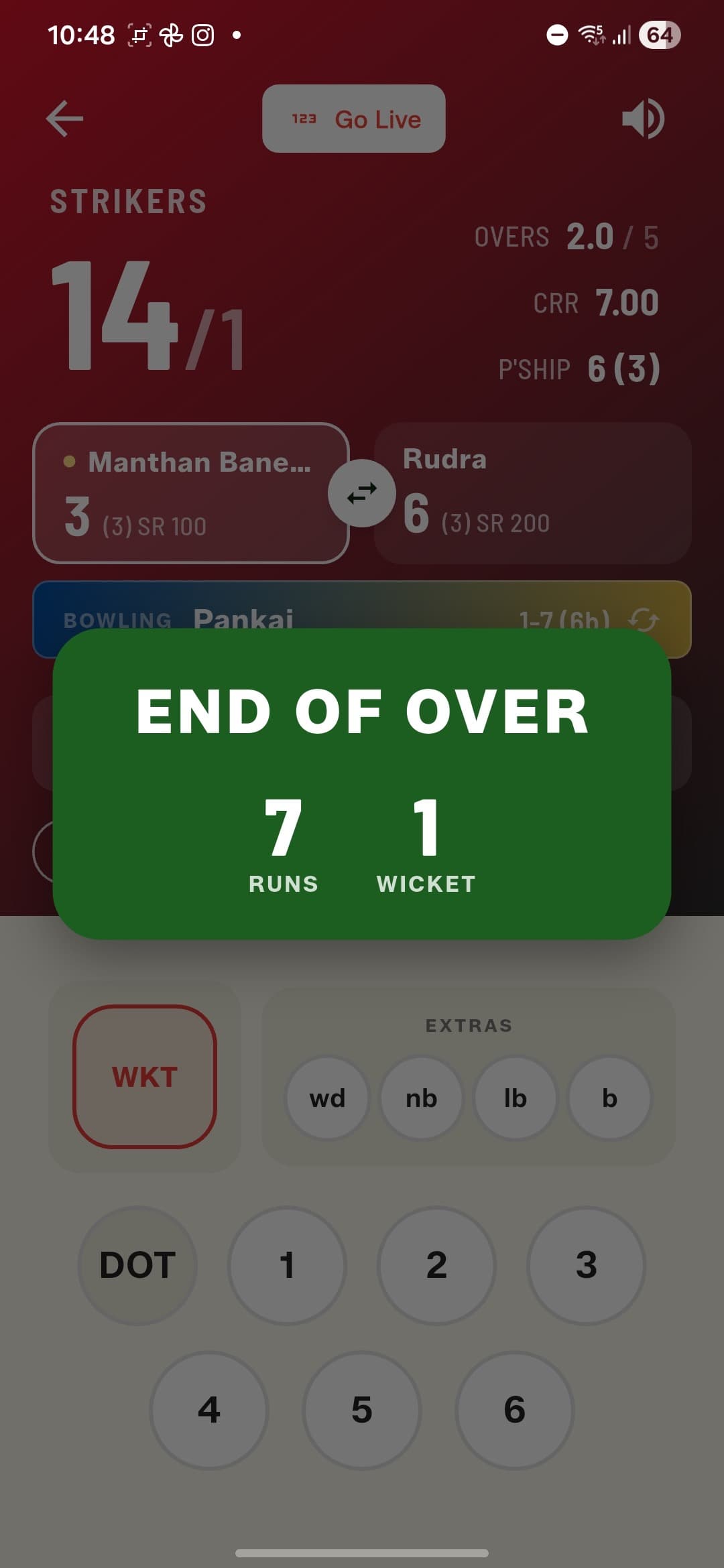
Pick your openers and opening bowler, then score. The batting side's gradient fills the scoreboard, and the bowler bar wears the bowling side's colours, swapping automatically between innings. Both batters are on screen with runs, balls, and strike rate, alongside the partnership, current run rate, and the chase equation in the second innings.
Every dismissal, handled properly
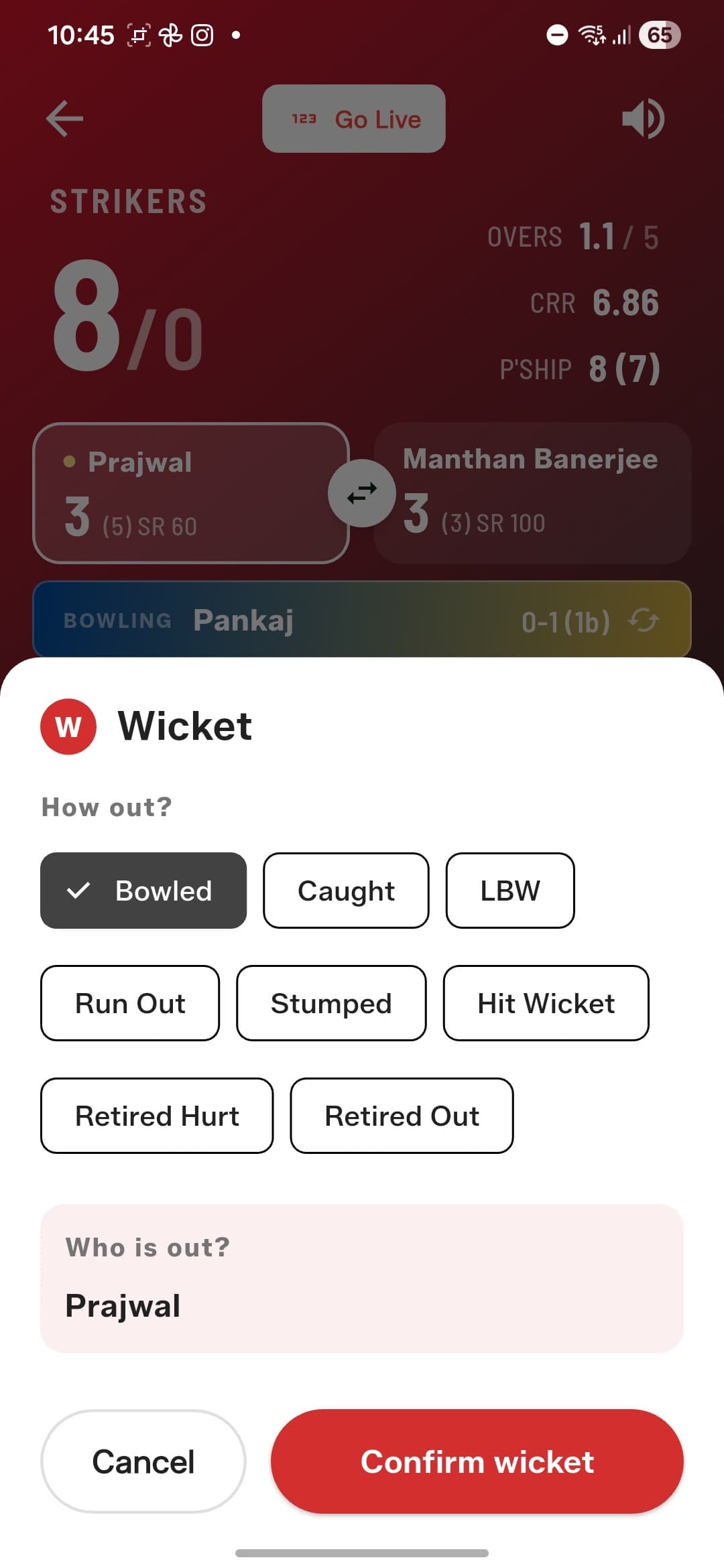
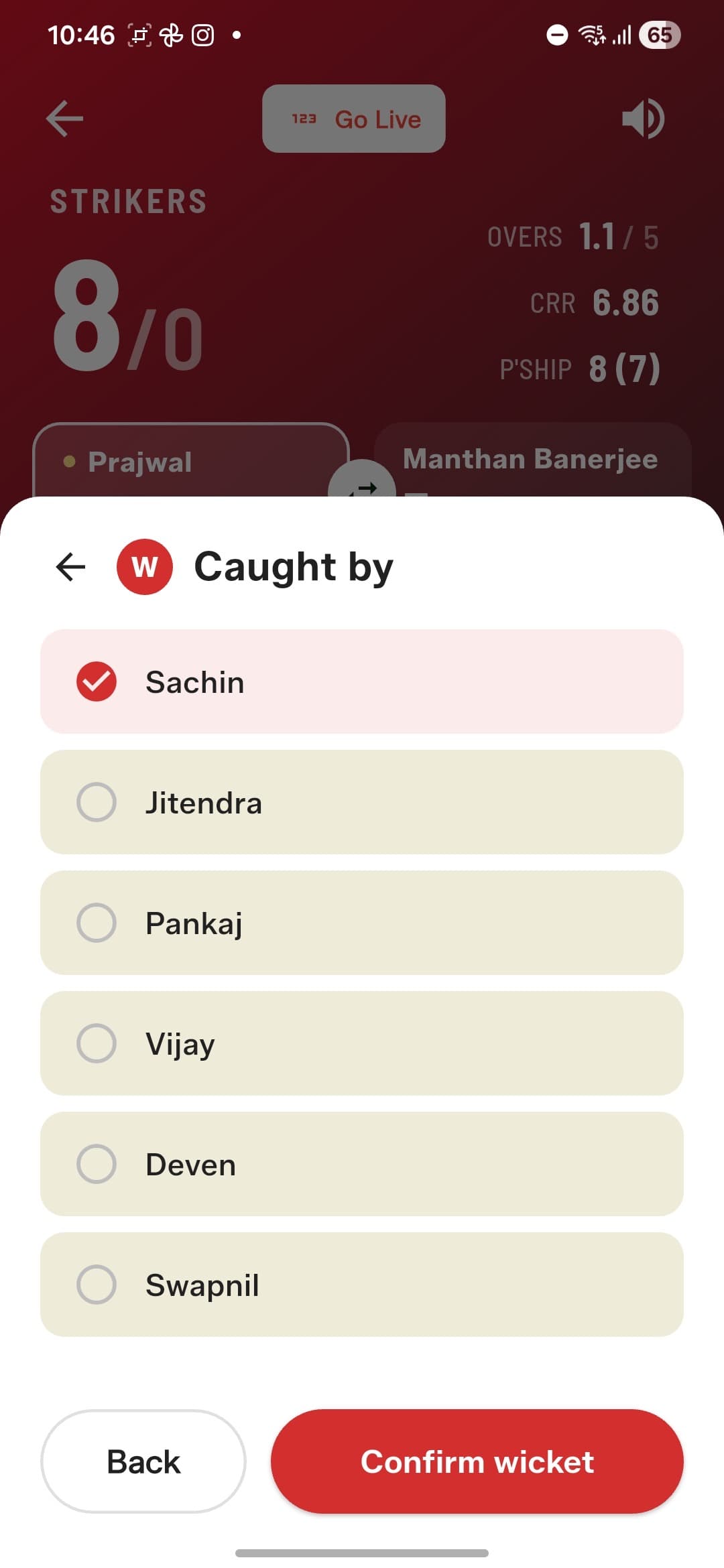
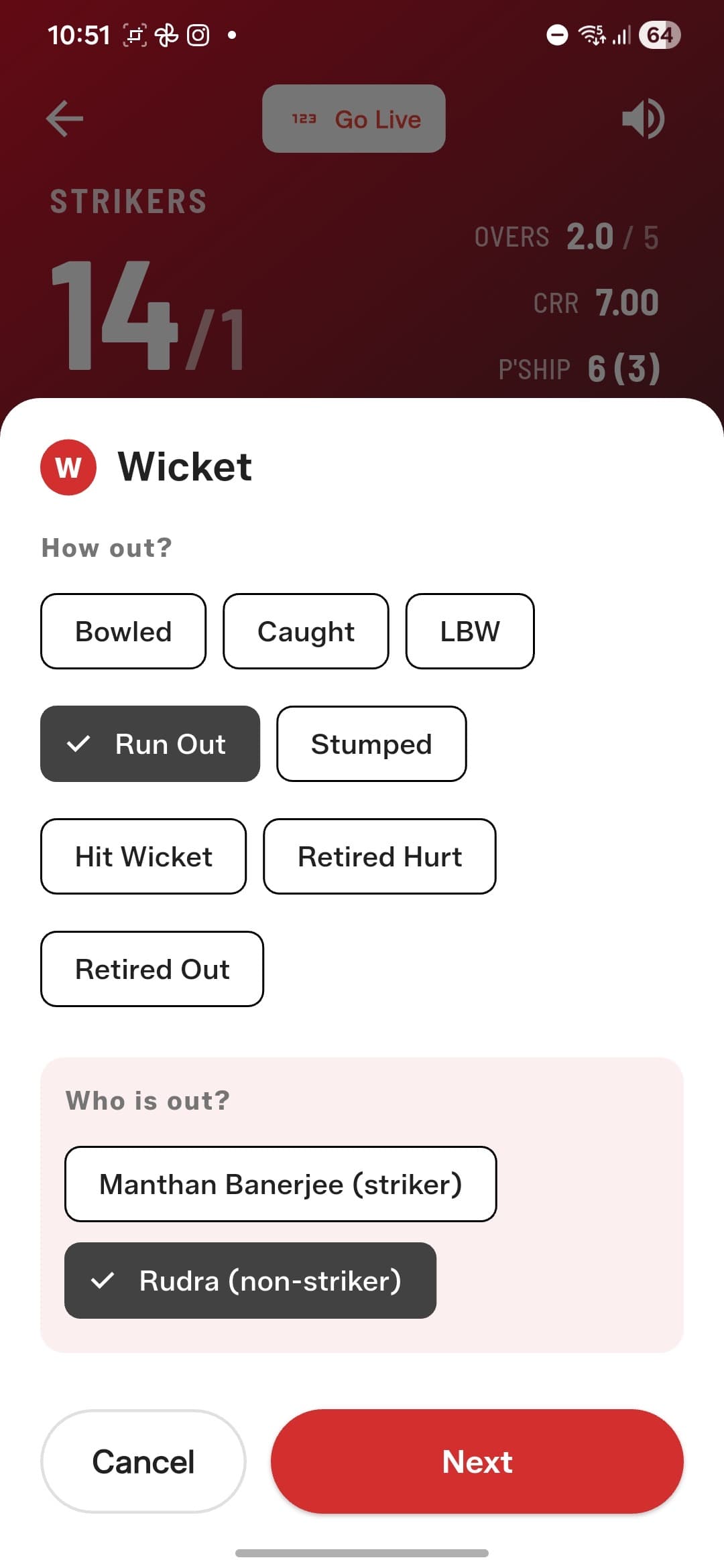
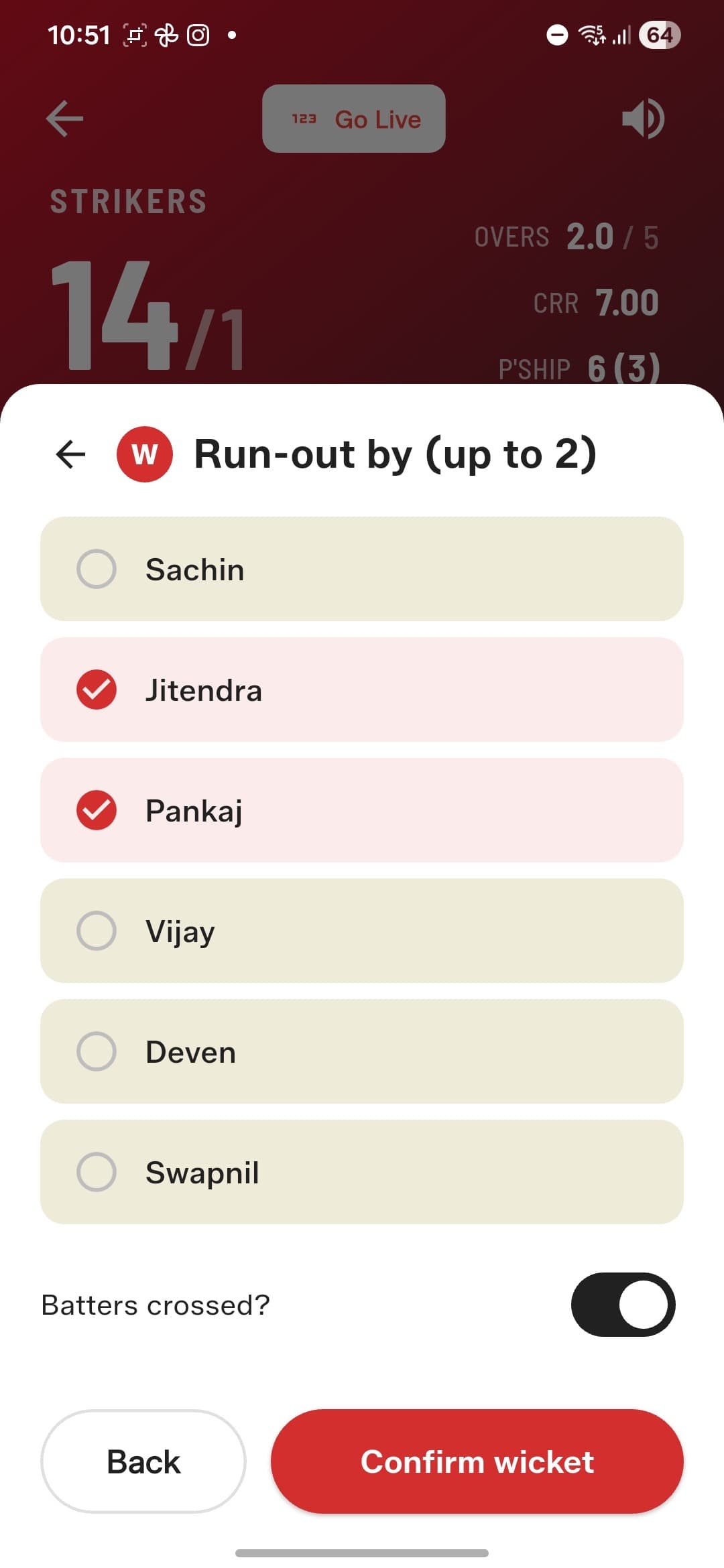
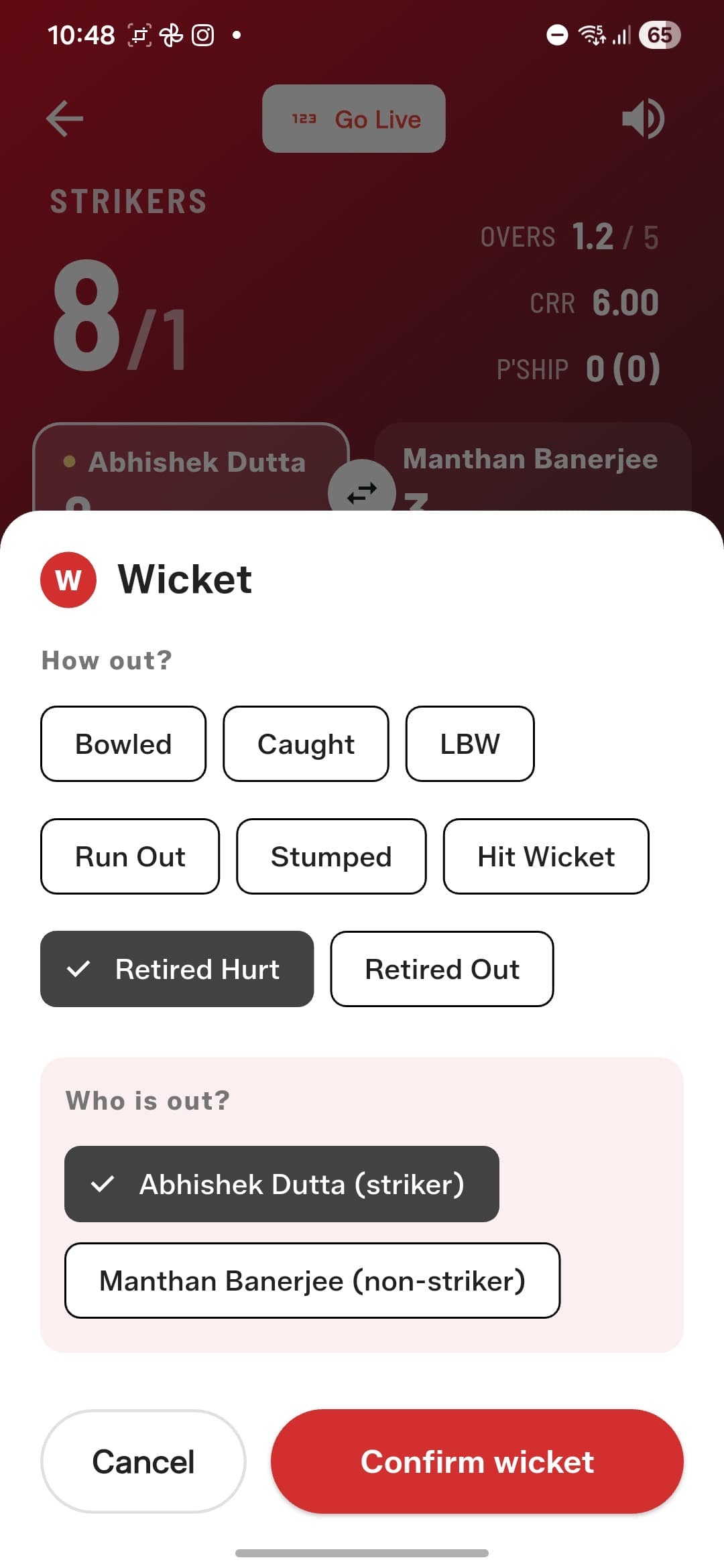
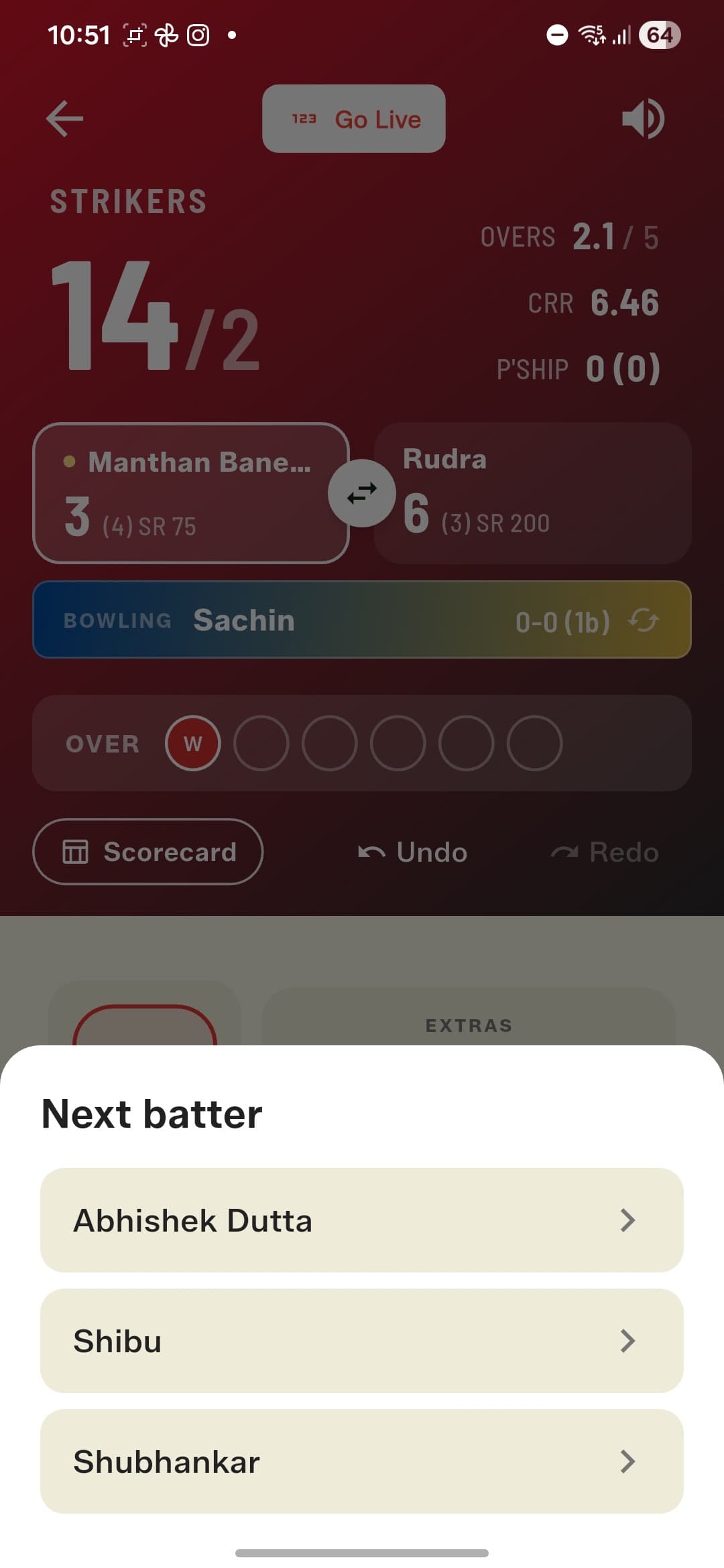
Bowled, Caught (with the catcher credited), LBW, Run Out, Stumped (keeper credited), Hit Wicket, Retired Hurt, and Retired Out. Run outs let you pick which batter was out, credit up to two fielders, and answer 'did the batters cross?' so the new batter starts at the right end. Retired Hurt doesn't count as a wicket — the player stays eligible and can walk back in later, right where they left off.
Smart bowler management
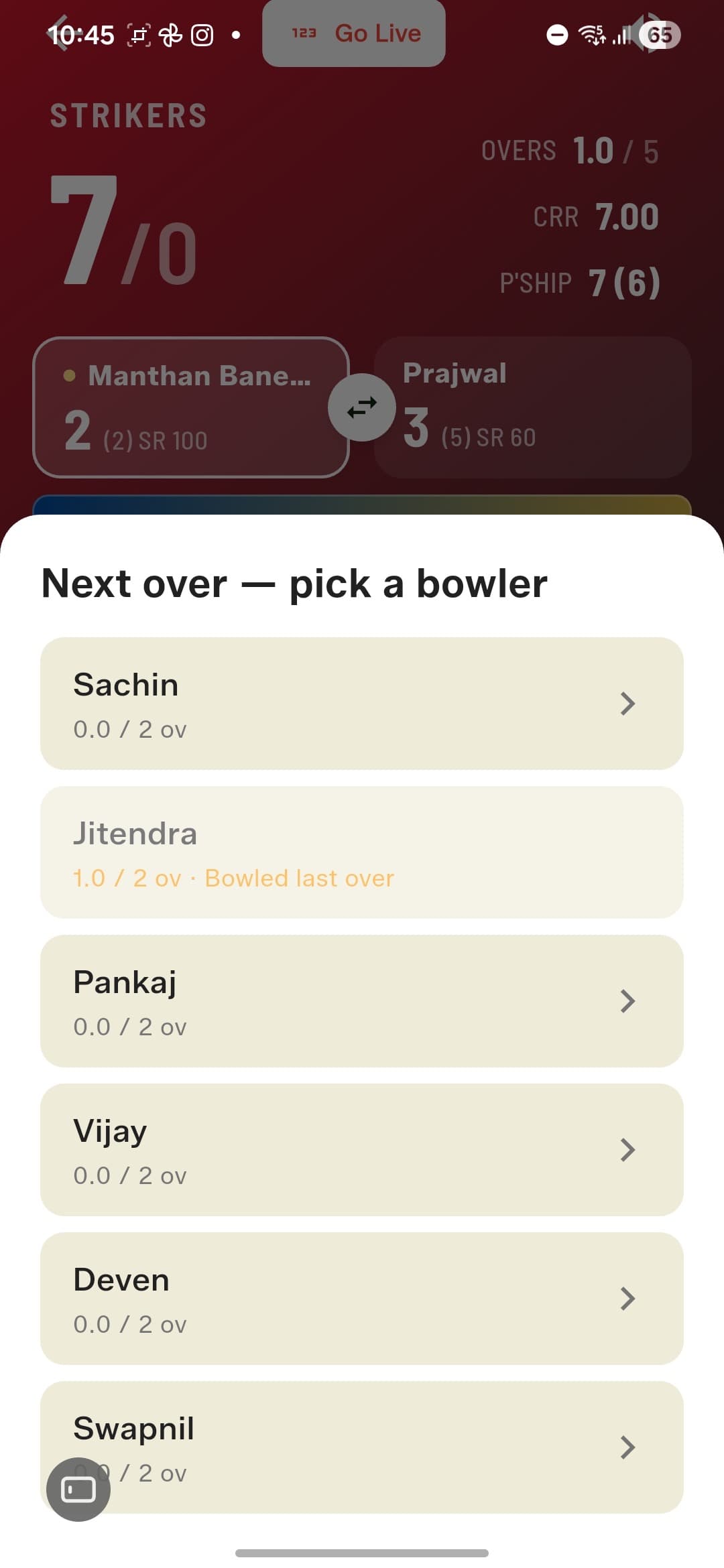
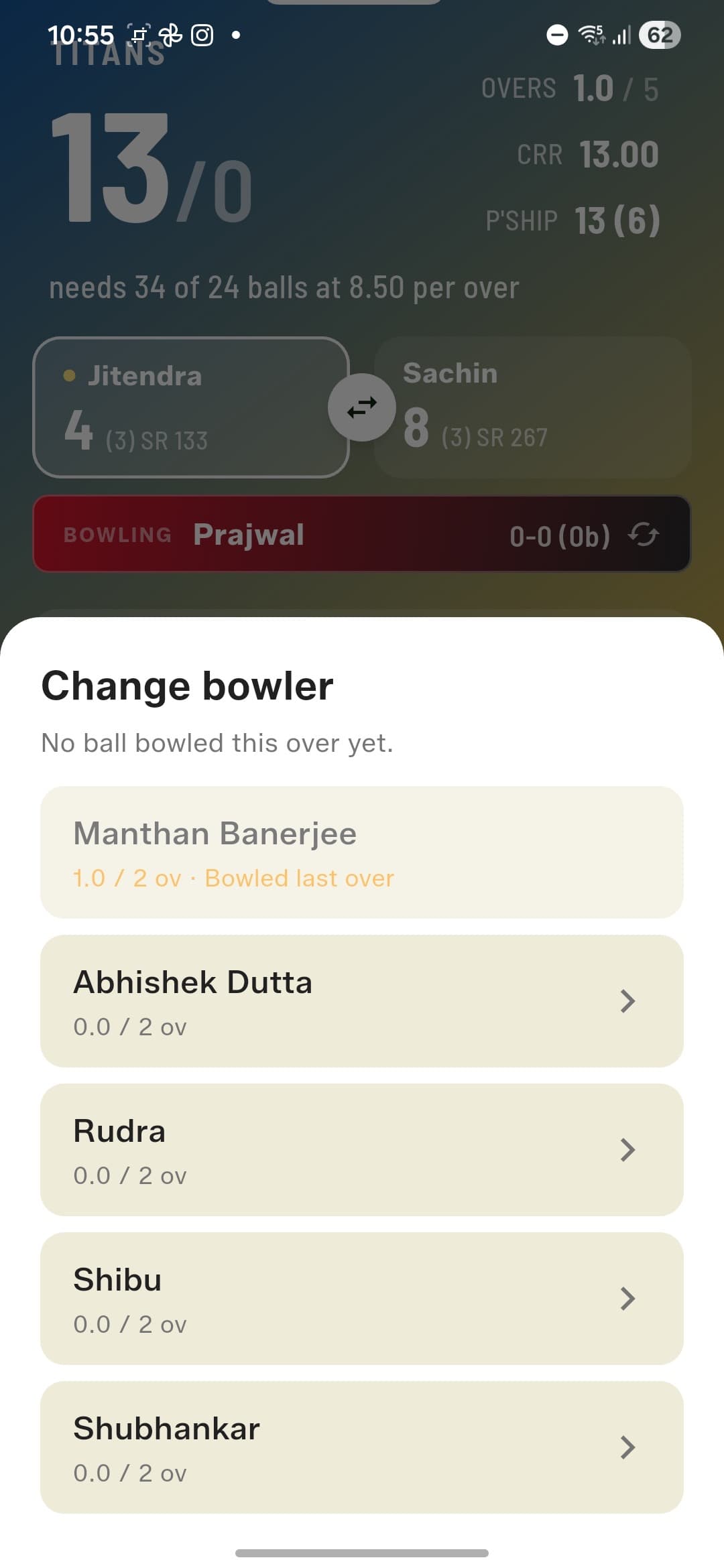
At the end of each over you pick the next bowler, and the app enforces the rules for you: bowlers who've used their quota are locked out, and whoever bowled the last over can't bowl this one. Picked the wrong bowler by accident? Change them before the first ball. Bowler injured mid-over? Swap them and let someone else finish it.
A real scorecard
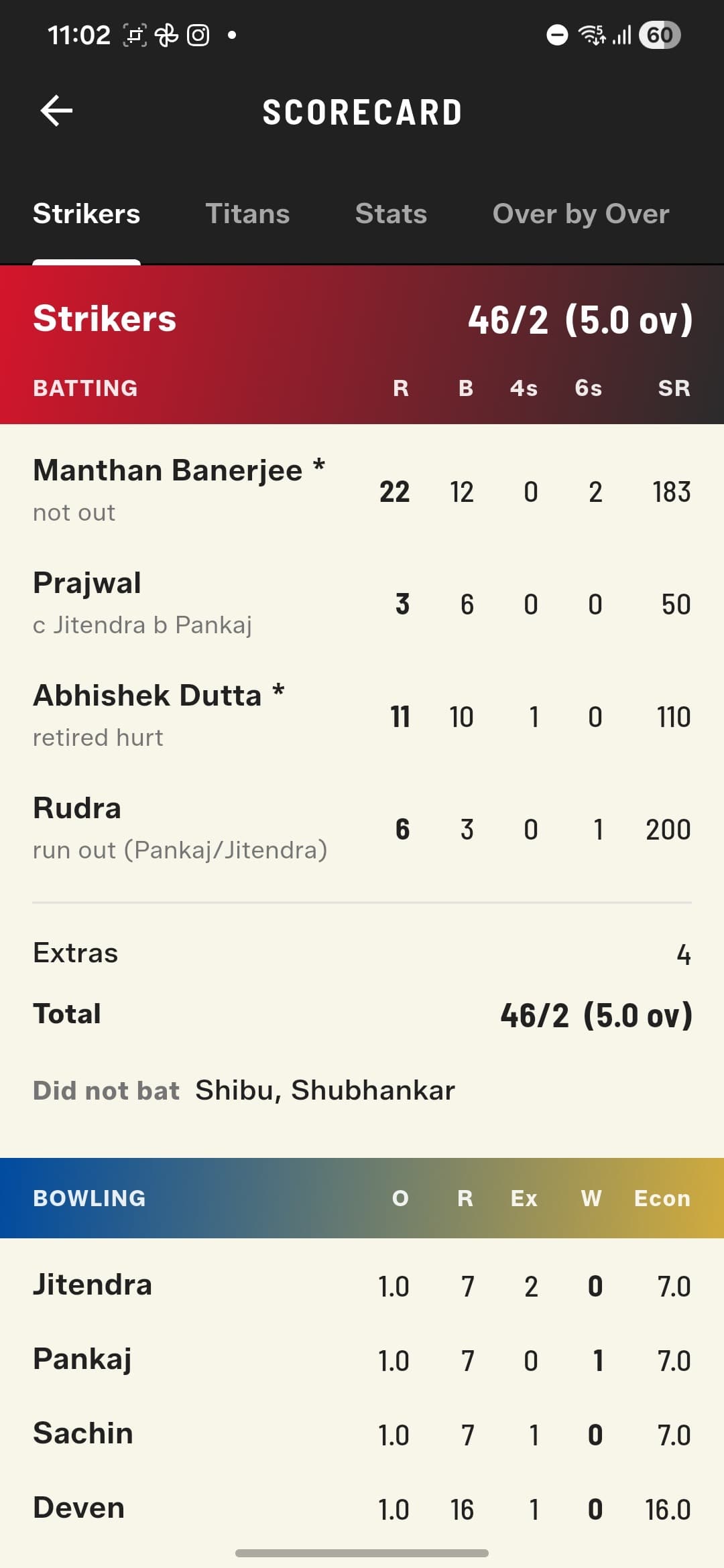
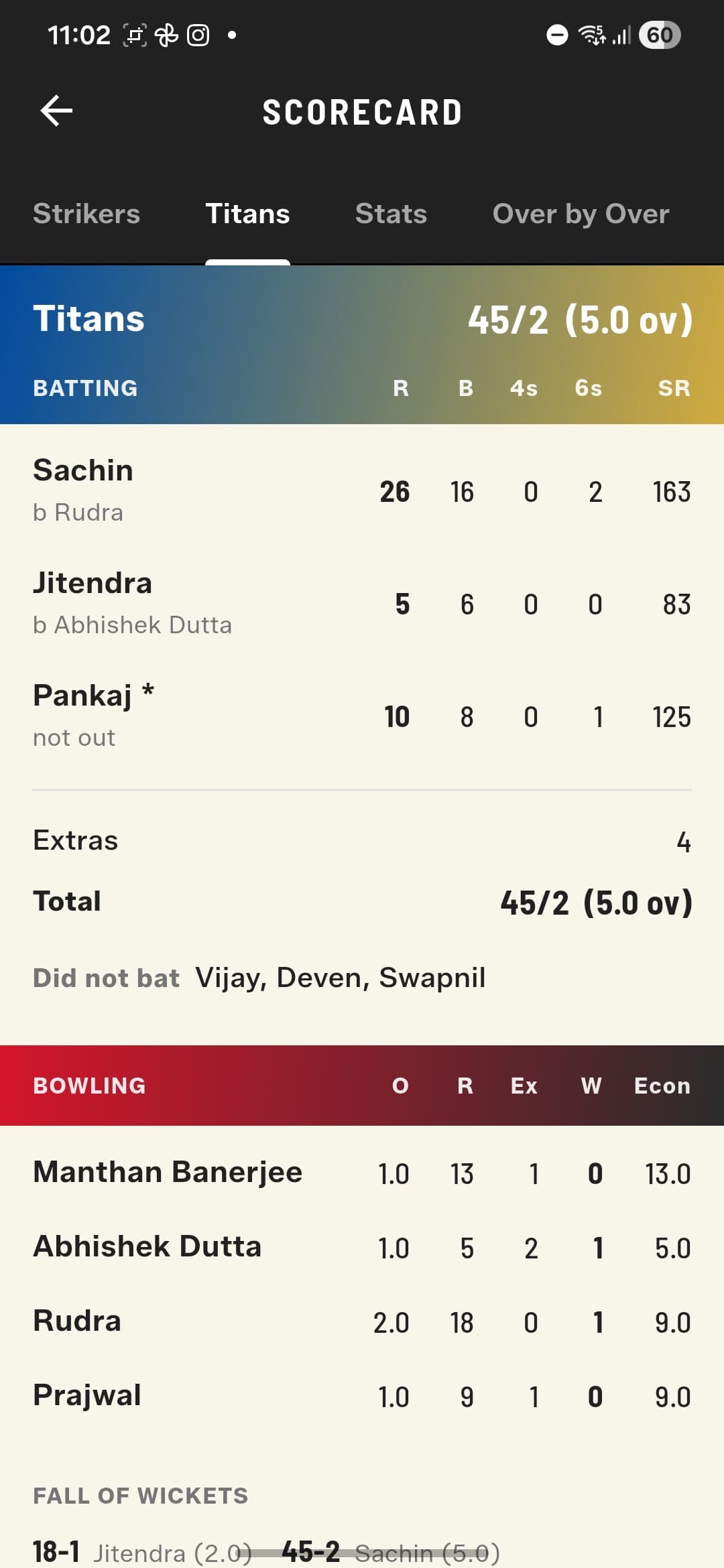
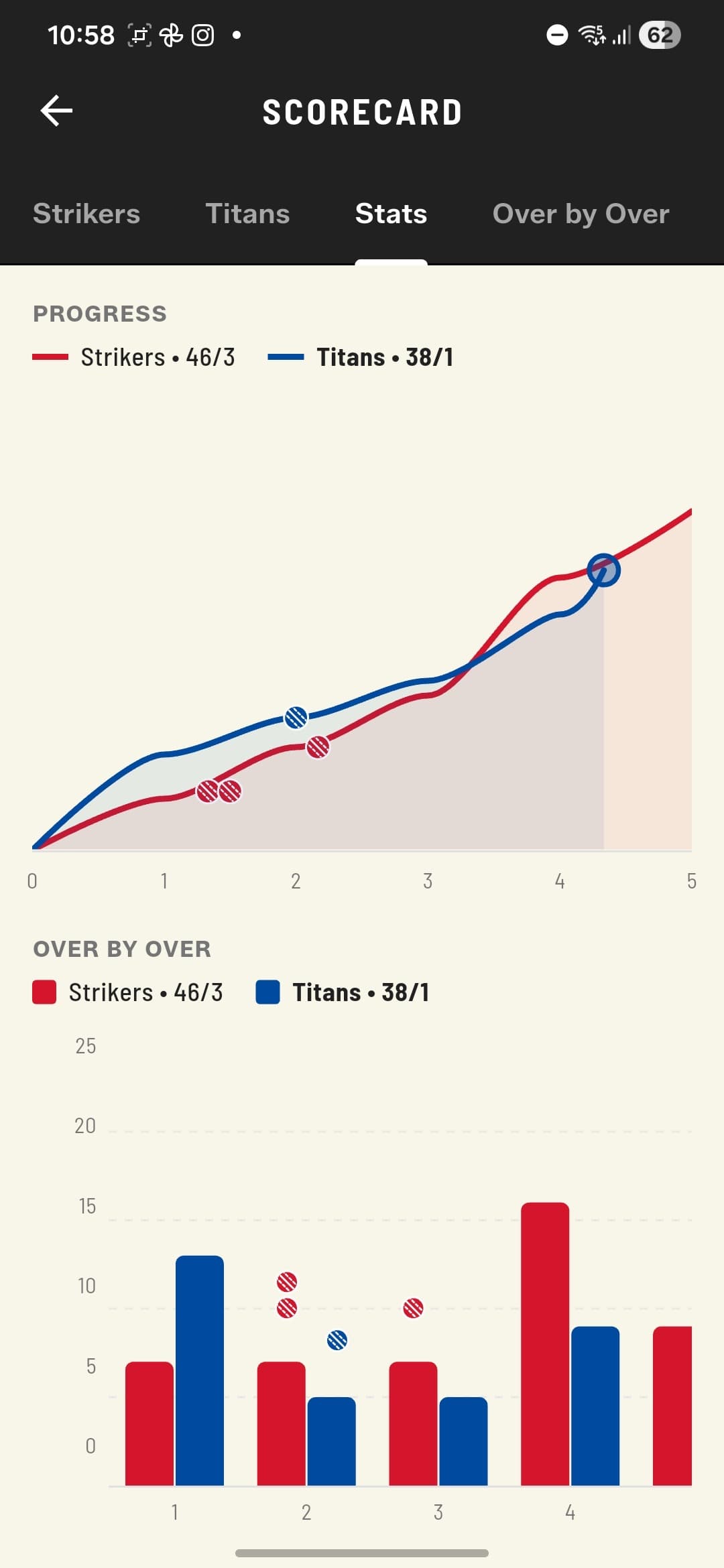
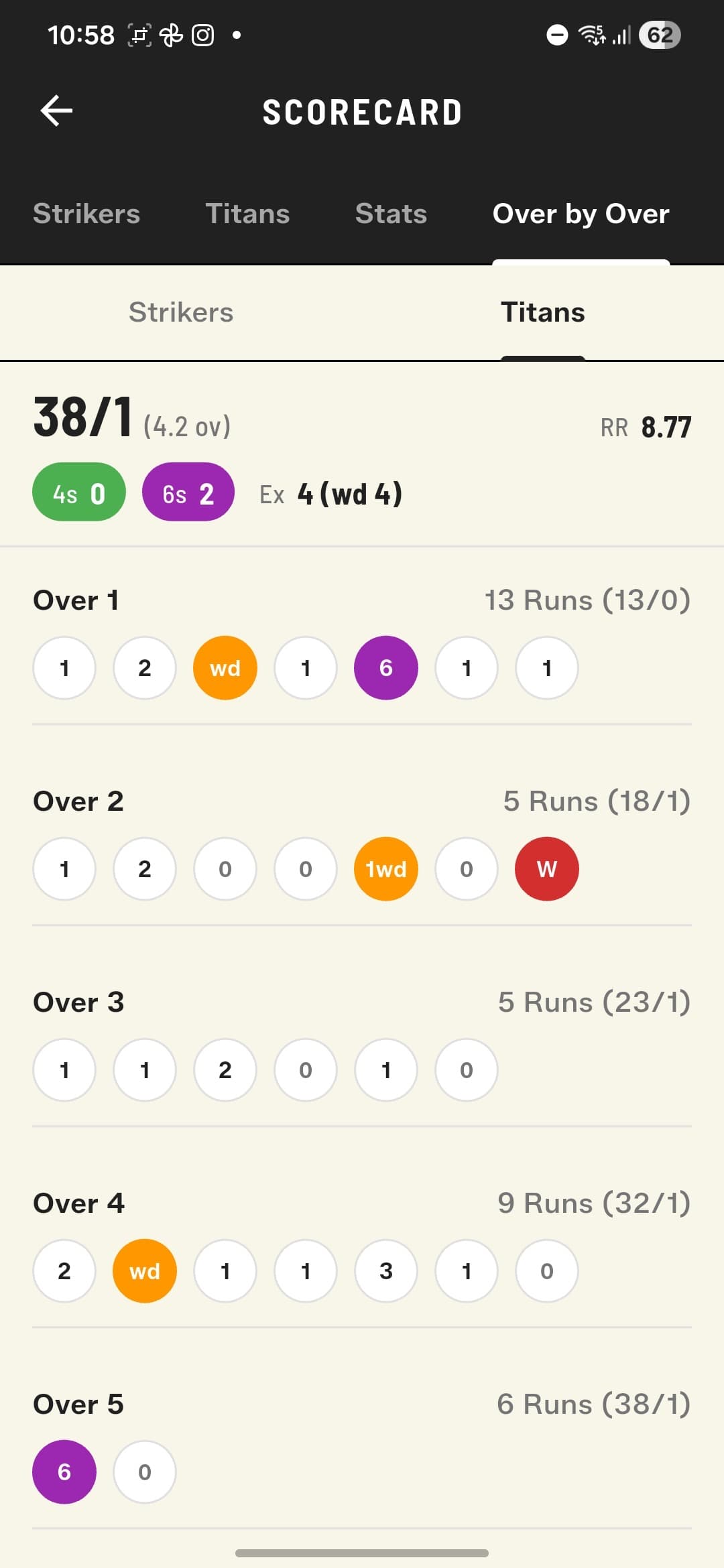
A batting card with dismissal details ('c Jitendra b Pankaj'), strike rates, extras, and yet-to-bat; bowling figures with overs, runs, wickets, and economy; and fall of wickets. The Stats tab adds a match-progress worm and over-by-over comparison charts, and the Over by Over view breaks down every ball — with 4s, 6s, and extras totals — also reachable mid-match by tapping the current over.
Share the win
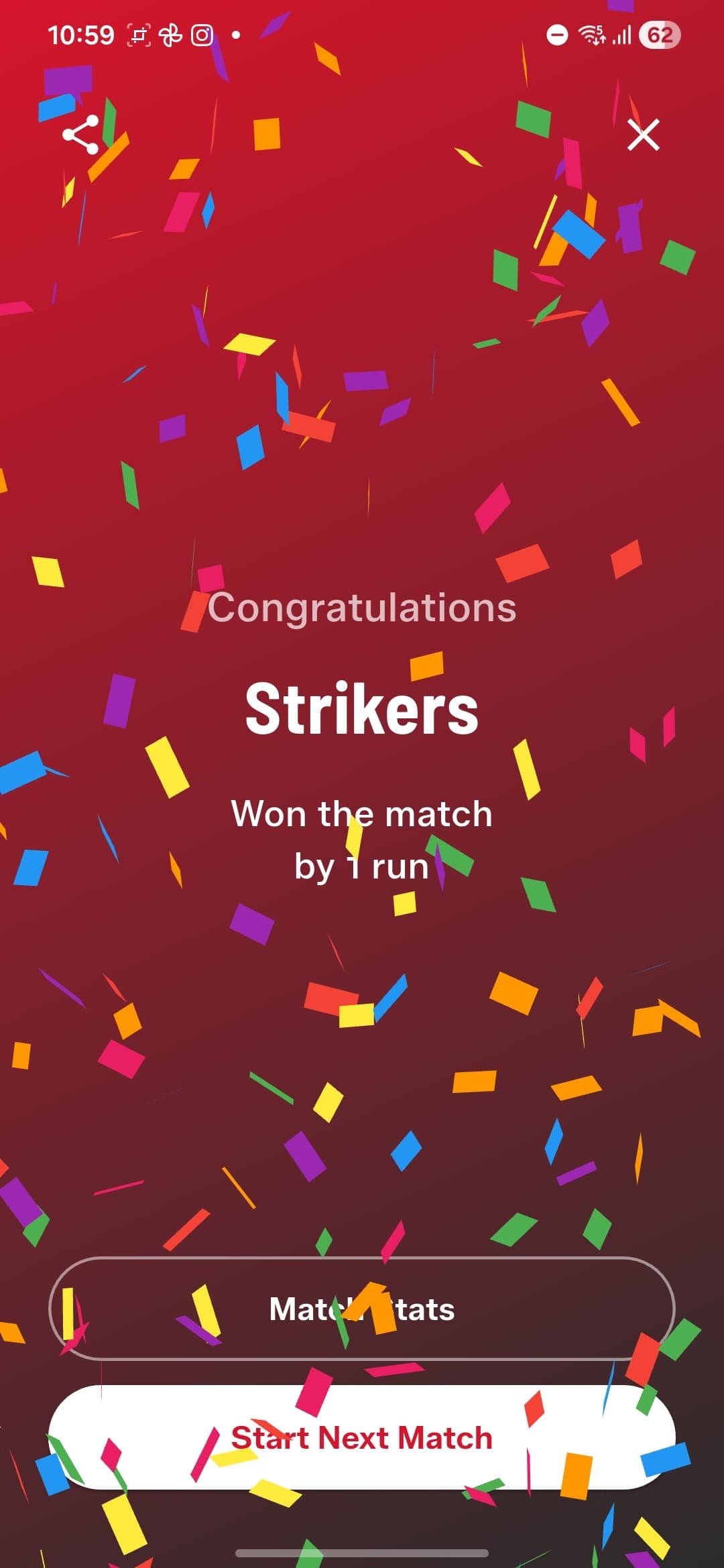
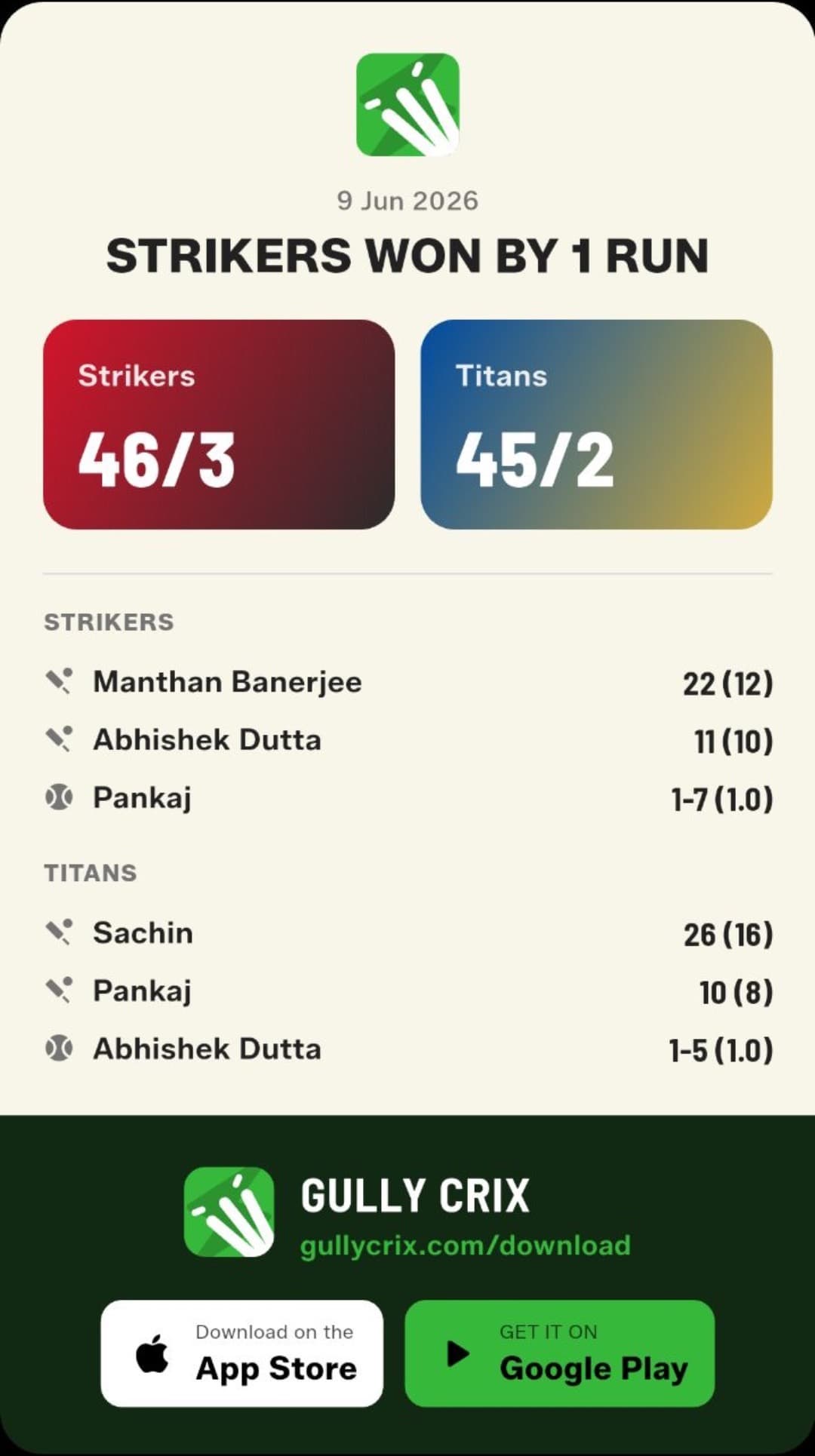
The result screen celebrates the winning team with confetti, and the shareable match card now shows both team scores plus the top performers from each side: two batters and a bowler, with their figures.
Career stats for every player
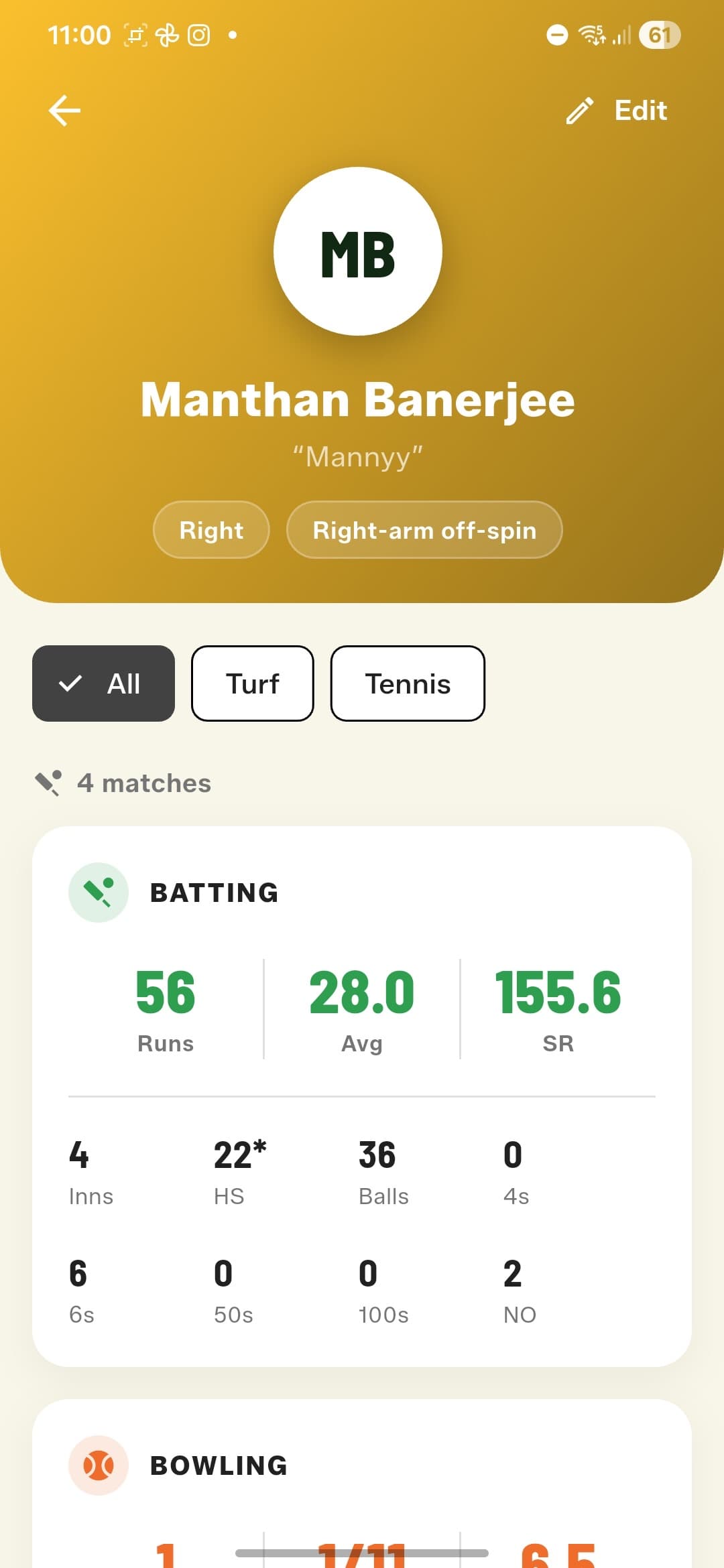
Every Full Match feeds each player's profile in your Squad Book: runs, average, strike rate, high score, 4s and 6s, plus full bowling figures. Filter career stats by arena and ball type to see how someone bats on turf versus the street, with a tennis ball versus tape.
A countdown to every match
A new 3… 2… 1… animation in your team's colours, capped by a head-to-head 'Let's Play!' splash before the first ball.


Quick Match got the glow-up too
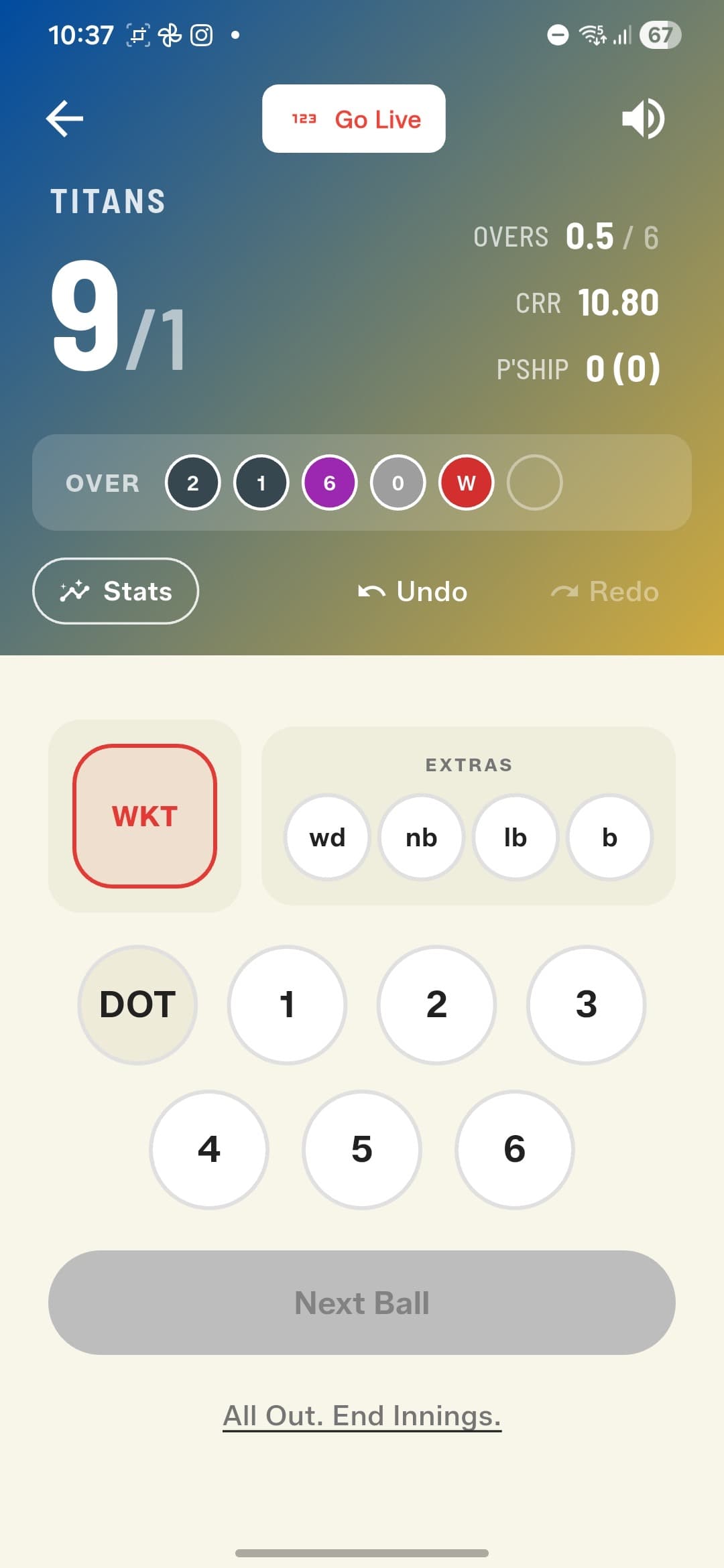
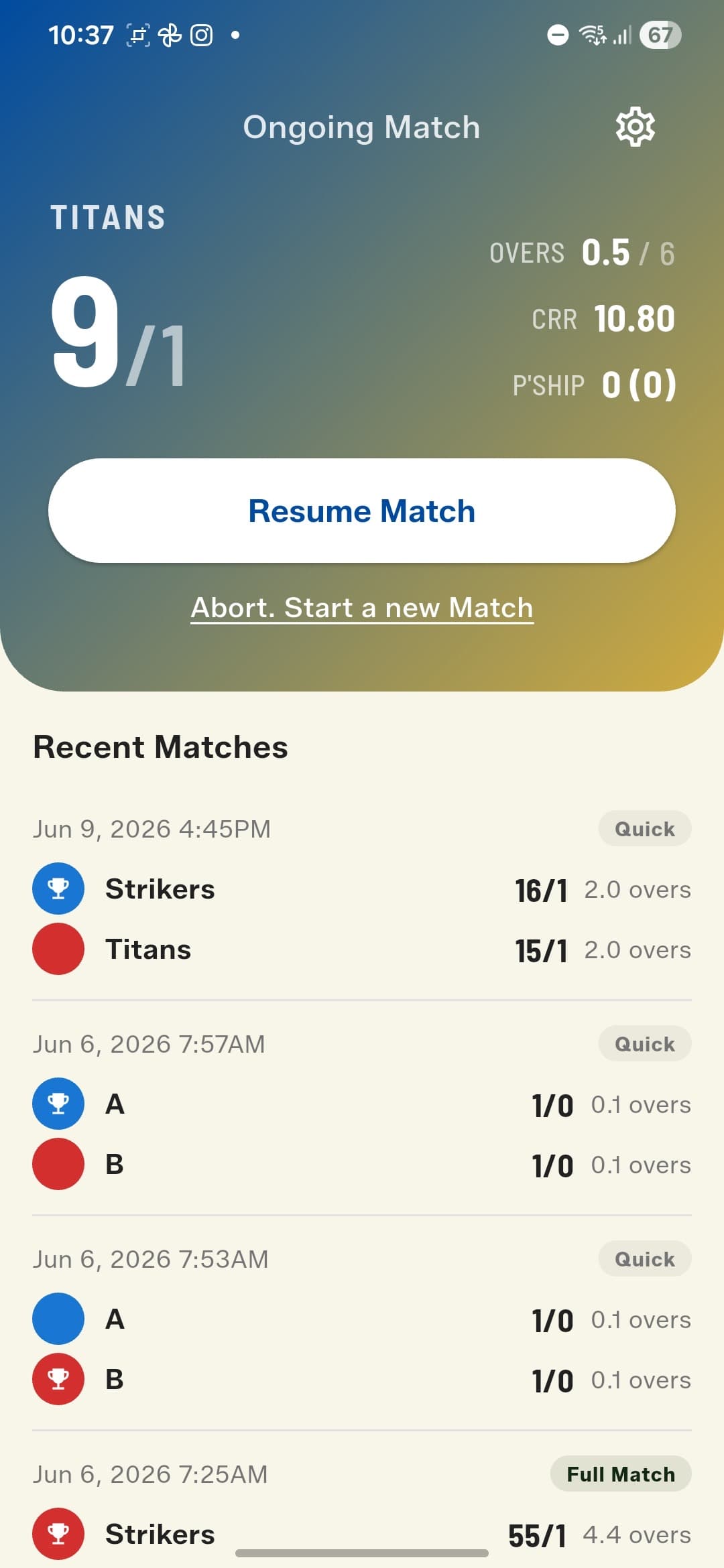
The home screen, scoreboard, and scoring screen now wear the new team gradients, and your Recent Matches list badges every game as Quick or Full Match.
A peek at what's next
Soon, players will be able to claim their own stats. You'll register with your phone number, invite your squad, and every player will own their career record for free. The Squad Book's optional phone field is the first piece of that. Thanks for playing — and for scoring — with GullyCrix!
How to get started
- Update GullyCrix to version 3.0 from the App Store or Google Play.
- Open the Squad Book and add your regular players — name, batting hand, and bowling style.
- Create Team Sheets from those players, tagging a wicket-keeper and captain if you like.
- Start a new match and choose Full Match, pick your teams, toss the coin, and set your rules — overs, bowler caps, Common Player, Last Man Standing, arena, and ball type.
- Pick your openers and opening bowler, then score ball by ball — the app handles dismissals, bowler quotas, and the scorecard for you.
- After the match, share the result card and watch every player's career stats grow in the Squad Book.
Frequently asked questions
What's the difference between Quick Match and Full Match?
Quick Match is the classic GullyCrix experience — two team names and instant tap-to-score, no player names needed. Full Match adds player-level scoring: named batters and bowlers from your Squad Book, every dismissal type, a full scorecard with fall of wickets, and career stats that accumulate across matches.
How does the Common Player rule work?
In gully cricket, when sides are uneven one player often bats for both teams. In Full Match setup you can pick any player from your Squad Book as the Common Player — even someone who isn't in either team sheet — and they'll be available to bat on both sides.
What does the Last Man Standing toggle do?
With Last Man Standing on, the final batter keeps batting alone after the rest of the side is out — a classic gully rule. Switch it off and the innings ends one wicket earlier, like conventional cricket.
Does Retired Hurt count as a wicket?
No. A retired-hurt batter is not dismissed — their wicket isn't counted, and they remain in the Next Batter list so they can resume their innings later, continuing from the same score and balls faced.
Can a bowler bowl two overs in a row?
No — the app locks out whoever bowled the previous over, and also enforces the maximum-overs-per-bowler cap you set during match setup. You can still change a bowler before their first ball, or mid-over if they're injured.
Where do player career stats come from?
Every Full Match you score feeds the career stats of the players involved — batting and bowling. Open any player in your Squad Book to see their record, and filter it by arena (like Turf) or ball type (like Tennis) to compare conditions.