GullyCrix 3.1 — Share Your Match: Scorecards, Player Awards, Partnerships & Every Dismissal
Version 3.0 gave you Full Match mode. Version 3.1 is about what happens after the last ball — and the depth in between. Score a match, then share it like a broadcast: pick exactly which cards you want — the result, each innings' scorecard, the stats graphs, the over-by-over — plus player-award cards for your standout performers, all rendered as clean branded images you can save or send. Along the way you'll find a full partnerships breakdown, a smarter live header with a projected score, the same stats in Quick Match, more ways to get out, and a faster run-out flow. Here's everything that's new.
Share your match as images
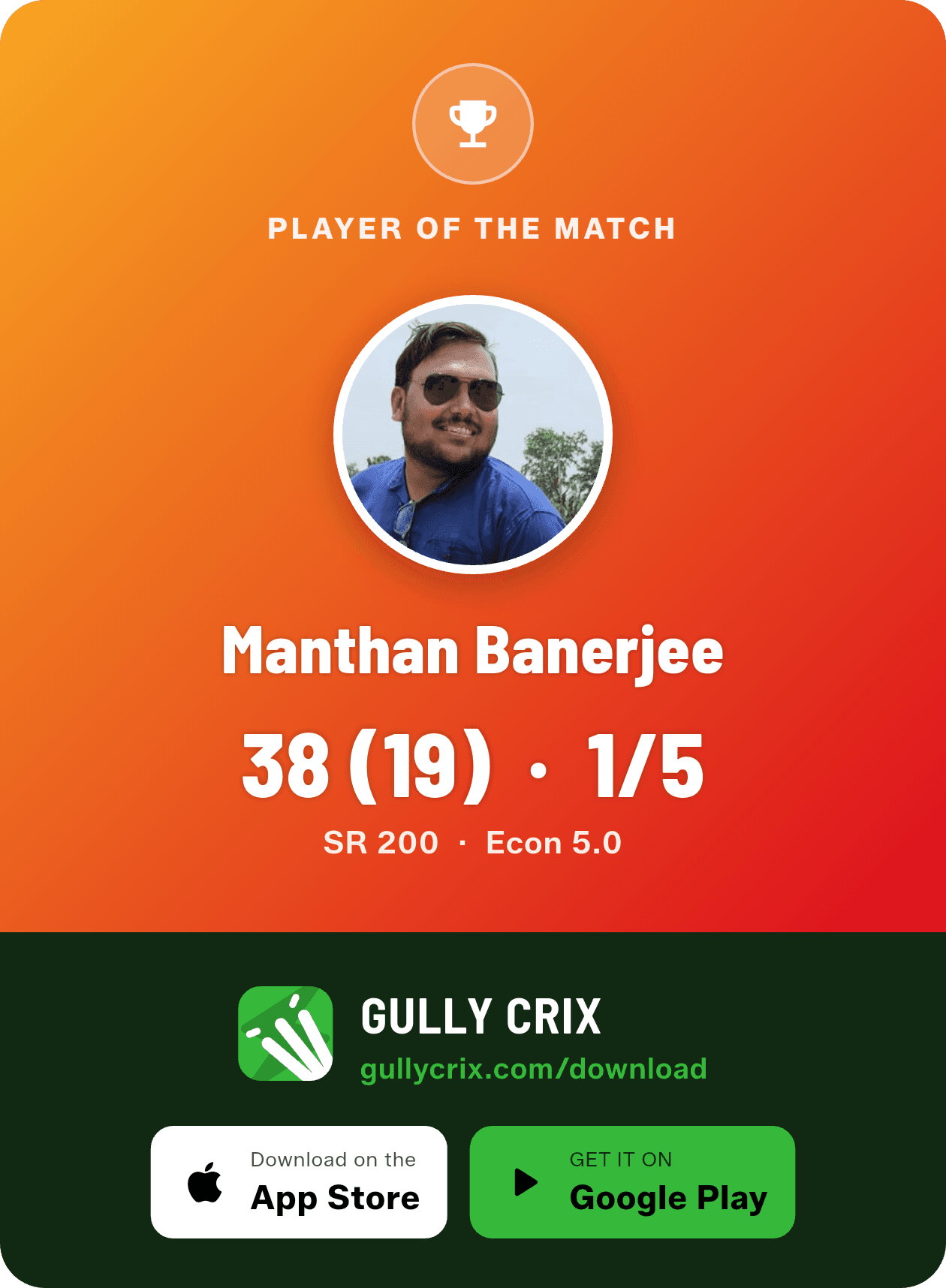
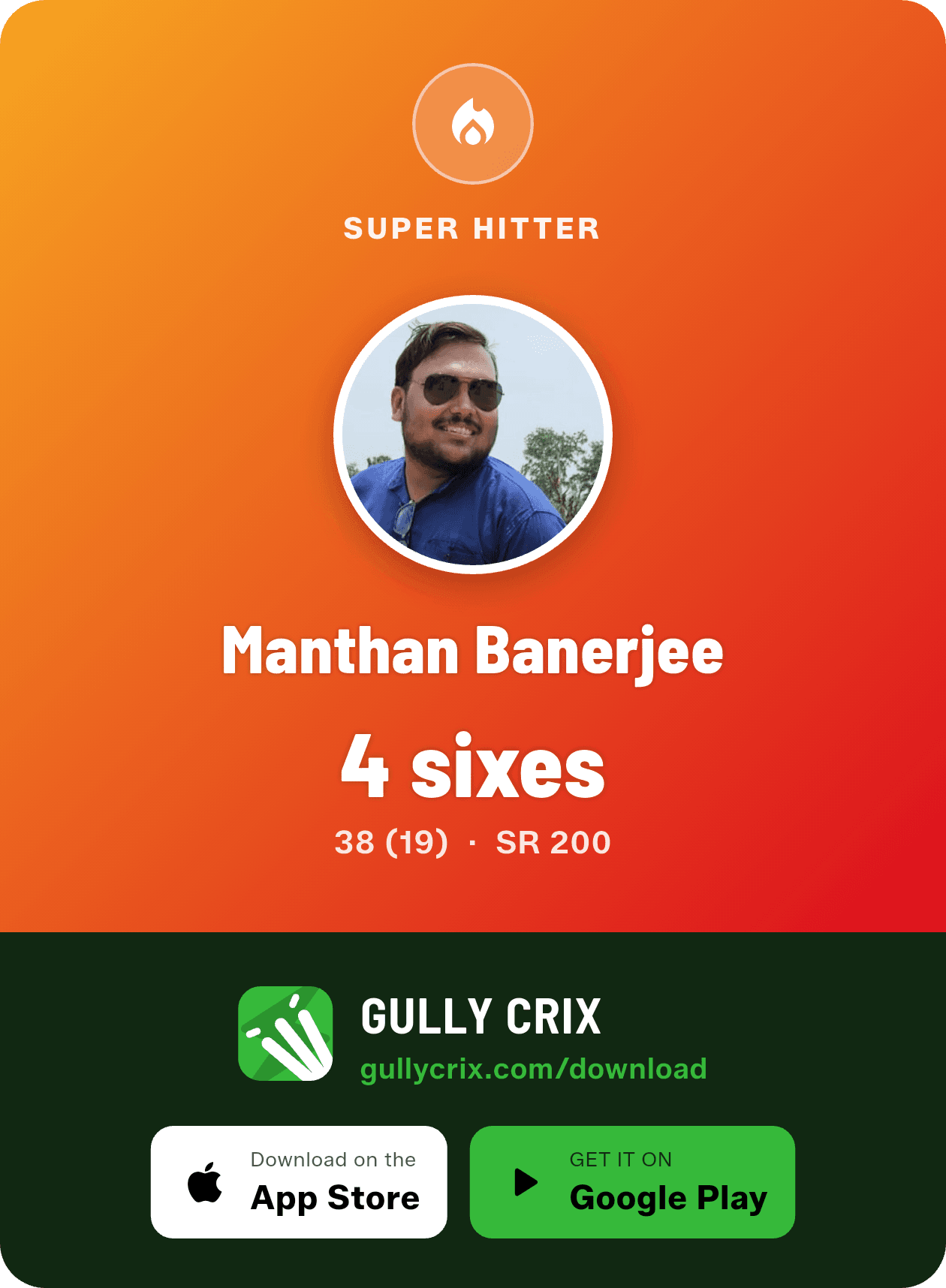
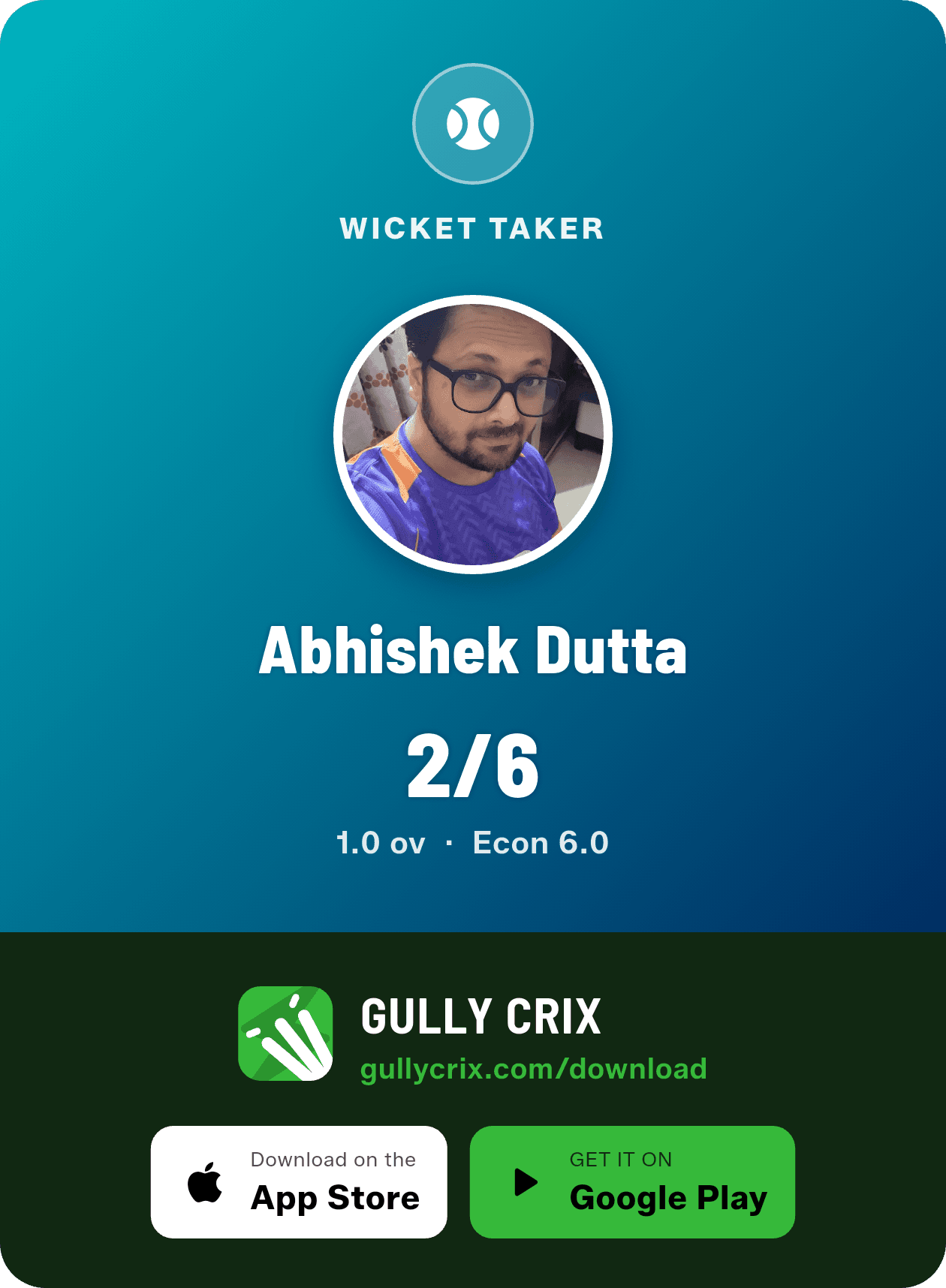
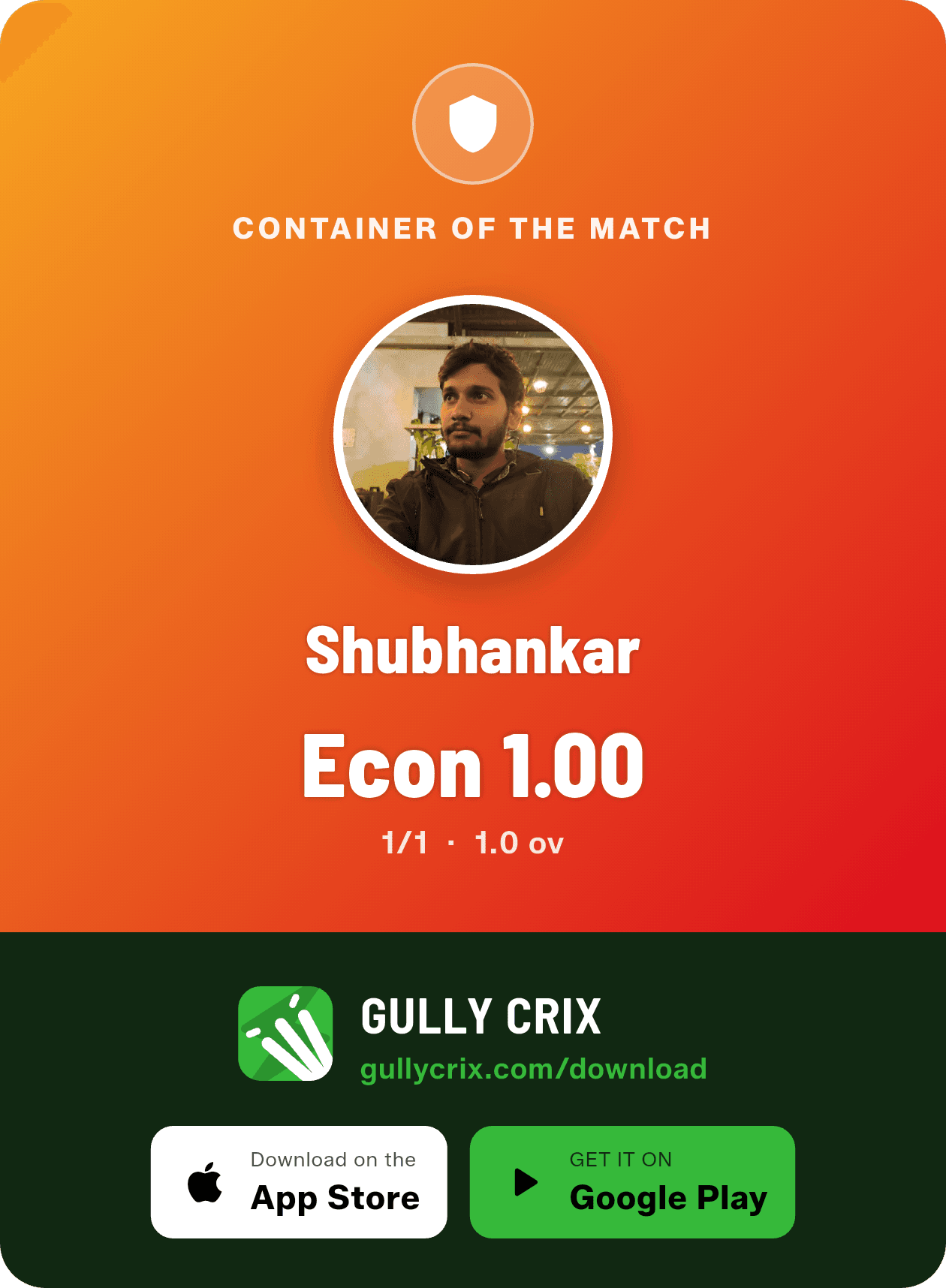
When a match ends, tap Share and pick exactly what you want — the Match Summary, each innings' Scorecard, the Stats graphs (worm and over-by-over), and the ball-by-ball Over by Over. There are player cards too: Player of the Match, Super Hitter, Wicket Taker and Container of the Match, each with the player's figures. Choose any combination, tap once, and GullyCrix renders them all — then save them to your gallery in a "GullyCrix" album or send them straight to WhatsApp, Instagram or your team group.
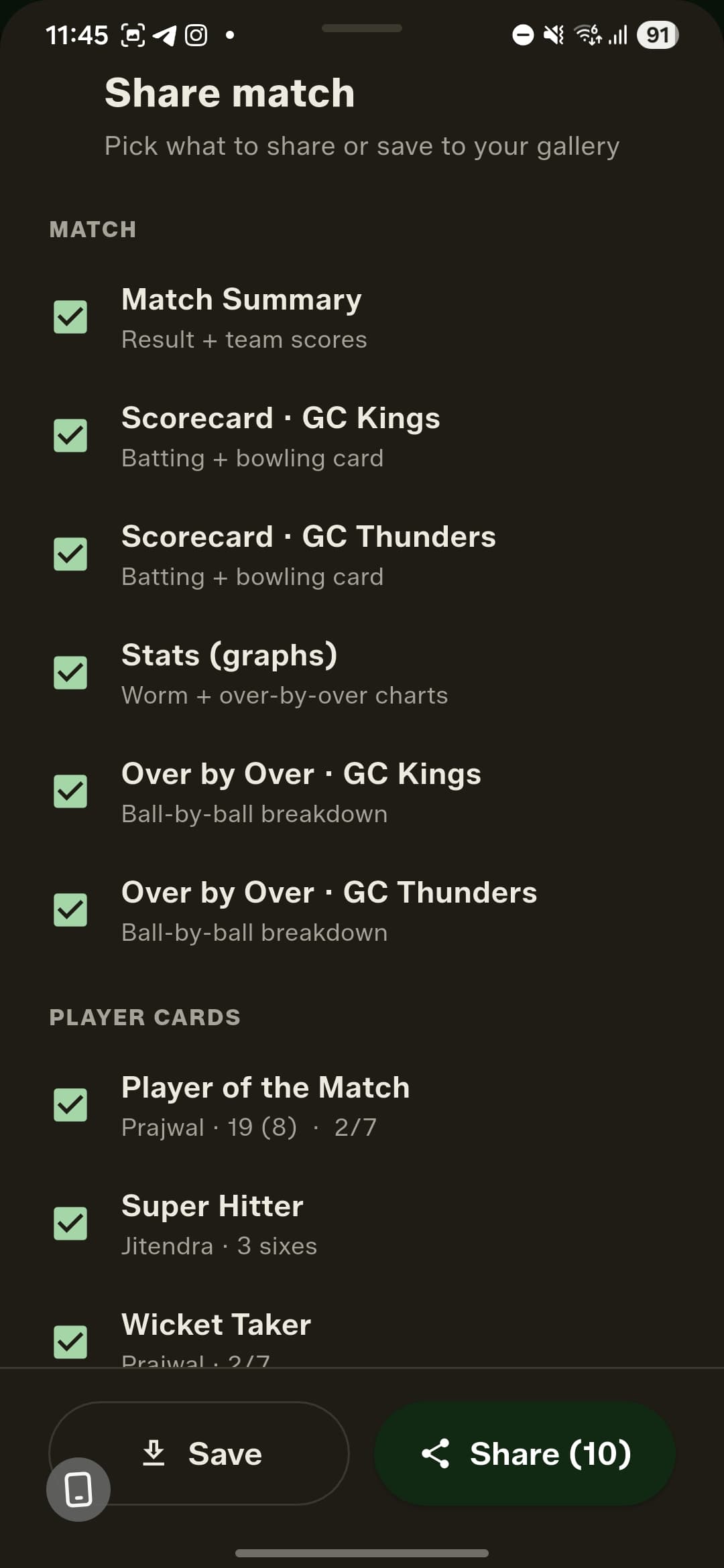
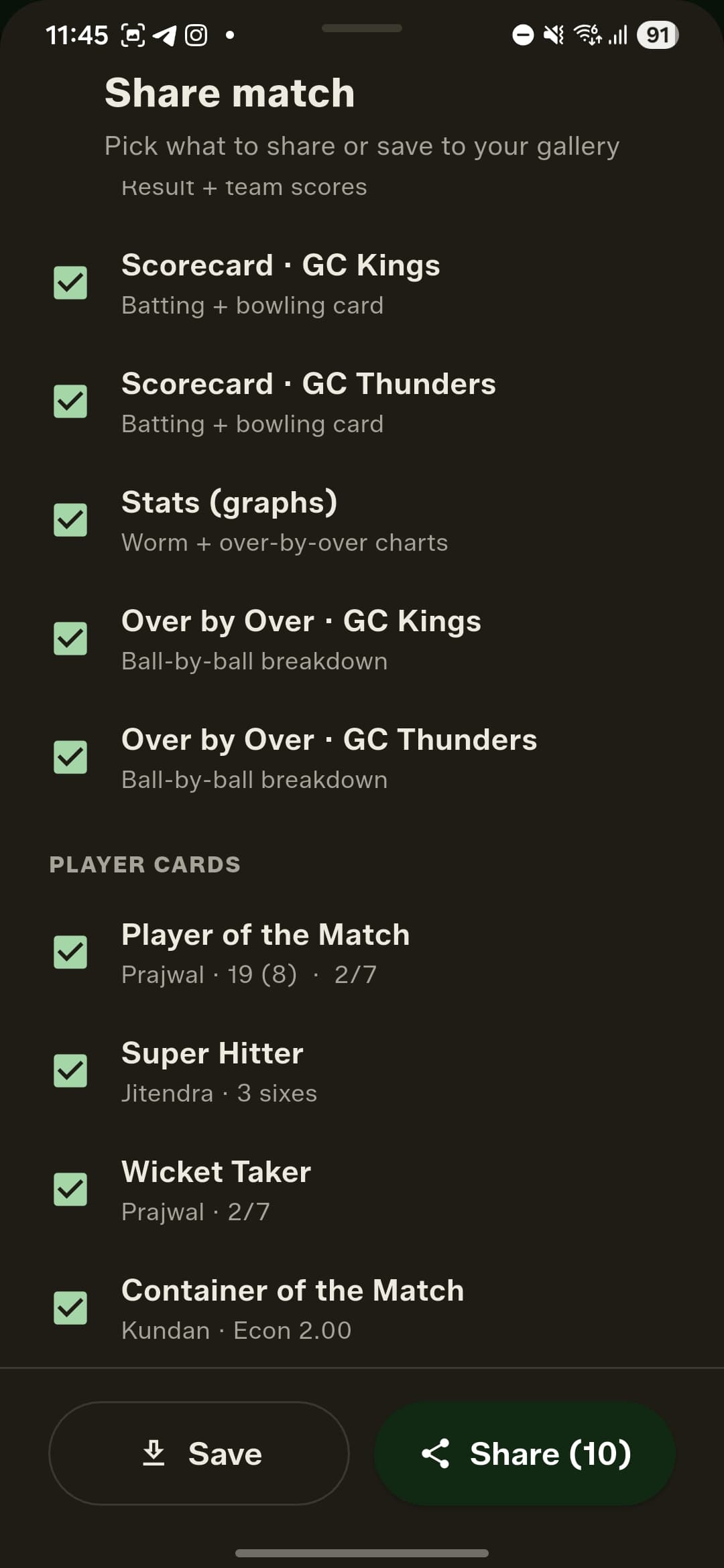

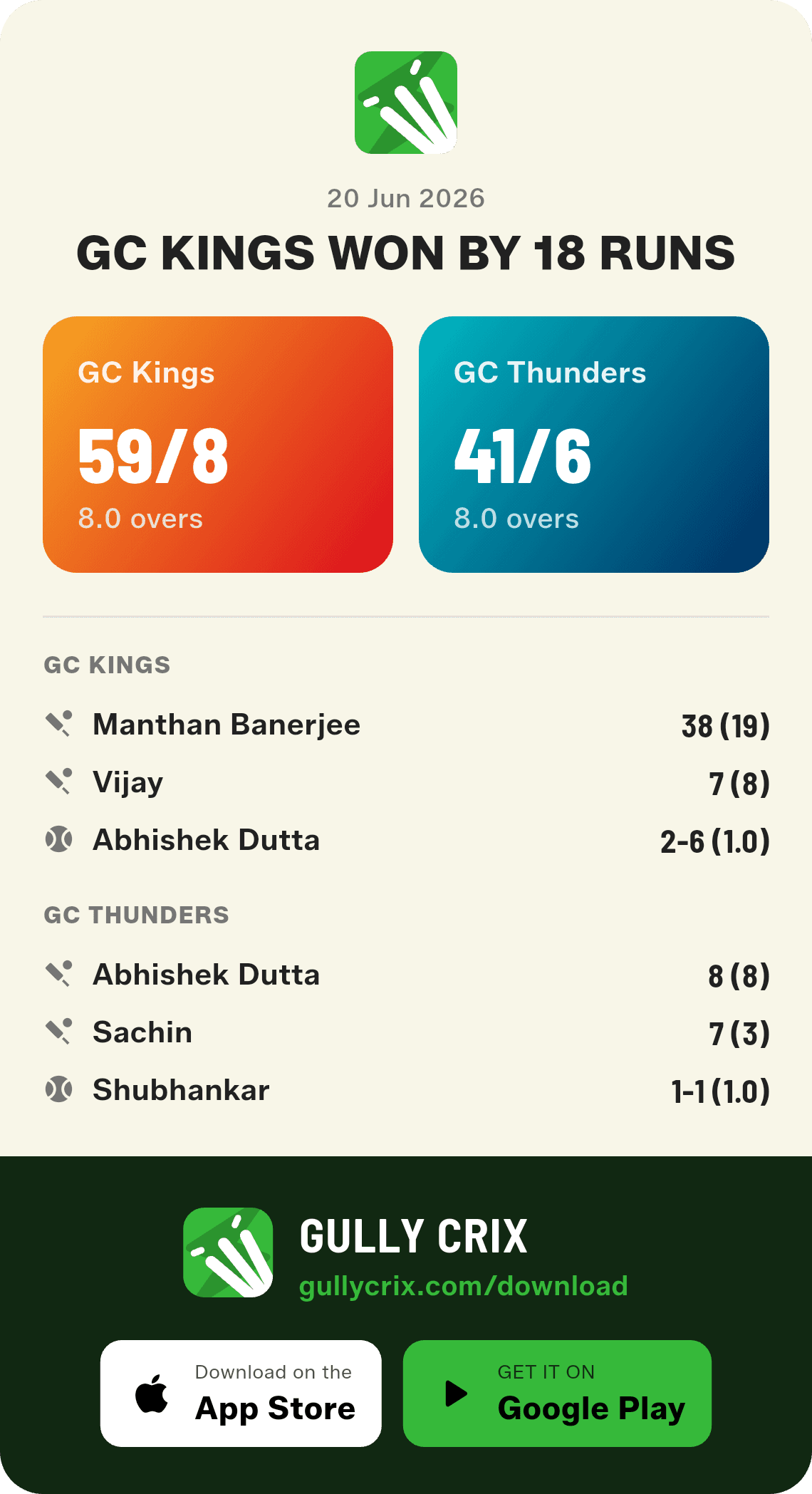
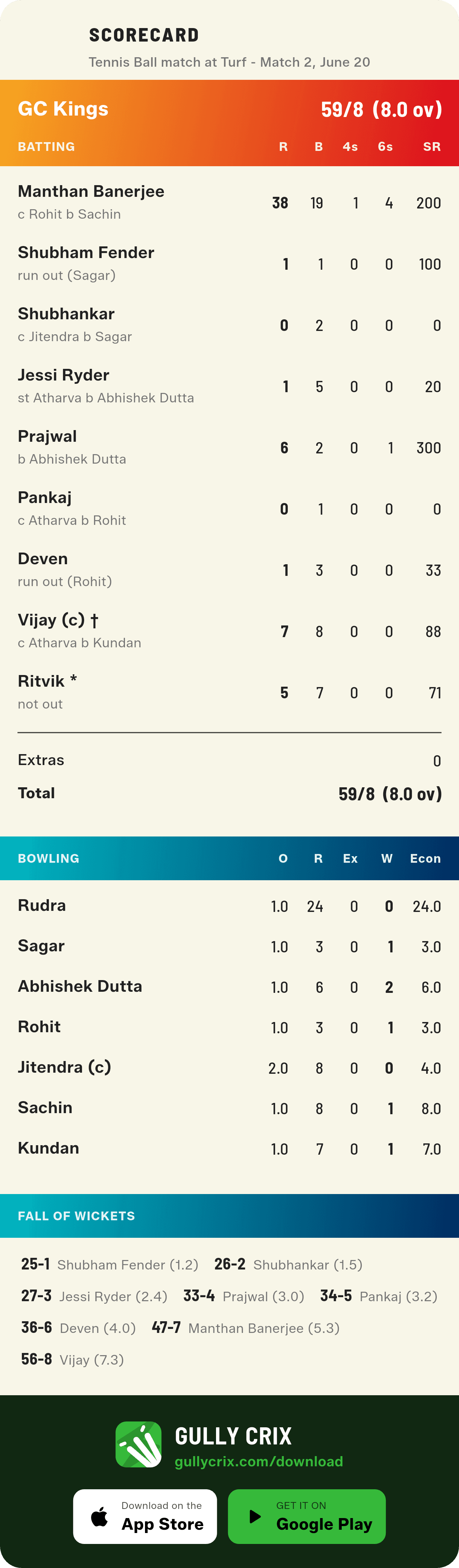
Every card, ready to post
Here's what comes out the other side — the actual images GullyCrix renders for a single match. A result summary, a full scorecard and an over-by-over for each innings, the stats graphs, and a card for every award winner. Save them to your gallery or drop them straight into the group chat.
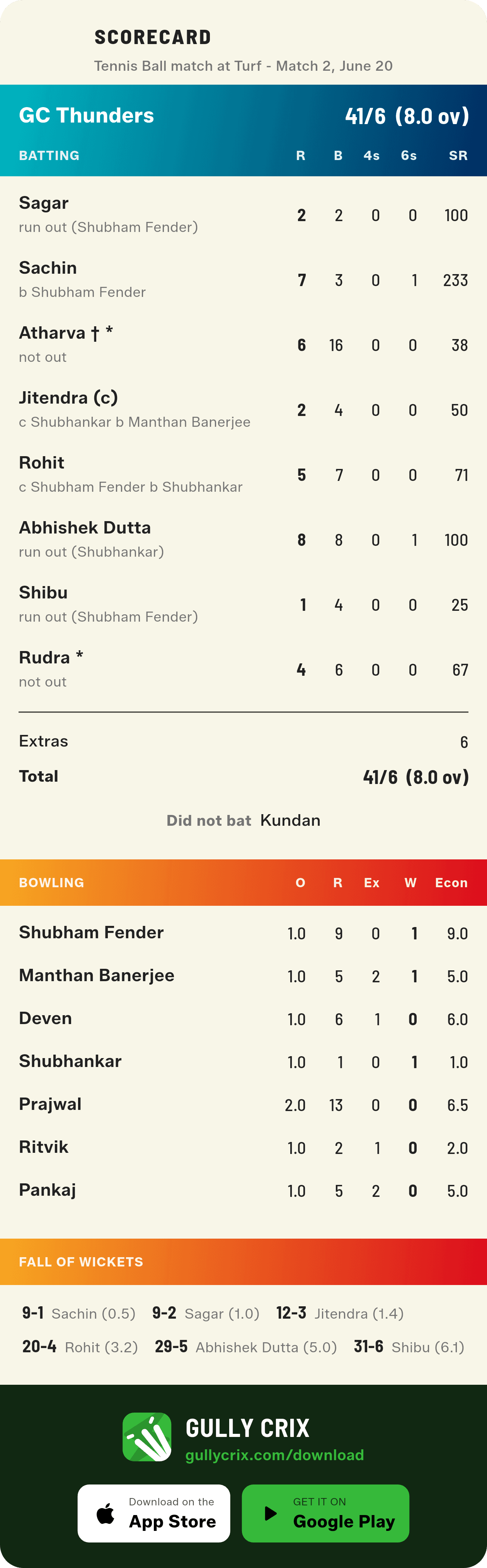
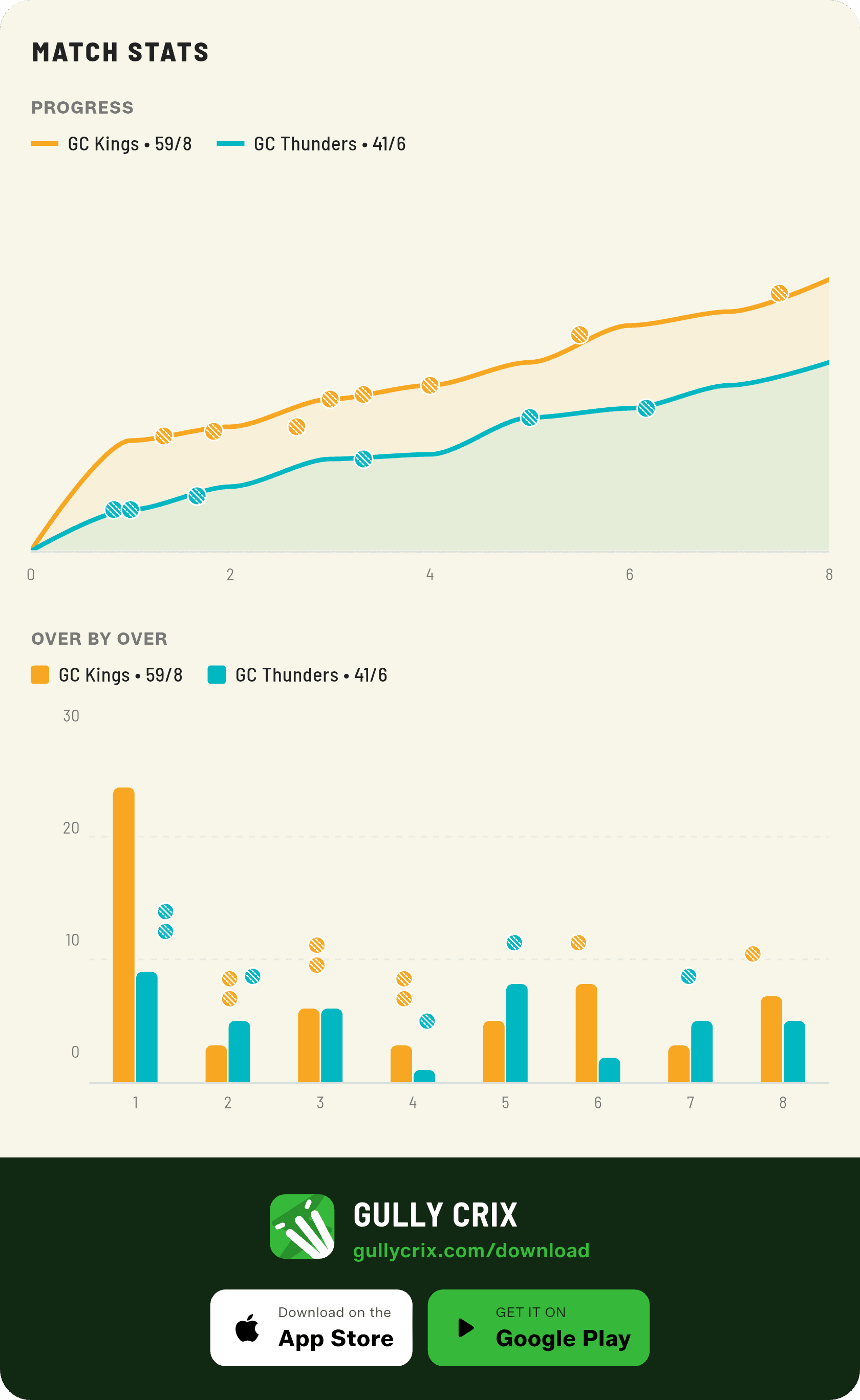
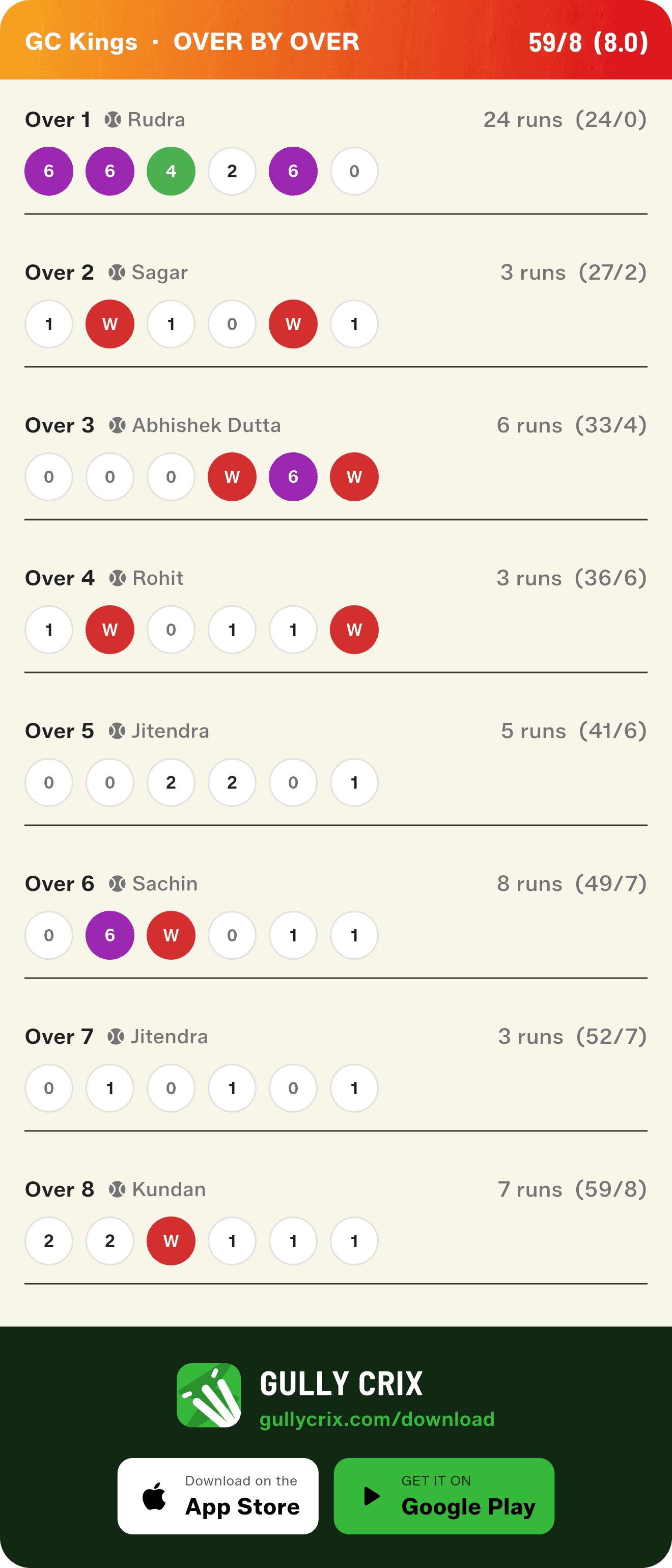
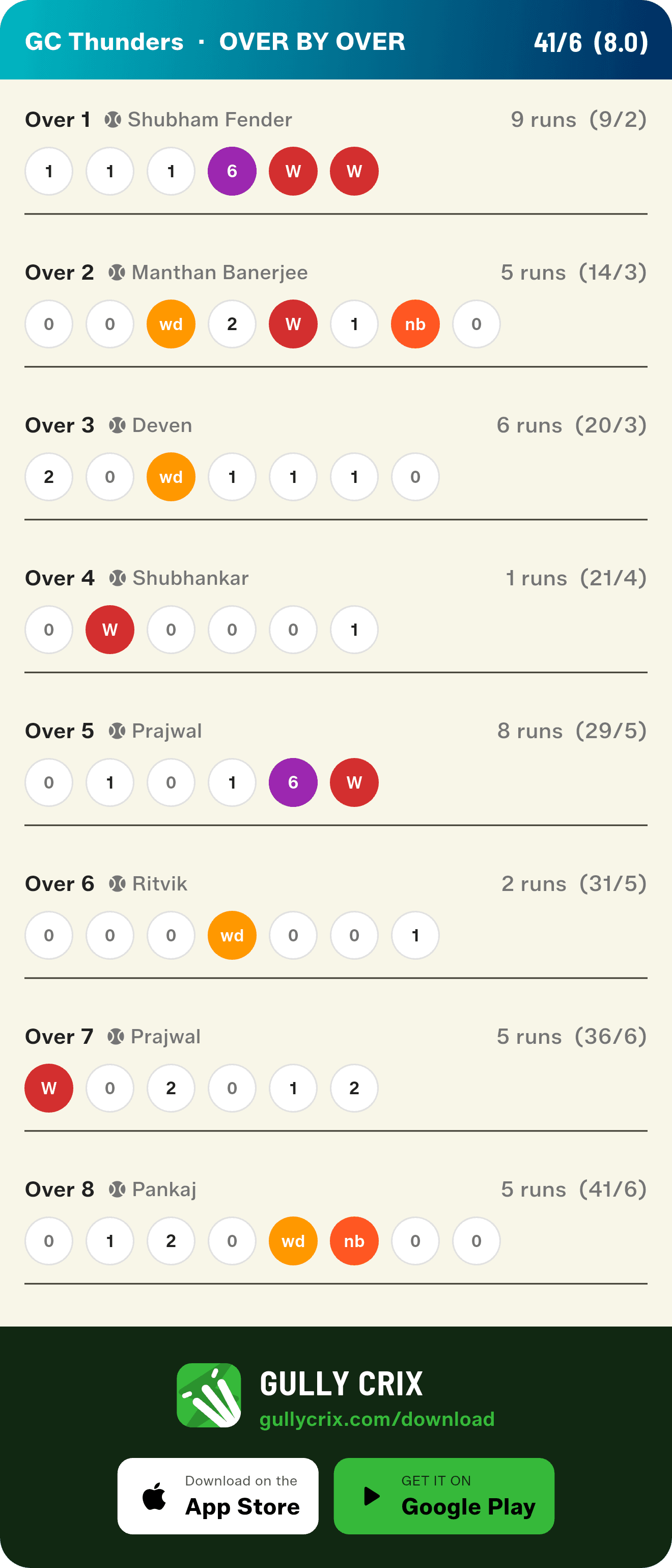
Over by Over names the bowler
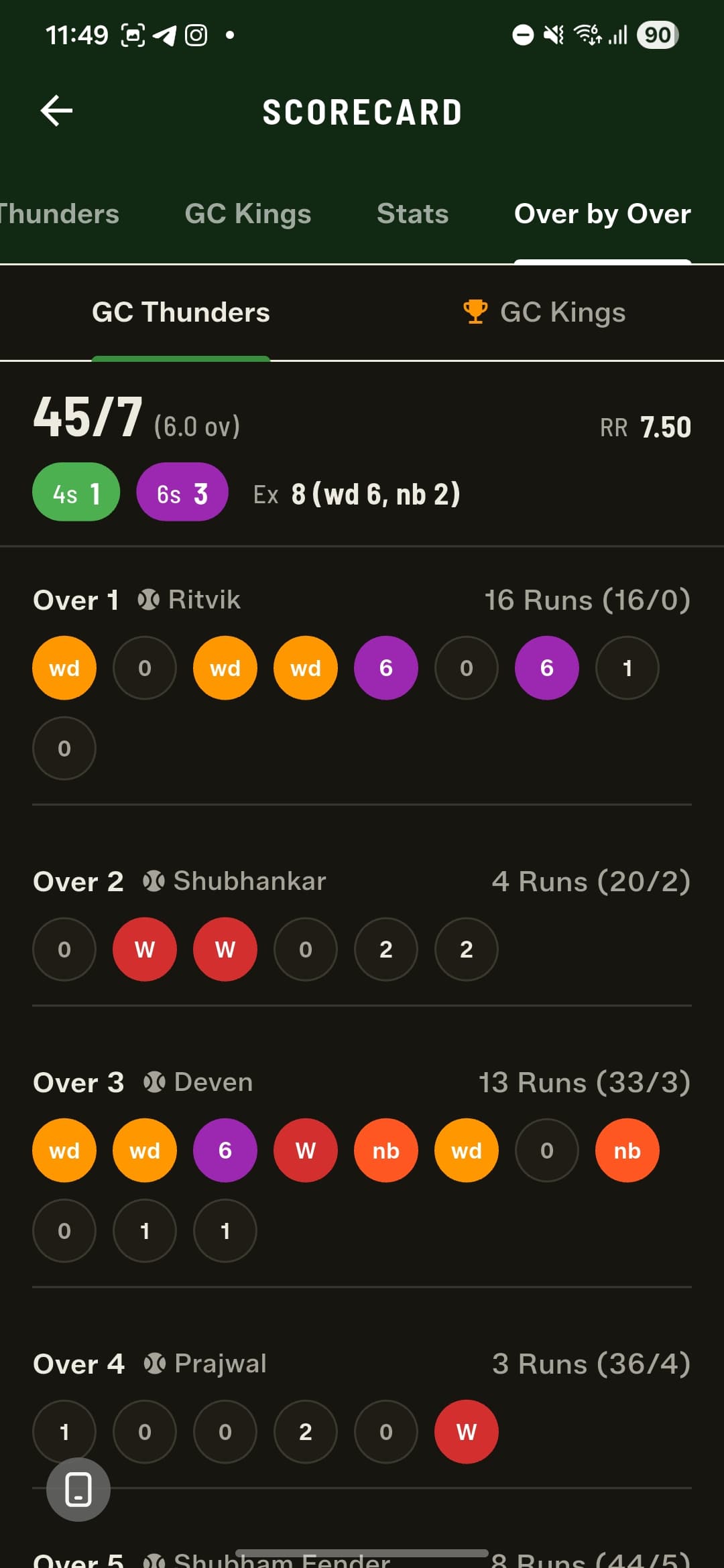
Every over in the Over by Over view now shows who bowled it, right beside the runs and the running total — so the ball-by-ball breakdown reads like a proper scorecard.
Partnerships, broken down
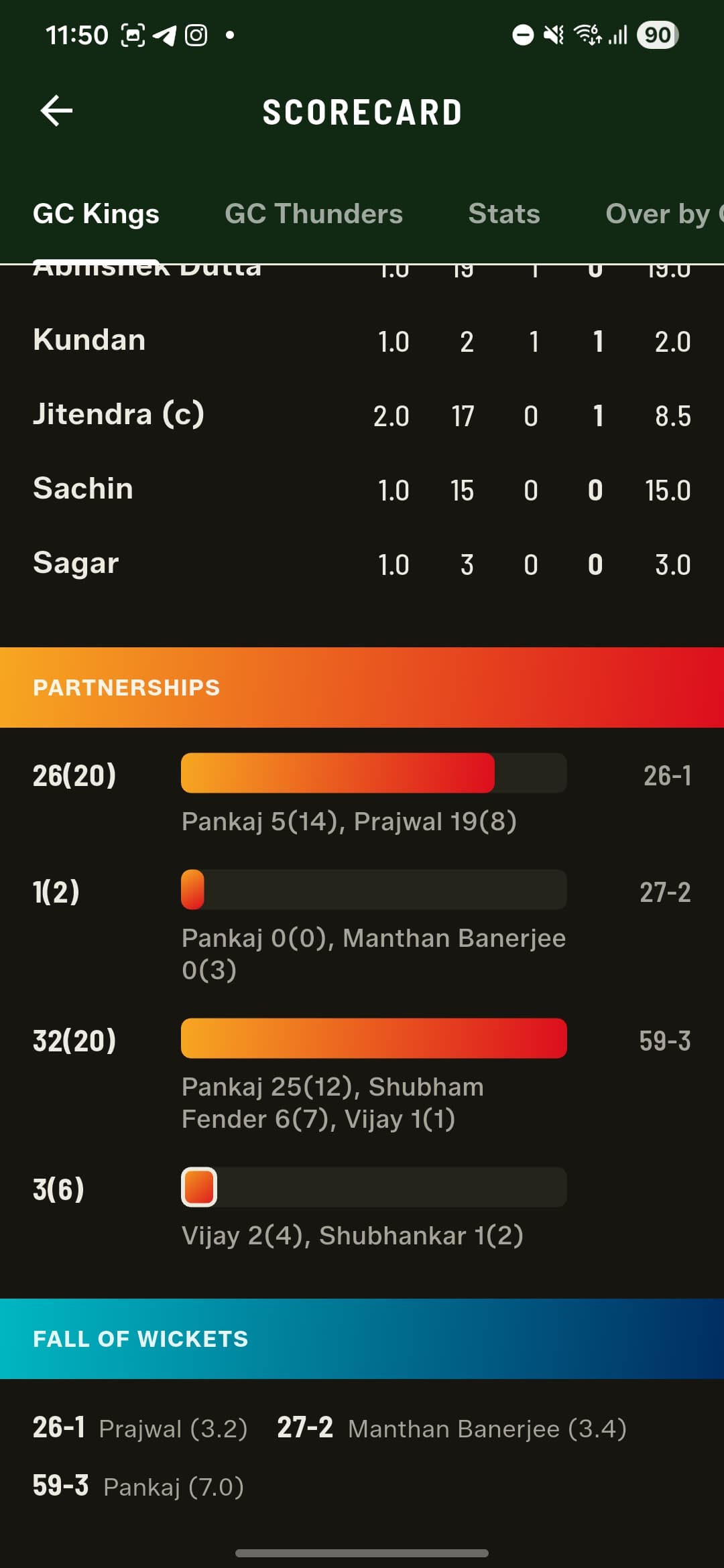
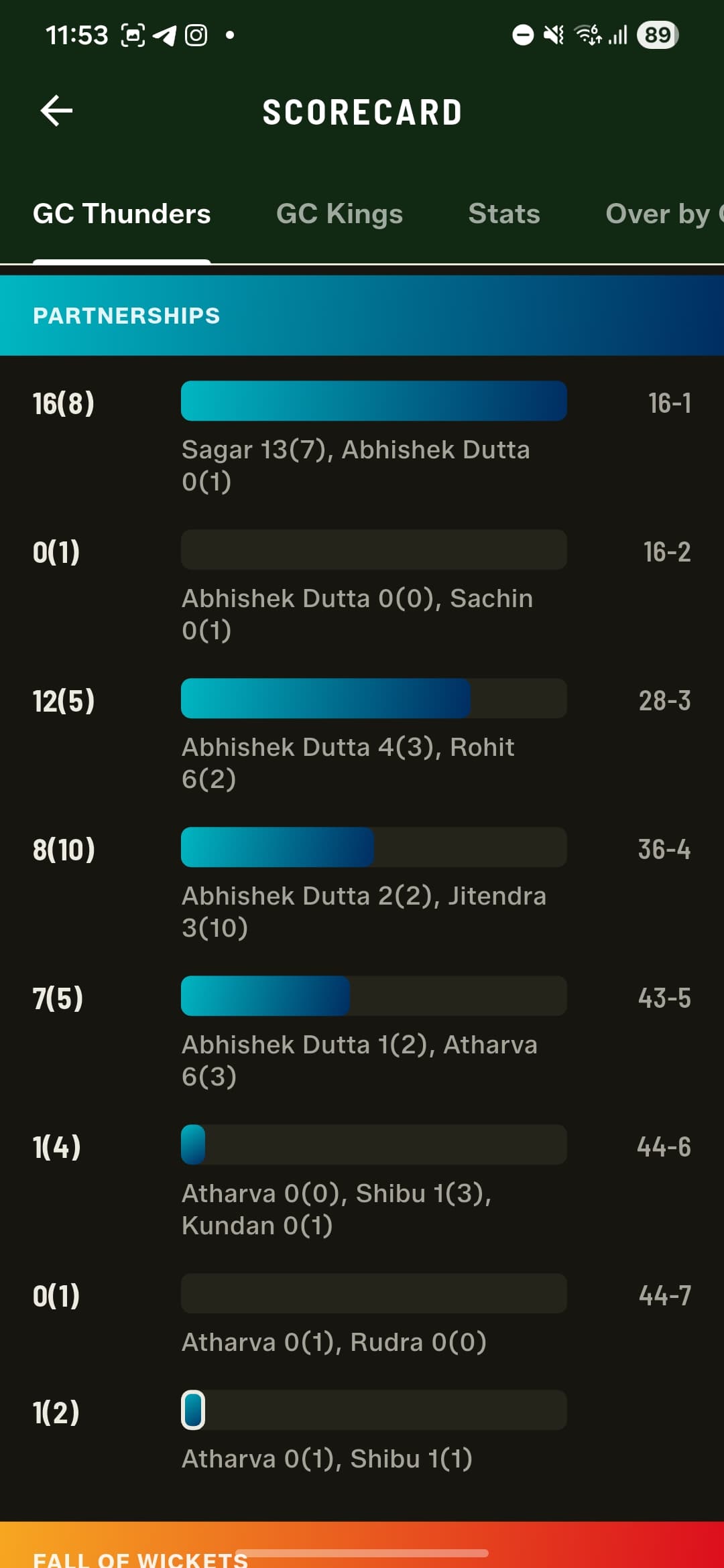
The scorecard now carries a full partnerships breakdown for both innings. Every stand is listed as runs(balls) with a proportional bar, so you can see at a glance which partnership carried the innings, who was involved and how much each batter contributed — and the score at which each wicket fell.
A smarter live header
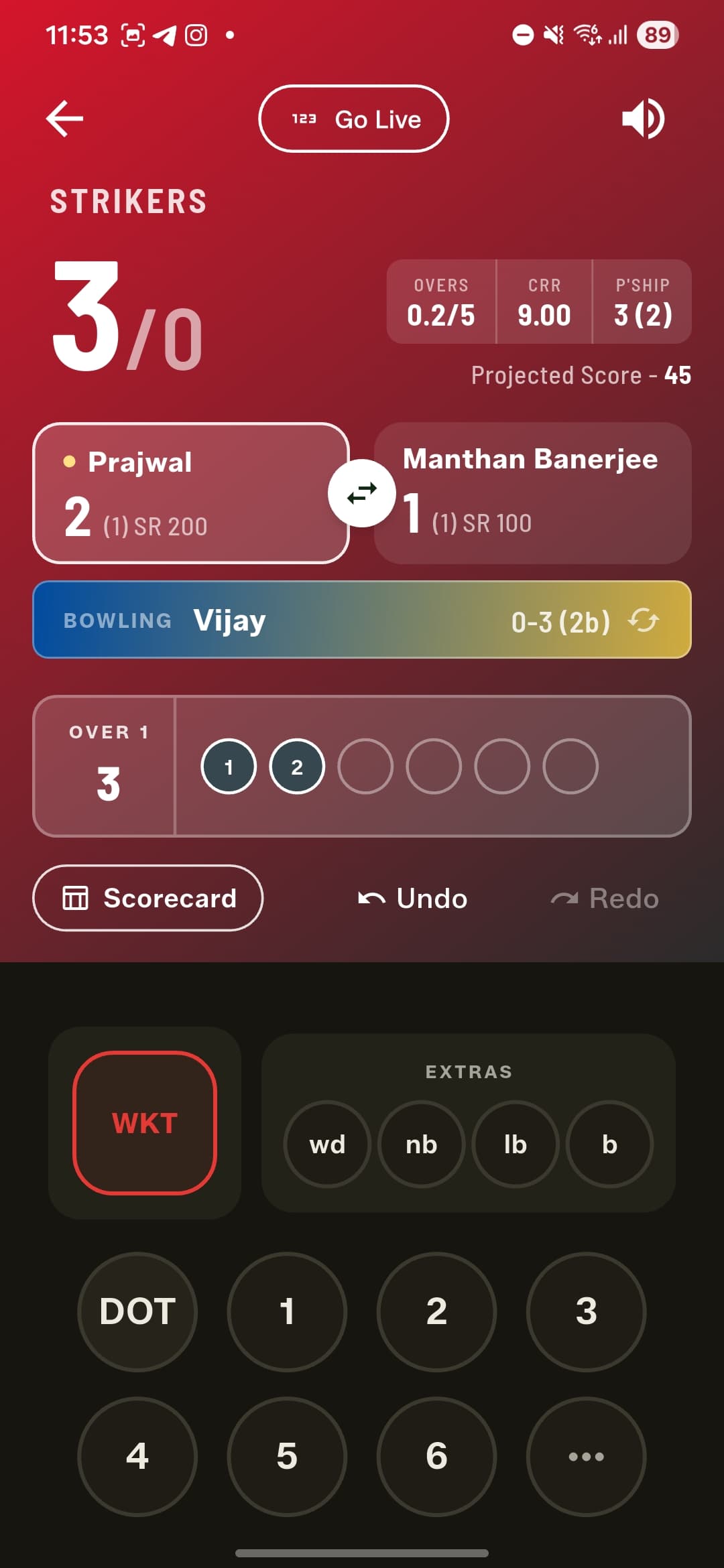
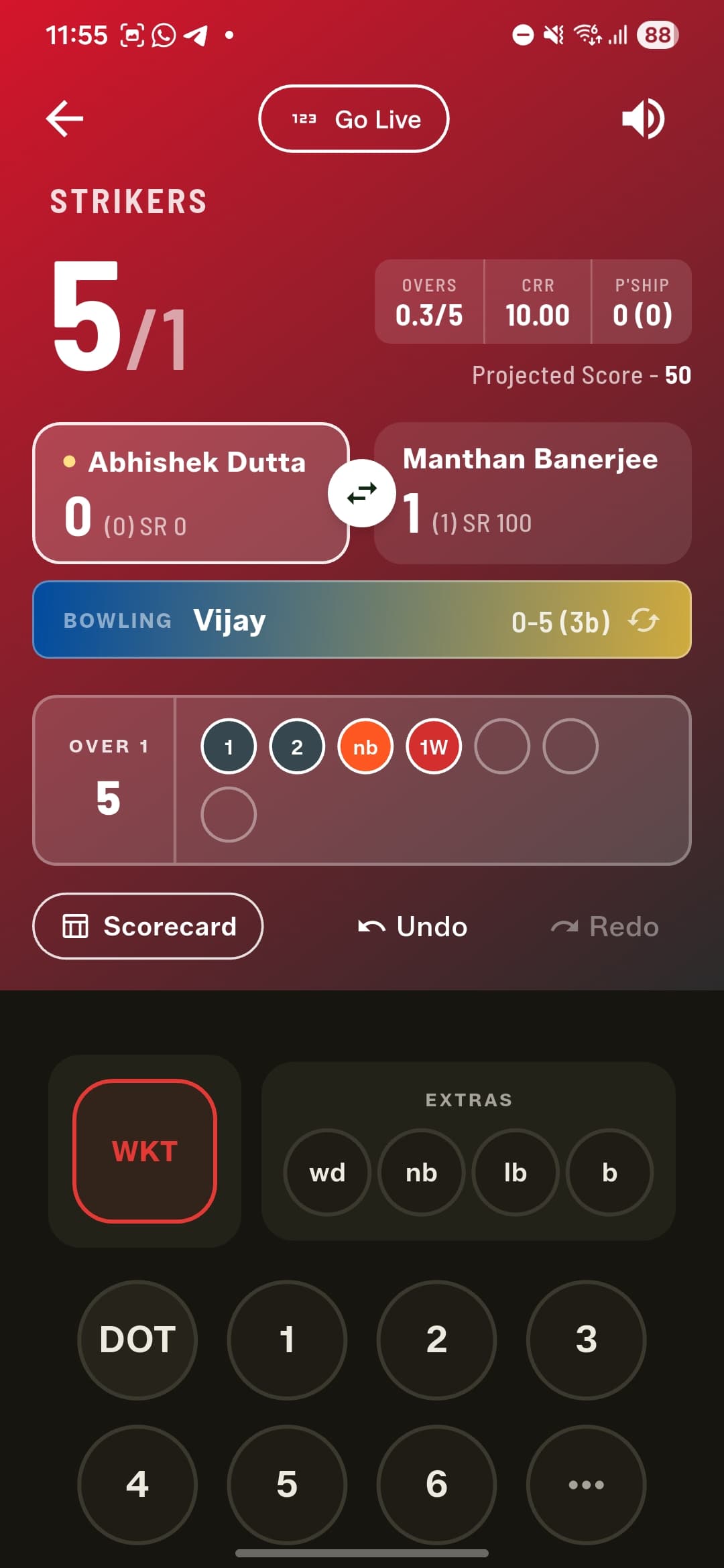
The Full Match scoreboard gets a redesigned header that packs in the overs bowled, the current run rate, and the live partnership at the crease. Batting first, it adds a projected score; chasing, it shows the equation — runs needed off the balls remaining.
Quick Match gets the same depth
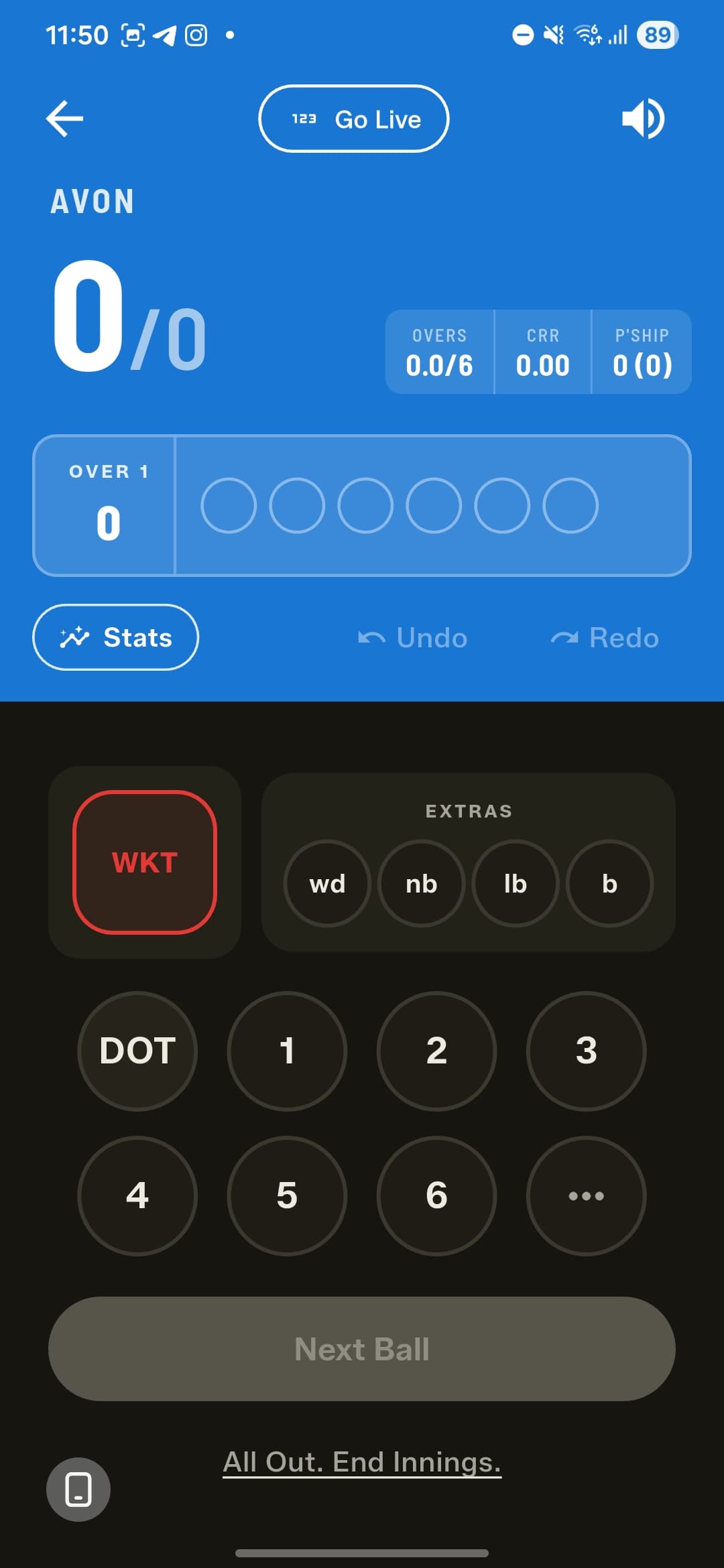
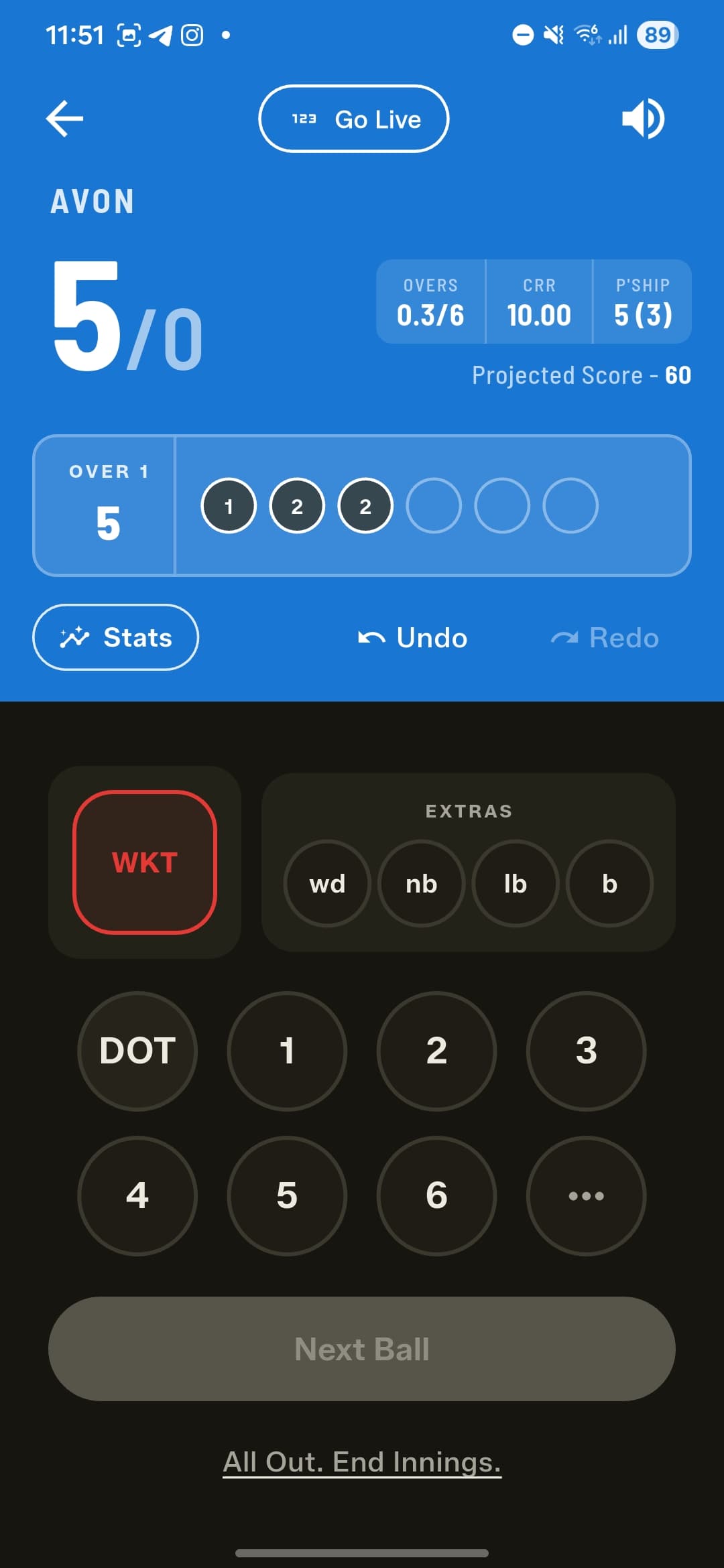
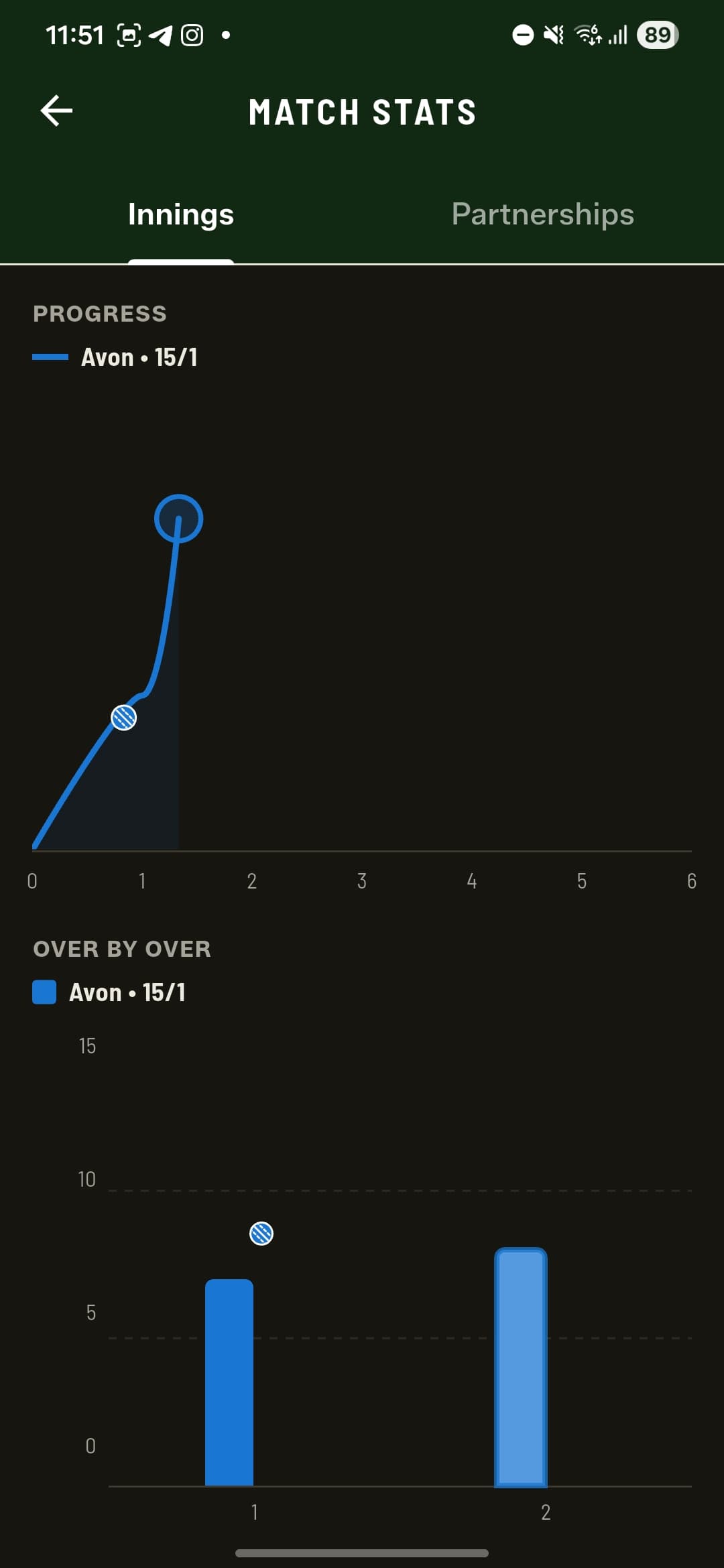
Quick Match now mirrors Full Match where it counts. Its scoreboard carries the same header — overs, current run rate, the live partnership and a projected score — and its Stats screen splits into two tabs: Innings, with the match-progress worm and the over-by-over graph, and Partnerships. Both update live as you score, even mid-innings.

More ways to get out
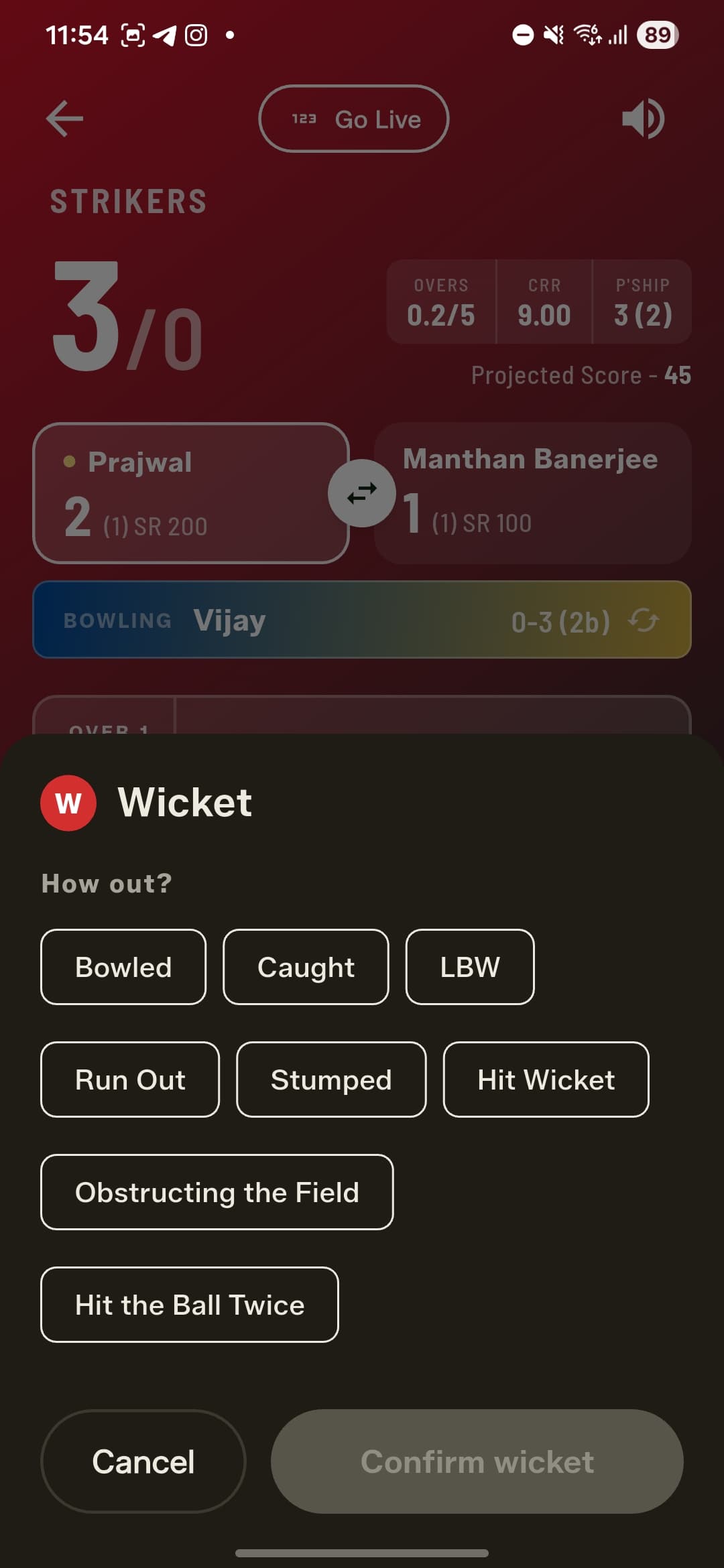
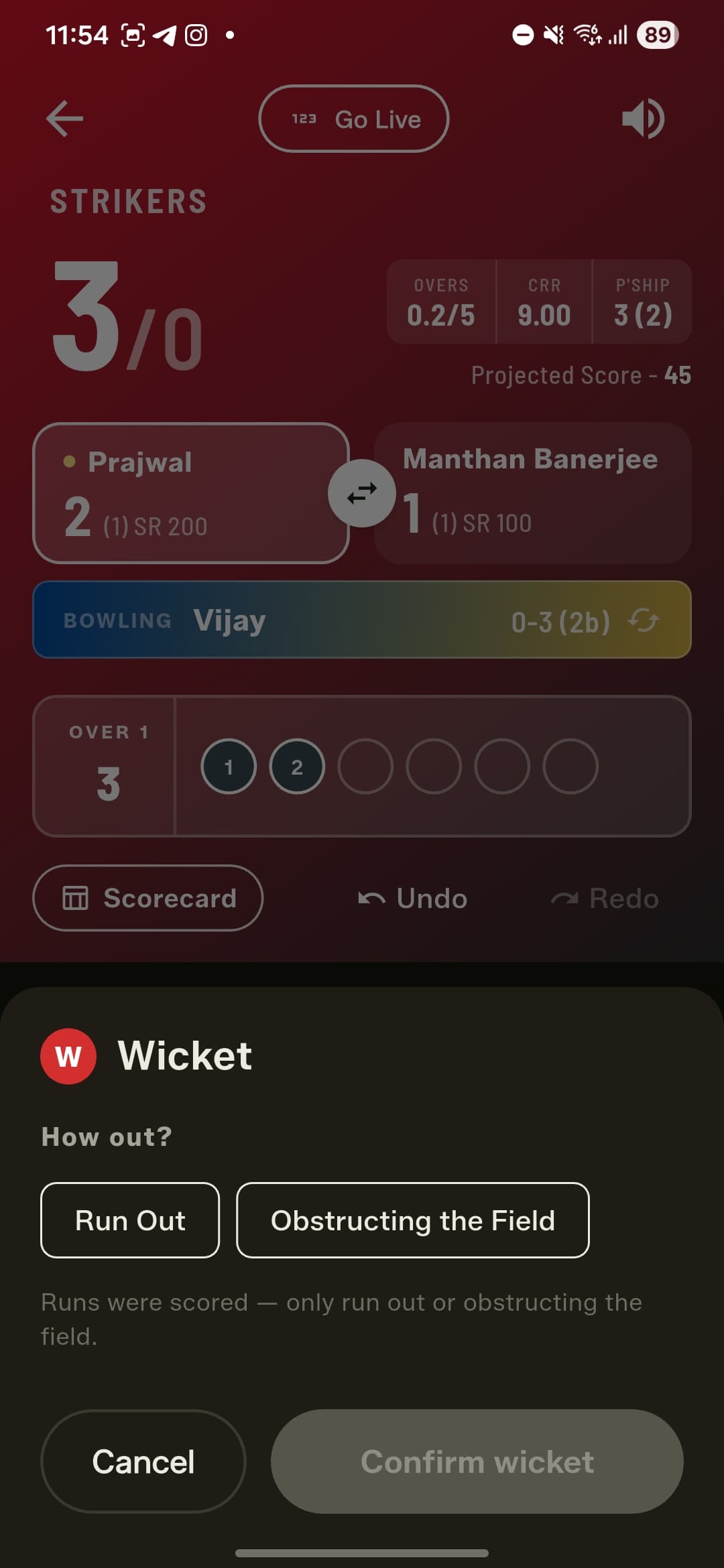
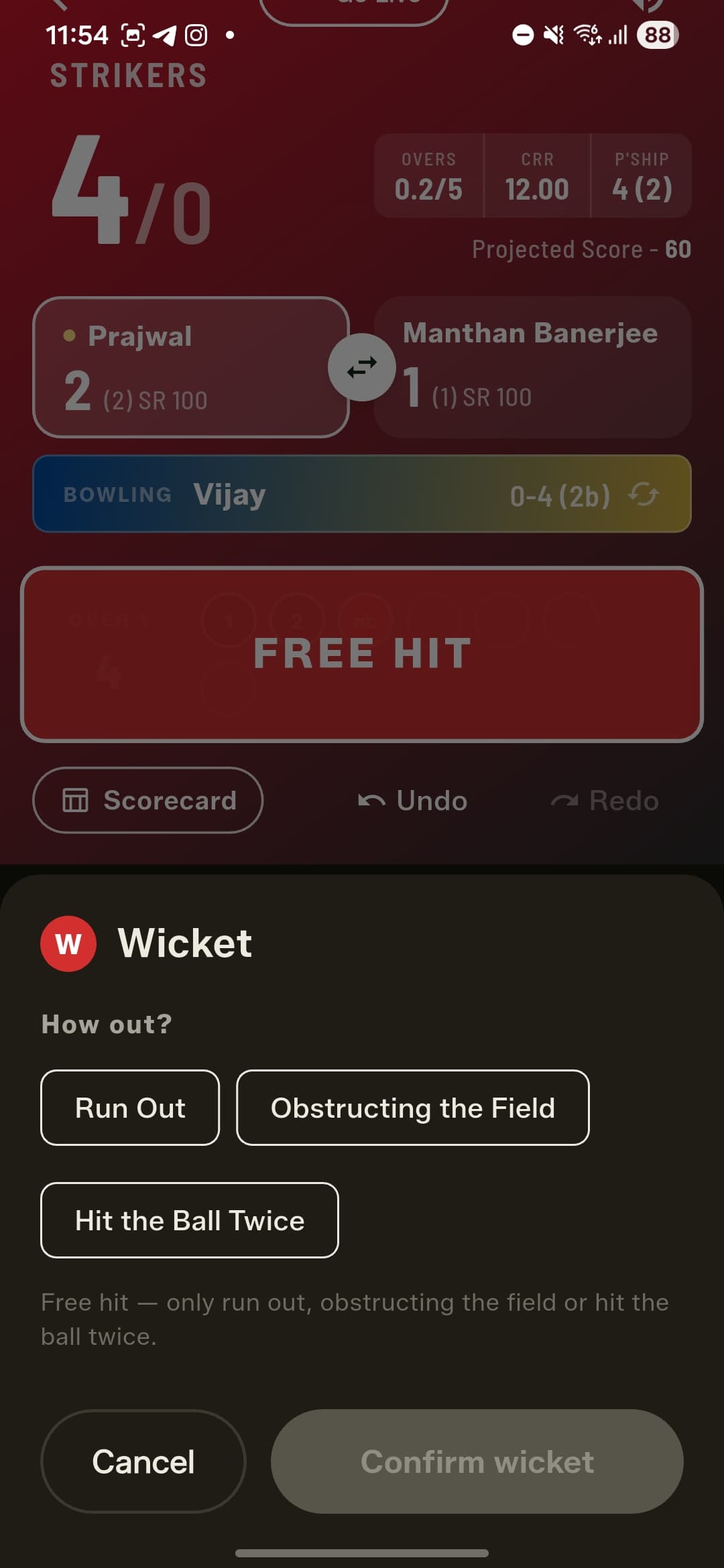
Two new dismissals join the list: Obstructing the Field and Hit the Ball Twice. The wicket dialog is also context-aware, so it only ever offers the dismissals that are actually possible. If runs were scored off the delivery, you'll see just Run Out and Obstructing the Field; on a free hit, only Run Out, Obstructing the Field and Hit the Ball Twice.
A faster run-out
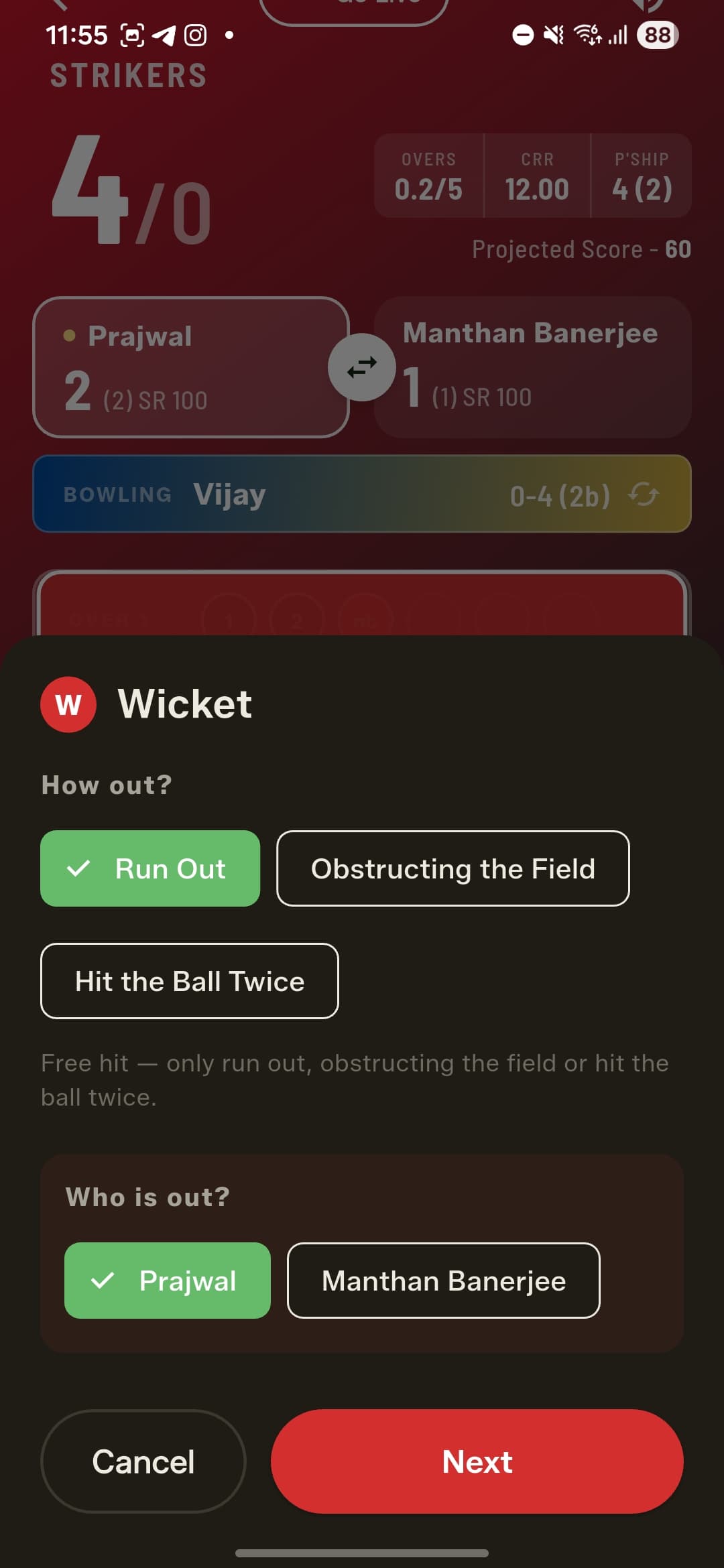
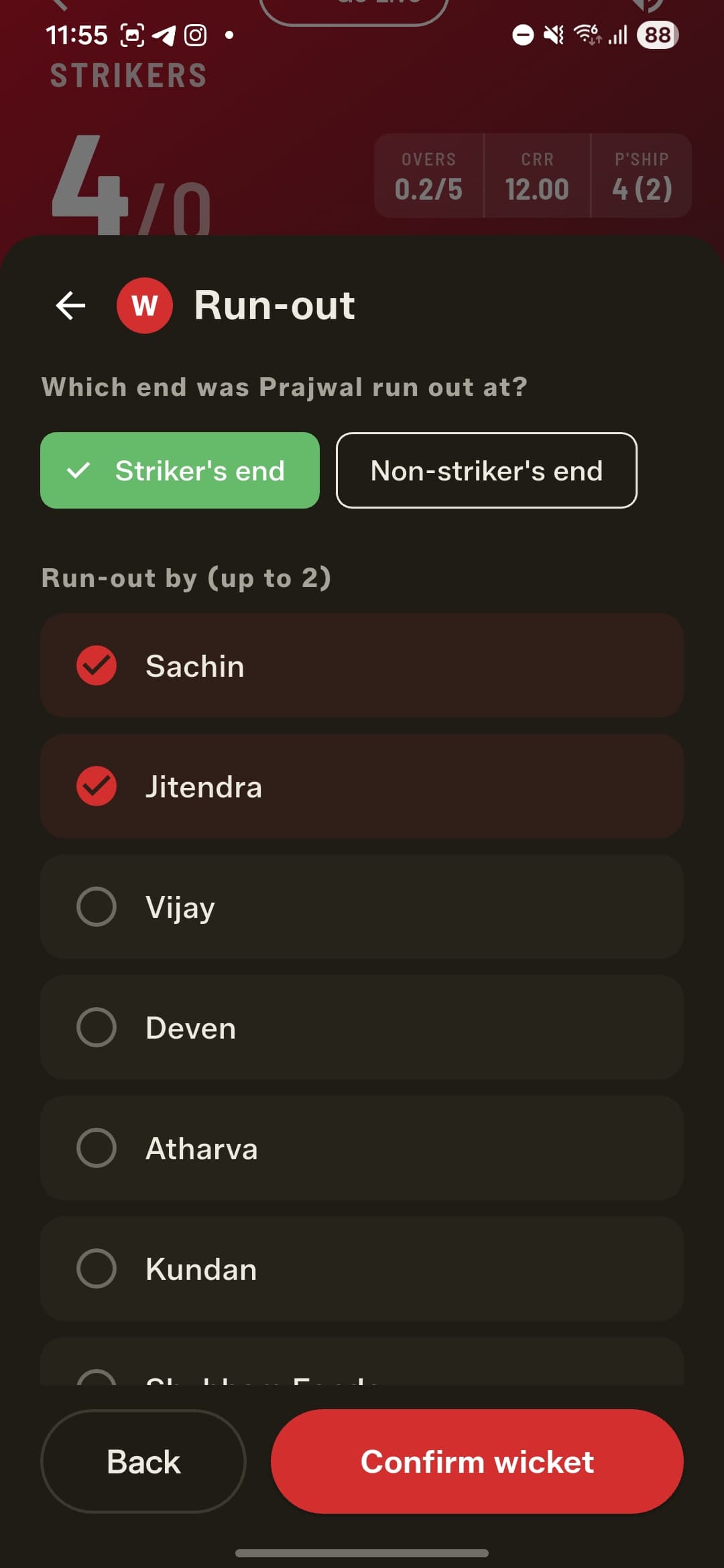
Run-outs are now a clean two-step flow. First pick which batter is out. Then, alongside the fielders involved (up to two), just tell the app which end the batter was run out at — striker's or non-striker's. GullyCrix works out the runs completed and brings the new batter in at the correct end automatically — no more "did they cross?" guesswork.
Retire out and timed out
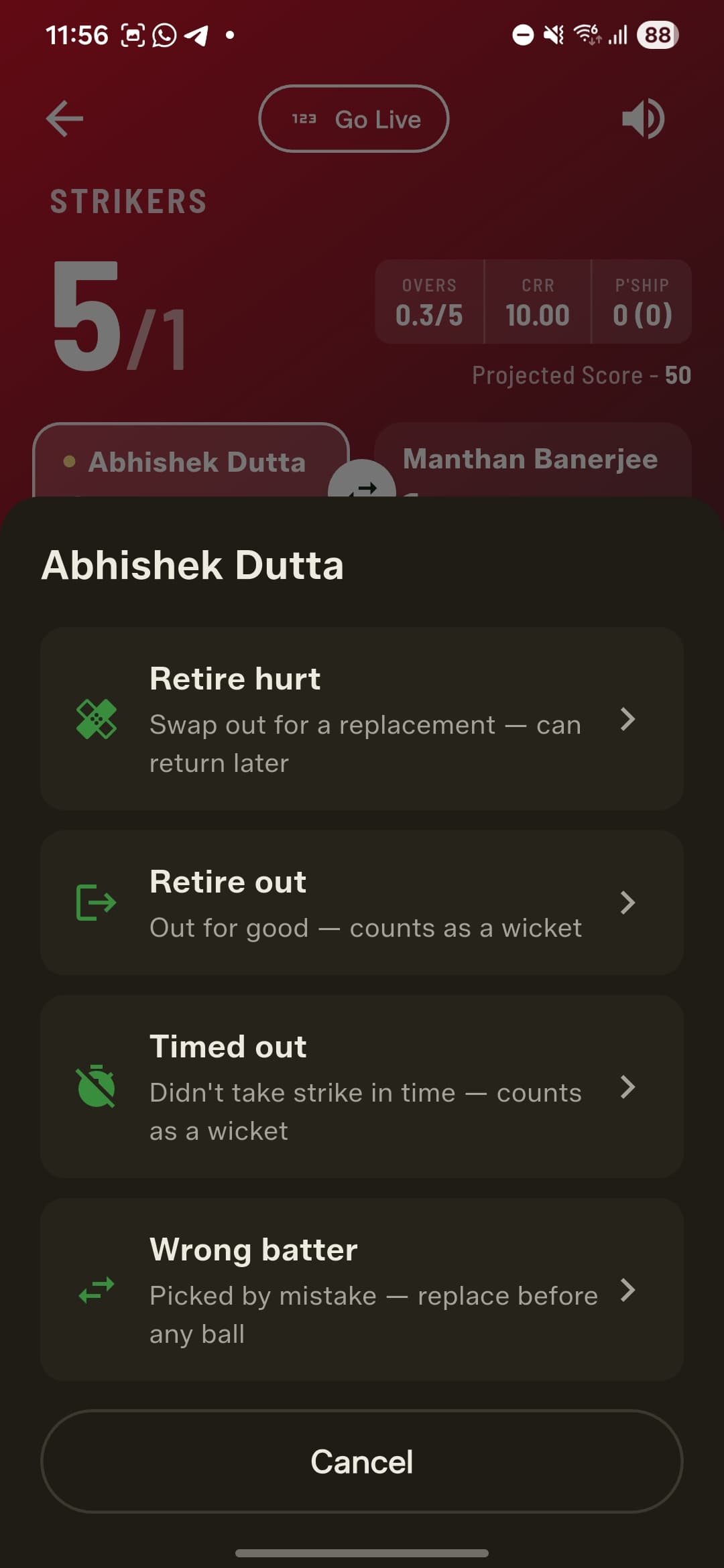
The batter menu adds two dismissals. Retire out takes a batter out for good and counts as a wicket, and Timed out covers a batter who didn't take strike in time — available only until a delivery has been faced. Retire hurt (swap out and return later) and the Wrong batter correction are still right where they were.
How to get started
- Update GullyCrix to version 3.1 from the App Store or Google Play.
- Open any finished match and tap Share — tick the cards you want (summary, scorecards, stats graphs, over-by-over and player awards), then Save to your gallery or Share to send them on.
- While scoring, tap Stats to see the new Innings and Partnerships tabs — now in Quick Match as well as Full Match.
- Watch the live header for the current run rate, the partnership at the crease, and a projected first-innings score.
- On a wicket, pick the dismissal — including Obstructing the Field, Hit the Ball Twice and Timed out — and use the quicker run-out flow to choose the end and the fielders.
Frequently asked questions
What can I share from a finished match?
Open the match and tap Share to pick any combination of cards: the Match Summary (result and team scores), each innings' Scorecard, the Stats graphs (worm and over-by-over), the ball-by-ball Over by Over, and player-award cards. GullyCrix renders them as clean branded images you can save to a "GullyCrix" gallery album or share to WhatsApp, Instagram or your team group.
What are the player award cards?
After a Full Match, GullyCrix picks out the standout performers — Player of the Match, Super Hitter (most sixes), Wicket Taker (most wickets) and Container of the Match (most economical bowler) — and turns each into a shareable card with the player's figures.
What new ways to get out does 3.1 add?
Obstructing the Field and Hit the Ball Twice are now selectable dismissals, alongside Retire out and Timed out in the batter menu. The wicket dialog only shows the dismissals that are valid for the situation — for example, if runs were scored off the ball it offers just Run Out or Obstructing the Field, and on a free hit only Run Out, Obstructing the Field or Hit the Ball Twice.
How does the new run-out flow work?
Pick which batter is out, then choose the end they were run out at (striker's or non-striker's) and up to two fielders. GullyCrix calculates the runs completed and places the new batter at the correct end automatically, so you no longer have to answer whether the batters crossed.
Do partnerships and the new stats work in Quick Match?
Yes. Quick Match now has the same Innings and Partnerships stats tabs as Full Match, plus a live header showing the current run rate, the partnership at the crease and a projected score — all updating as you score, even mid-innings.