Match Ready in Under 10 Seconds
The old setup flow had too many screens. We collapsed it into one fast flow: name your teams, choose your overs, pick who bats first. That's it. No accounts, no sign-ups, no nonsense. You're on the field scoring in under 10 seconds from opening the app.
In gully and box cricket the game usually starts before anyone's ready — the toss is done, the openers are walking out, and you're still fumbling to set up the app. Setup friction is the enemy of casual cricket, so we rebuilt the whole flow around getting you to the first ball as fast as humanly possible.
What used to take several screens now happens in one short sequence: name Team A and Team B (or just use the defaults if you're in a hurry), set the number of overs anywhere from 2 to 50, and tap who won the toss and chose to bat. Hit Start and you're scoring immediately. There are no accounts to create, no sign-up forms, and no confirmation emails standing between you and the game.
The result is a setup that genuinely takes under ten seconds from opening the app — fast enough that you can decide to score a match at the last second and still be ready before the first delivery. Less tapping, less waiting, more cricket.
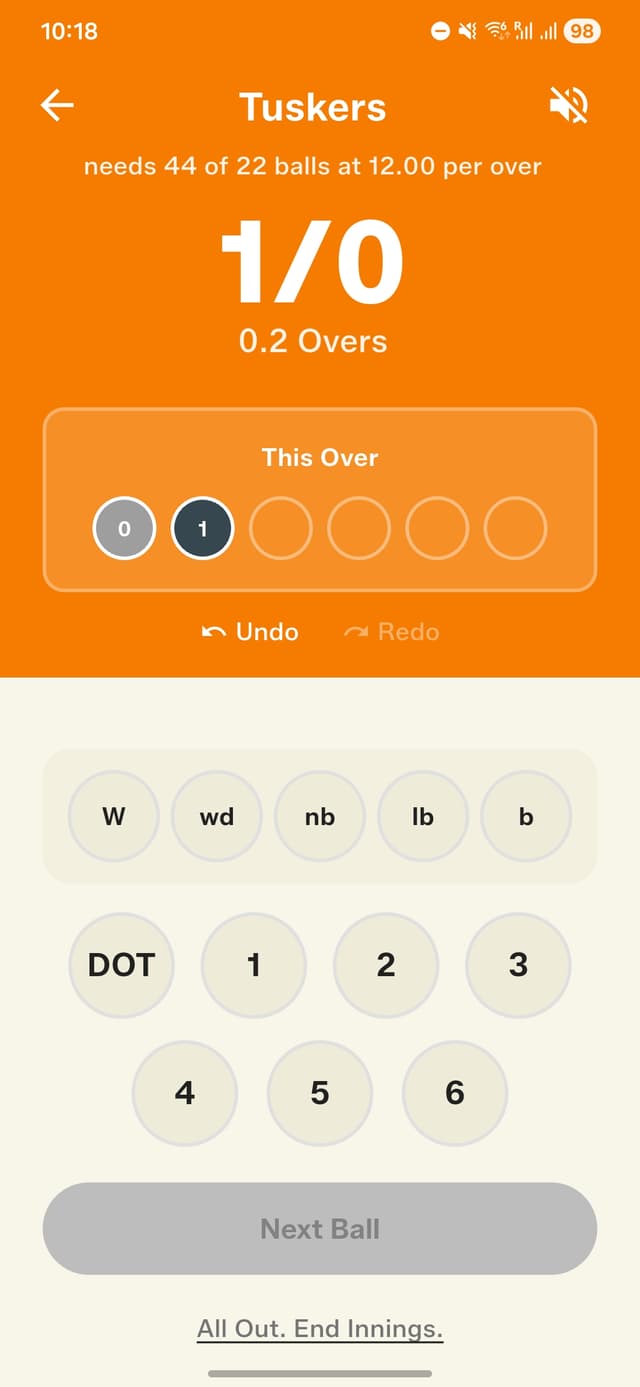
Scoring in seconds — clean, fast, no clutter
How to get started
- Tap "New Match" from the home screen.
- Enter Team A and Team B names (or use defaults).
- Set the number of overs (2 to 50).
- Tap who won the toss and chose to bat.
- Hit Start — you're scoring immediately.
Frequently asked questions
How fast is it to start a match?
Under ten seconds from opening the app. Name your teams, pick the overs, choose who bats first, and tap Start — that's the entire flow.
Do I need to create an account to start scoring?
No. There are no accounts, sign-ups, or confirmation steps. You go straight from opening the app to scoring.
How many overs can I set for a match?
Anywhere from 2 to 50 overs, so the same quick setup works for a short box-cricket game or a longer turf match.