GullyCrix 2.2.0 — A Fresh Look, Deeper Stats & More Control
Version 2.2.0 is our biggest visual and stats update yet. The scoreboard and scorecard have been rebuilt from the ground up — cleaner, bigger, and now adapting to every situation, whether you're streaming live, off-stream, or playing a Super Over. We've added a complete Match Stats section to show how an innings is unfolding, a brand-new End of Over summary, a refreshed Free Hit indicator and Career Stats layout, a Super Over win celebration, granular per-event sound controls, and a choice of app icons. Here's everything that's new.
Redesigned scoreboard & scorecard
Both have been rebuilt from the ground up with a cleaner layout and a bigger score, and the same screen now adapts to every situation: live streaming, off-stream, and Super Over. The scorecard also adds Current Run Rate (CRR), a live partnership (runs and balls), and the total overs for the team batting first, so chasers can see the target context at a glance.
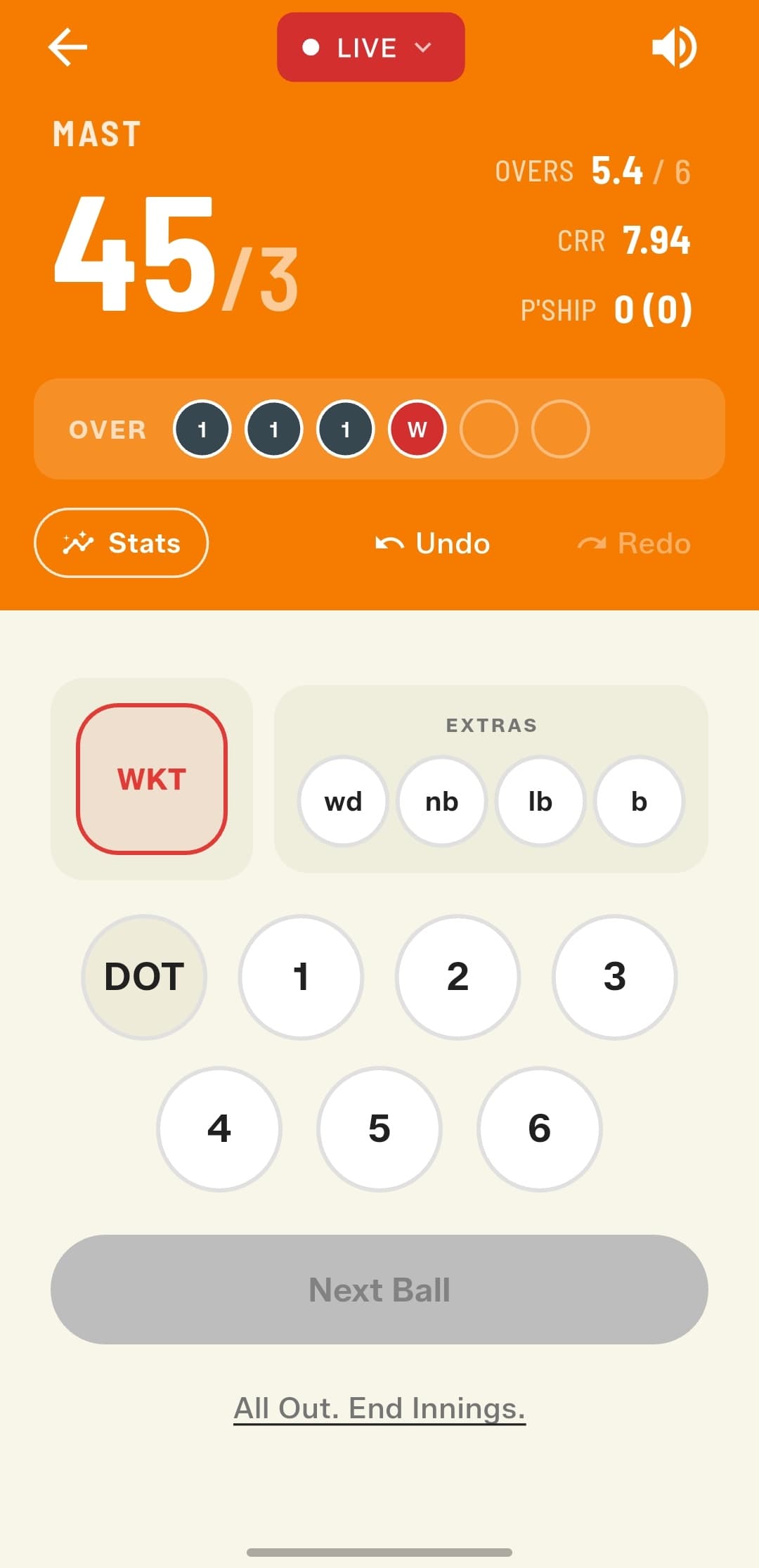
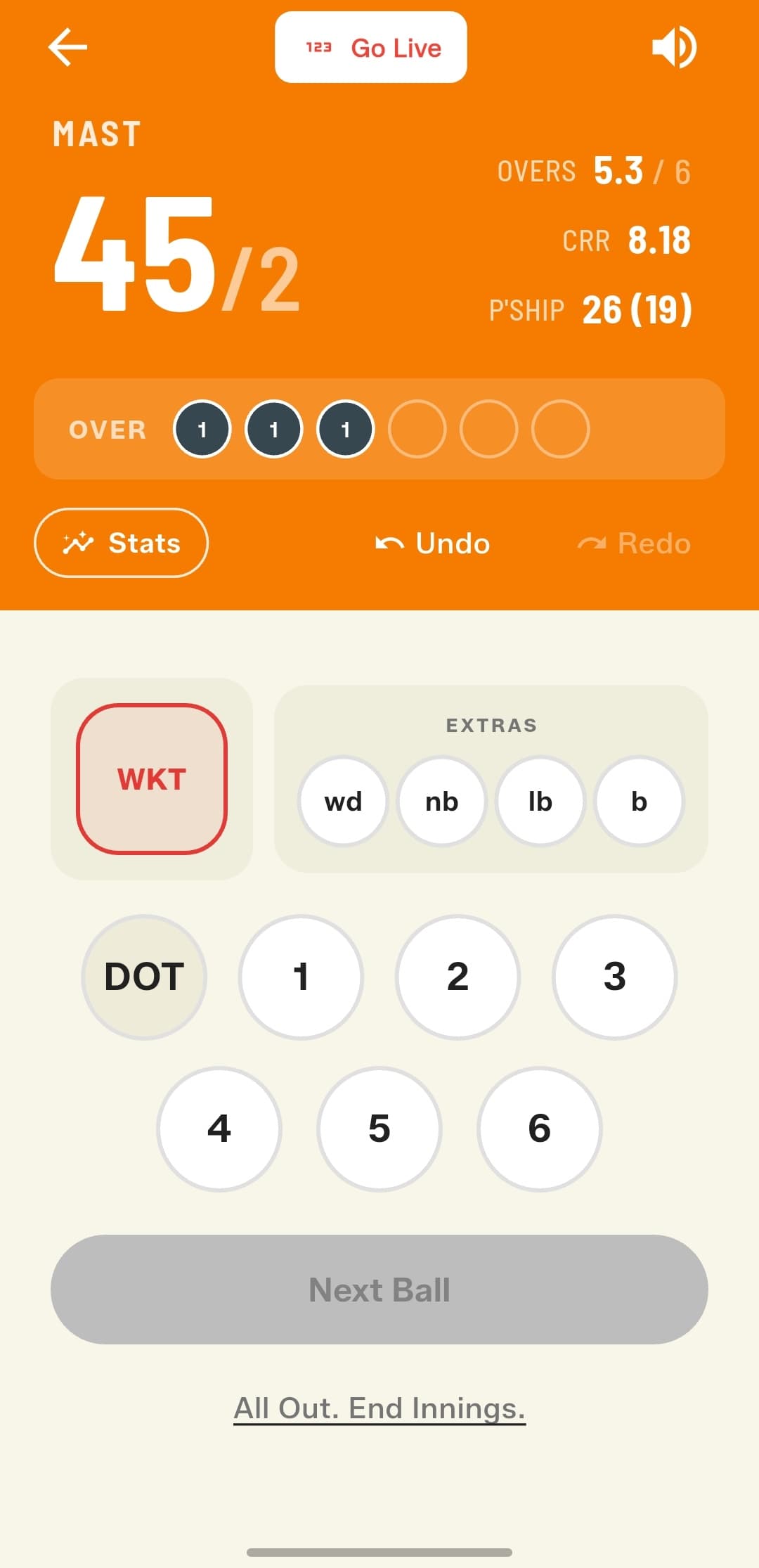
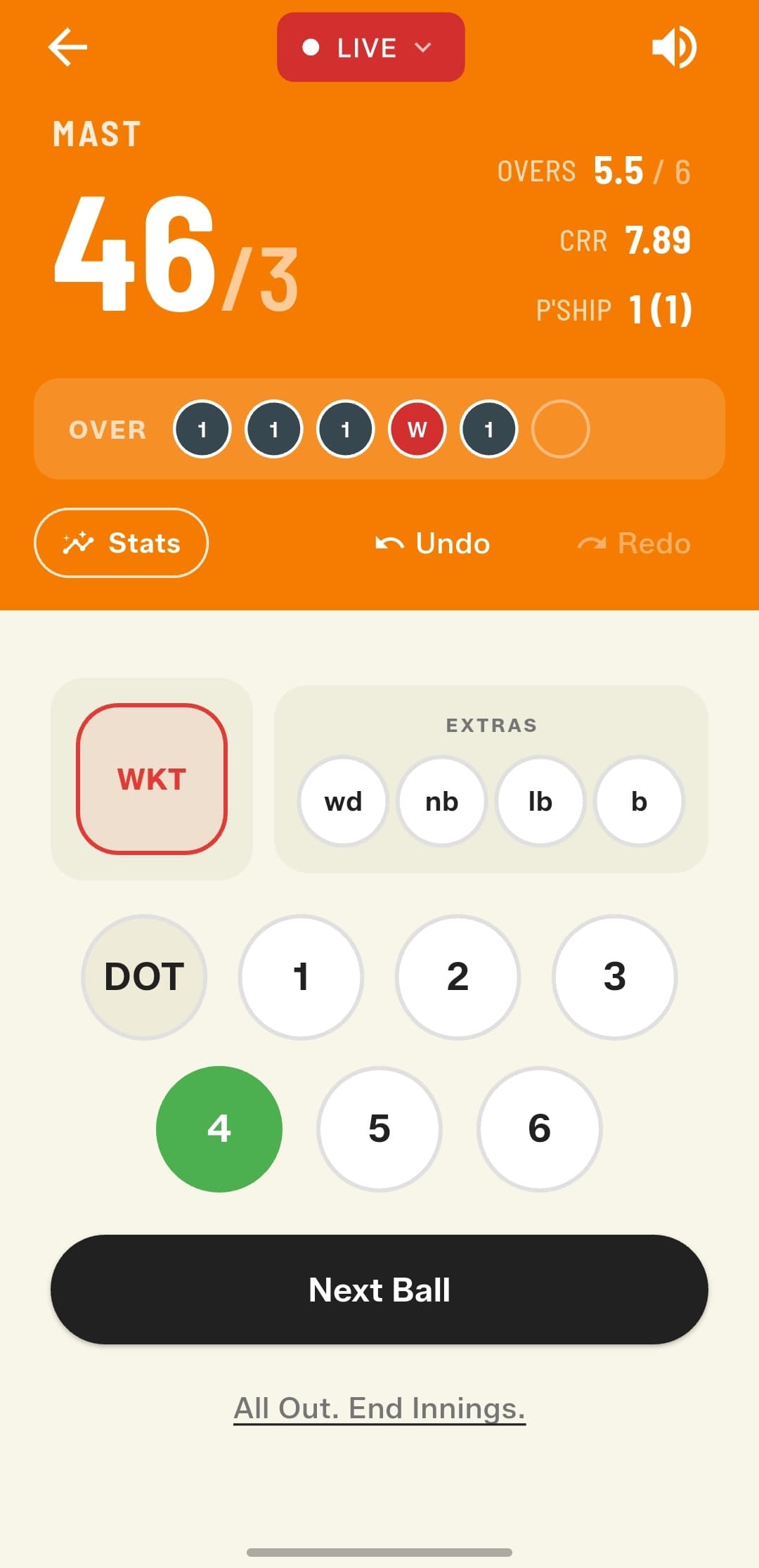
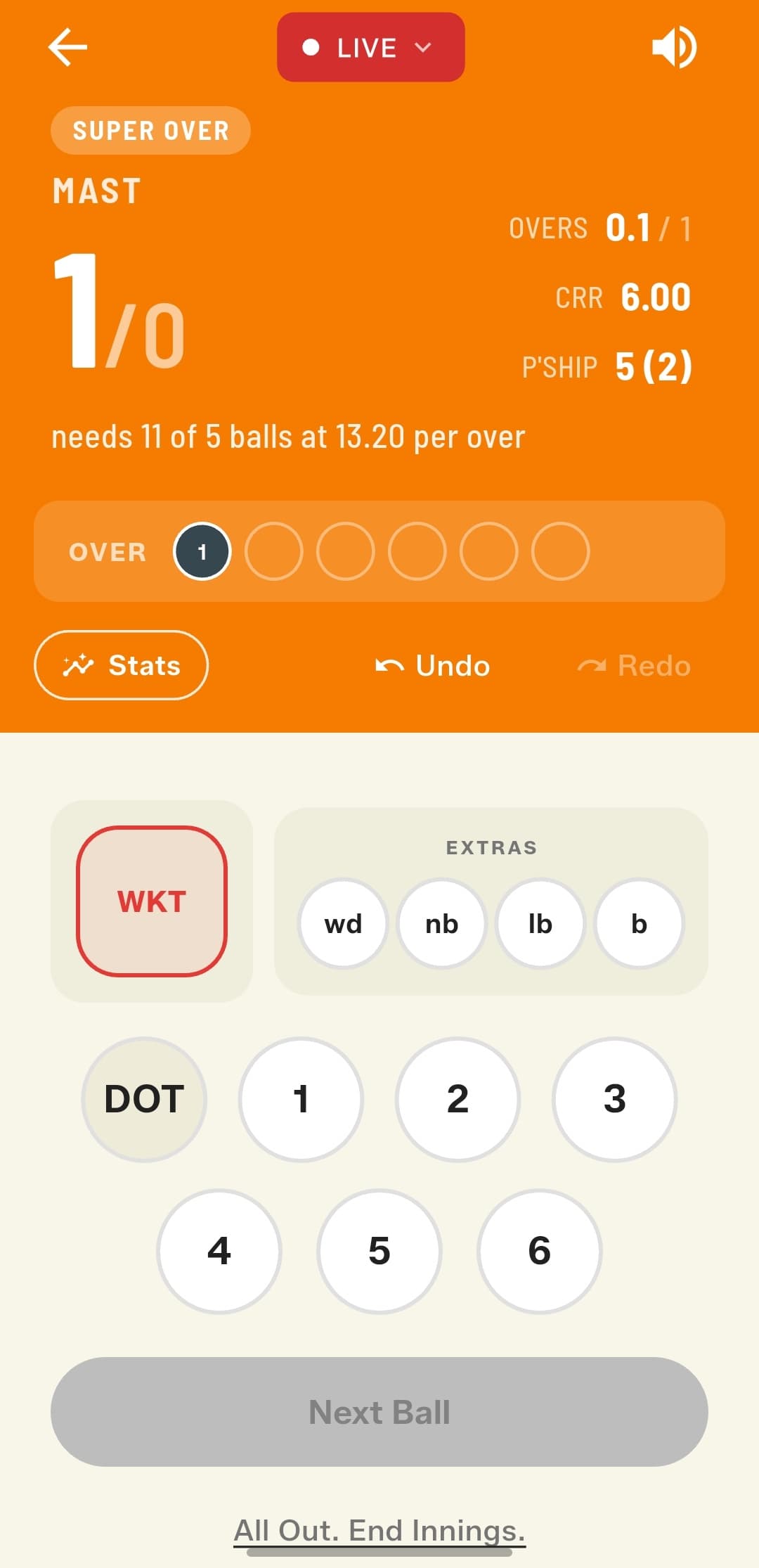
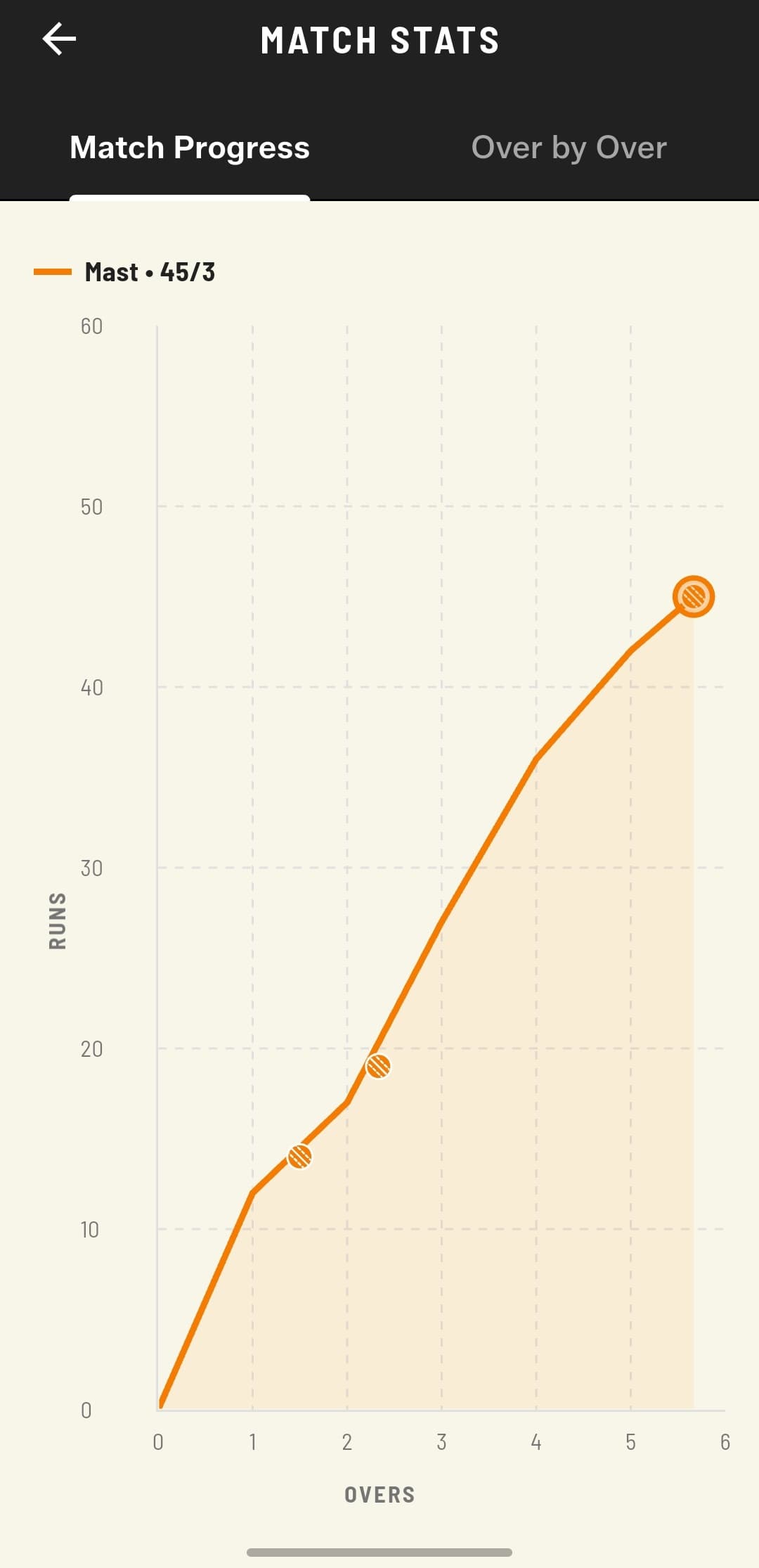
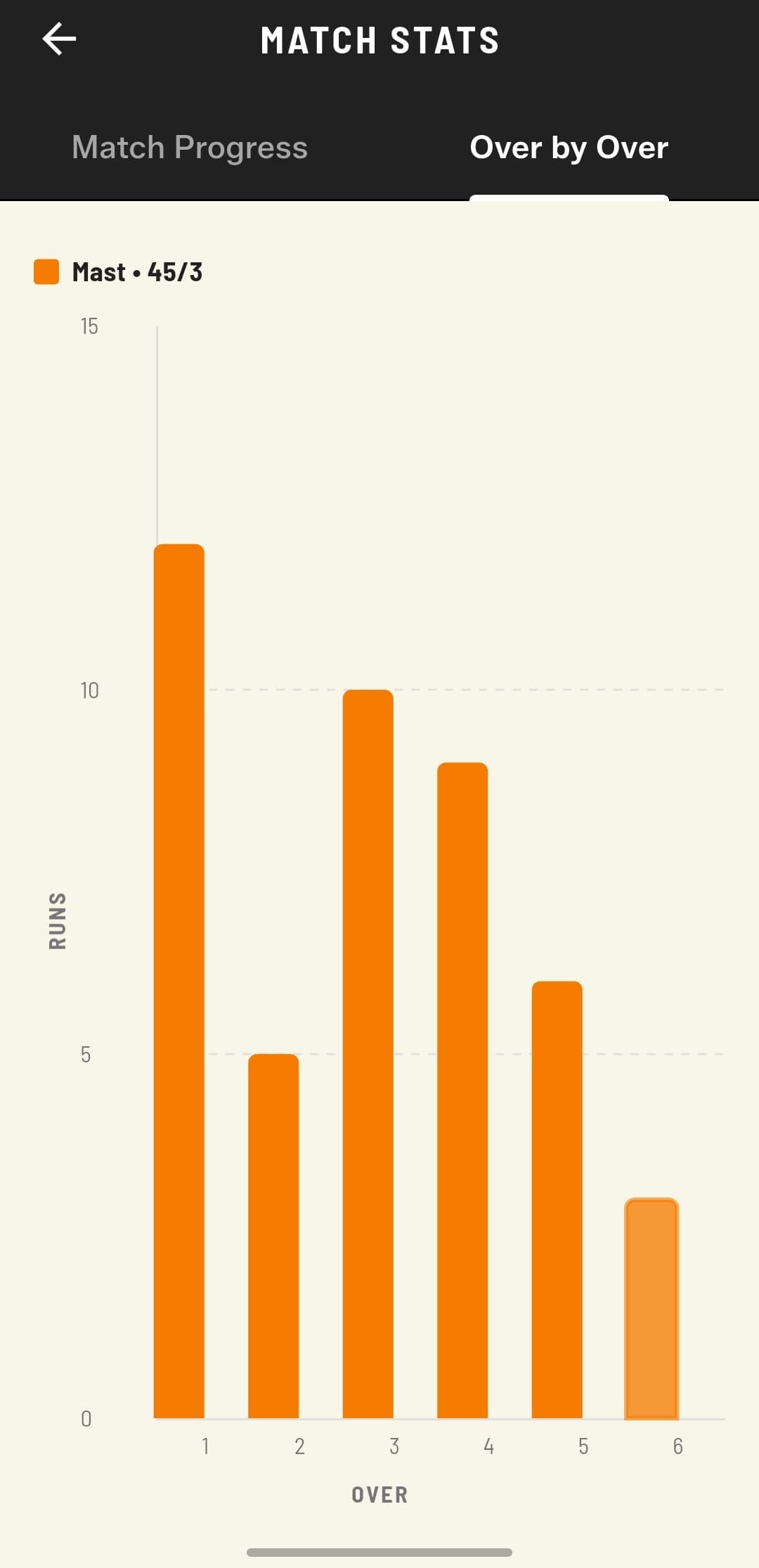
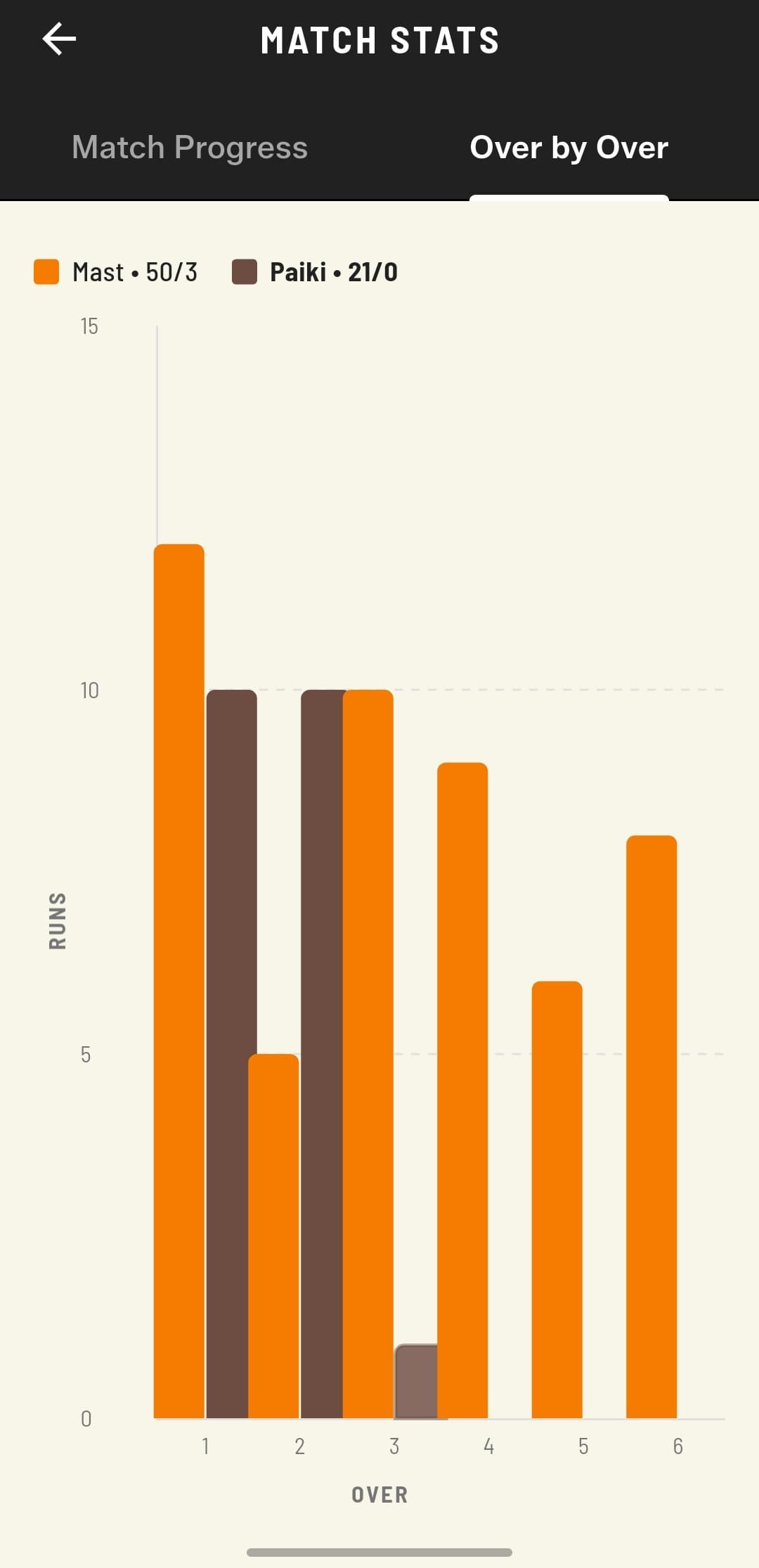
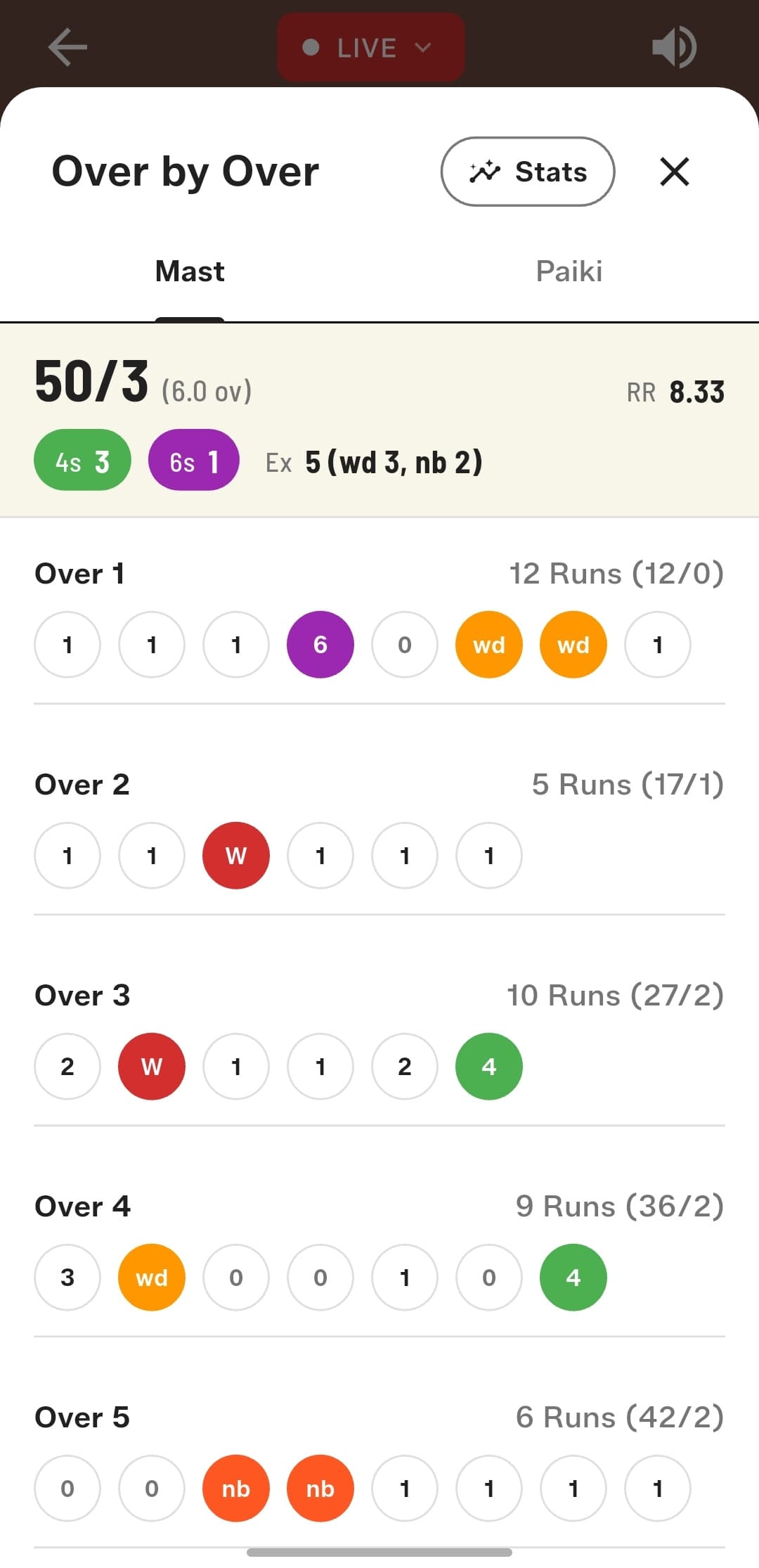
A whole new Match Stats section
See how the match is unfolding: a Match Progress view of how the innings is building, an Over-by-Over chart per team, a side-by-side comparison between both teams, and a detailed breakdown with total 4s, 6s, and extras.
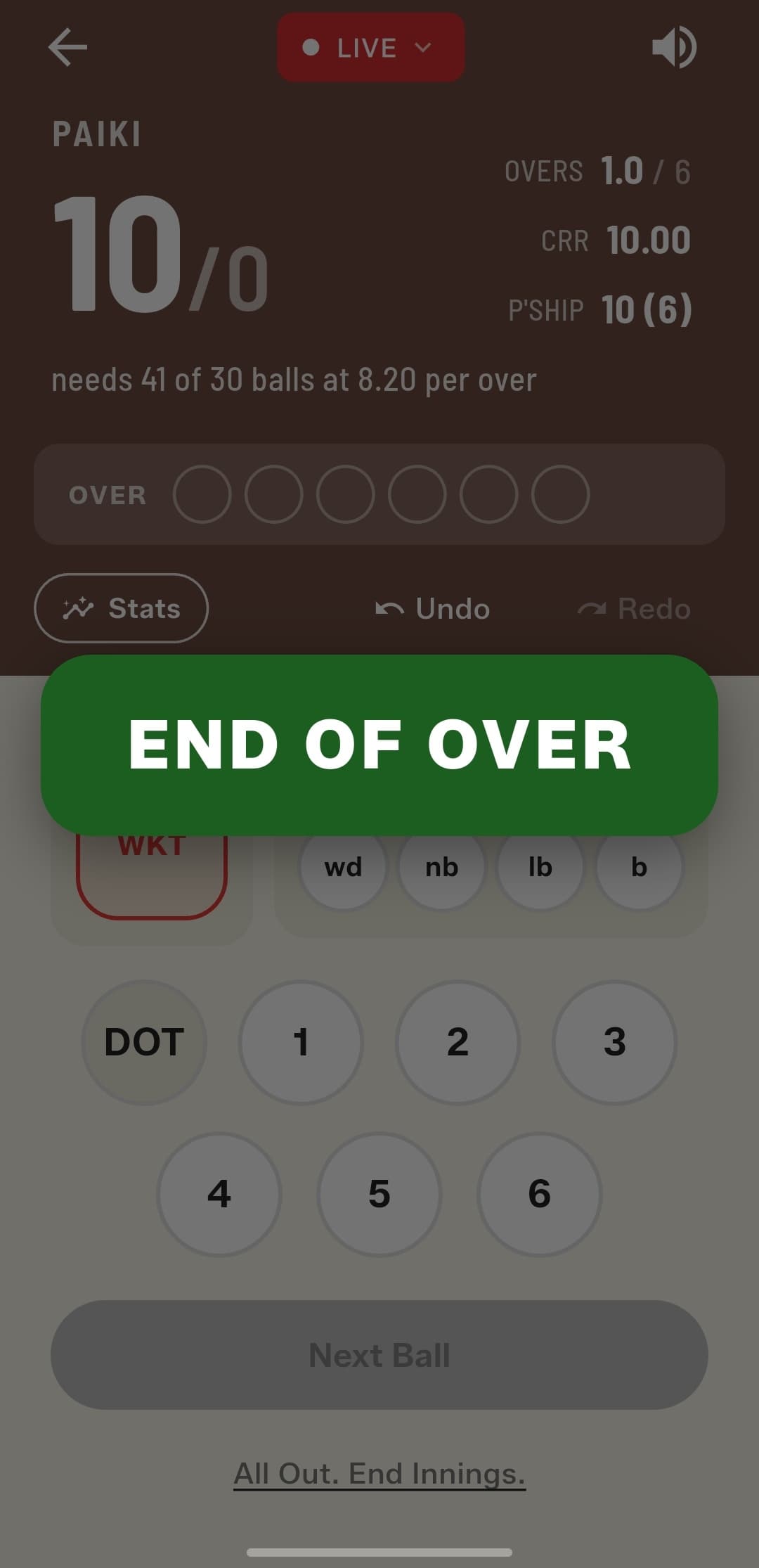
End of Over summary
A brand-new recap screen appears at the end of every over, summarising what just happened before the next over begins.
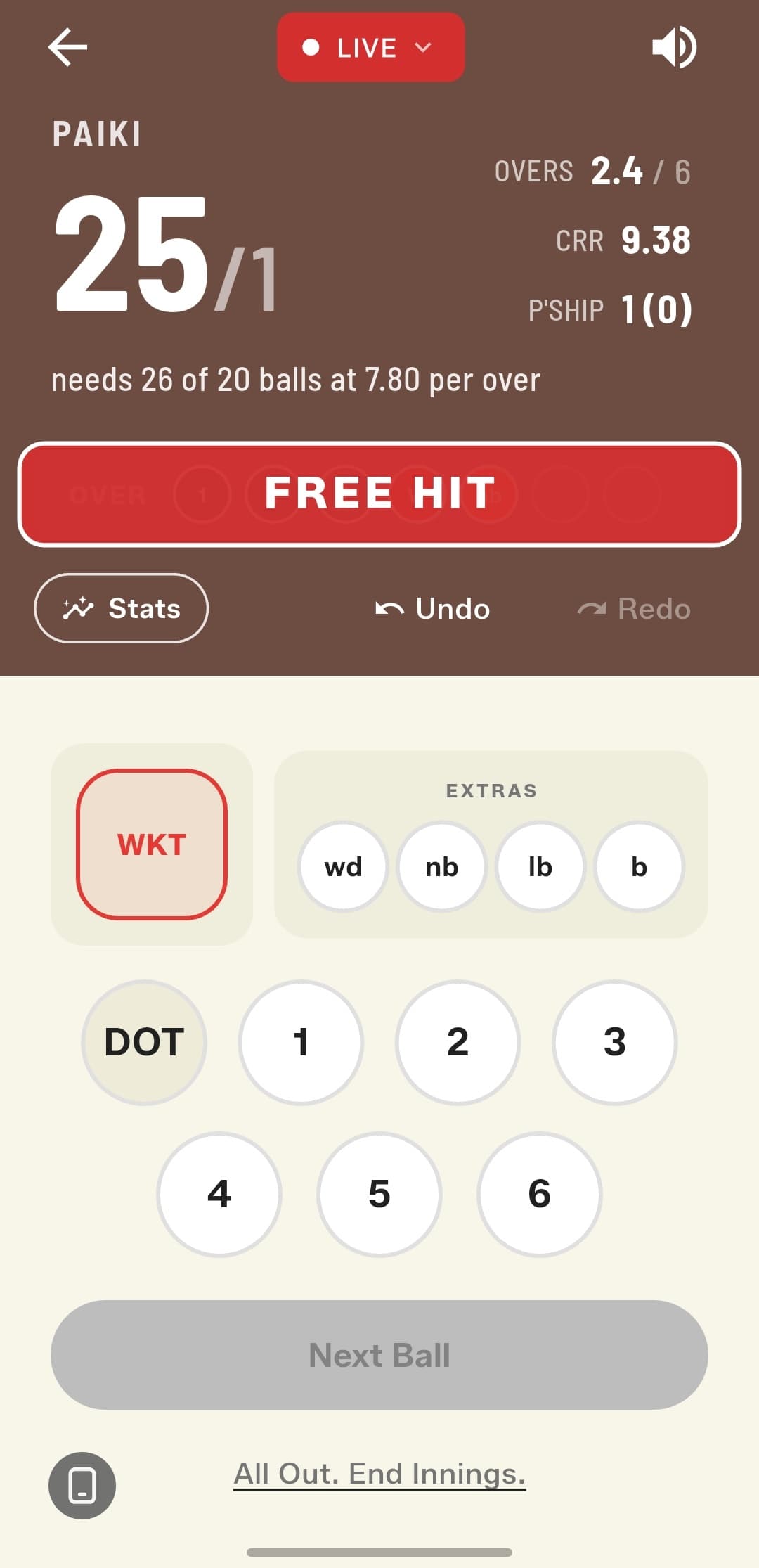
A more visible Free Hit indicator
Free Hit balls are now far more obvious during live scoring, so you'll never miss one again.
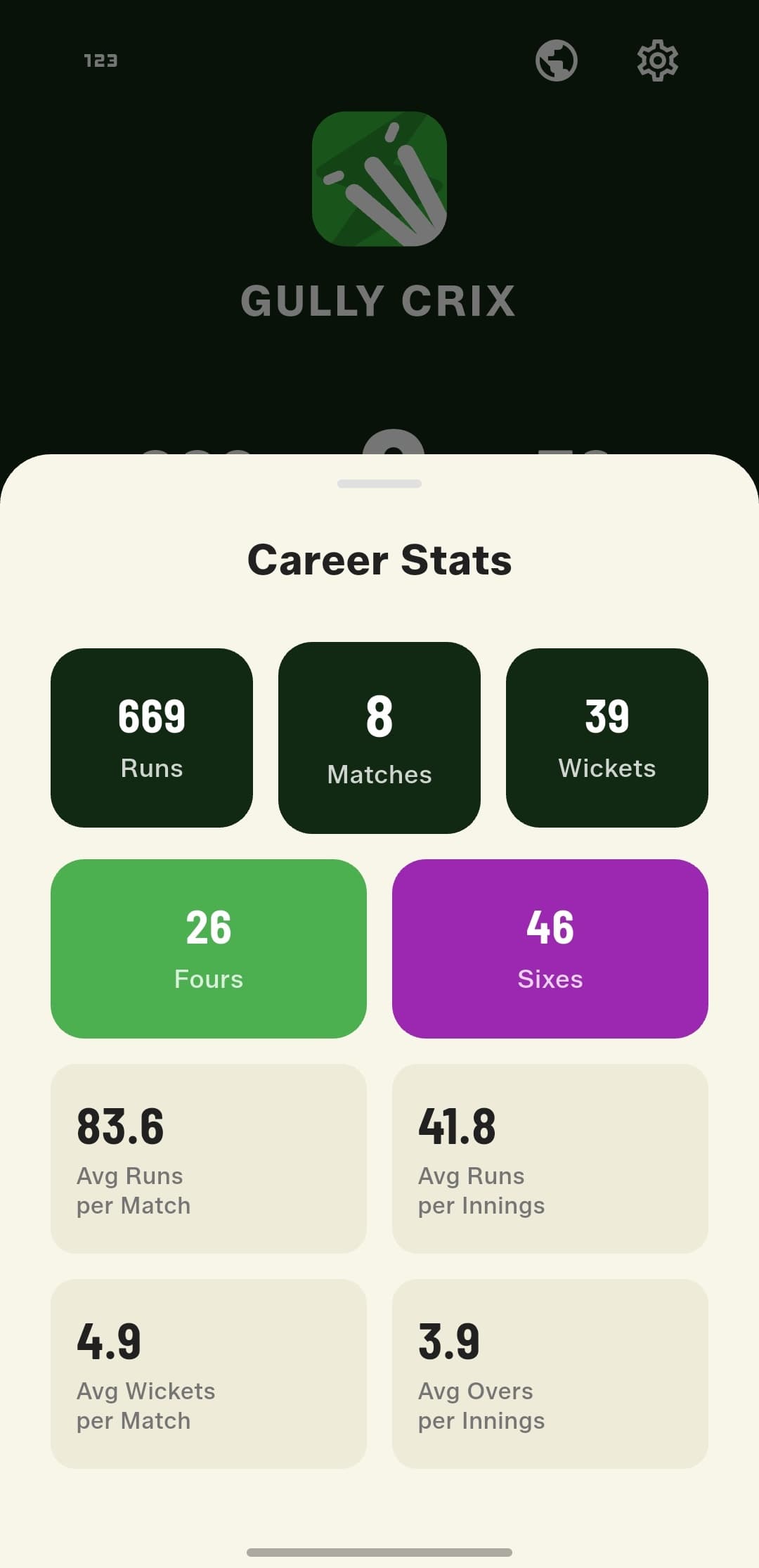
Refreshed Career Stats
A cleaner, more visual layout presents runs, matches, wickets, 4s, 6s, and averages in a quick-scan card grid.
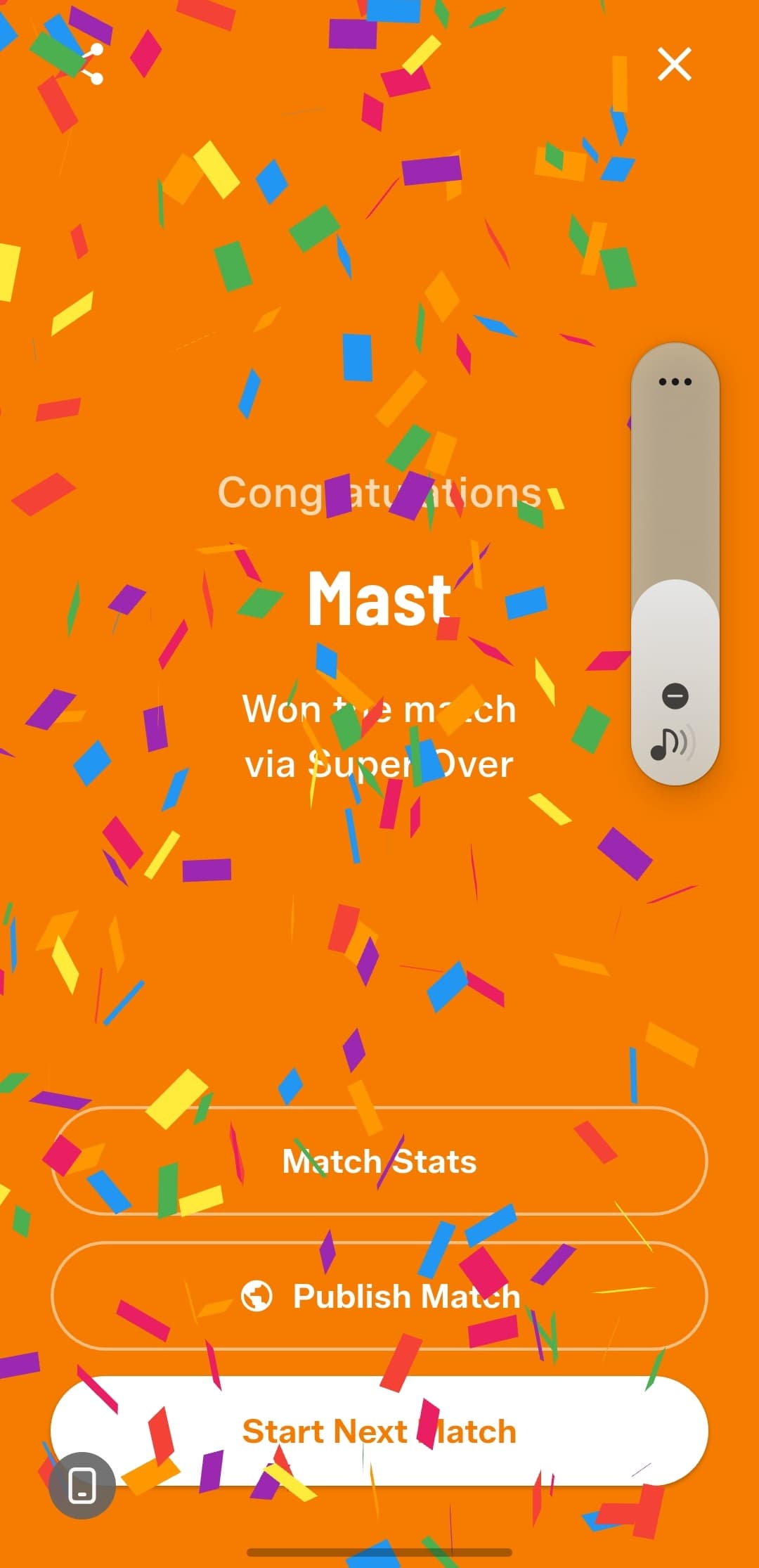
Super Over win celebration
A new celebratory result screen for matches decided by a Super Over, with quick actions to view stats, publish the match, or start the next one.
Granular sound controls
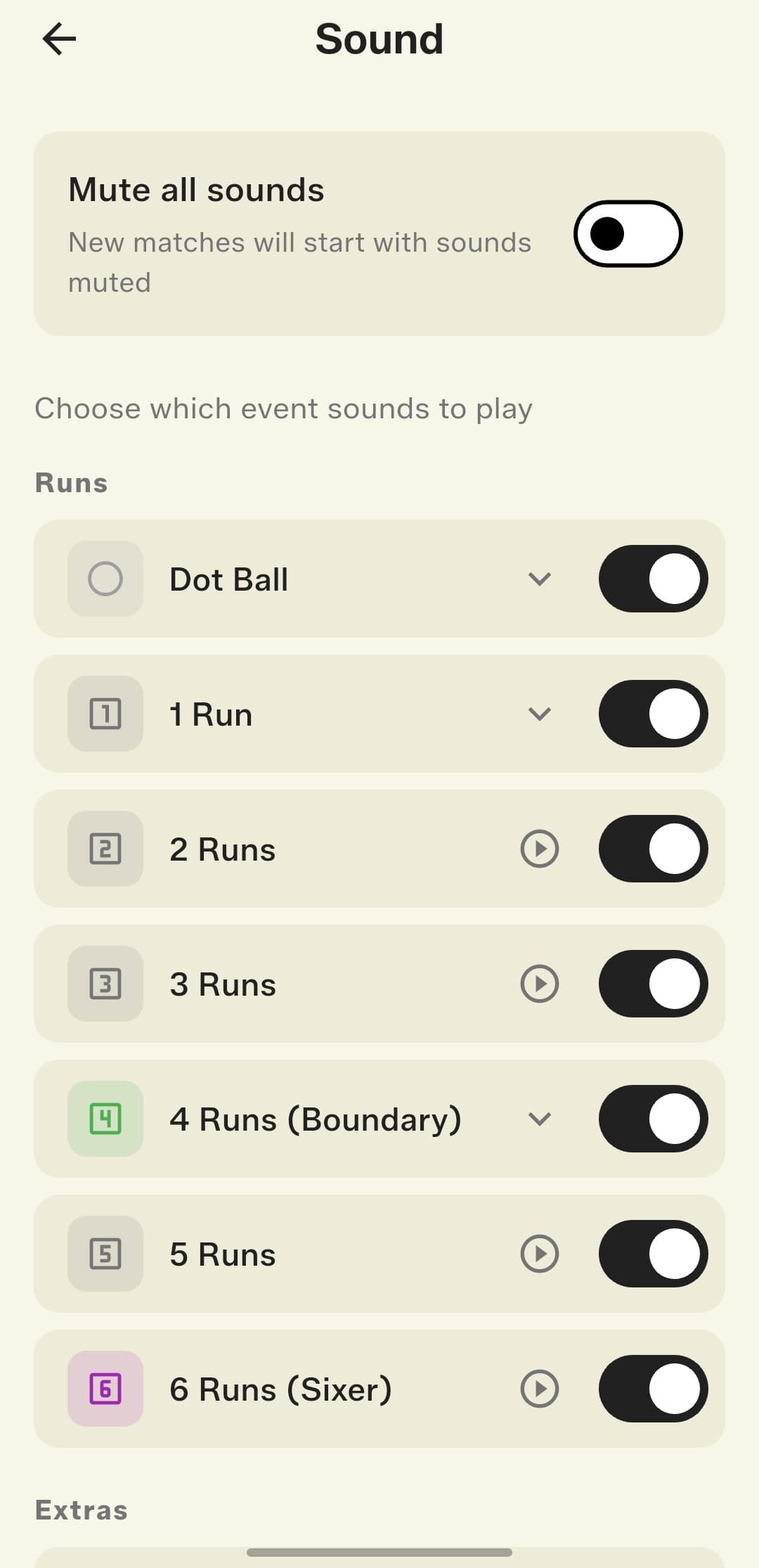
Choose exactly which event sounds play during scoring. Dot ball, every run value, boundary, sixer, and extras can each be toggled individually, and one master switch mutes everything.
Choose your app icon
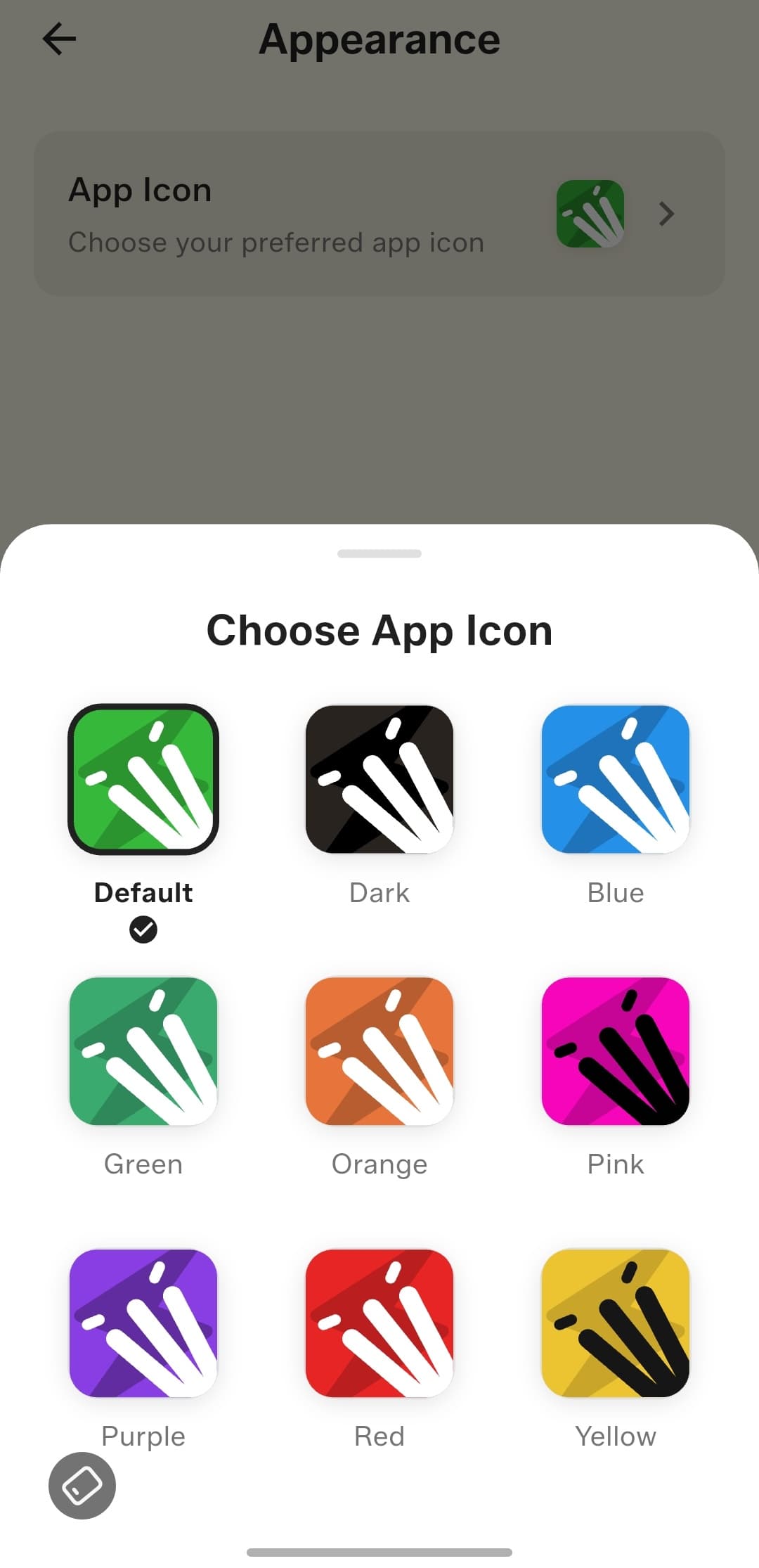
Pick the icon that matches your style: Default, Dark, Blue, Green, Orange, Pink, Purple, Red, or Yellow.
How to get started
- Update GullyCrix to version 2.2.0 from the App Store.
- Start or resume a match to see the redesigned scoreboard and scorecard, now with CRR, live partnership, and the target context for chasers.
- Open Match Stats to view Match Progress, Over-by-Over charts, the two-team comparison, and the 4s/6s/extras breakdown.
- Finish an over to see the new End of Over summary before the next one begins.
- Open Settings to fine-tune individual event sounds and to choose your preferred app icon.
Frequently asked questions
What changed in the redesigned scoreboard and scorecard?
They've been rebuilt from the ground up with a cleaner layout and a bigger score, and the same screen now adapts to live streaming, off-stream, and Super Over situations. The scorecard also adds Current Run Rate (CRR), a live partnership (runs and balls), and the total overs for the team batting first so chasers can see the target context at a glance.
What does the new Match Stats section show?
It includes a Match Progress view of how the innings is building up, an Over-by-Over chart per team, a side-by-side Over-by-Over comparison between both teams, and a detailed breakdown with total 4s, 6s, and extras.
Can I control which sounds play while scoring?
Yes. Sound controls are now granular — dot ball, every run value, boundary, sixer, and extras can each be toggled individually, and a single master switch mutes everything at once.
Which app icons can I choose from?
You can pick from Default, Dark, Blue, Green, Orange, Pink, Purple, Red, or Yellow.