Publish Matches
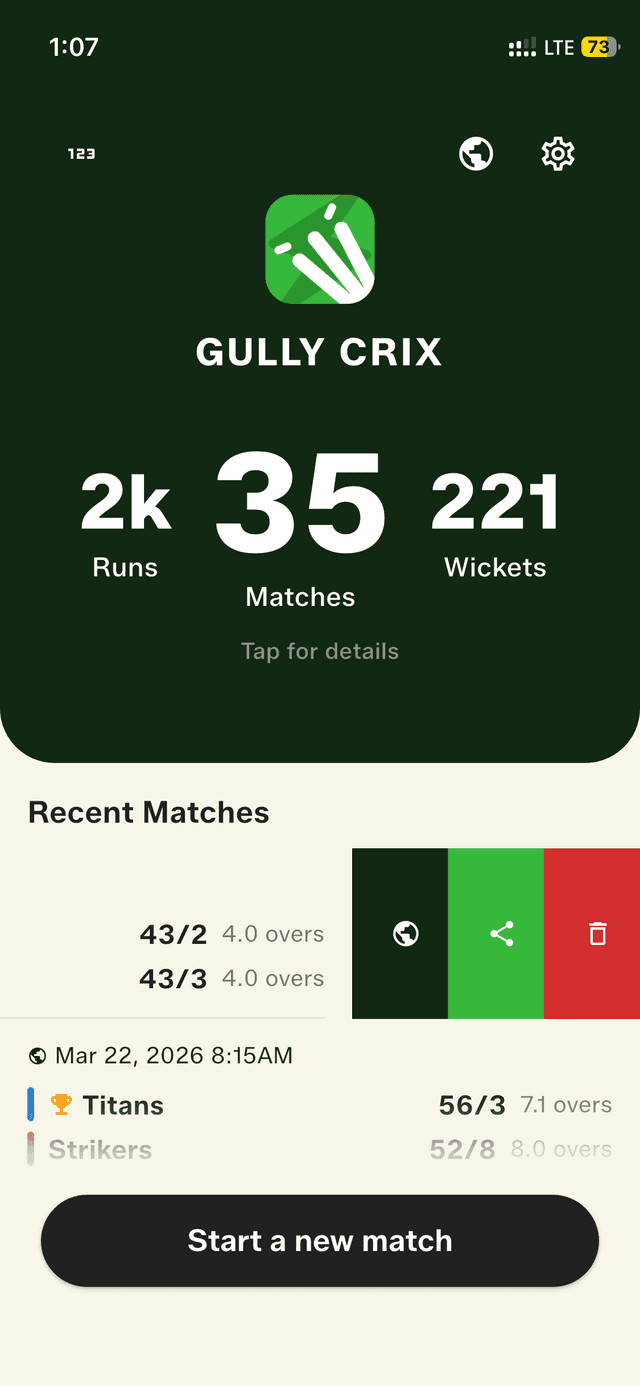
Once a match is complete, you can publish it with one tap — either from the result screen or by swiping on a match in your recent matches list and tapping the globe icon. Published matches get a permanent public URL that you can share anywhere. Anyone with the link can view the full scorecard from their browser. You can unpublish a match at any time, and each device supports up to 100 published matches.
A shared result card is great in the moment, but sometimes a match deserves a permanent home — a link you can pin in a group, drop into a tournament thread, or send to someone weeks later who still wants to see exactly how it went. Publishing turns any completed gully, box, or turf match into a public page that lives at its own URL and shows the full scorecard, not just the final line.
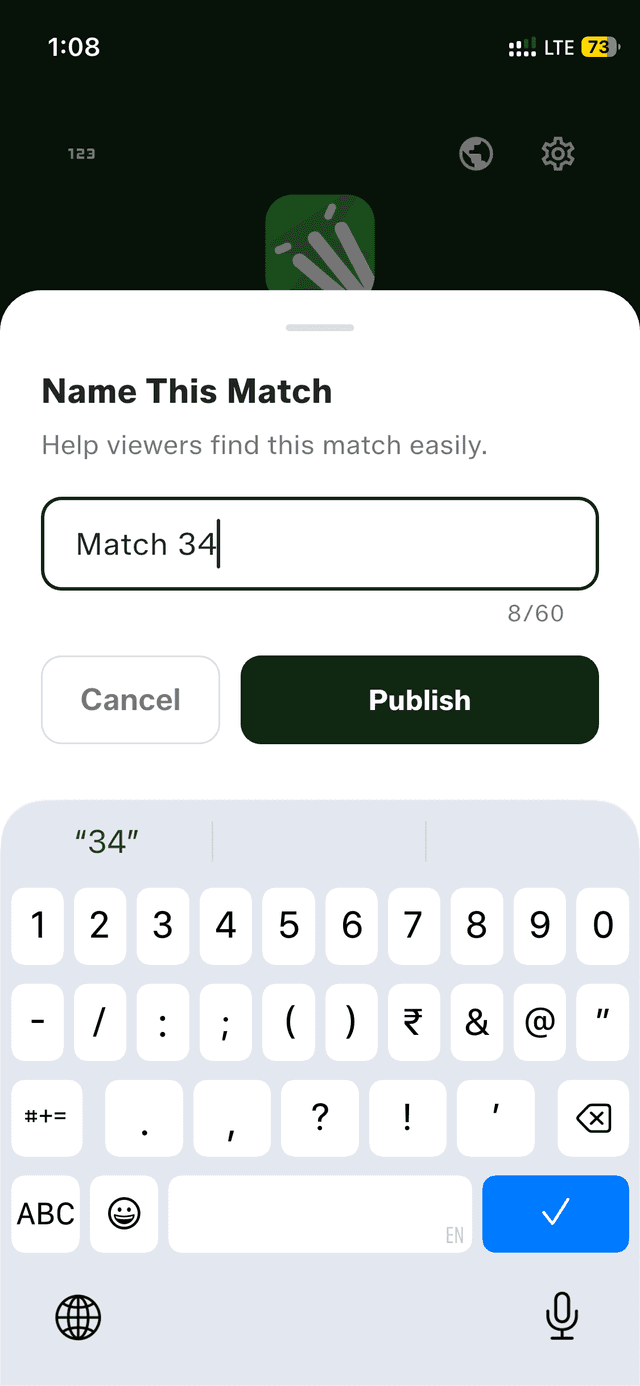
You can publish straight from the result screen the moment a game ends, or come back to it later by swiping on any match in your recent matches list and tapping the globe icon. Give the match a name so it's easy to find again, tap publish, and the public link is ready to share over WhatsApp, Telegram, or anywhere else. Anyone who opens it sees the complete scorecard in their browser — no app and no account required on their end.
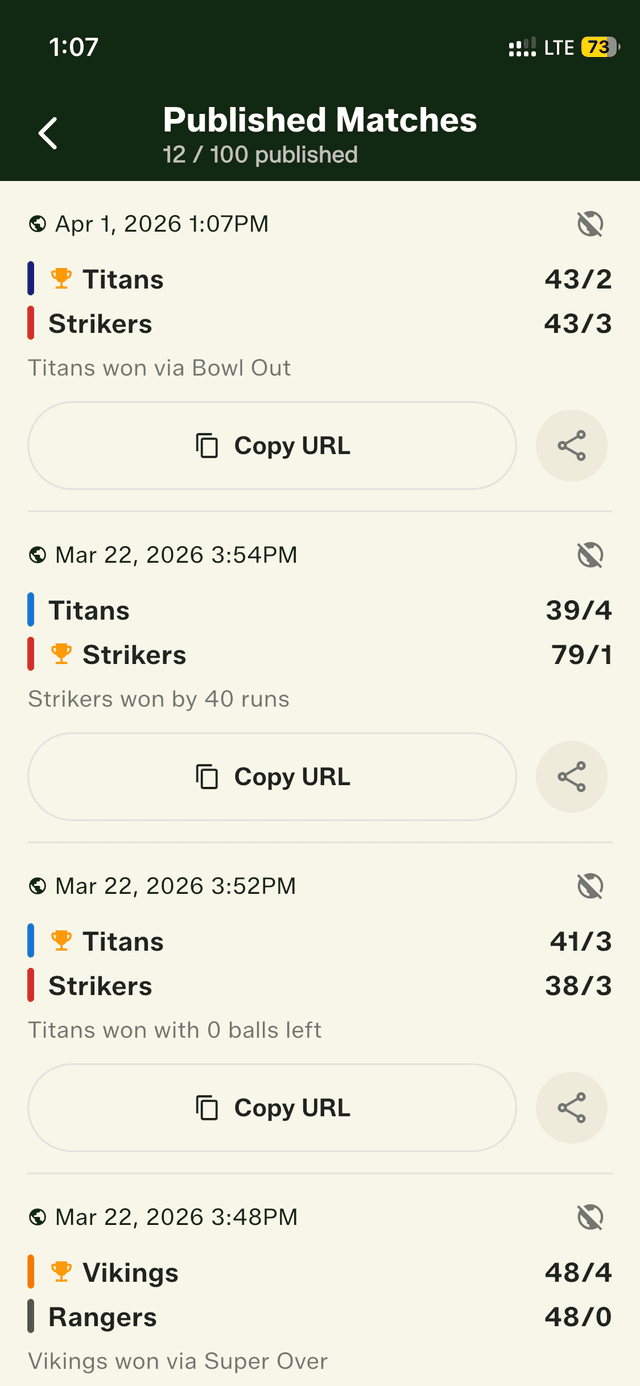
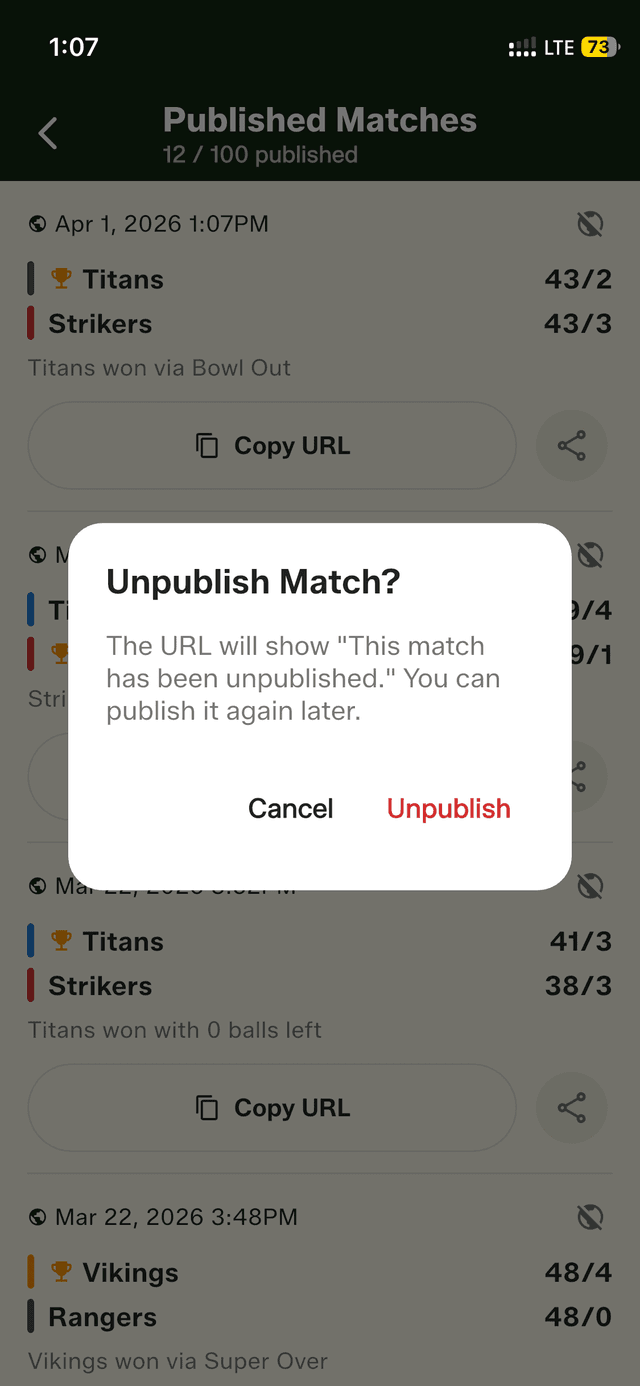
You stay in full control of what's public. Open the Published Matches screen from the home-screen globe icon to see everything you've shared, and toggle any match off to unpublish it whenever you like. Each device can keep up to 100 published matches live at once, which is plenty for a full season of local cricket.
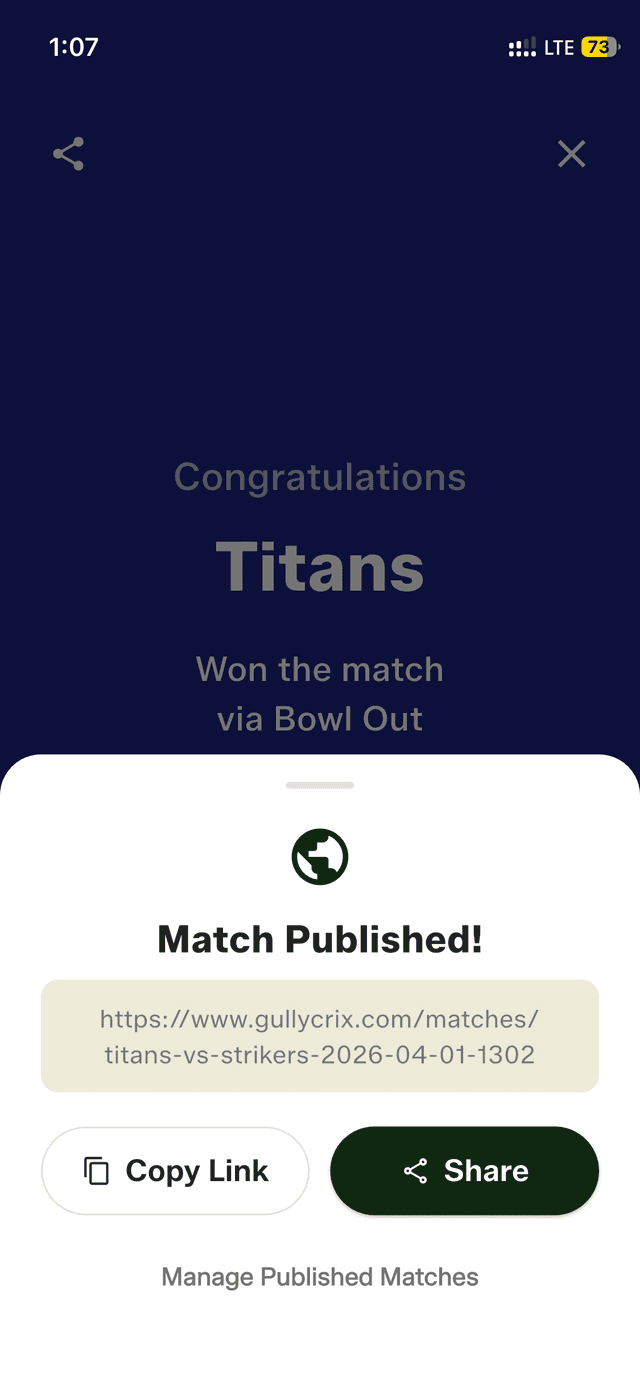
Publish straight from the match result screen
How to get started
- Complete a match and tap 'Publish' on the result screen — or swipe on any recent match and tap the globe icon.
- Give your match a name (optional) so it's easy to find later.
- Tap Publish — your match gets a permanent public URL instantly.
- Share the link via WhatsApp, Telegram, or copy it to clipboard.
- Anyone with the link can view the full scorecard from their browser — no app or account required.
- To unpublish, open the Published Matches screen from the home screen globe icon and toggle it off.
Frequently asked questions
What's the difference between sharing a result and publishing a match?
A shared result card is a quick image of the final scores. Publishing gives the match a permanent public URL where anyone can view the full scorecard in their browser, any time.
Can I unpublish a match after sharing it?
Yes. Open the Published Matches screen from the home-screen globe icon and toggle any match off to unpublish it whenever you want.
How many matches can I publish?
Each device supports up to 100 published matches at a time — enough for a full season of local cricket.