GullyCrix 3.5 — Your Ground, Your Rules: One Tip One Hand, Direct Out, Three Strikes & Saved Rule Sets
Version 3.5 is about the rules you actually play by. Three dismissals that every gully player knows by name are now scored properly, counted the way a scorer would count them. And because every ground plays differently, you can save its rules as a named set — "Strikers Arena" — and pick it in one tap next time. Every new rule is off by default, so a match played to the laws of cricket is unchanged.
Three gully ways to be out
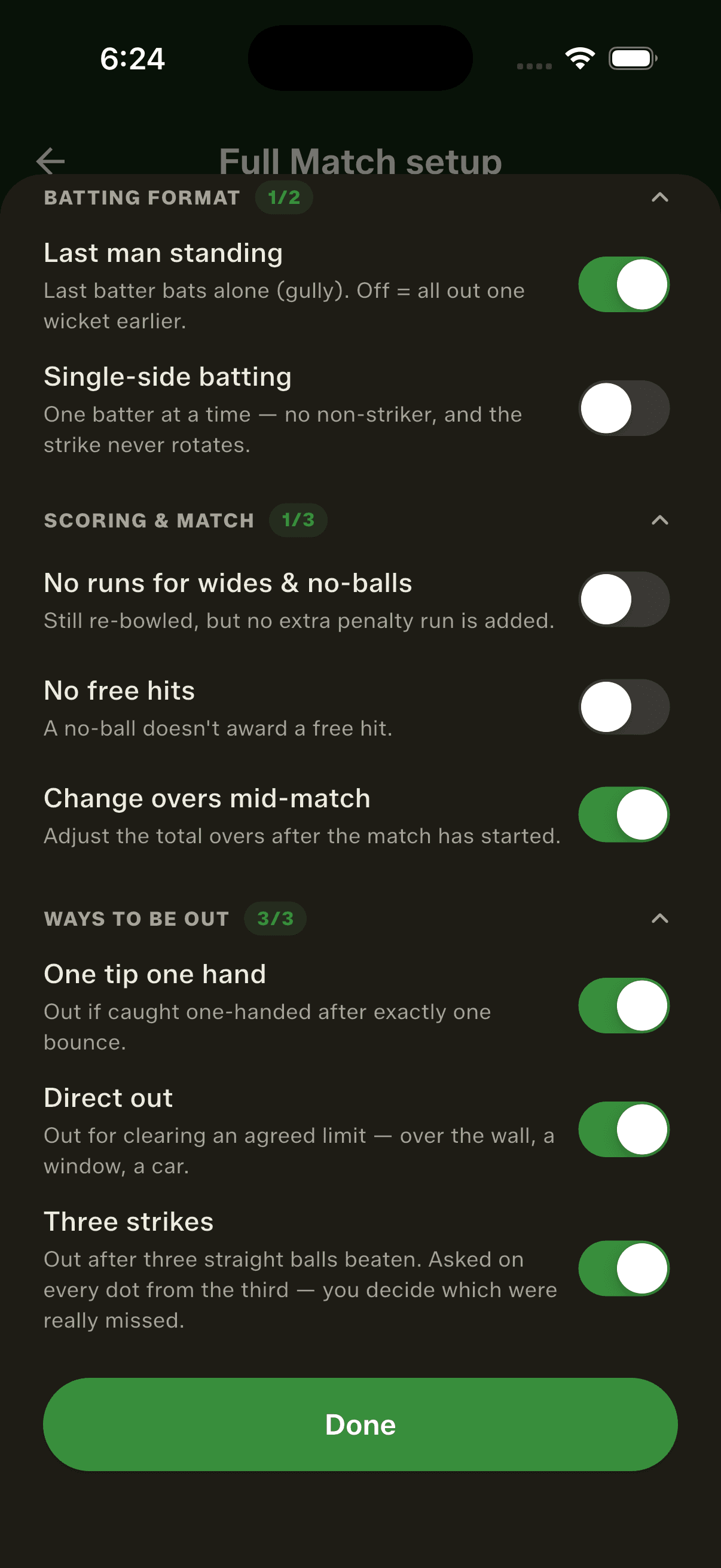
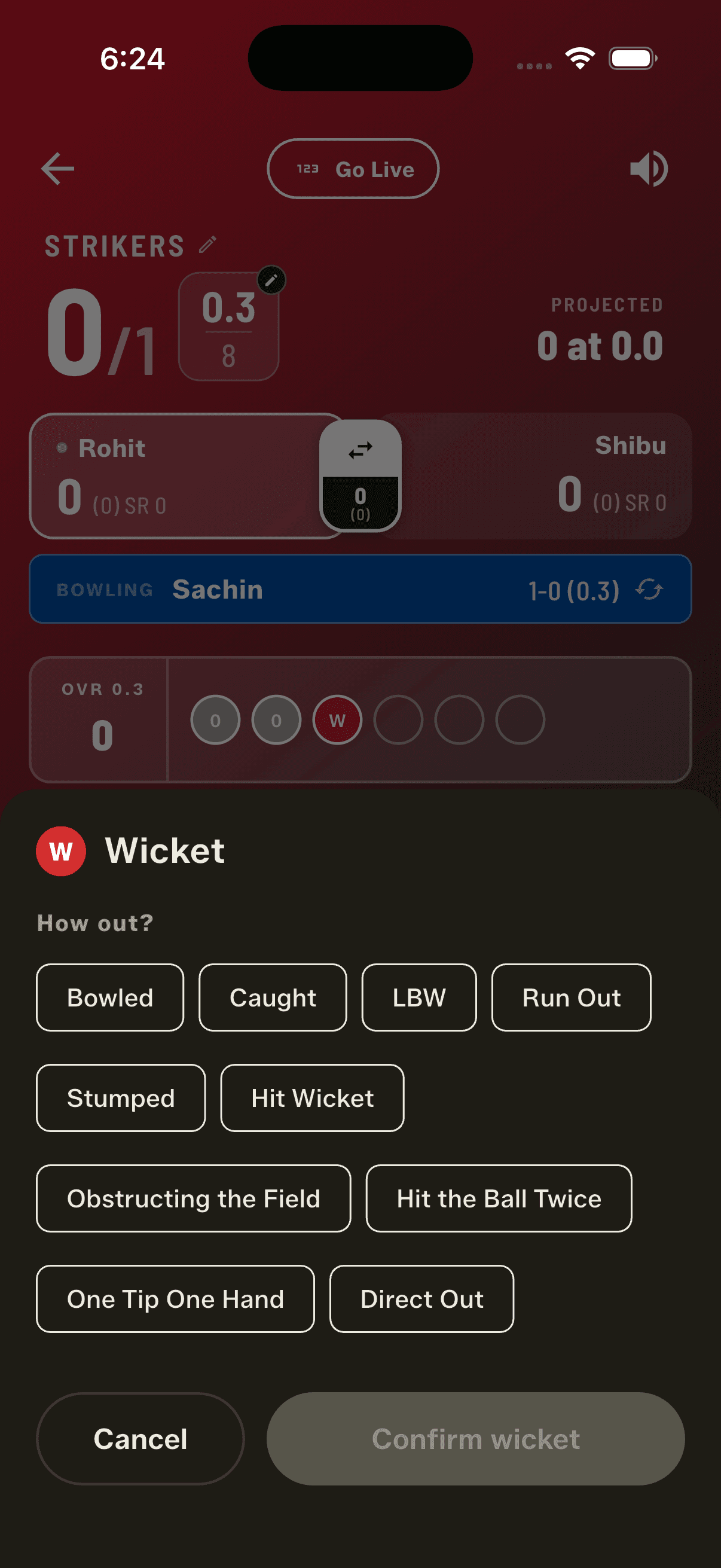
Ask anyone who grew up playing in a lane and they'll list them without thinking. One tip one hand: caught one-handed after exactly one bounce, and you're gone. Direct out: clear the agreed limit — over the wall, into a window, off a parked car — and that's out, not six. Three strikes: beaten three balls running and you've had your turn. Until now no scoring app could record any of them, so gully matches were scored as though these rules didn't exist. In 3.5 each is a switch in the new "Ways to be out" section of the gully rules sheet, and each is off by default — turn on the ones your ground plays, ignore the rest, and a match played to the laws of cricket sees exactly the dismissal list it always did.
Three strikes counts itself
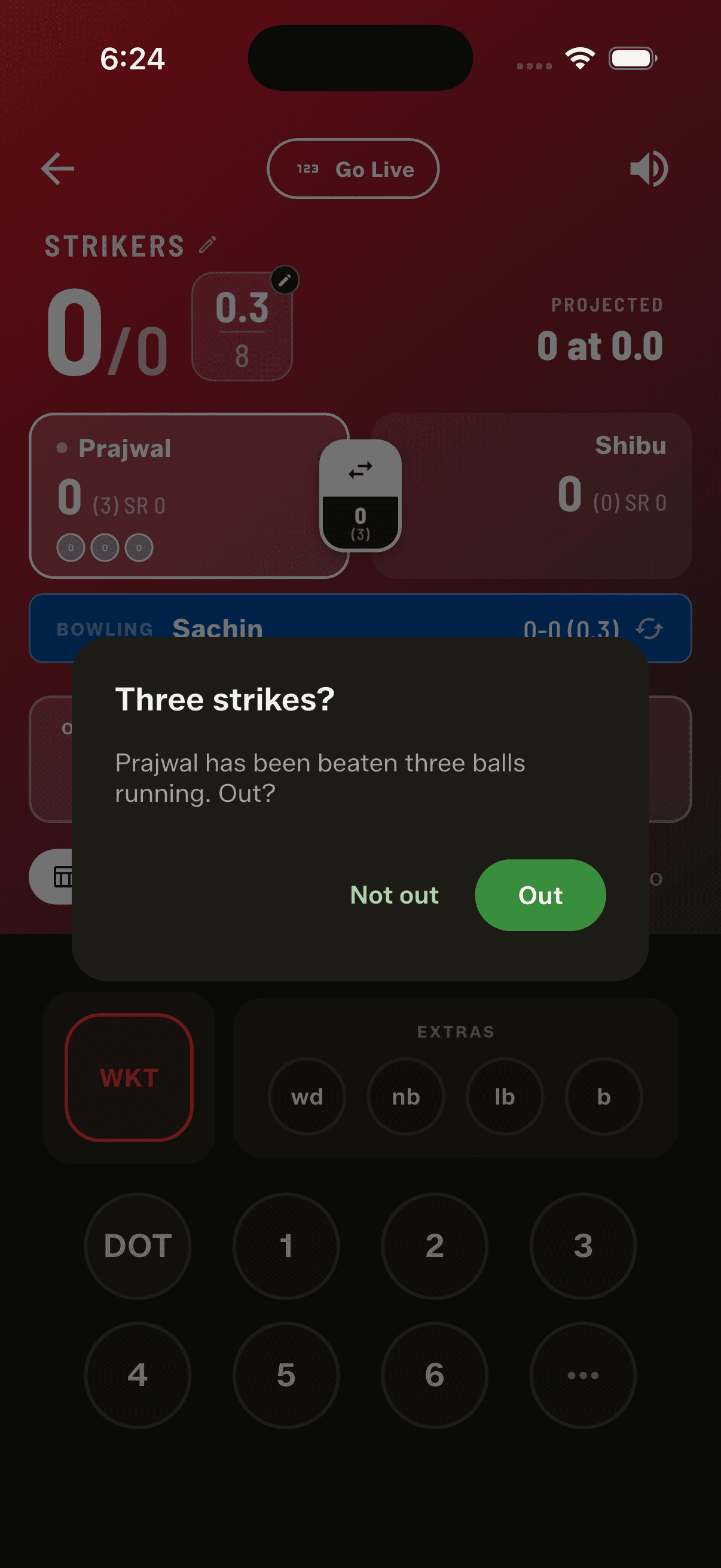
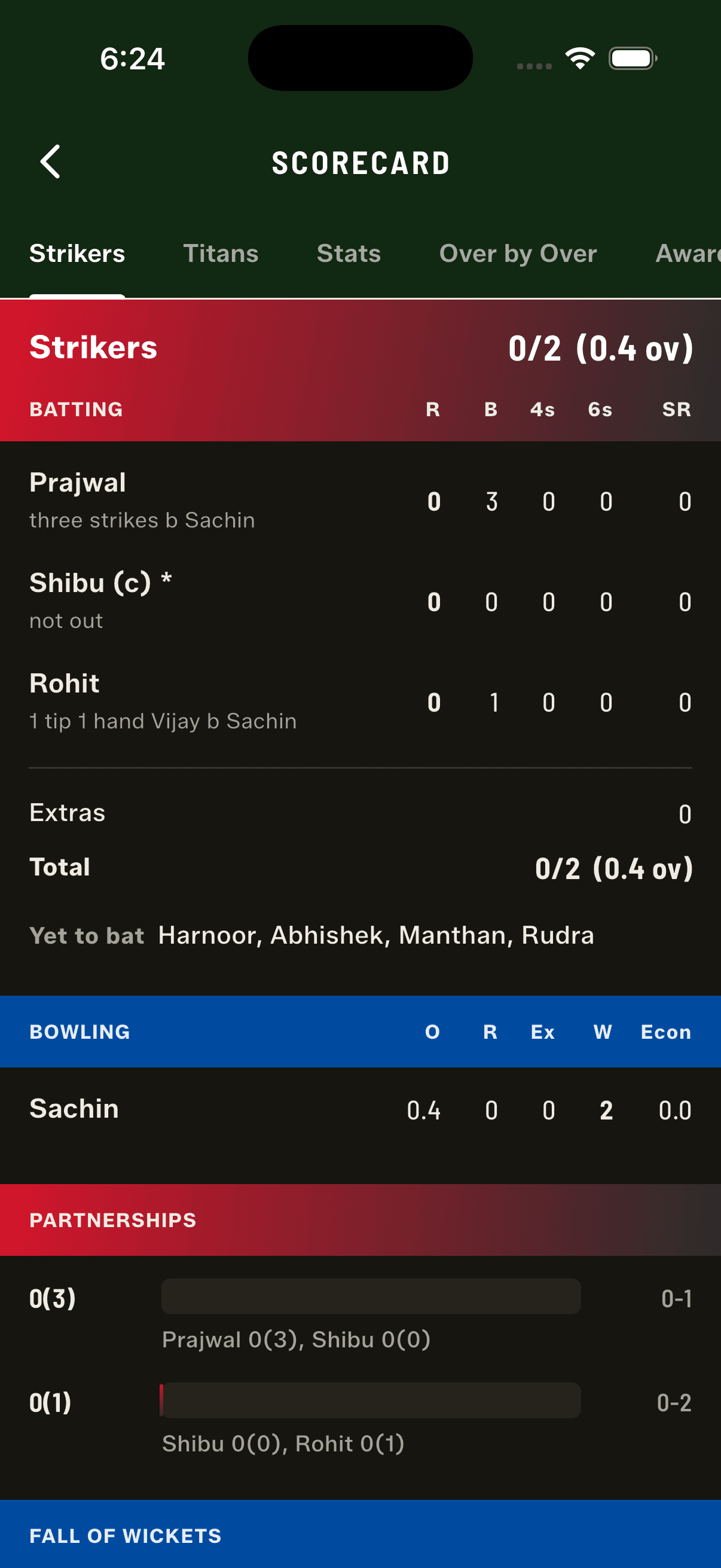
Three strikes is the one rule you'd otherwise have to remember to apply, so the app does the counting. It watches the run of beaten balls and asks you on the third — "beaten three balls running. Out?" — and you answer. You stay the judge of which balls were genuinely missed rather than merely blocked, so if you say not out it keeps asking on each following dot until the batter scores or you say yes. It also gets the bowler's figures right, which is the part that decides whether a scorer trusts the app in an argument: three balls from one bowler and the wicket is theirs, but a run that straddled an over change belongs to neither bowler, because it wasn't one bowler's work. The scorecard reads "three strikes" with no bowler named.
Save your ground's rules once
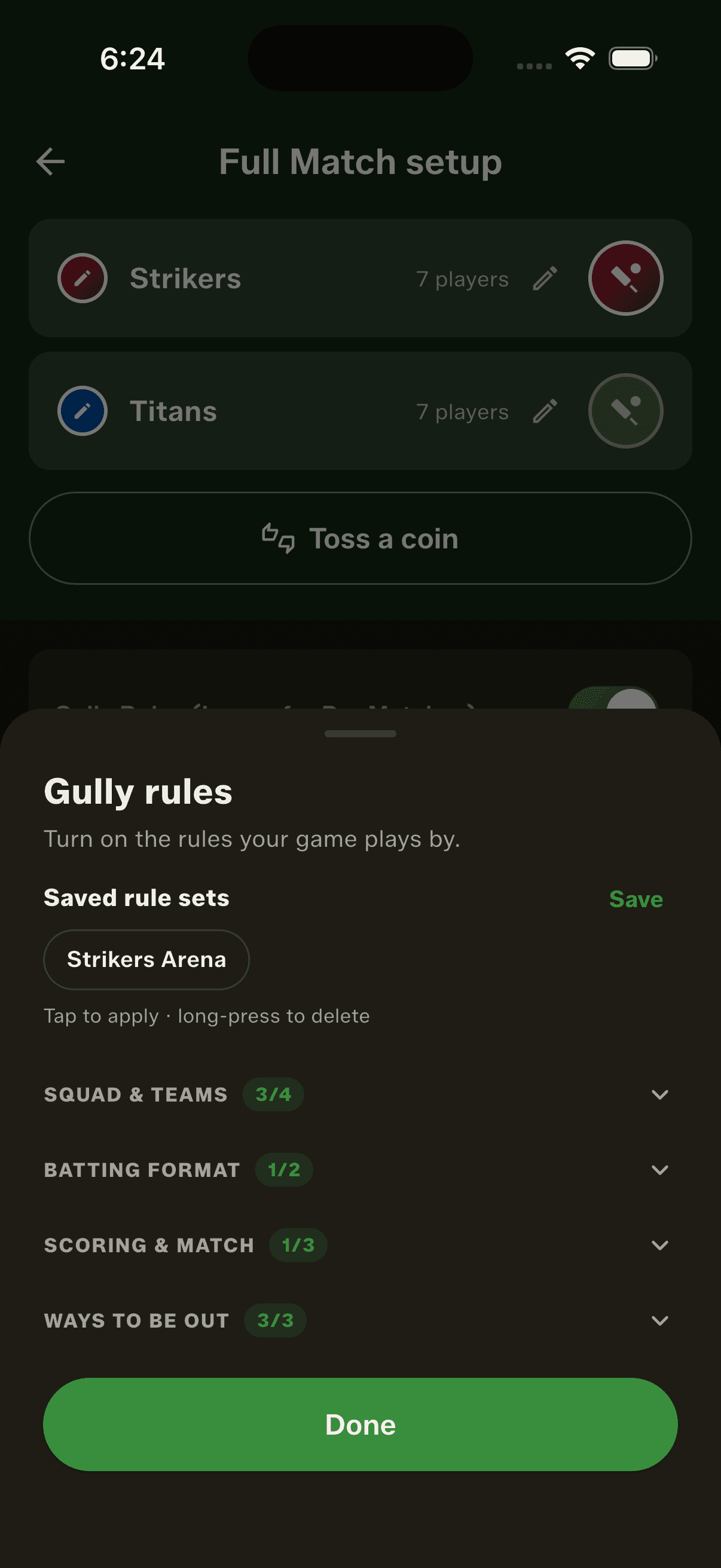
If you play at the same turf every Sunday, you shouldn't be setting the same eight switches every Sunday. Set them once, name it — "Strikers Arena" — and it's one tap next time. A set holds the gully rules plus the arena and ball type, and deliberately nothing else: no overs, no teams, no players. It describes the ground, not the fixture. You can keep five, save a new one or replace an existing one, and delete with a confirmation. It also recognises the set you're already on — pick the same combination by hand and the name appears at the top by itself. Saved sets sit right under "Configure rules" on the setup screen, so a regular ground never needs the sheet opened at all.
A rules sheet you can read at a glance
With twelve rules the sheet had become a wall of switches. It's now grouped into collapsible sections — Squad & Teams, Batting Format, Scoring & Match, and the new Ways to be out — and each header carries a badge showing how many of its rules are on. A quick look tells you the shape of the match without scrolling: 2/4, 2/2, 1/3. It remembers which sections you collapsed, so the sheet opens the way you left it.
Toss entered the wrong way round? One tap
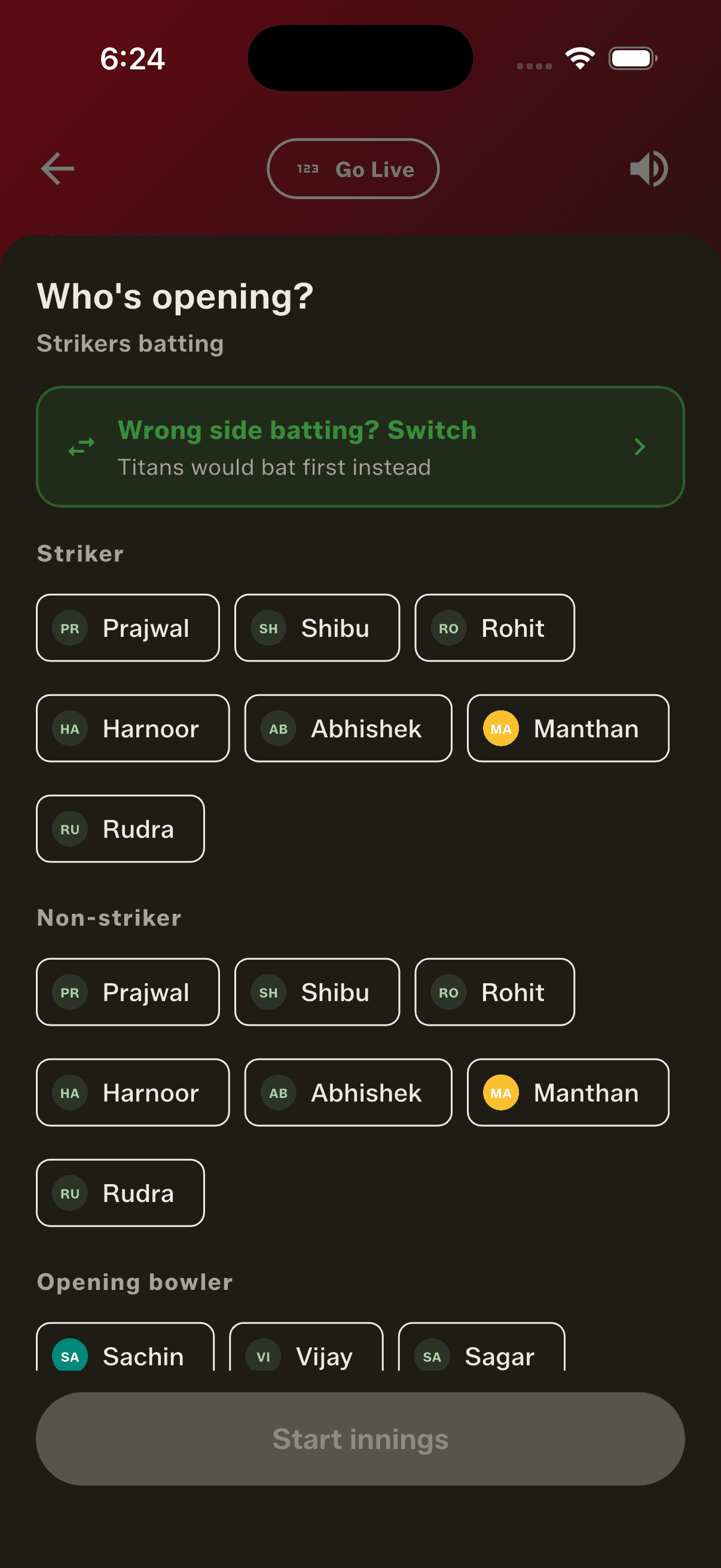
It's an easy mistake and it used to be an expensive one. The openers screen now names the side that's batting — "Strikers batting" — right under the heading, so a wrong toss is obvious before you've picked a single player rather than three balls into the over. One tap switches the sides and the lineups swap in place. The same fix sits on the scoring screen too, until the first ball is bowled, after which it disappears rather than lingering as something to mis-tap.
Fixes worth calling out
A wicket could be recorded without the batter actually being out. If you backed out of the "next batter" screen using the Android back gesture, the wicket stayed on the scorecard while the dismissed batter kept batting — a corrupted match with no obvious way back. That's fixed, along with five other screens that shouldn't be dismissible. Separately, retired hurt no longer counts as a wicket in your match list, which used to disagree with the scorecard on any match where someone retired. And from 3.5, fixes like these can reach you without waiting for an app store review: when one has downloaded the app tells you and asks you to restart. Settings now shows exactly which build you're running, and you can tap it to copy.
How to get started
- Update GullyCrix to version 3.5 from the App Store or Google Play.
- In Full Match setup, tap Configure rules and open the new "Ways to be out" section.
- Switch on the dismissals your ground plays — one tip one hand, direct out, three strikes.
- Tap Save to name the set after your ground, and pick it in one tap next time.
- Score a match: on the third straight dot, the app asks whether the batter is out.
- Got the toss backwards? The openers screen names the batting side — tap to switch.
Frequently asked questions
What is one tip one hand?
A gully rule where a batter is out if a fielder catches the ball one-handed after exactly one bounce. GullyCrix scores it as a catch — you credit the catcher, and the scorecard reads "1 tip 1 hand Arjun b Vikram" the way a real scorecard would.
What counts as direct out?
Whatever your ground agreed before play. It's for the limit every gully has — over that wall, into that window, off that parked car — where clearing it is out rather than six. The app records the dismissal; the boundary itself is your call.
How does three strikes work?
Three straight balls beaten and the batter is out. GullyCrix counts the run for you and asks on the third, so it isn't something you have to remember to apply. You decide which balls were genuinely missed rather than blocked, so if you answer not out it keeps asking on each following dot until the batter scores or you say yes.
Who gets the wicket for a three-strikes dismissal?
If all three beaten balls came from the same bowler, the wicket is theirs. If the run straddled an over change, it goes to neither bowler's figures — it wasn't one bowler's work — and the scorecard reads "three strikes" with no bowler named.
Do the new dismissals change my existing matches?
No. All three are off by default and each is a separate switch. Turn on only what your ground plays. A match scored to the laws of cricket offers exactly the dismissal list it always did.
Do the new dismissals work in Quick Match?
No — they're Full Match only. Quick Match doesn't record how a batter got out, so it can't offer them. The scoring rules (no runs for wides and no-balls, no free hits, change overs mid-match) still work in both.
What can I save in a rule set?
The gully rules plus the arena and ball type. Deliberately not the overs, teams or players — a set describes the ground you play at, not one particular fixture. You can keep up to five.
How do I fix a toss I entered the wrong way round?
The openers screen names the side that's batting, so you'll see it before picking anyone. Tap "Wrong side batting? Switch" and the sides swap in place. It's also on the scoring screen until the first ball is bowled — after that the match has started and the option goes away.
Why does the app sometimes ask me to restart it?
From 3.5, fixes can reach you without waiting for an app store review. When one has downloaded, the app says so and asks you to restart — a few hundred kilobytes rather than a full re-download. Bigger updates still come from the store, and the app will point you there instead.