GullyCrix 3.4 — Your Scorebook Now Remembers: Head-to-Head Records, Player Comparison & Tappable Ball-by-Ball
Version 3.4 turns your saved matches into something you can interrogate. Every ball two players have contested becomes a head-to-head record — in both directions, counted the way a real scorecard counts. Any two players in your Squad Book stand side by side, with the better number highlighted on every row. And every strip of balls in the app is now tappable, so a batter's innings opens up over by over. Here's everything that's new.
Head to head — who owns whom
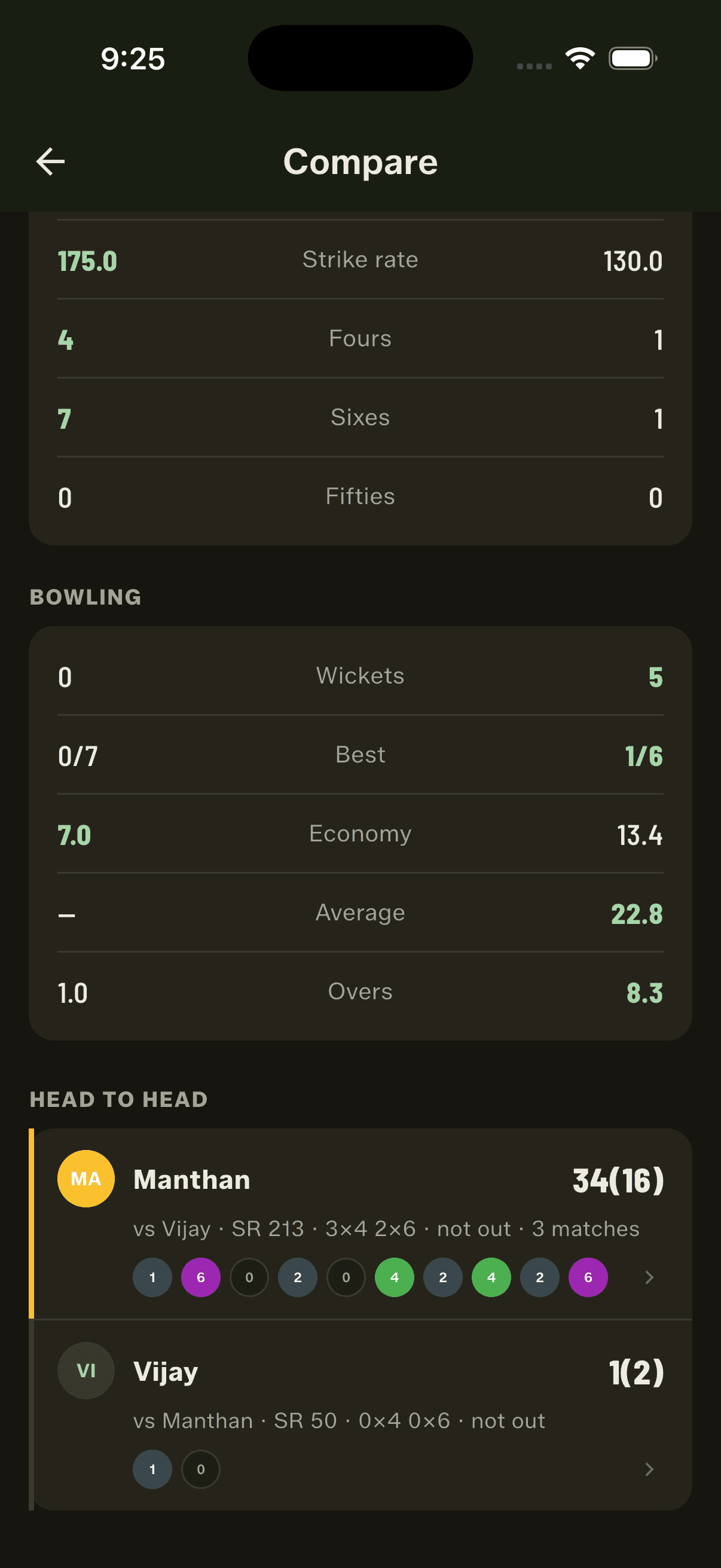
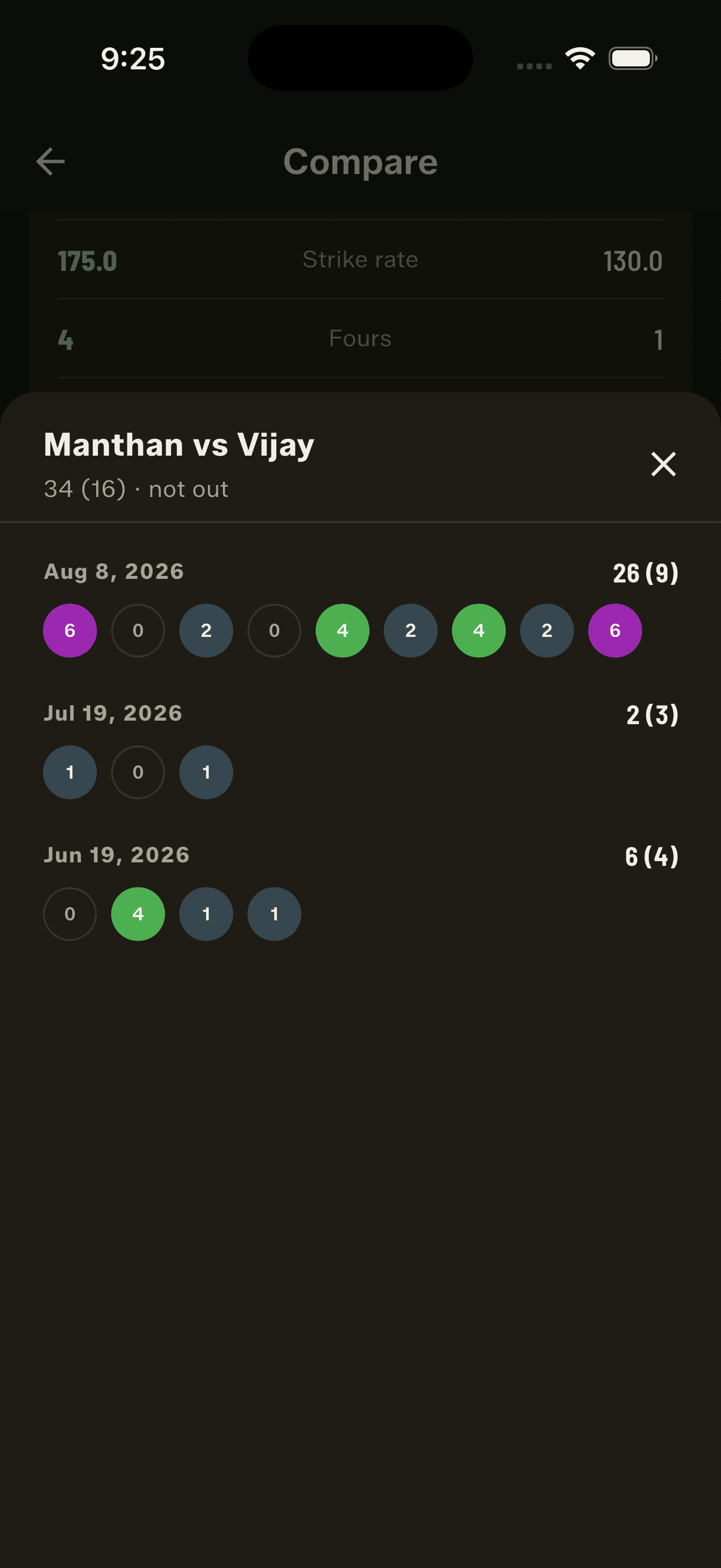
The argument every gully has had since the beginning: he always gets me out. Now there's a record. 3.4 builds the matchup from every ball two players have actually contested across the full matches you've scored — in both directions, so you see him batting against you and you batting against him. Runs, balls, strike rate, dismissals, 4s and 6s, and how many matches they've met in. It's counted properly, too, because someone will check: a wide isn't a ball faced, runs off a no-ball do count, and only bowler-credited dismissals count — a run-out isn't the bowler's wicket. It sits at the bottom of the Compare screen, so career form and personal matchup are one scroll apart.
Compare two players, side by side
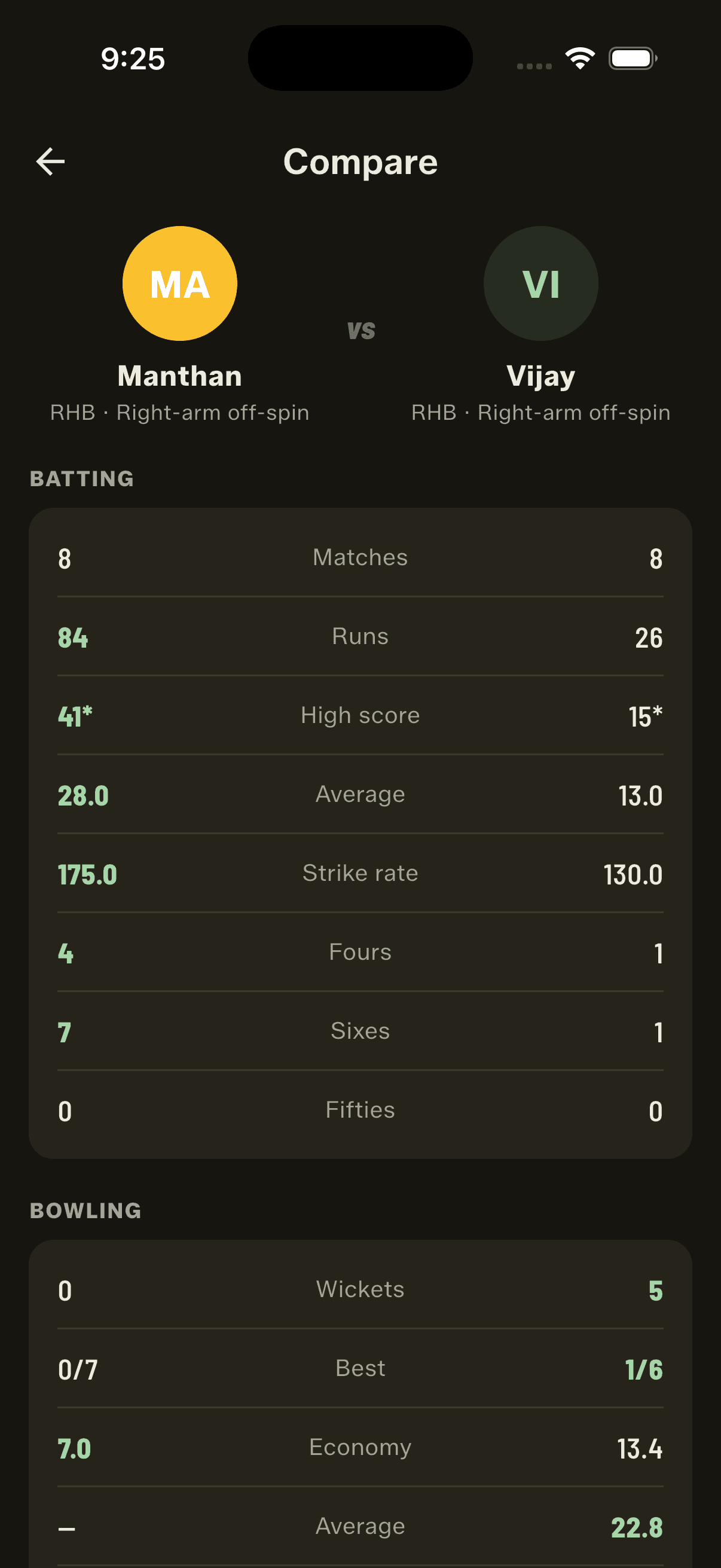
Open any player in your Squad Book, tap "Compare with…", and pick anyone else — the two stand side by side. Batting gives you matches, runs, high score, average, strike rate, 4s, 6s and fifties; bowling gives you wickets, best figures, economy, average and overs. Every row highlights the better number, and it knows which direction better runs — for economy and bowling average, lower wins. It's the fastest way to end a selection debate before the toss.
Tap any strip of balls for the full story
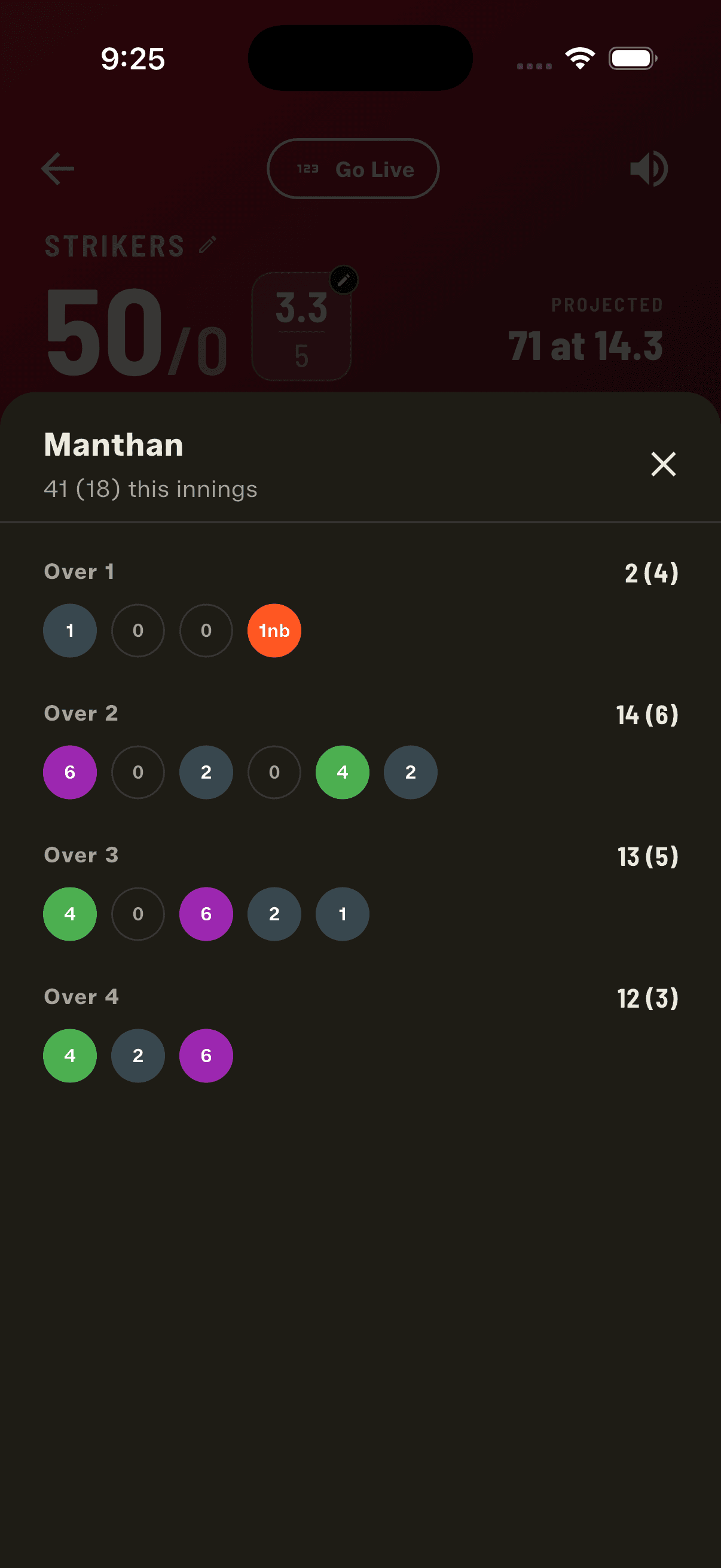
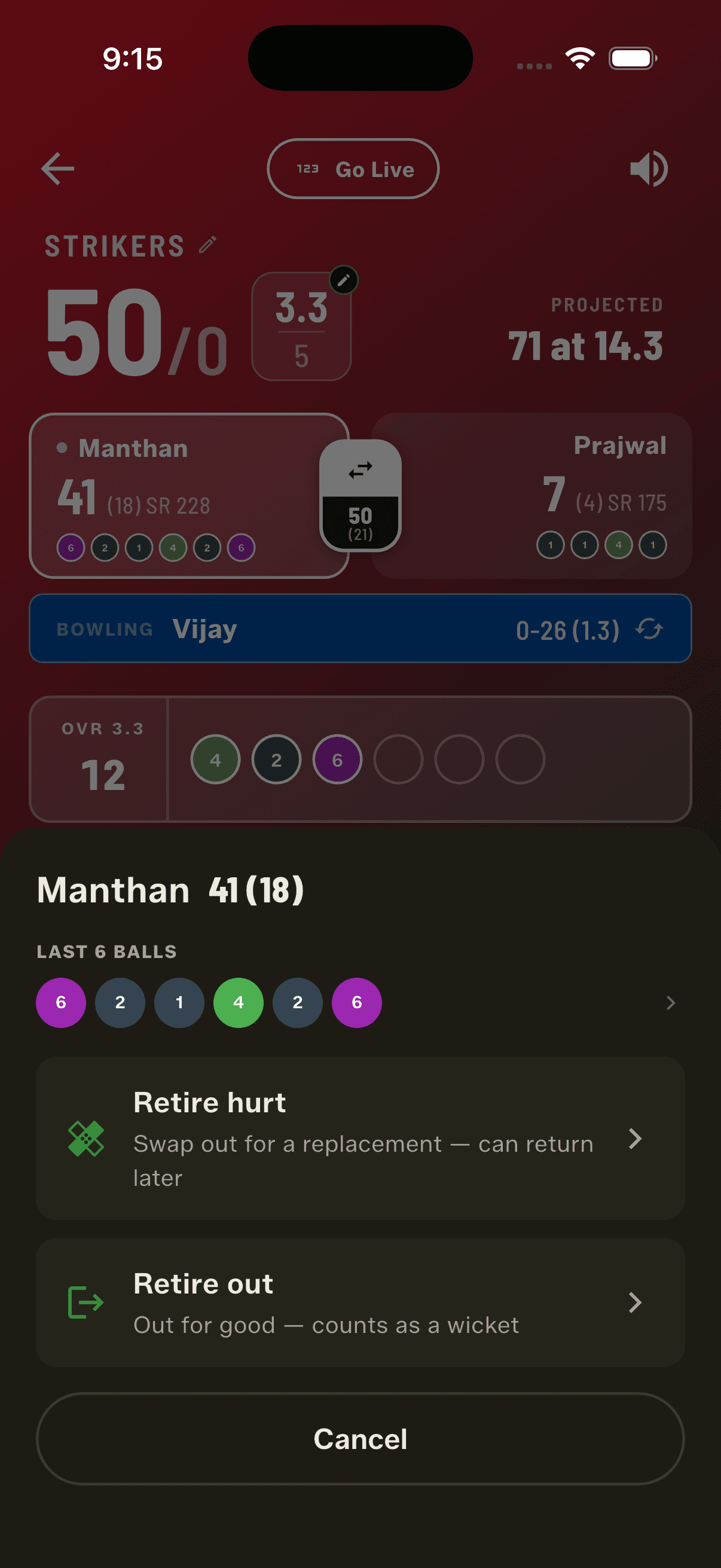
Everywhere the app shows a short strip of recent balls, you can now tap it to see every ball behind it — colour-coded throughout: green 4s, purple 6s, red wickets, orange wides and no-balls, grey dots. Mid-match, tap a batter at the crease and their whole innings opens grouped by over, each over labelled with the runs and balls they took off it. In head-to-head, tap the matchup strip and you get every ball those two have ever contested, grouped by match and dated, most recent first. The figures always reconcile — each section adds up to exactly the batter's total, because balls are counted the way a real scorecard counts them.
Read form at a glance
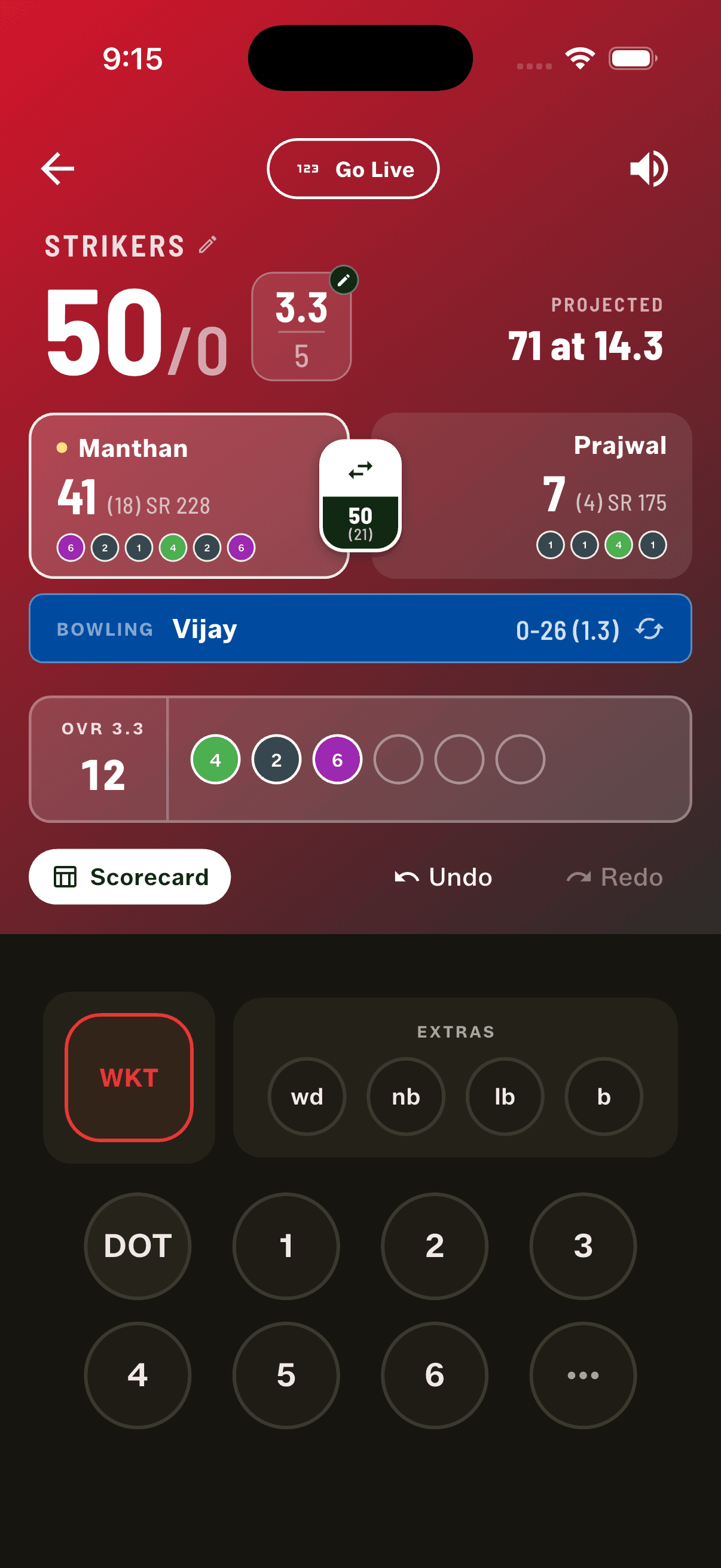
Both batter cards on the scoring screen now carry a strip of their last six balls faced, so you can read who's set and who's struggling without opening anything. The batter sheet repeats it larger, alongside their figures and above the existing actions — so the decision to push someone up or send them back is made on evidence rather than memory.
A Squad Book that knows who's who
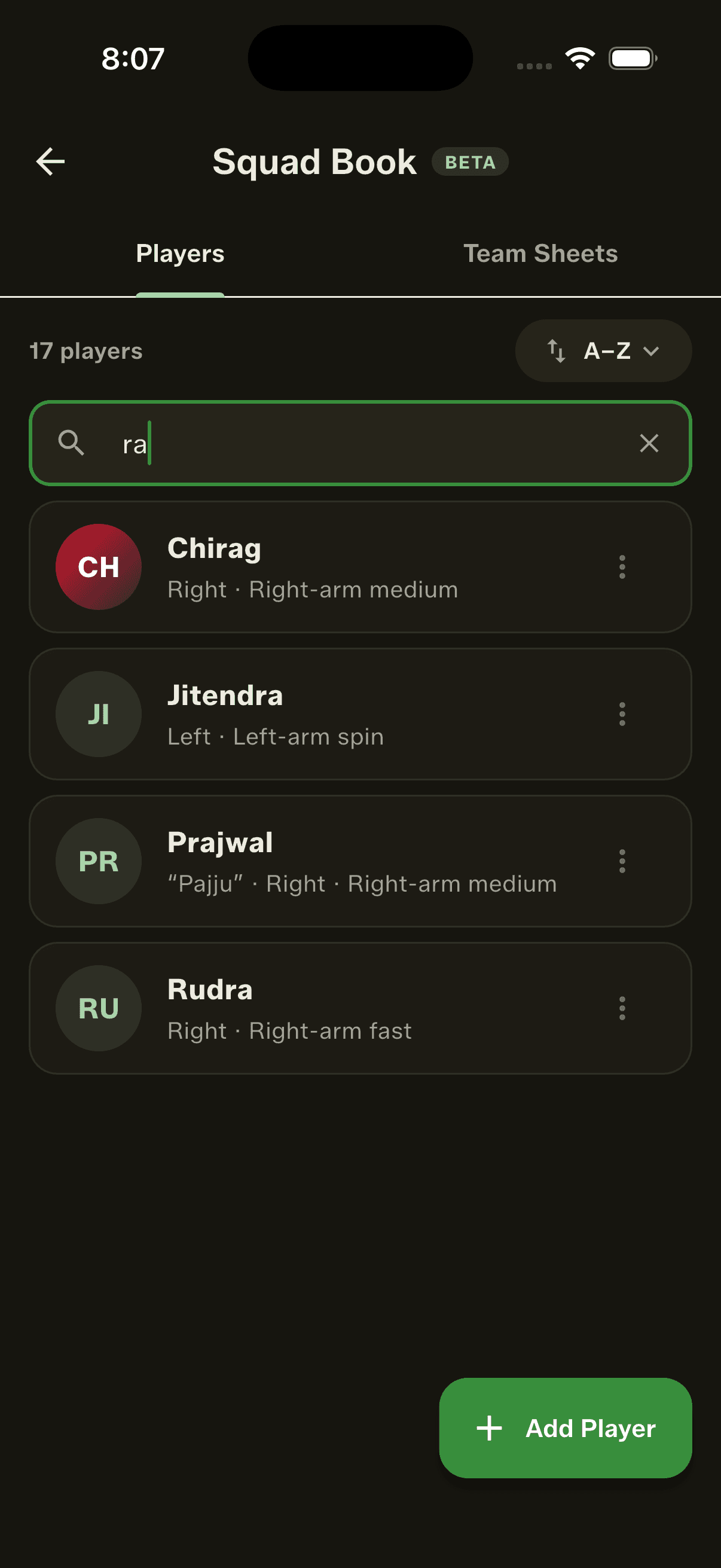
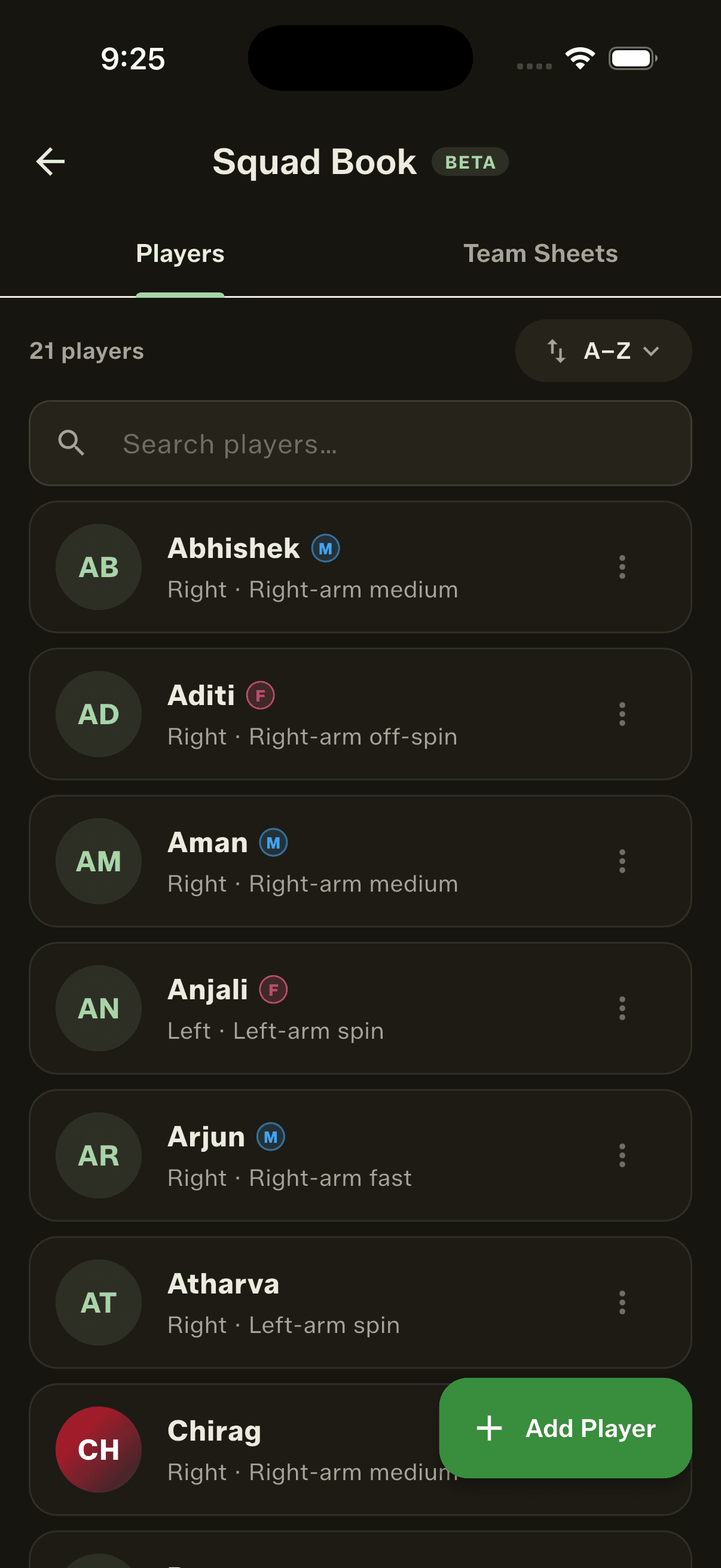
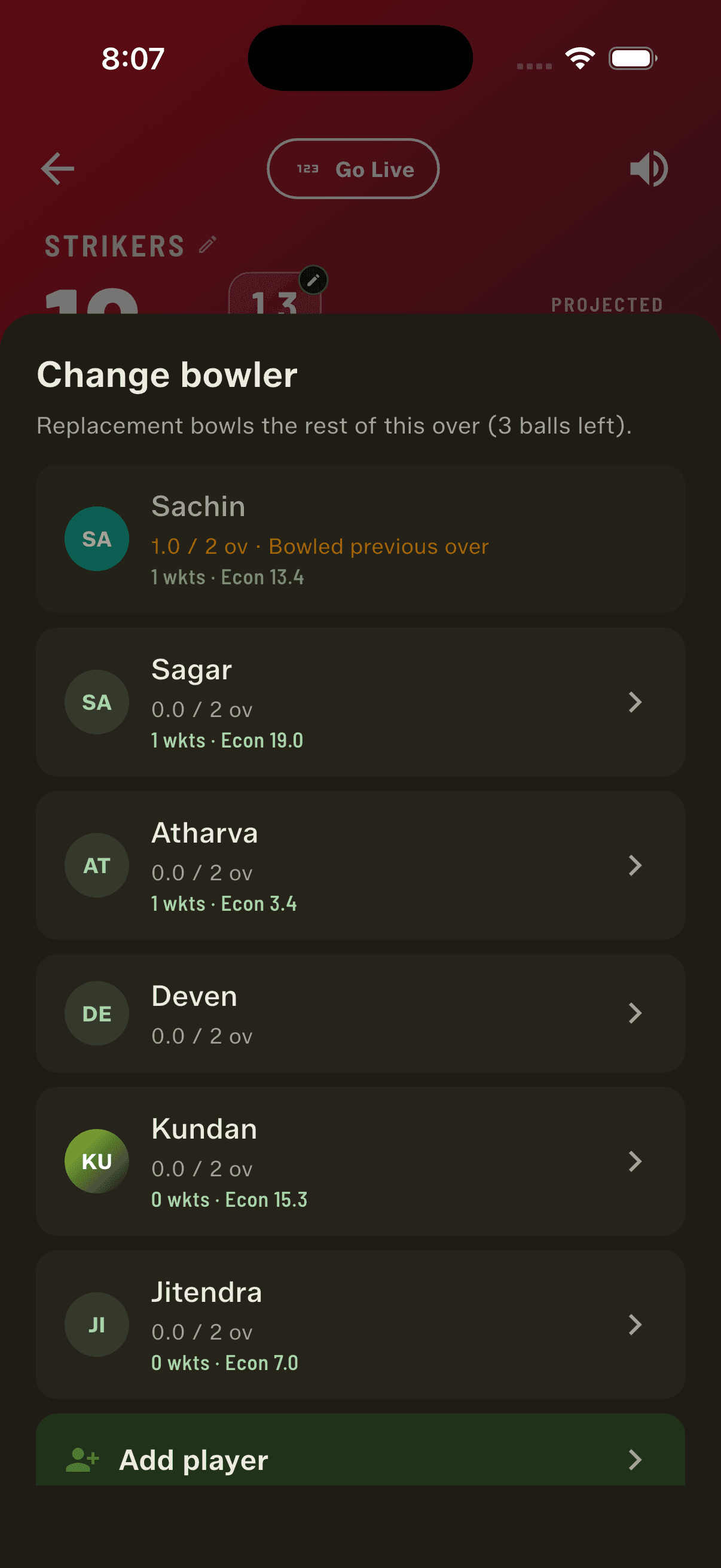
Long rosters got a lot easier to work with. There's now a search bar everywhere you pick a player — Squad Book, team sheet editor, per-match lineup and the in-match pickers — matching on name or nickname, so "pajju" finds Prajwal. It appears only once a list is long enough to need it, stays pinned while the roster scrolls, and filters the batting order too, not just unpicked players. Player rows are richer: a photo or colour-coded initials, an identity line with nickname and batting/bowling style, and a live career stat line that knows its context — the batter picker shows batting, the bowler picker shows bowling figures and how much of their quota is left. An optional Male/Female tag shows as a small chip beside a name, so mixed squads can confirm the balance straight from the batting order; untagged players show nothing at all. And if the same person ended up in your book twice, you can now merge the two entries into one career with their stats combined. (Squad Book remains in beta.)
Live scoring that doesn't wait on the network
Scoring no longer blocks on a slow connection. Previously a weak signal could stall the scoring screen mid-match while an update was being sent; now the score updates instantly regardless and the broadcast catches up on its own. You can also see the broadcast's health at a glance — LIVE, SYNCING or OFFLINE, with the dot pulsing only while balls are actually reaching viewers. And viewers are told the truth too: a stream whose scorer has dropped off now shows PAUSED and explains that the score will catch up, instead of showing a frozen number under a live badge.
How to get started
- Update GullyCrix to version 3.4 from Google Play. On iPhone, these features arrive with 3.5.
- Open the Squad Book, pick a player, and tap "Compare with…" to stand them next to anyone else.
- Scroll to the bottom of the Compare screen for the head-to-head record between the two.
- Tap any strip of balls — a head-to-head, or a batter at the crease — to read every delivery behind it.
- Score a full match and watch the last-six-balls strip build on both batter cards.
- Got the same player twice in your book? Merge the two entries and their stats become one career.
Frequently asked questions
Where does the head-to-head record come from?
From the full matches you've already scored in the app. GullyCrix replays every ball those two players have contested and builds the record in both directions — so a brand-new user starts empty, and the more full matches you score, the more your scorebook knows.
Does head-to-head work in Quick Match?
No. Quick Match never records who bowled to whom, so it can't produce a matchup. Head-to-head, player comparison and ball-by-ball history all read from Full Match, where players are named.
How exactly are the head-to-head numbers counted?
The way a real scorecard counts them, because people will check. A wide isn't a ball faced. Runs off a no-ball do count towards the batter. And only bowler-credited dismissals count against the batter in that matchup — a run-out isn't the bowler's wicket.
What does the Compare screen show?
Batting — matches, runs, high score, average, strike rate, fours, sixes and fifties. Bowling — wickets, best figures, economy, average and overs. Every row highlights the better number, and it knows which direction "better" runs: for economy and bowling average, the lower figure wins.
What can I tap to see ball-by-ball history?
Any short strip of balls in the app. Tap a batter at the crease and their innings opens grouped by over. Tap a head-to-head strip and you get every ball those two have contested, grouped by match and dated, most recent first. Everything is colour-coded — fours, sixes, wickets, wides, no-balls and dots.
Can I merge two entries for the same player?
Yes. If the same person was added to your Squad Book twice, you can merge the entries — their stats combine into a single career across every match.
What is the M/F tag for?
It's optional. Tagged players show a small colour-coded chip beside their name everywhere; untagged players show nothing, so squads that don't need it never see it. It's there for mixed tournaments that mandate a minimum number of women per side — you can confirm the balance straight from the batting order.
What changed about live streaming?
Scoring no longer waits on the network. A weak signal used to be able to stall the scoring screen while an update was sent; now the score updates instantly and the broadcast catches up by itself. You can see whether the stream is LIVE, SYNCING or OFFLINE, and viewers of a stream whose scorer dropped off are shown PAUSED rather than a frozen score under a live badge.