GullyCrix 3.3 — Built for the Middle of the Ground: A Sunlight-Readable Scoreboard, More Gully Rules & New Share Cards
Version 3.3 is for the middle of the ground. We rebuilt the scoreboard so it reads at a glance under harsh sunlight, added more gully rules for how street games really run, made it possible to undo and re-score a mistake even after the match has ended, and gave you new, social-native ways to share. Here's everything that's new.
A scoreboard you can read at square leg
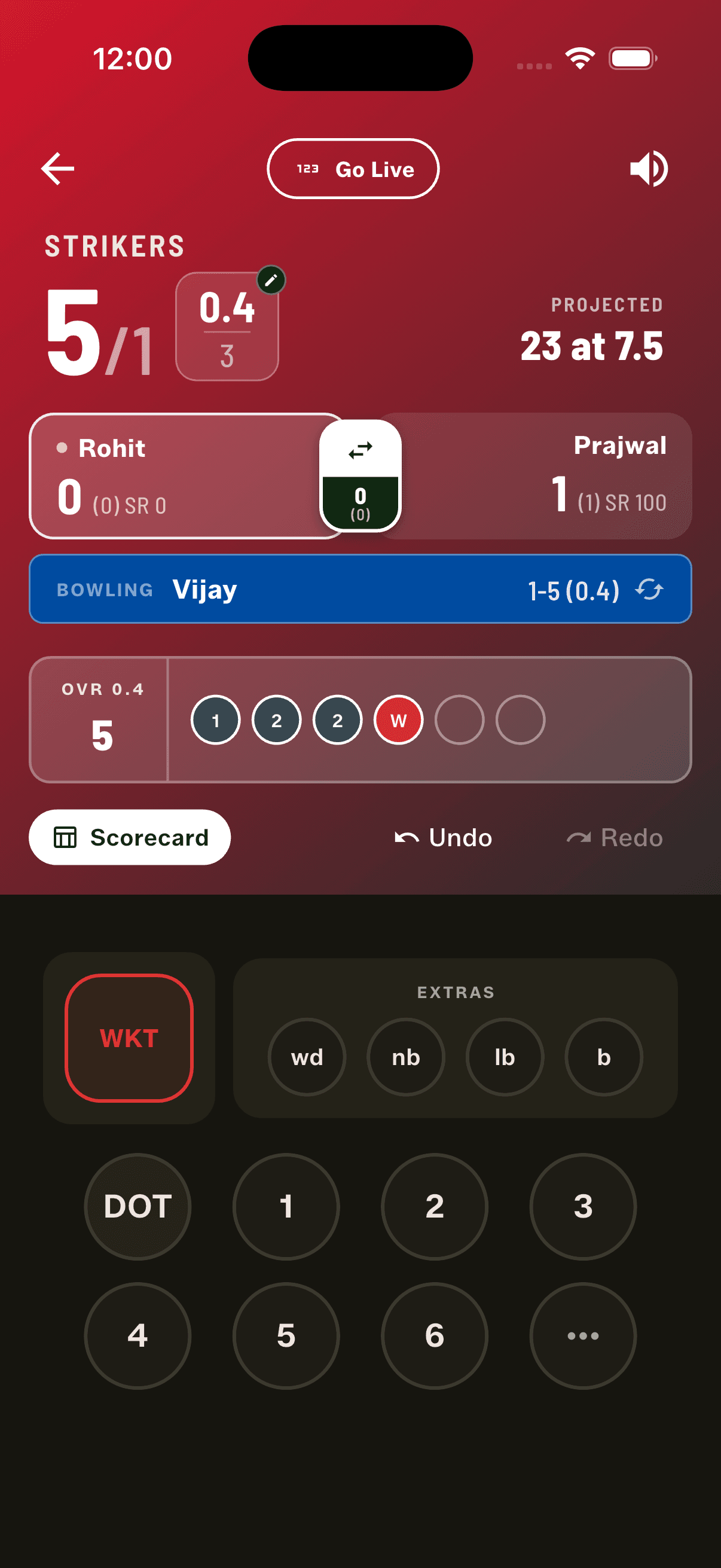
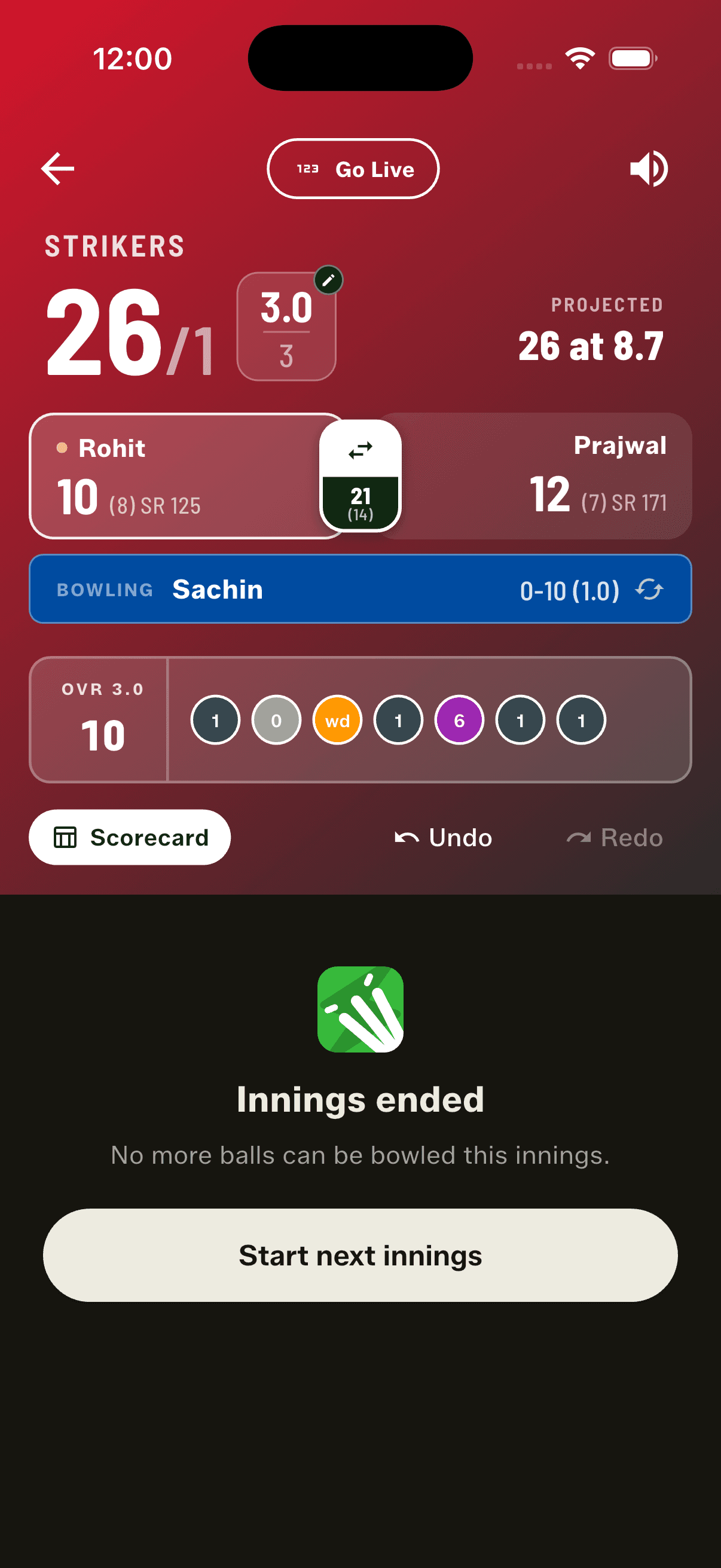
Scoring outdoors in bright sunlight shouldn't mean squinting at your phone. The scoring header is rebuilt around a big, high-contrast score and over count — the total overs bold against the overs assigned — so a glance from the middle of the ground is enough. Below it sits a single clear line for what actually matters: a projected first-innings total, or the exact runs and balls required in a chase. The live partnership now rides on the strike-swap button, and every screen picks a text colour that stays legible on any team kit — even light, yellow or beige.
More gully rules, your way
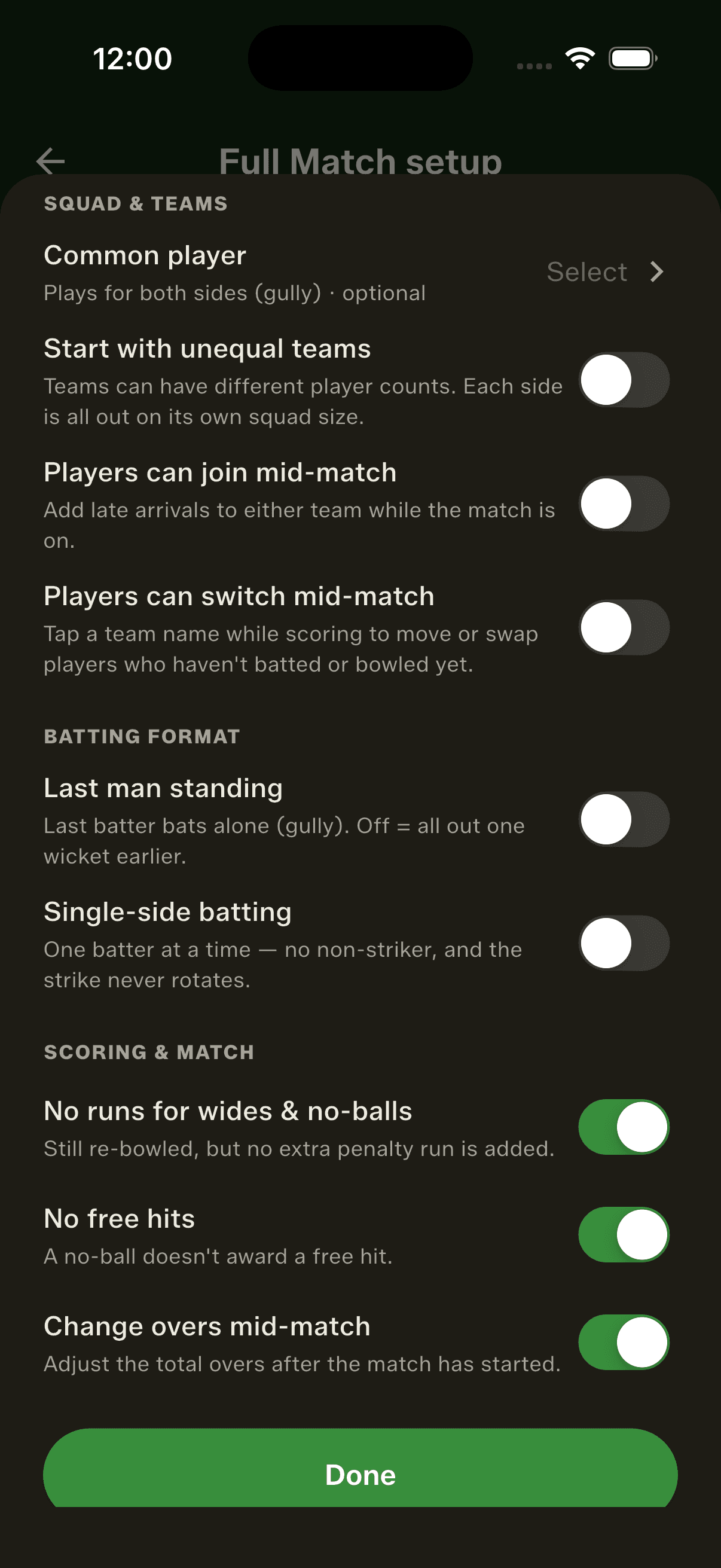
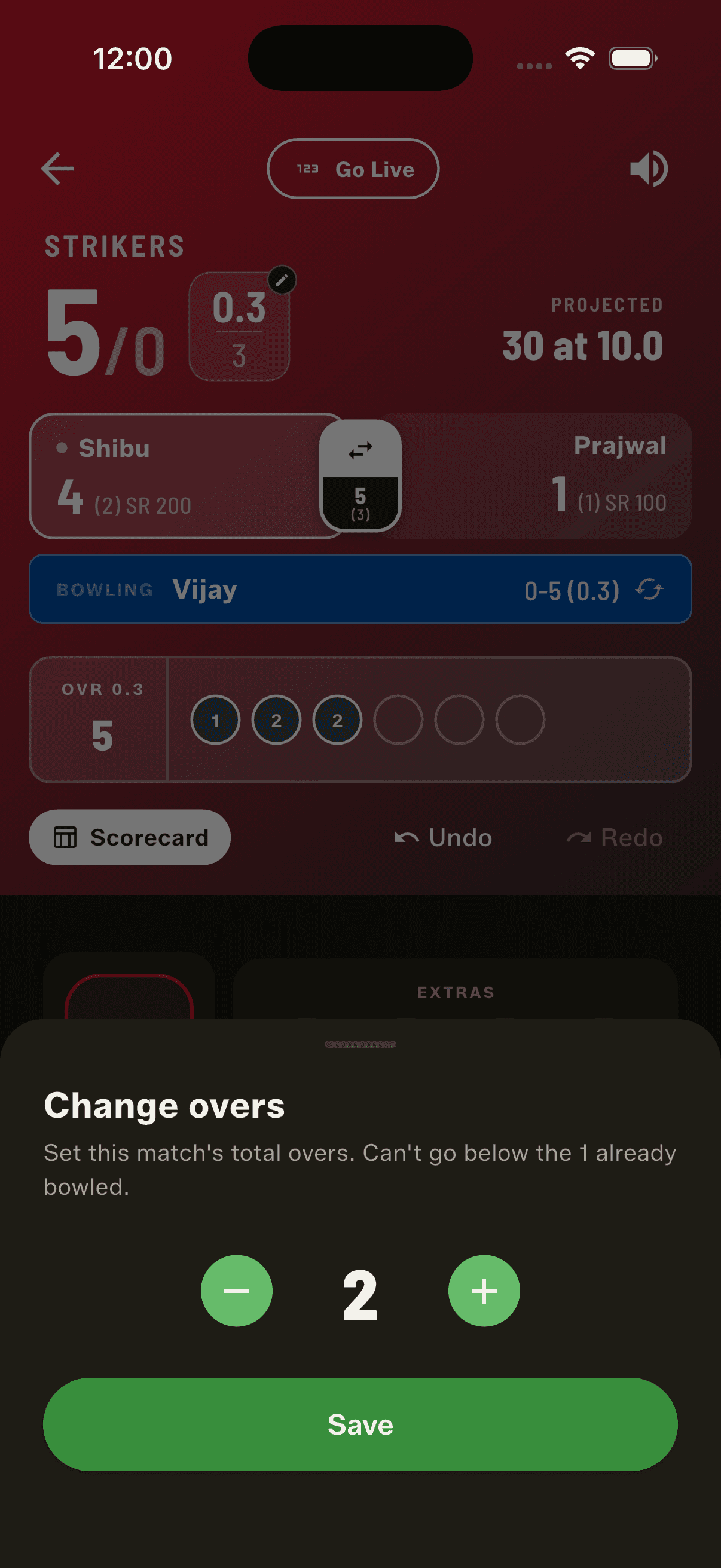
Gully games don't always play by the book, so 3.3 adds three rules you can flip on for the way yours really runs. Turn off the wide / no-ball penalty and the ball is still re-bowled but no extra run is added. Switch off free hits entirely. And change the number of overs mid-match when the light fades or the crowd thins. All your rules now live in one tidy, categorised sheet with a count, instead of a long wall of toggles — and a new rule lets players switch sides mid-match, which also makes the team name editable.
A broadcast-style innings break
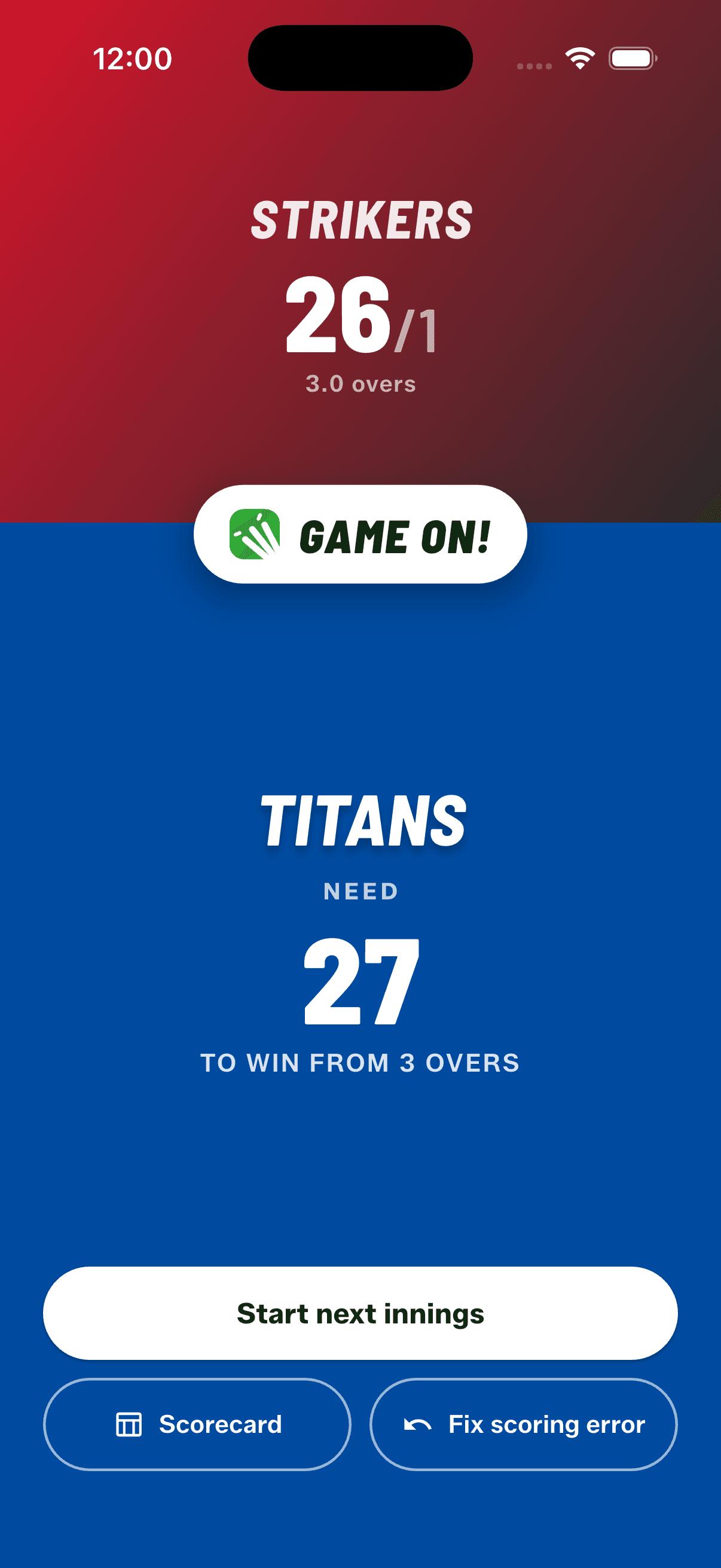
The innings change gets a moment of its own. A full-screen "Game On" break splits the screen in the two teams' colours — the side that just batted up top with their score, the chasing side below — with the target front and centre: how many they need, and in how many overs. From there you start the second innings, open the scorecard or stats, or jump back to fix the score.
Fix a scoring error — even after the last ball
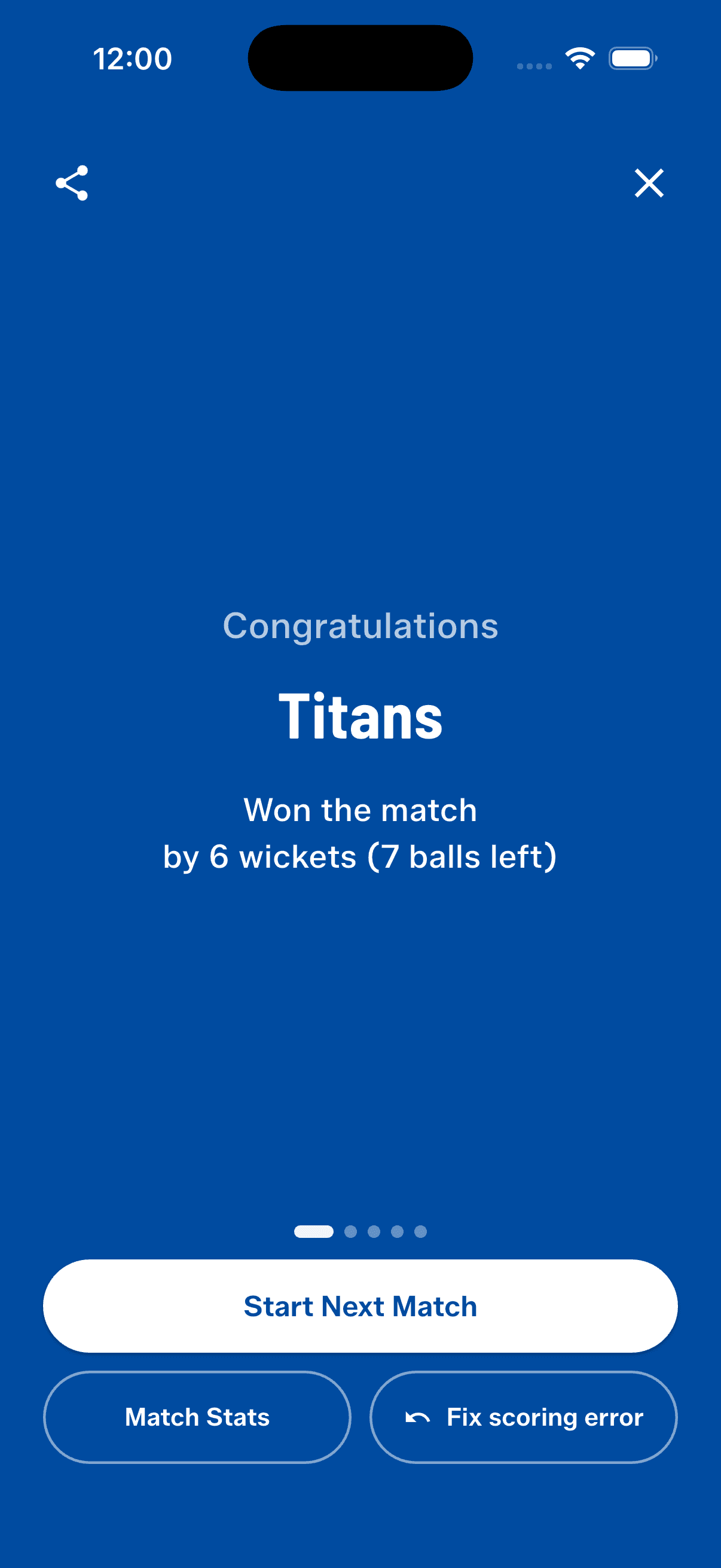
Marked a ball a wide by mistake, and only noticed once the match was over? Until now there was no way back — and a single slip could hand the game to the wrong side. From the result screen (and the innings break) you can now tap "Fix scoring error" to reopen the match right where it ended, undo back through the deliveries, and re-score them correctly. The result is recalculated when you finish — so a game that should have tied can still go to a super over.
New ways to share
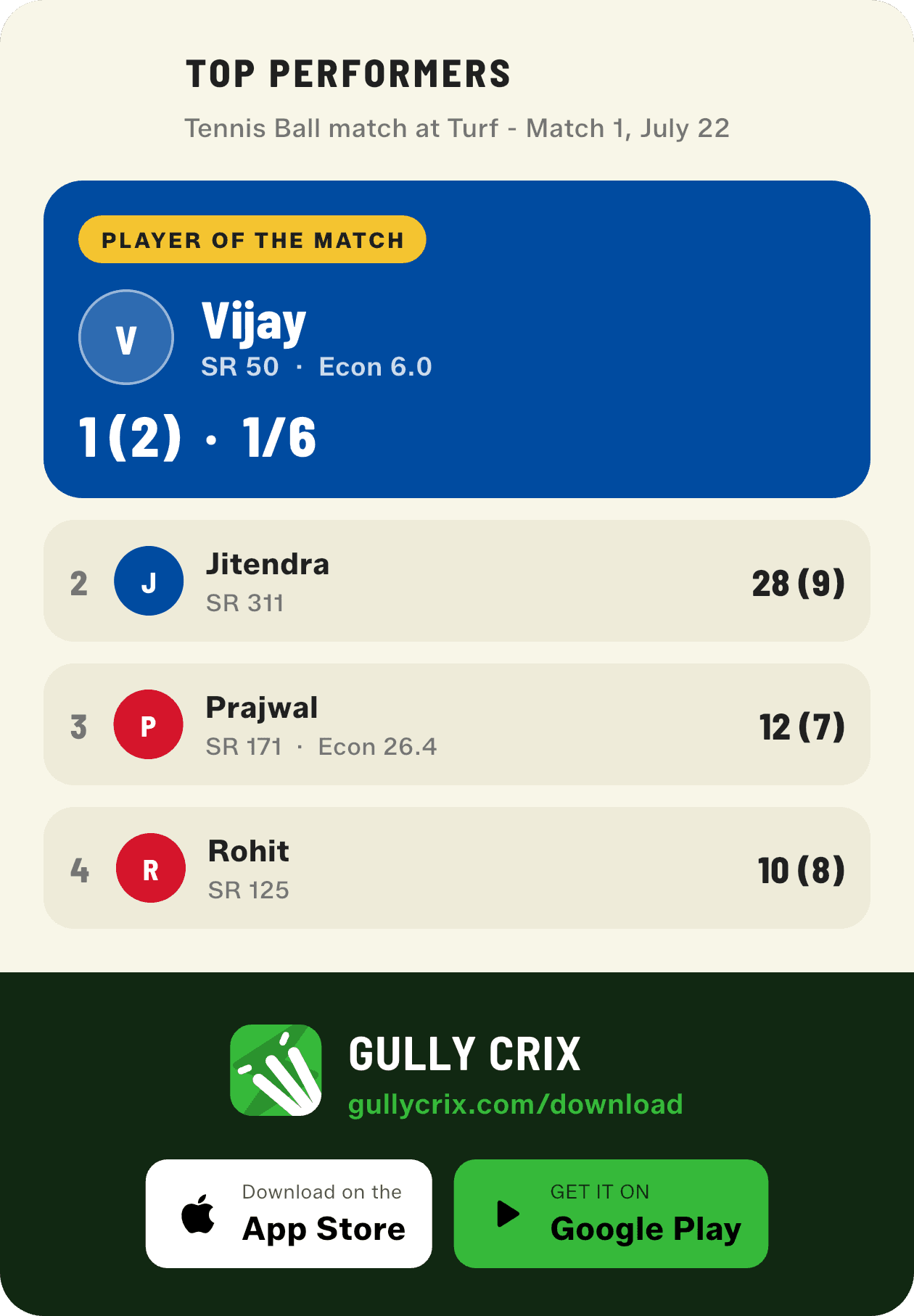
The share sheet gains real range. Export a Partnerships card — every stand of an innings on its own card — lifted out of the lengthy scorecard. Share a Top Performers card led by the Player of the Match with the next contenders behind them. And drop the result straight into a feed or status with new square (1:1) and story (9:16) social crops. The match summary now also carries a small format-and-rules strip, so a shared scoreline explains itself. Everything's selected by default with a Select all toggle, and your choice is remembered next time; PDF exports skip the social crops since they're feed artwork, not document pages.
Polish across the board
A redesigned coin toss shows the Heads/Tails result right below the coin and names the winner on a team-coloured tag. Look-alike team shades were separated so sides are easier to tell apart. And the reopened scorer keeps the last over's balls on screen rather than a blank one, so there's always something to review and undo.
How to get started
- Update GullyCrix to version 3.3 from the App Store or Google Play.
- Start a Full or Quick Match and score a few balls to see the new sunlight-readable scoreboard.
- Open Gully Rules to turn off the wide/no-ball penalty or free hits, or to change the overs mid-match.
- At the innings change, use the full-screen "Game On" break to start the chase — or jump back to fix the score.
- Made a mistake after the match ended? On the result screen tap "Fix scoring error" to reopen, undo and re-score.
- Tap Share and pick the new Partnerships, Top Performers and square/story social cards — everything's selected by default and remembered next time.
Frequently asked questions
What makes the 3.3 scoreboard easier to read?
The score and over count are larger and higher-contrast, sized to be read at a glance from the middle of the ground in bright sunlight. A single clear line shows a projected first-innings total or the runs and balls required in a chase, the live partnership moves onto the strike-swap button, and text stays legible on every team colour — including light and yellow kits.
Can I turn off the wide and no-ball penalty?
Yes. Turn on the "no wide/no-ball penalty" gully rule and a wide or no-ball is still re-bowled, but no extra run is added. You can also switch off free hits, and change the number of overs mid-match — all from the categorised Gully Rules sheet.
What happens if I mark a ball wrong and the match ends?
From the result screen tap "Fix scoring error". The finished match reopens in the scorer exactly where it ended, with the last over on screen and Undo available. Step back through the deliveries, re-score them correctly, and finish again — the result, including any tie or super over, is recalculated. The match is only uploaded once you leave the result screen, so the corrected result is the one that's saved.
What new share cards are there in 3.3?
Three: a Partnerships card with every stand of an innings, a Top Performers card led by the Player of the Match plus the next contenders, and social crops in square (1:1) and story (9:16) sizes made for feeds and status. The match summary also gains a format-and-rules strip. Everything is selected by default with a Select all toggle, and your selection is remembered for next time.
Does changing the overs work mid-match?
Yes — you can change the total overs during the first innings (it locks once the second innings begins, so a chase target can't shift underneath you).