GullyCrix 3.2 — Gully Your Way: Uneven Teams, Single-Side Batting, Squad Leaderboards & PDF Export
Real gully cricket doesn't wait for eleven-a-side. Version 3.2 makes GullyCrix bend to how your game actually runs: uneven teams, latecomers, players swapping sides or heading home early, and even one-batter matches. When it's over, rank your squad on a proper leaderboard and export the whole match — or a single player's career — as a PDF you can send anywhere. Here's everything that's new.
Gully rules, your way
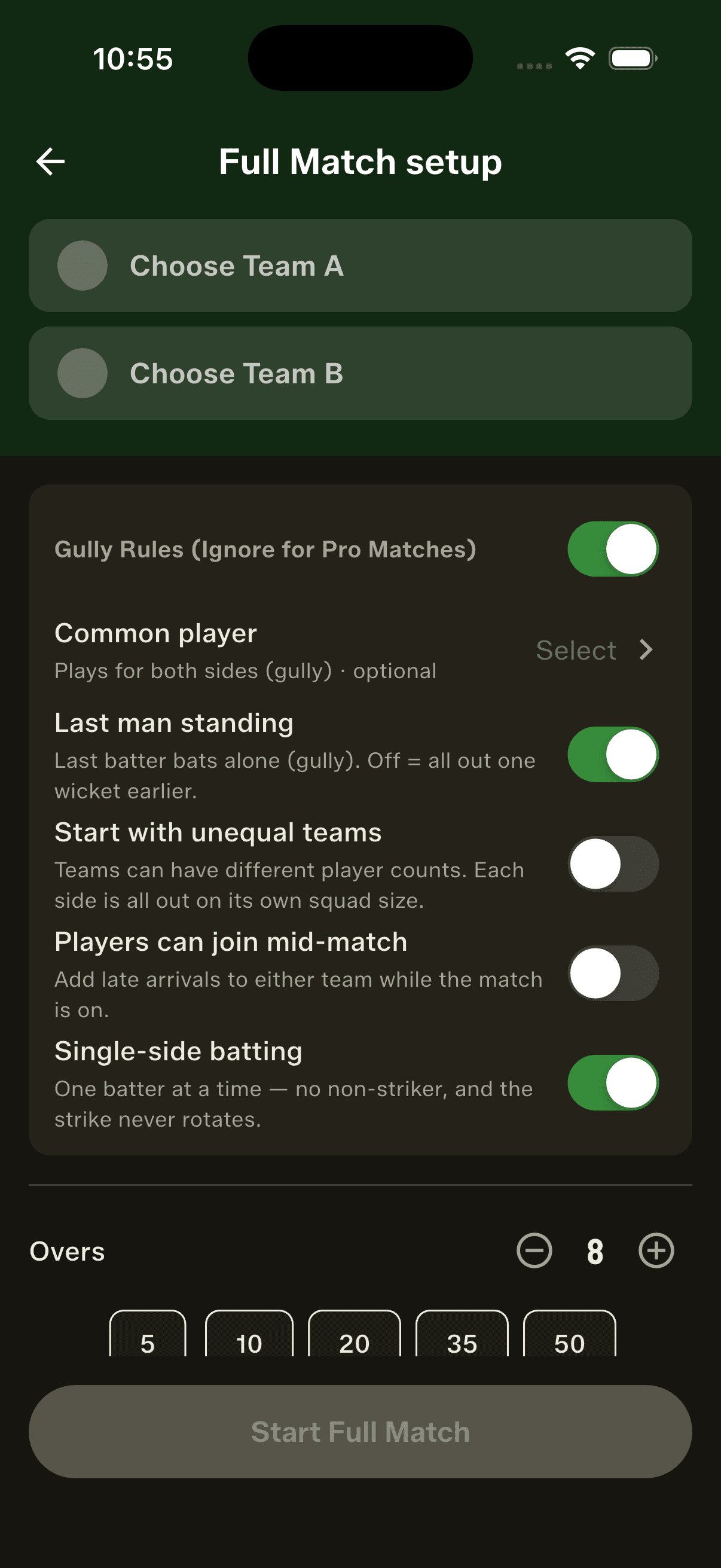
Full Match setup gains a fuller set of rules built for how gully games really run — flip on only the ones your game needs. Start with unequal teams, let players come and go mid-match, or bat single-side with one batter and no non-striker. They sit alongside the classics: a common player who bats for both sides, last man standing, and a bowl-out to break ties.
Start with uneven teams
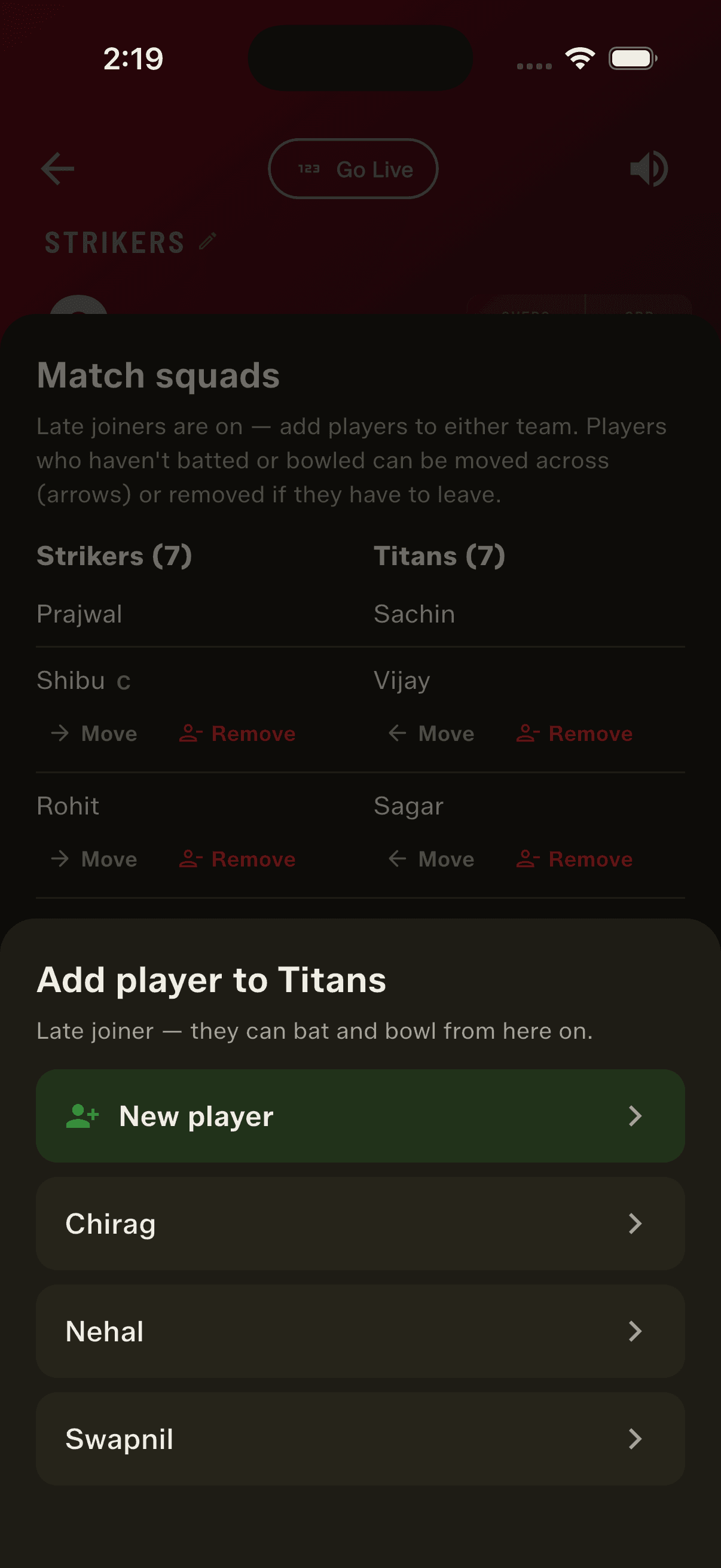
Seven versus five? No problem. Switch on "Start with unequal teams" and the two sides can have different player counts — each is all out on its own squad size, and the result maths and the "won by N wickets" margin follow each team's real size instead of assuming they match.
Players can join, move or leave
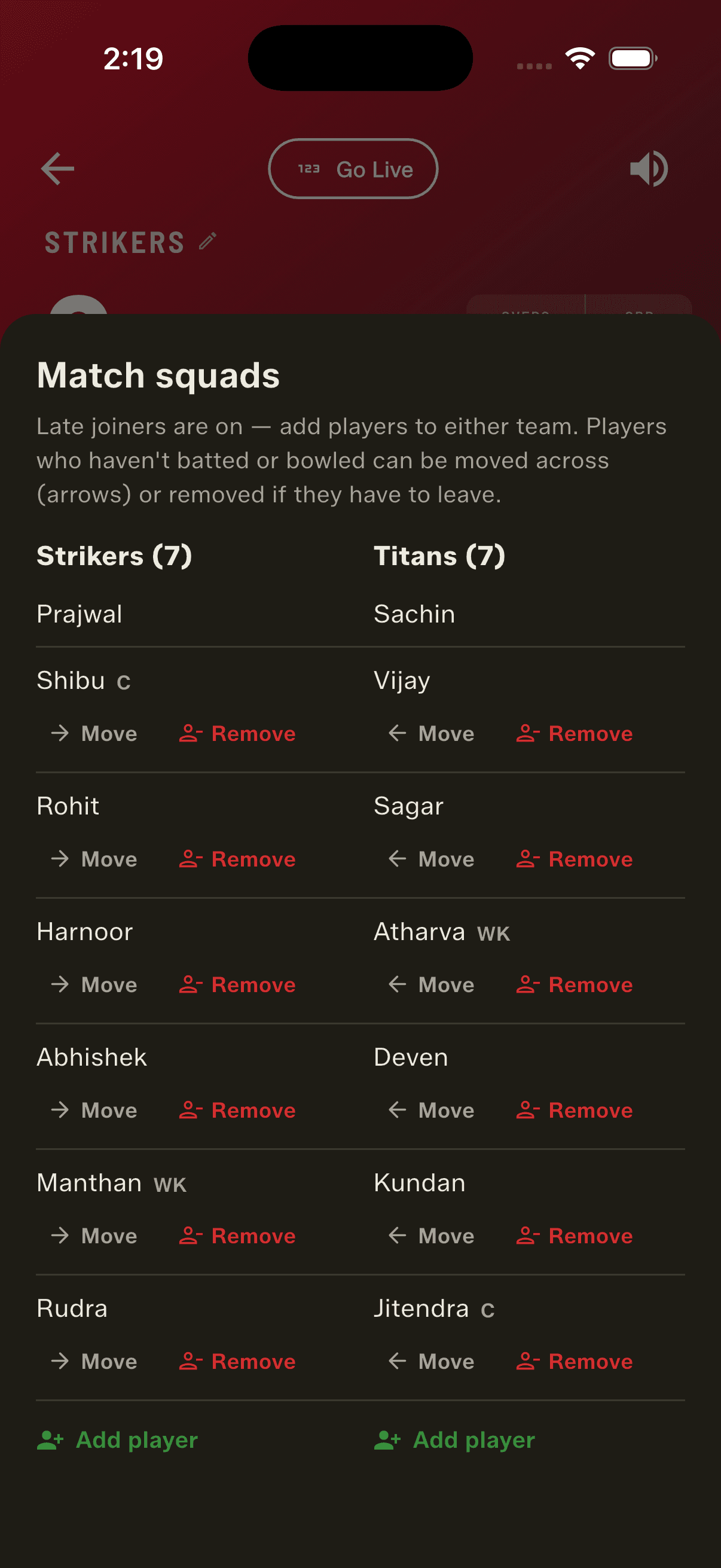
Line-ups aren't locked once the first ball is bowled. Let latecomers join either team mid-match, move a player to the other side when the teams need balancing, or remove someone who has to leave the ground — all without ending the game. Anyone who has already batted or bowled is protected, so you can only move or remove players who haven't yet taken part.
Single-side batting
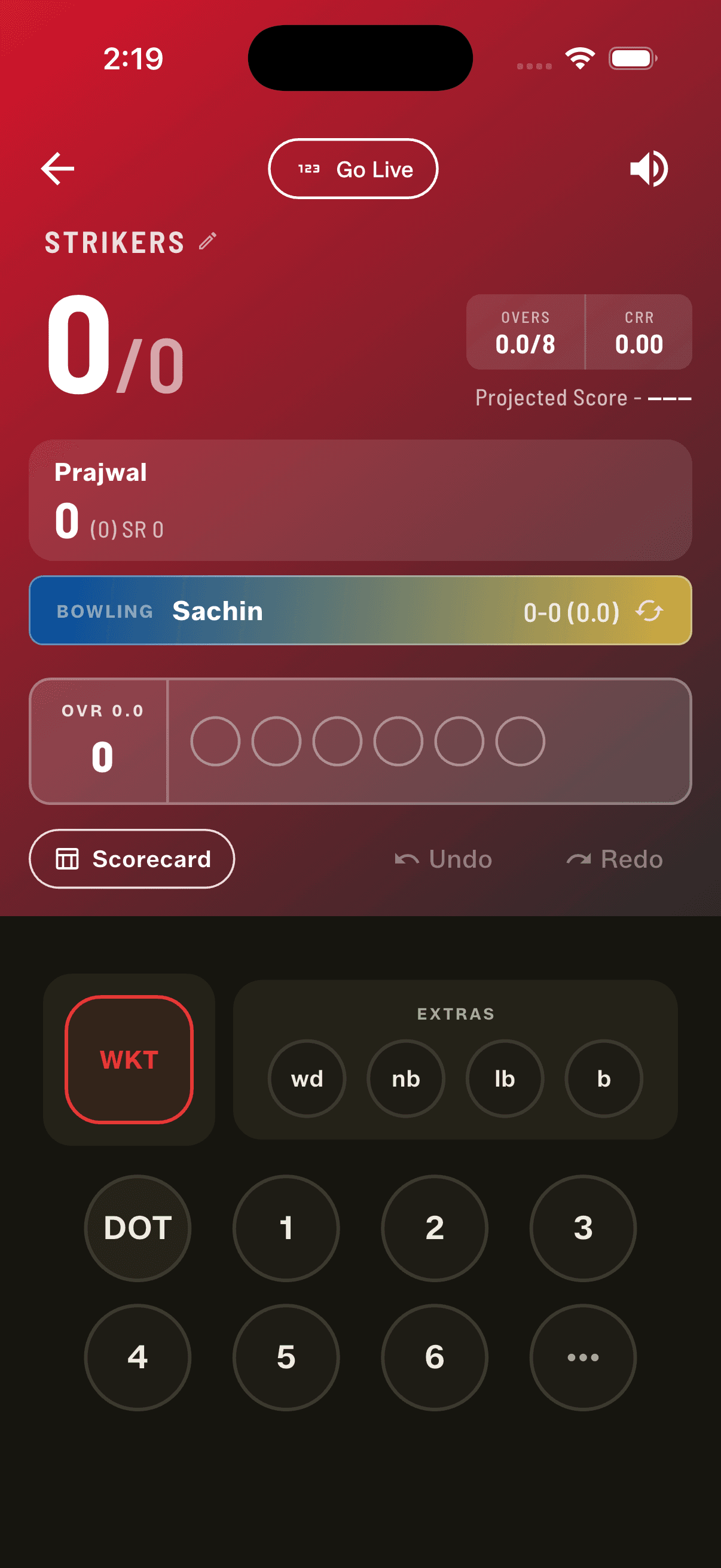
For when only one side really bats — or you're simply a player short — single-side batting puts one batter at the crease at a time. There's no non-striker, the strike never rotates, and a new batter walks in after each wicket. Because every batter bats alone, last man standing stays on and partnerships aren't shown anywhere for the match.
Rank your squad
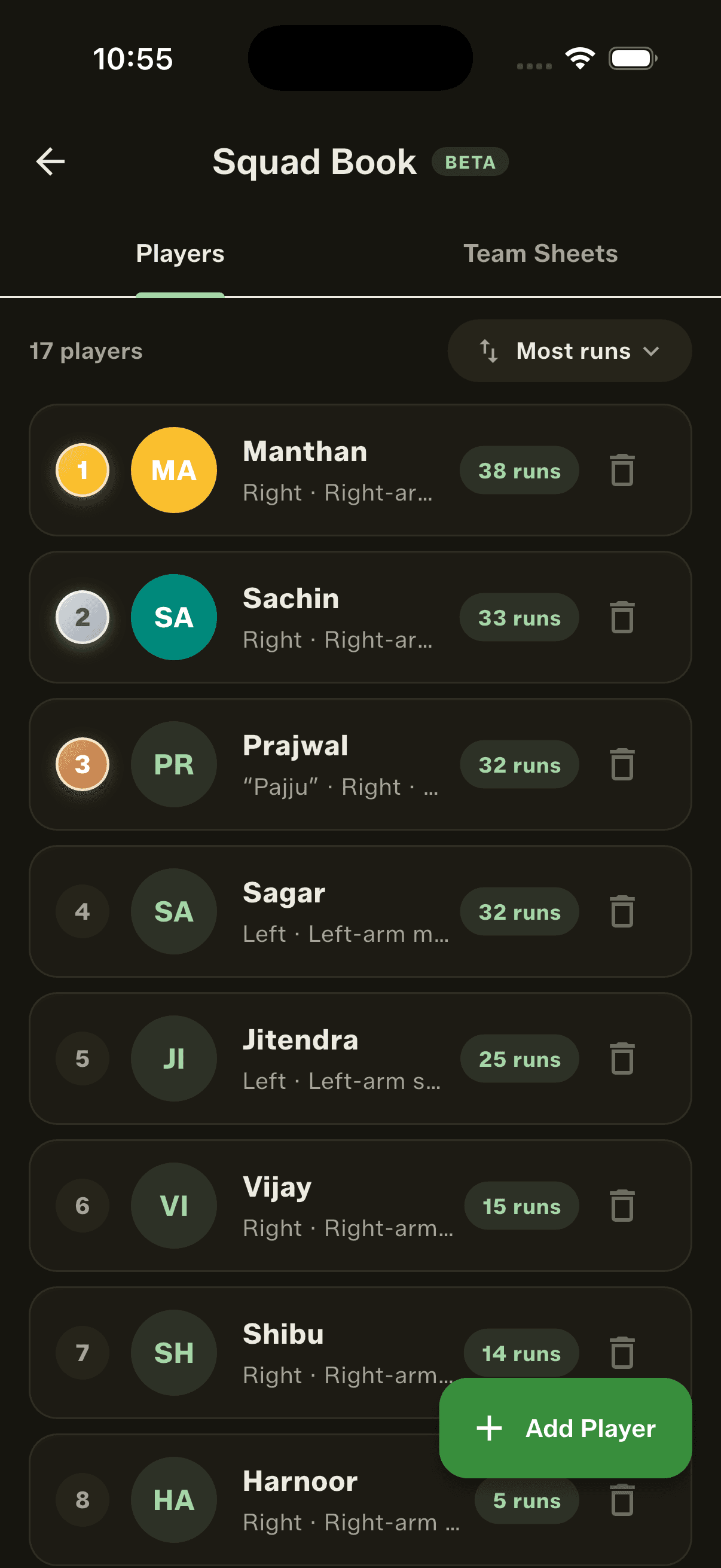
The Squad Book's Players tab now sorts. Leave it on A–Z, or rank everyone by most runs, most wickets, most sixes, best strike rate or best economy — computed across every Full Match you've scored. Whenever you sort by a stat it reads like a leaderboard: your top three wear gold, silver and bronze medals, and each row shows the value it's ranked on. Players who've never batted or bowled sit quietly at the bottom rather than topping a list they don't belong on.
Share a whole match as a PDF
Sharing gets a second format. Alongside the branded images, you can now export a whole match as a single PDF — every card you pick bundled into one file, one per page — so a full scorecard travels as a proper document. You can also share any player's career-stats card straight from their profile, as an image or a PDF, respecting whichever arena and ball filters you've set. Every PDF ends with a scan-to-download page so anyone you send it to can find the app.
An Awards tab, and finer stat filters
The full scorecard now carries an Awards tab, collecting the Player of the Match, Super Hitter, Wicket Taker and Container of the Match cards in one place. And a player's career stats can be filtered by arena and ball type together — Turf and Tennis, say — instead of one dimension at a time, so you can see exactly how someone performs in the conditions that matter.
Scoring polish
A handful of smaller touches round out the release: the live over now shows how many balls have been bowled, a bowler's figures read as overs.balls rather than a raw ball count, and a retired-hurt batter no longer shows up as a wicket in the match summary or on the home screen.
How to get started
- Update GullyCrix to version 3.2 from the App Store or Google Play.
- Start a Full Match and open Gully Rules to turn on unequal teams, mid-match joiners, or single-side batting.
- Mid-match, add, move or remove a player from the match squads sheet whenever your line-up changes.
- Open the Squad Book's Players tab and use the sort control to rank your players — watch the top three earn their medals.
- From a finished match tap Share and choose PDF, or open a player's profile to share their stats as an image or PDF.
- Explore the scorecard's Awards tab, and filter any player's career by arena and ball type together.
Frequently asked questions
What is single-side batting?
It's a gully rule for when only one side really bats — or you're a player short. With single-side batting on there's only ever one batter at the crease: no non-striker, and the strike never rotates. Because every batter bats alone, last man standing stays on and partnerships aren't shown for the match.
Can teams have different numbers of players?
Yes. Turn on "Start with unequal teams" in Full Match setup and the two sides can have different squad sizes — each is all out on its own size, and the winning margin is worked out from each team's real size.
Can players join or leave once the match has started?
Yes. You can add a latecomer to either team, move a player to the other side to balance the game, or remove someone who has to head home — all mid-match, without ending the game. Players who've already batted or bowled are locked in, so only those yet to take part can be moved or removed.
How do the squad leaderboards work?
In the Squad Book's Players tab, sort by most runs, wickets, sixes, best strike rate or best economy — all computed from your Full Matches. The top three get gold, silver and bronze medals, and players with no record for that stat drop to the bottom. A–Z remains the default.
What can I export as a PDF?
You can share a whole match as a single PDF — every card you select bundled into one document — and share any individual player's career-stats card as an image or a PDF from their profile. Each PDF ends with a scan-to-download page linking back to the app.