How to Share a Cricket Match Scorecard on WhatsApp, Telegram & Instagram (as Images or a PDF)

Every gully match ends the same way twice. Once on the pitch — and once in the group chat, when someone who left early asks "bhai, scorecard?". You could type it out from memory (and start a fresh argument about whether it was 4 wickets or 5), or you could send the actual scorecard — a clean, branded image or a proper PDF — in about ten seconds. This guide shows you exactly how to share a cricket match scorecard from GullyCrix to WhatsApp, Telegram, Instagram, or anywhere else your team lives.
What you can actually share
GullyCrix doesn't share a screenshot — it generates real, designed cards from your match data. Depending on what you scored, the share sheet offers:
- •Match Summary — the result and both team scores, plus a small format-and-rules strip so the scoreline explains itself.
- •Scorecards — a full batting + bowling card for each team.
- •Partnerships — every stand of each innings, with the fall of wickets.
- •Top Performers — the Player of the Match with the next contenders behind them.
- •Stats (graphs) — the match-progress worm and over-by-over charts.
- •Over by Over — a ball-by-ball breakdown for each team.
- •Player awards — Player of the Match, Super Hitter, Wicket Taker and Container of the Match cards.
- •Social crops — square (1:1) and story (9:16) versions of the result, sized for WhatsApp Status and Instagram Stories.
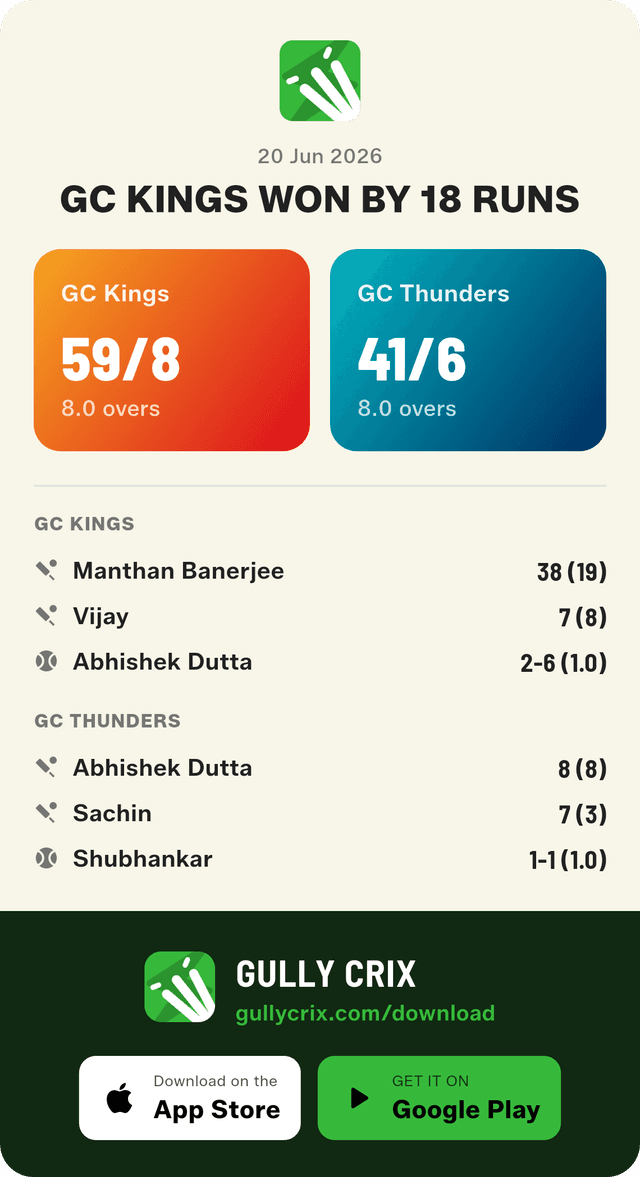
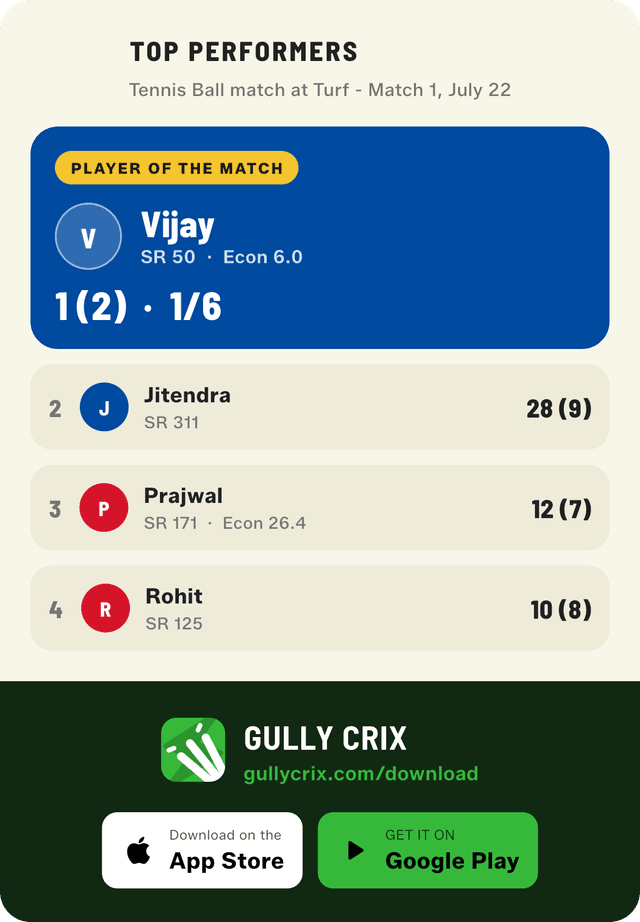
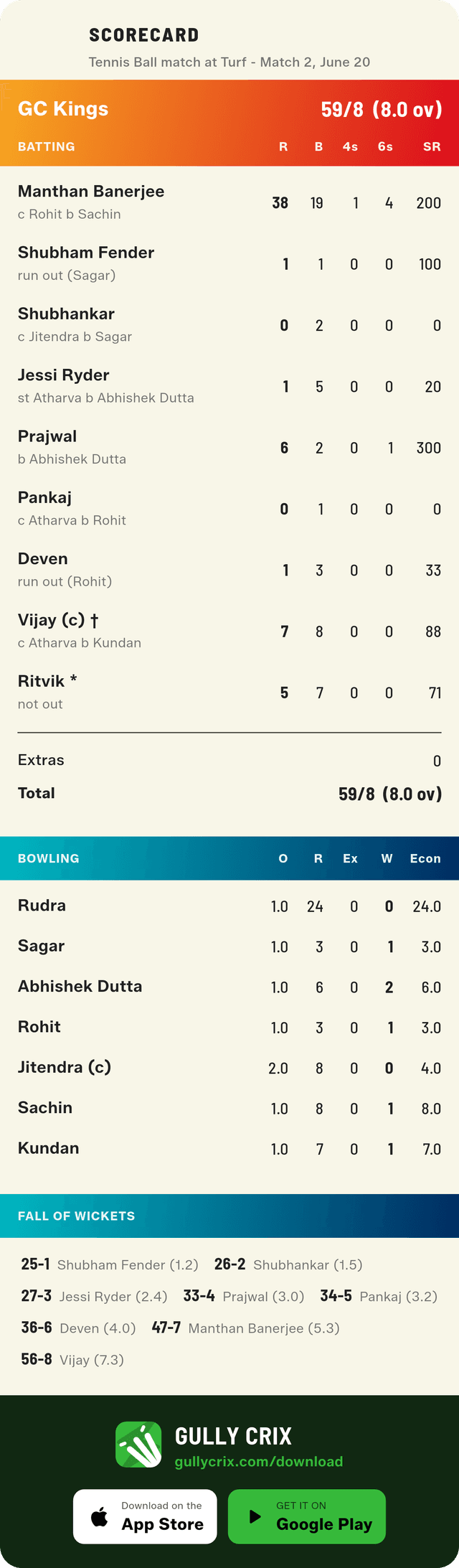
The Match Summary card — the ten-second answer to "who won?"
Step 1: Open the share sheet
There are two ways in. The moment a match ends, the result screen has a Share button — tap it and you're there. For any older game, go to the home screen's Recent Matches list and swipe left on the match — a green share button appears right on the row. No digging through menus.
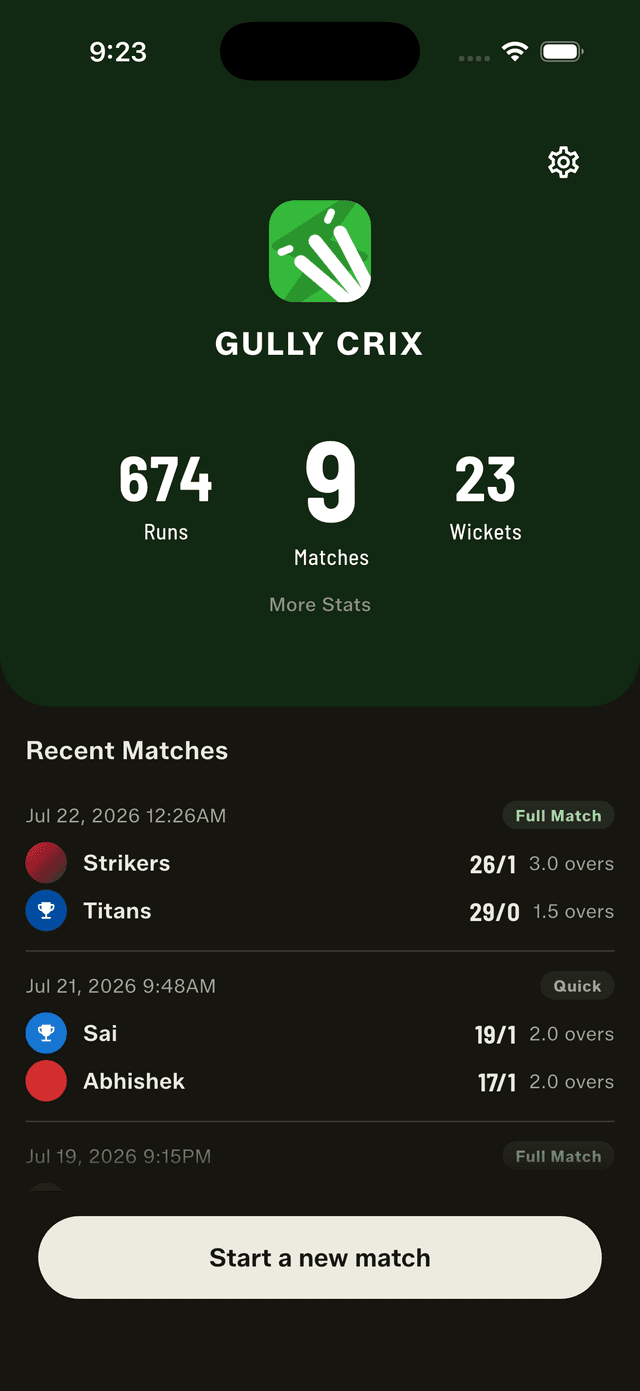
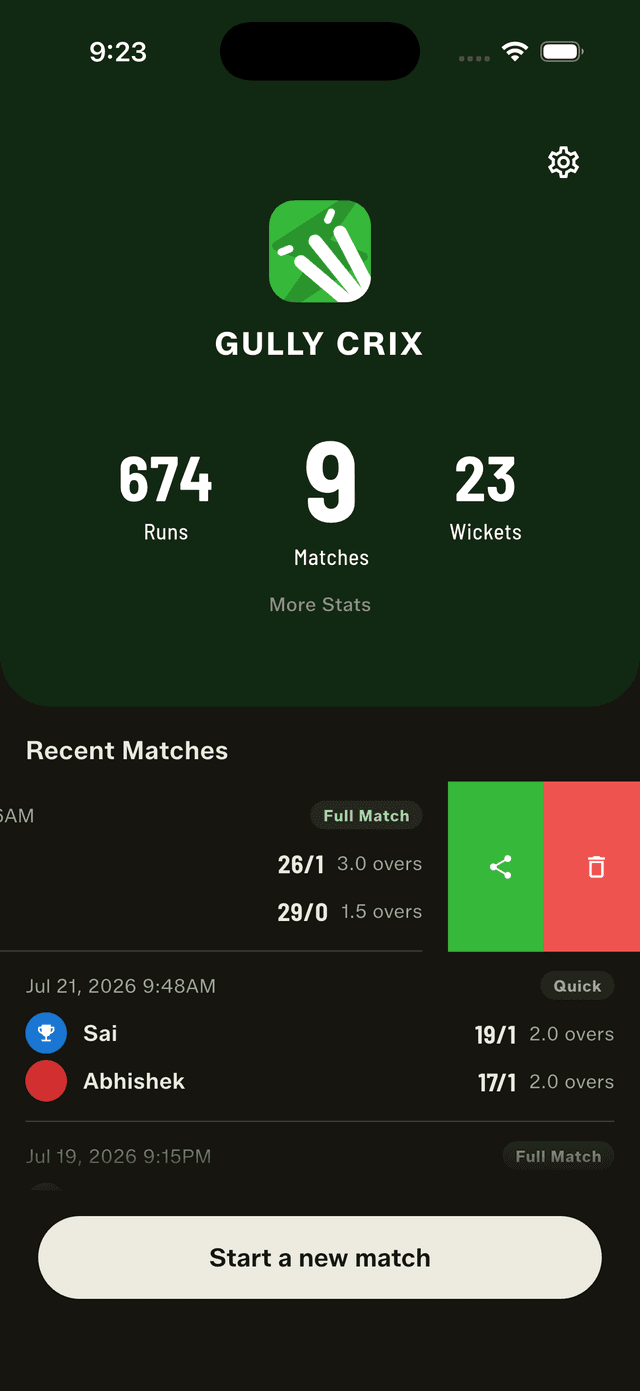
Every match you've scored lives in Recent Matches.
Step 2: Pick your cards
The Share match sheet lists every card with a checkbox and a one-line description, grouped so you can find things fast. Tick exactly what you want — just the Match Summary for a quick flex, or hit Select all and send the whole broadcast package. The Share button counts along with you, so you always know how many images are about to hit the chat. Your selection is remembered for next time, too — set it once and every future share is two taps.
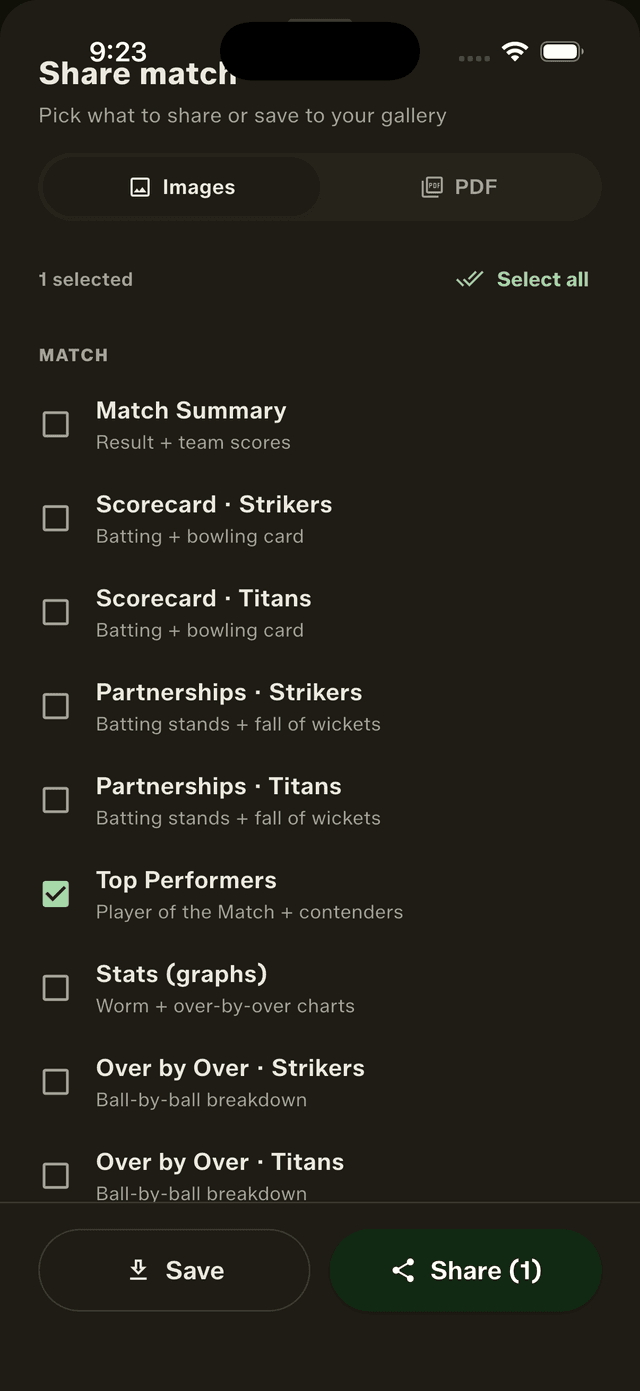
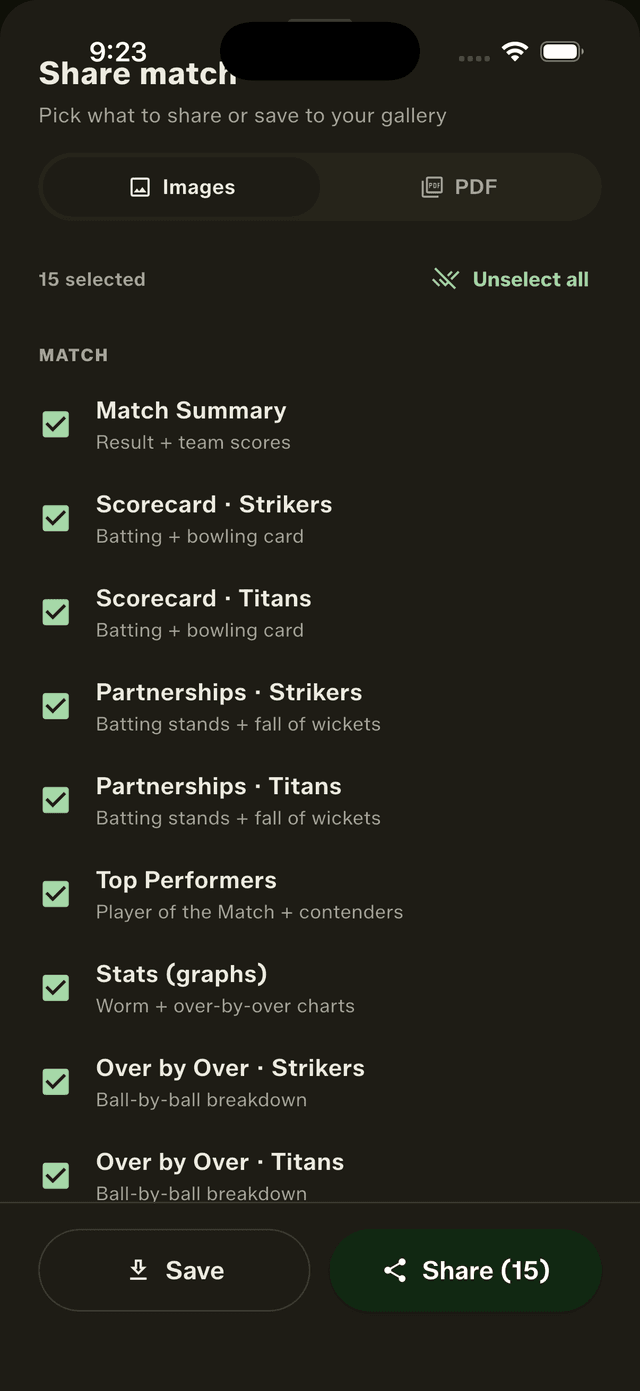
Pick one card… (your last selection is remembered)
Step 3: Share to WhatsApp, Telegram or anywhere
Tap Share and your phone's normal share sheet opens — pick WhatsApp and the group, and the cards land as crisp images everyone can view full-screen, save, or forward to the next group. The same flow works for Telegram, Instagram DMs, Snapchat, email — anything installed on your phone. Prefer to keep the images? Tap Save instead and everything goes straight to your gallery.
Sharing the whole match as a PDF
Images are perfect for the group chat; sometimes you want a document — one file with the entire match in it, for a tournament record, a league admin, or the office team's email thread. Switch the share sheet to the PDF tab, pick your sections, and tap Share PDF. GullyCrix builds the document on your phone — every card you picked becomes a page, and the last page carries a scan-to-download QR code so whoever receives it can find the app.

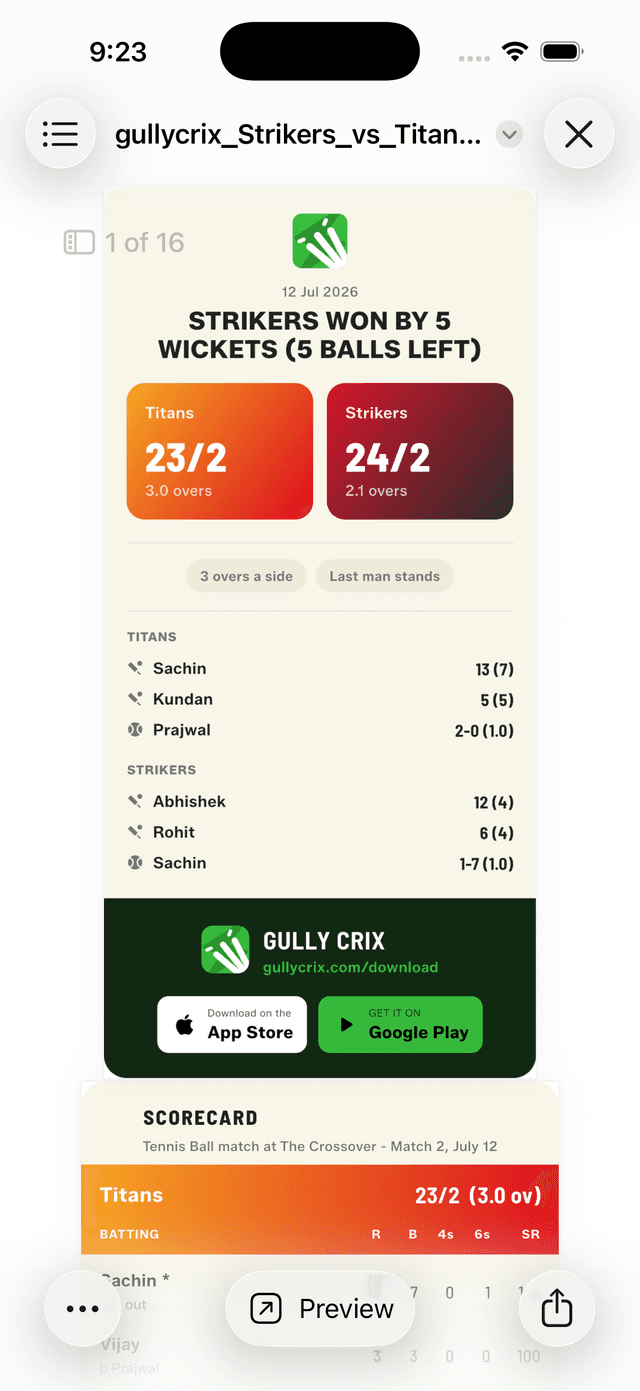
Switch to PDF, pick your sections, tap Share PDF.
From the system share sheet you can send the PDF over WhatsApp or Telegram as a document (full quality, no compression), Save to Files, or even print it. One nice detail: the social square and story crops are automatically left out of PDFs — they're feed artwork, not document pages.
Bonus: share a player's career, not just a match
Match cards settle today's argument; career cards settle the season's. Open any player's profile and you can share their career-stats card the same way — as an image or a PDF — respecting whatever arena and ball filters you've set. Fastest way ever invented to end a "who's the better batter" debate.
The short version
- 1Finish (or open) a match — tap Share on the result screen, or swipe left on it in Recent Matches.
- 2Choose Images or PDF, tick the cards you want — or Select all.
- 3Tap Share, pick WhatsApp / Telegram / Instagram, done. Or Save to your gallery.
Every card here comes from a real scored match — the richer your scoring, the better the cards. Score with named players in Full Match mode and you get the full set: scorecards, partnerships, awards and graphs. New to the share cards? See what shipped in version 3.1 and the 3.3 update, or read how a proper scorecard fits into running a colony tournament. And if you don't have the app yet — it's free, with no ads and no login.