How to Track Every Player's Cricket Stats — Without a League Subscription

Every gully has a player who claims a fifty 'last month' that nobody witnessed. Club cricketers settle this with league websites and paid scoring platforms. Gully cricketers settle it with volume. There's a better way now: GullyCrix 3.0's Full Match mode turns the matches you already play into real career stats for every player — free, offline, and without anyone registering for anything. Here's the whole setup, start to finish.
Step 1: Put Your Gully in the Squad Book
Open the Squad Book and add your regulars. Each player gets a name, an optional alias (because half your gully is known exclusively by nicknames), batting hand, and bowling style — plus a photo or profile colour if you're feeling fancy. This takes five minutes for a whole gully and you only ever do it once.
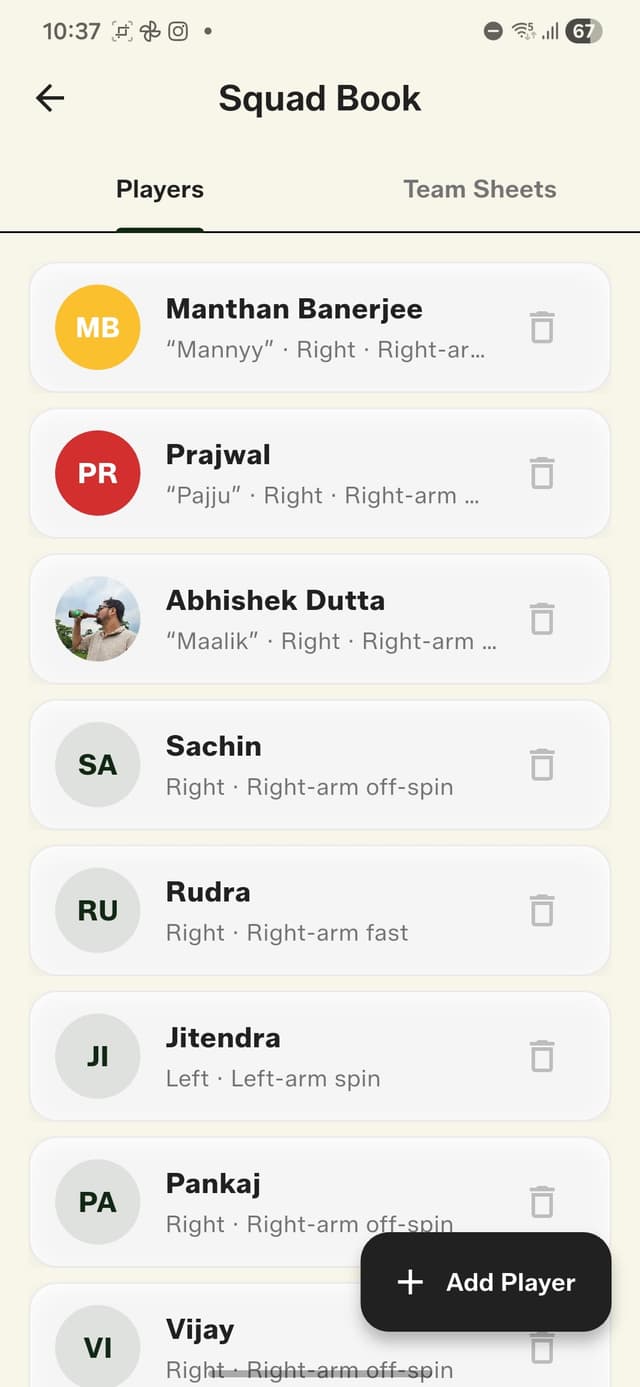
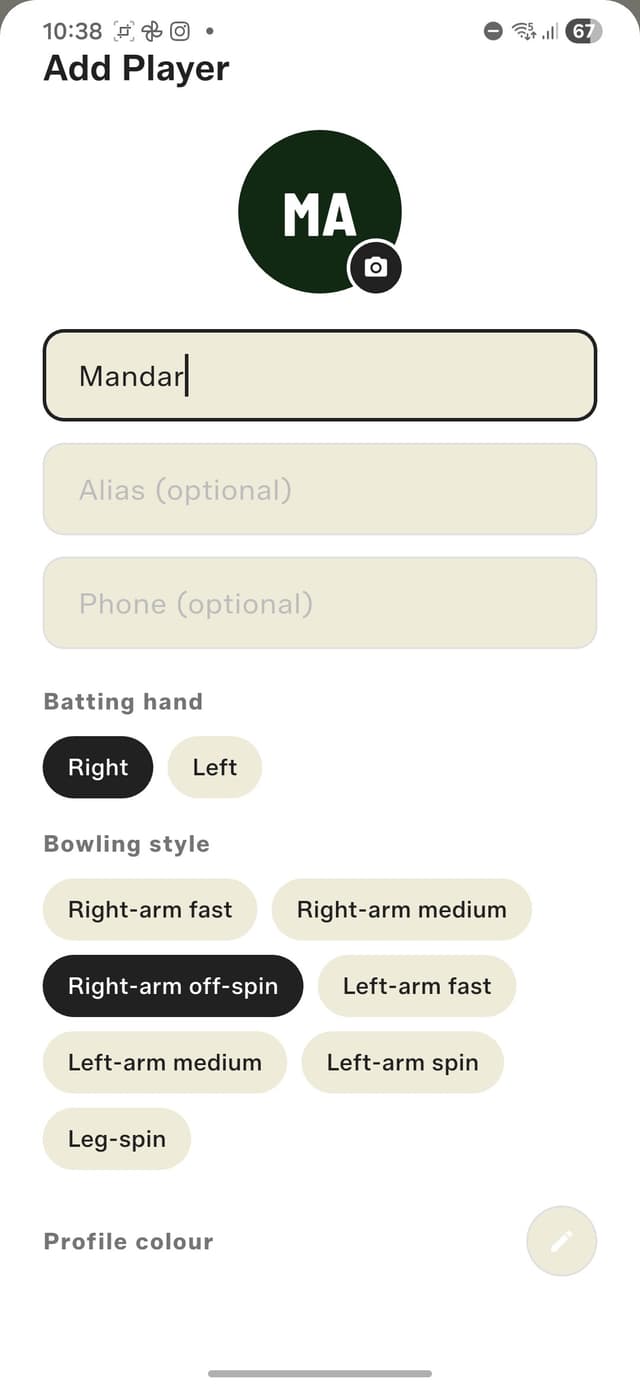
The Squad Book — every regular, with their alias and bowling style.
Step 2: Build Team Sheets
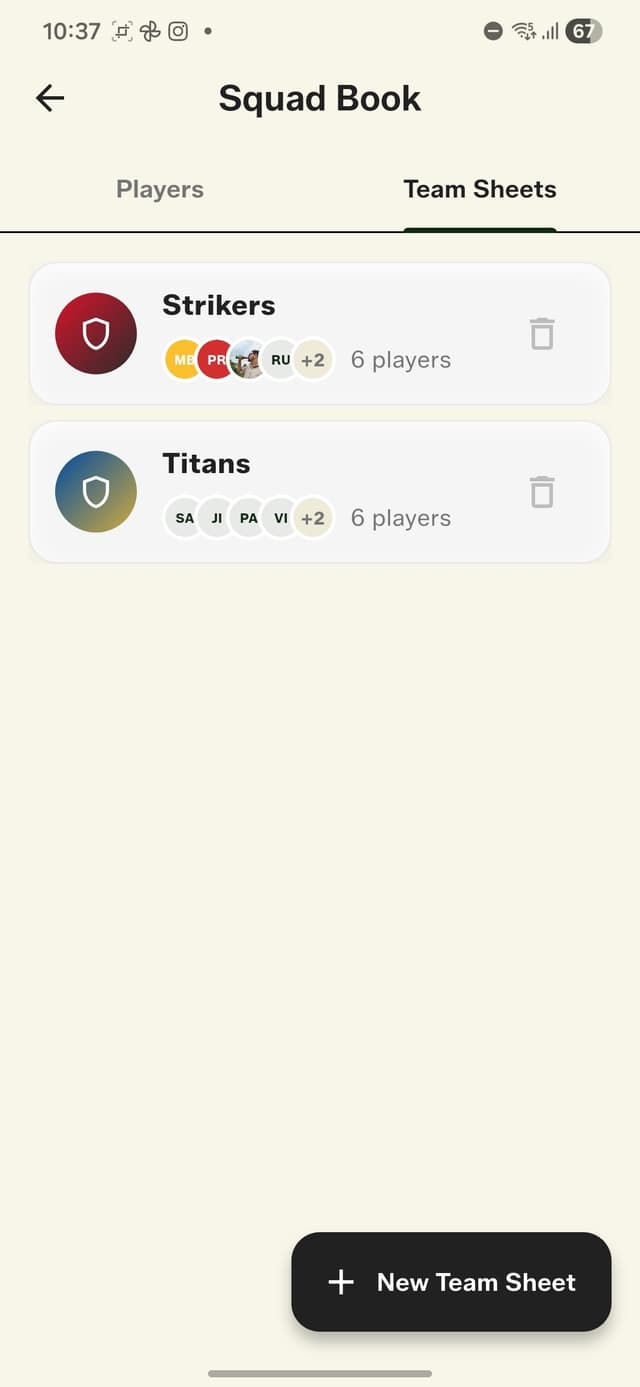
Group your players into reusable Team Sheets — your two regular sides, with their own names and colours. Tag the wicket-keeper and captain if you like; the keeper gets auto-filled when you score a stumping. Next weekend, both teams are one tap away.
Step 3: Score Full Matches
Start a new match, choose Full Match, pick your teams, toss the coin, set your rules, and score like you always have — runs, extras, wickets, ball by ball. The difference is that now every ball belongs to someone: the batter who faced it, the bowler who bowled it, the fielder who took the catch. The app handles strike rotation, bowler quotas, and dismissals, and builds the full scorecard — batting card, bowling figures, fall of wickets — as you go.
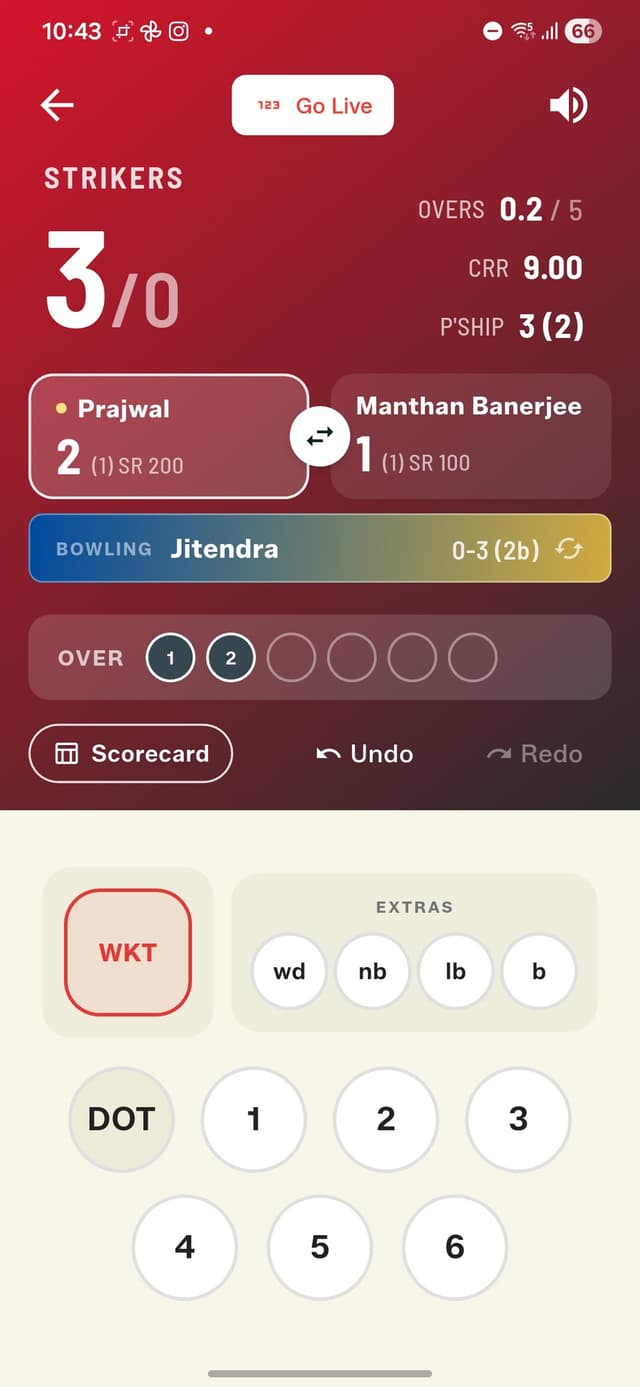
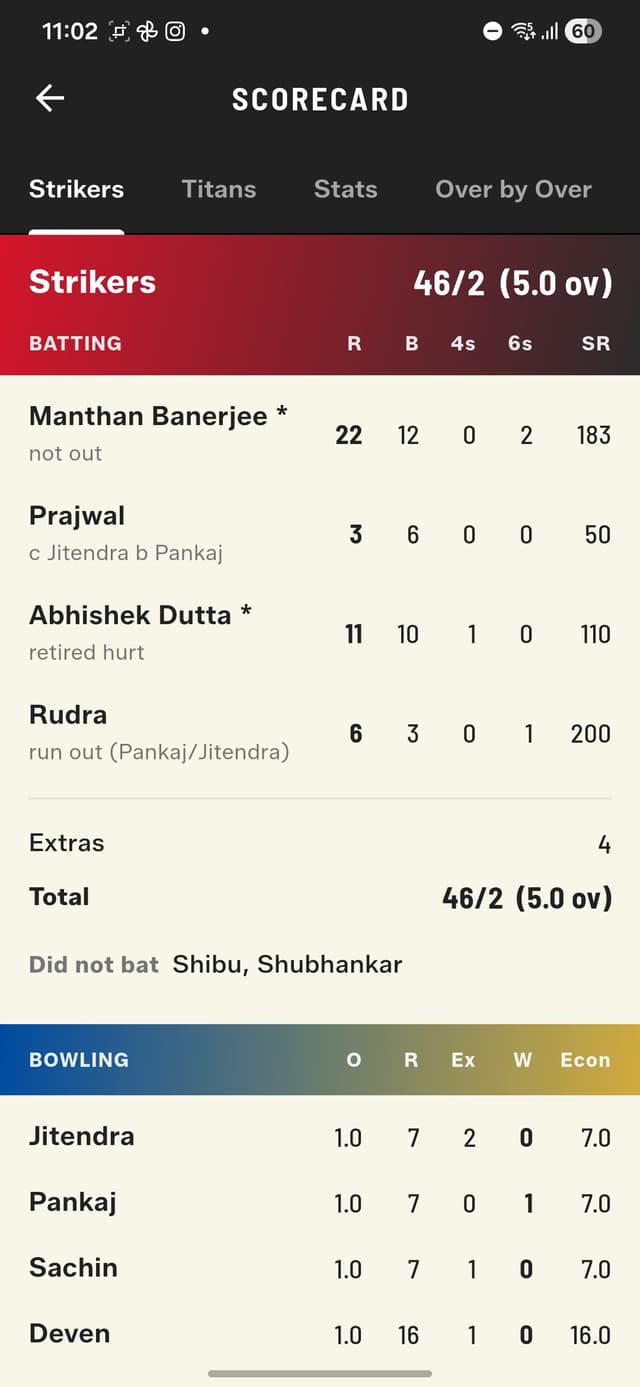
Every ball credited to a real batter and a real bowler.
Step 4: Watch the Careers Build
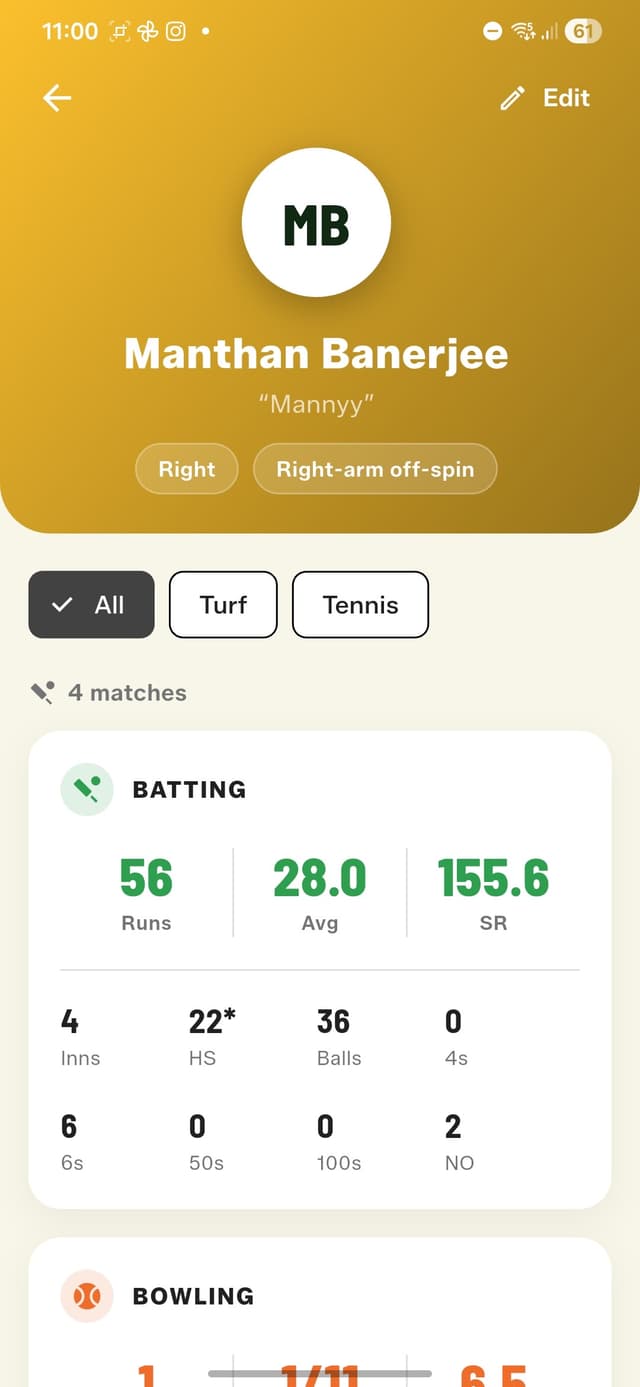
This is the payoff. Open any player in the Squad Book and there's their career: matches, runs, average, strike rate, high score, 4s and 6s, not-outs — and a full bowling record with best figures and economy. Every Full Match you score adds to it automatically. No uploads, no sync button, no subscription.
And because Full Match setup records the arena and ball type, the stats can be filtered by conditions. Tap 'Turf' or 'Tennis' on a player's profile and see how they perform there specifically. Average 28 on turf but single digits on the street? The data will say so, gently.
What Counts, and What's Coming
- •Every Full Match feeds career stats automatically — batting and bowling.
- •Retired-hurt innings are handled correctly: not out, and the batter can resume.
- •A common player's runs count separately for each side they bat for.
- •Quick Matches stay anonymous by design — they don't touch anyone's career numbers.
Right now, the stats live with whoever scores the matches — usually the one friend with the phone and the patience. Soon, players will be able to claim their own stats: register with a phone number, invite your squad, and everyone owns their career record for free. Join the Telegram community if you want early word on that. Ready to start? Download GullyCrix free and put your Squad Book together before the next match.