How to Score a Box Cricket Match on Your Phone (Step by Step)
You've booked the turf. Eight of you are standing on the ground at 7am on a Saturday. Teams are picked. Toss is done. The batting team is walking in. And then someone asks: "Bhai, kaun score karega?"
Nobody has a scorebook. The notes app is a mess. And you're not about to trust someone's memory across 6 overs. Here's how to score a box cricket match properly — on your phone, in under a minute.
What You Need
- •One phone with Gully Crix installed (free, iOS and Android)
- •One scorer — the most responsible person on the day
- •30 seconds to set up before the first ball
Step 1: Set Up the Match (30 Seconds)
Open Gully Crix, tap 'Start a New Match'. Enter both team names — or leave the defaults. Pick a colour for each team. Set the overs (box cricket is usually 6 overs per side, sometimes 4).
That's it. Tap Start Match. You're ready before the batting team has even marked their guard.
Step 2: Scoring Every Ball
The scoring screen shows you everything you need. Tap the runs for each delivery — 0 (dot), 1, 2, 3, 4, or 6. For extras: tap Wide, No Ball, Bye, or Leg Bye first, then the runs if any.
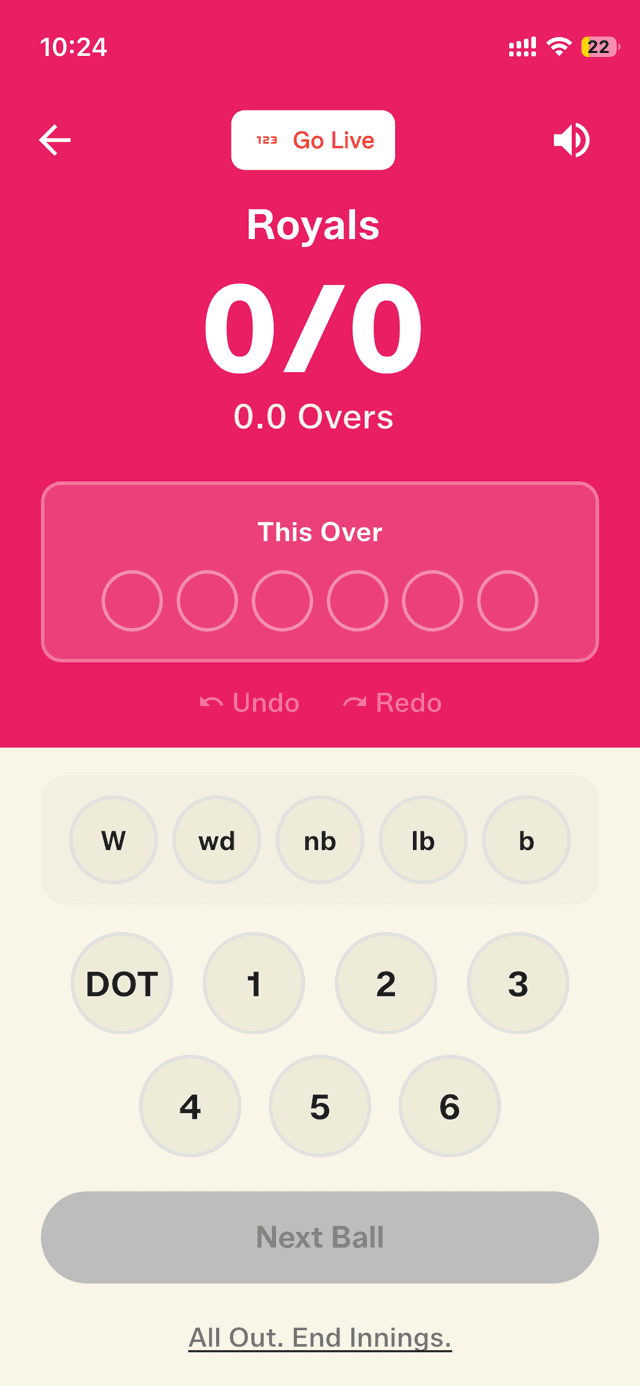
Wicket? Tap W. The score updates instantly. The over counter ticks forward after 6 legal deliveries.
- •DOT ball: tap 0 → confirm
- •Four: tap 4 → confirm
- •Six: tap 6 → confirm (cue the sound effect)
- •Wide: tap Wide → confirm (ball doesn't count toward the over)
- •Wicket: tap W → confirm
- •Made a mistake? Hit Undo immediately — it removes the last ball
Step 3: End of First Innings
When the overs are done, Gully Crix automatically shows the target. 'Team B needs 67 from 36 balls.' Tap Start Next Innings. The second team's innings begins.
If the batting team gets all out before the overs end (and you're playing with an all-out rule), tap 'All Out. End Innings' at any point.
Step 4: Match Result and Sharing
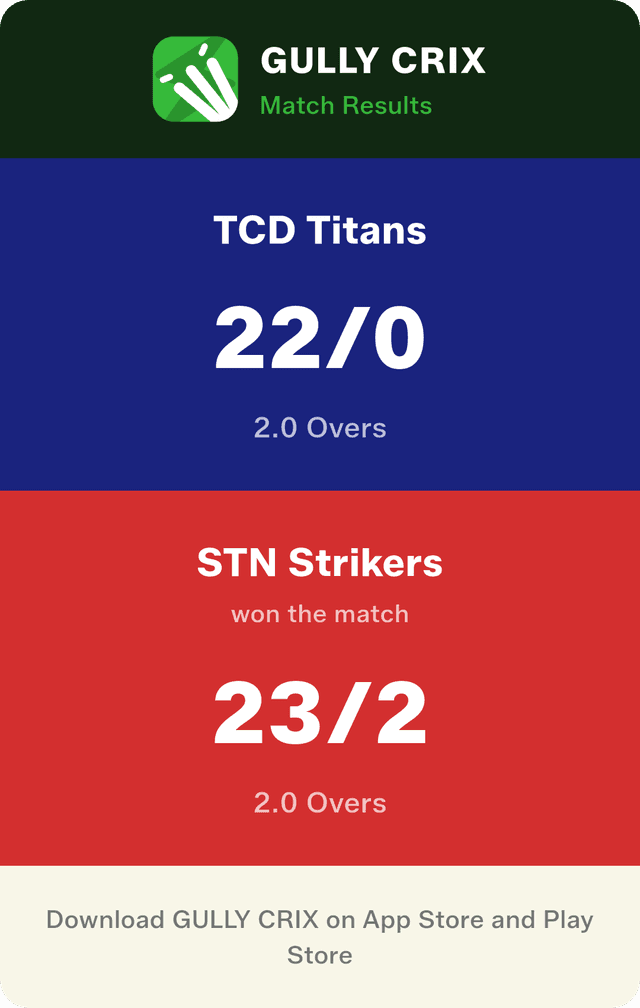
When the match ends, Gully Crix shows the result: who won, by how many runs or wickets, the full scorecard. Tap Share to generate a match result card. Drop it straight into the WhatsApp group. Match captured. Arguments over.
What About Box Cricket Specific Rules?
Box cricket often has rules that differ from standard cricket. Here's how to handle the common ones in Gully Crix:
- •No LBW: Simply don't tap W when a ball hits the pad. Gully Crix doesn't force you to record LBW decisions
- •Six and out: If you're playing with a six-is-out rule, tap W after recording the six. It adds the runs AND the wicket
- •Wall boundary: Agree before the match whether the wall on the full is a six or a four. Record accordingly
- •Last man standing: Gully Crix has no wicket limit, so play continues as long as you want
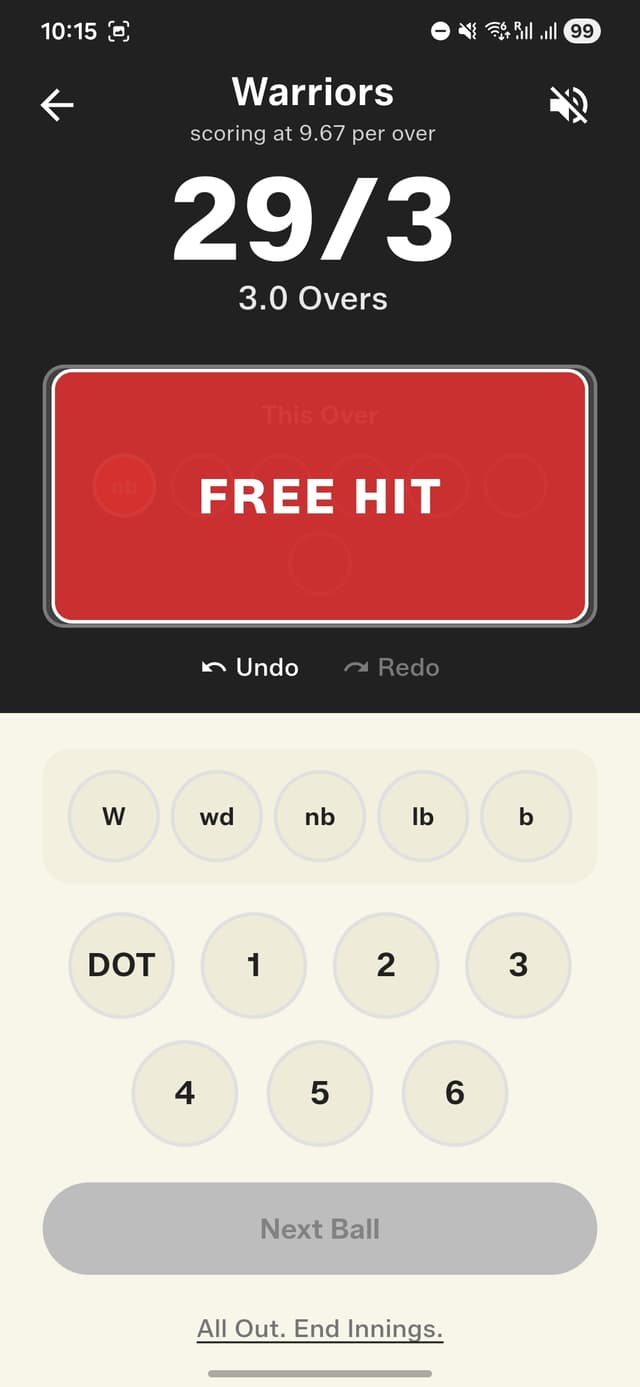
- •No-ball free hit: Gully Crix alerts you after every no-ball with a Free Hit indicator on the next delivery
Running a Full Tournament?
Gully Crix keeps every match in your history. After a full tournament day, you can pull up any scorecard, review any over, and share every result. It's the only record you'll have of who actually won the argument about that disputed wide in match 3.
“The best scorer is the one nobody notices — because the score is always right.”