GullyCrix 3.0 is Here: Full Match Mode — Named Players, Real Scorecards, Career Stats
GullyCrix has always been about one thing: scoring a gully match faster than anyone can argue about it. Two team names, tap-tap-tap, done. But there was always a question the app couldn't answer: who hit those 22 runs? Version 3.0 answers it. Meet Full Match mode — player-level scoring, real scorecards, and career stats for everyone in your squad.
Two Ways to Score
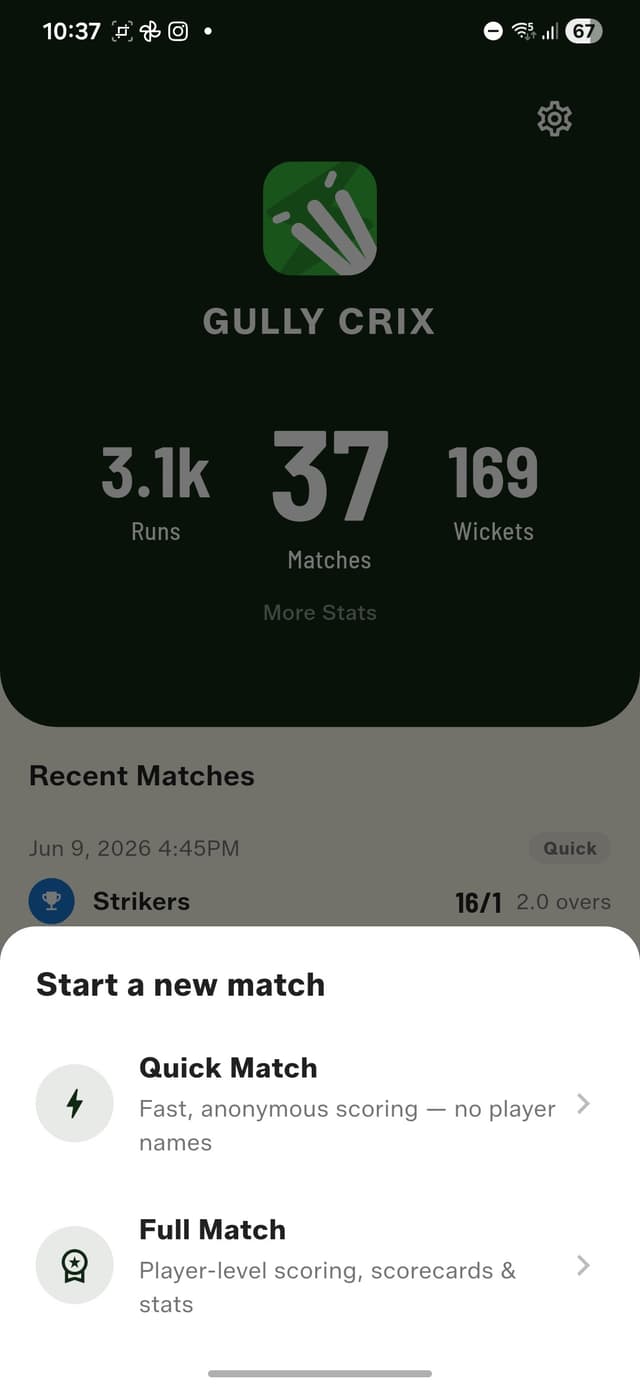
Start a new match and you now get a choice. Quick Match is the classic experience — fast, anonymous, no player names, exactly as it's always been. Full Match is the new one: named batters and bowlers, every dismissal recorded properly, and a scorecard at the end that looks like the real thing. Nothing was taken away to make room for this; if you love Quick Match, it even got a fresh coat of paint in this release.
The Squad Book
Full Match starts with your people. The new Squad Book is where your regular players live — name, alias, batting hand, bowling style, even a photo and a profile colour. Add everyone once, then build reusable Team Sheets from them. Tag a wicket-keeper and captain while you're at it; the keeper gets pre-filled automatically when you record a stumping.
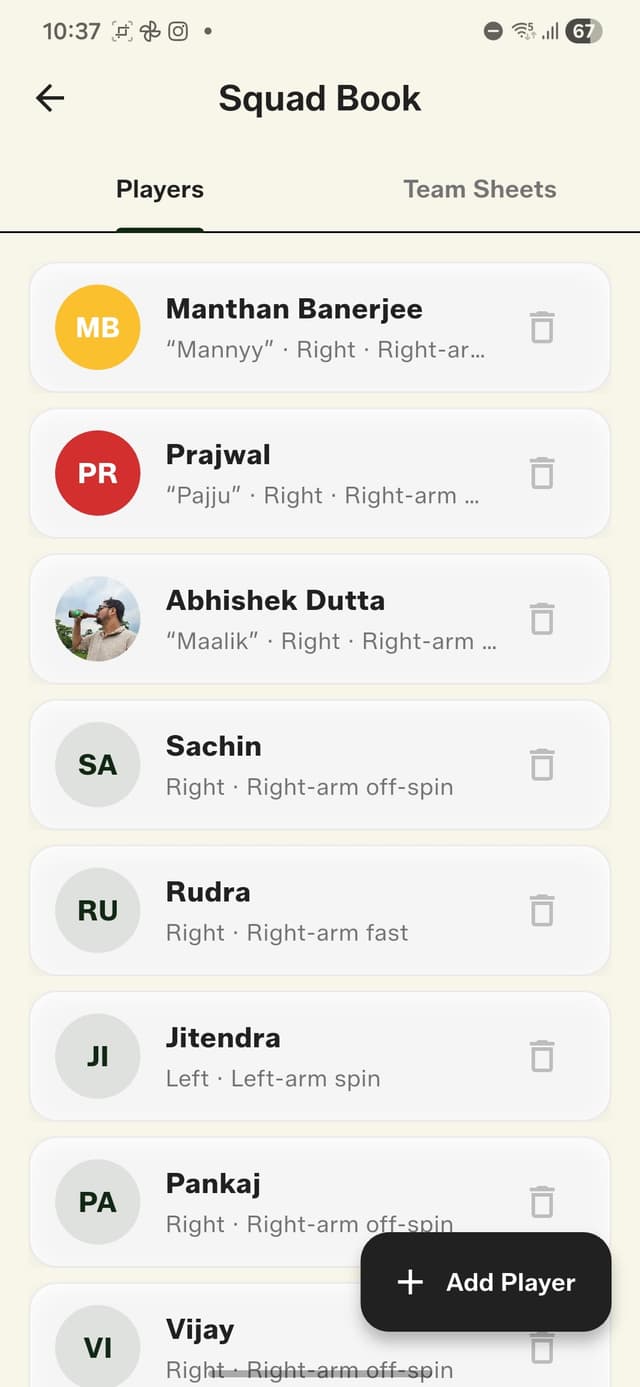
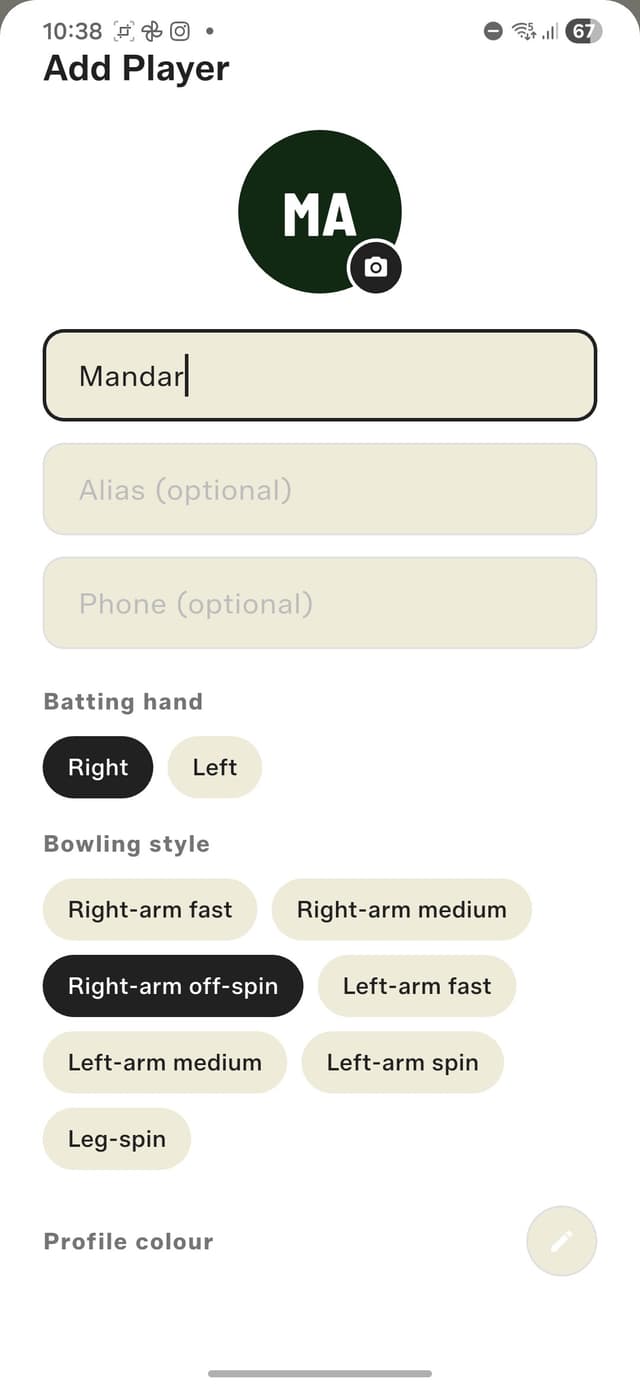
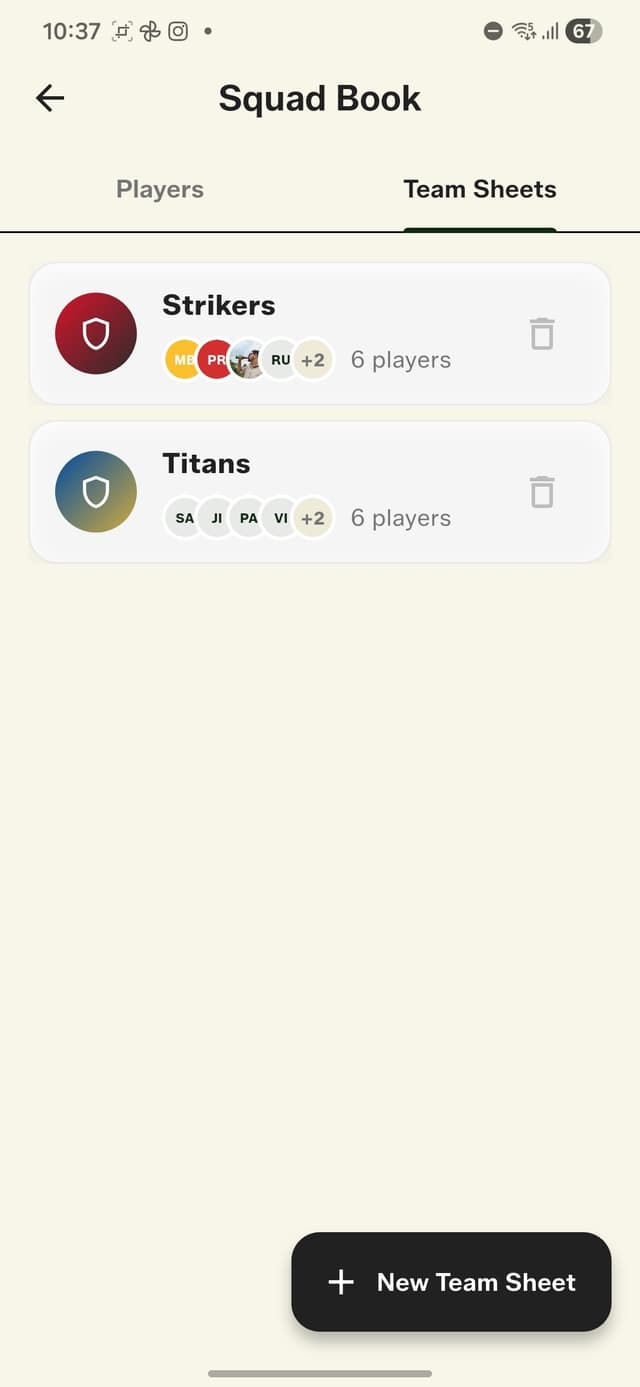
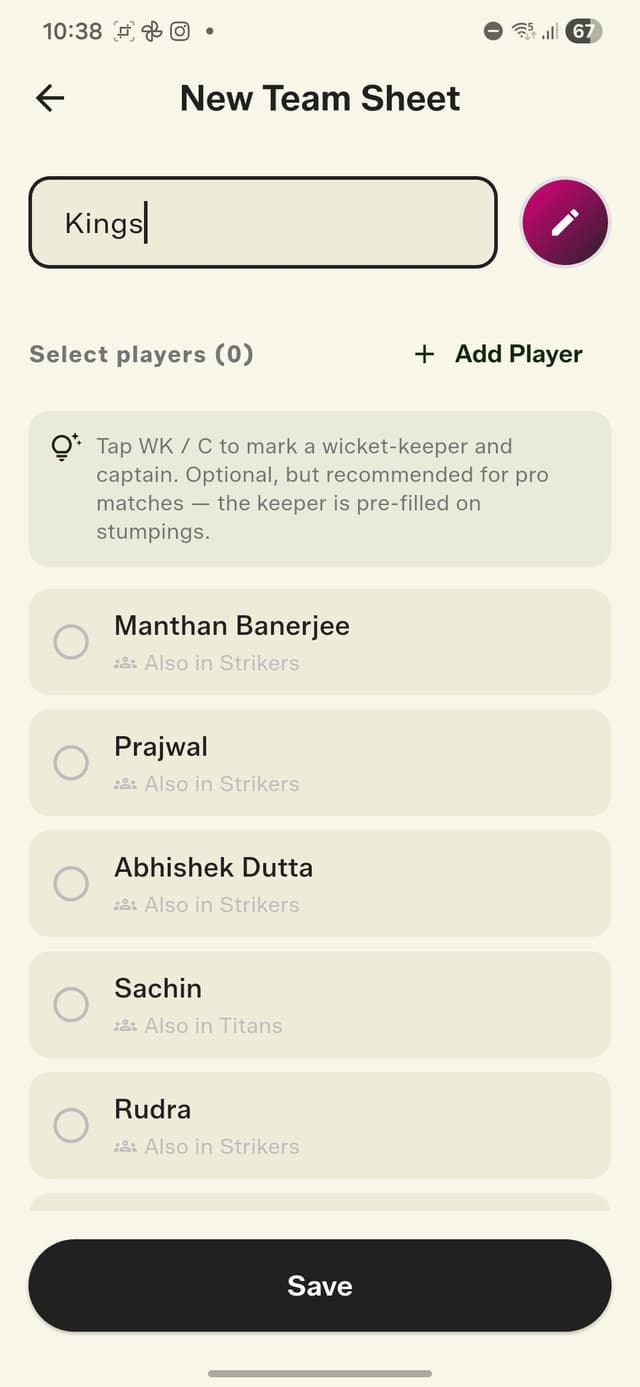
Your whole gully in one place.
Match Setup That Speaks Gully
Pick your two saved teams, toss the built-in coin — the result shows straight away — and set your rules. And I do mean your rules. There's a Common Player option for when sides are uneven (one player bats for both teams, even someone who isn't in either team sheet), and a Last Man Standing toggle so the last batter can bat alone, the way gully cricket has always worked. You can also record the arena (Turf, Ground, Street, Mohalla, Stadium) and the ball (Tennis, Tape, Leather, Rubber, Plastic, Wind) — more on why that matters in a minute.
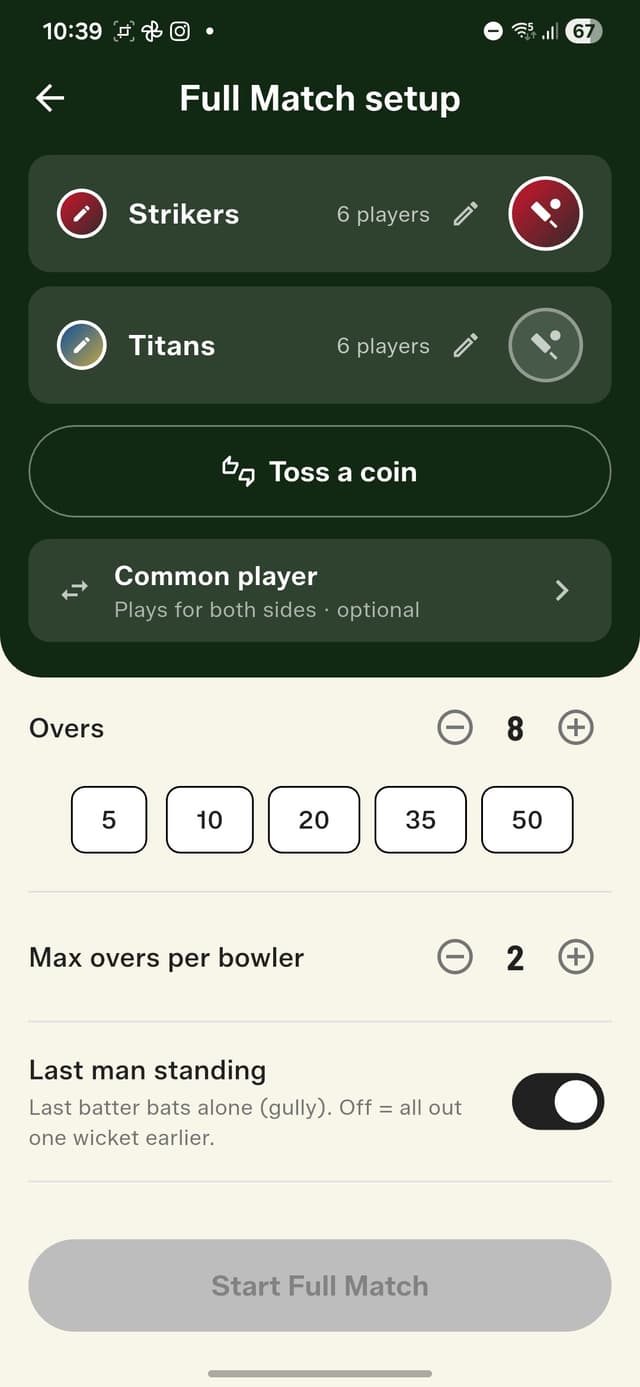
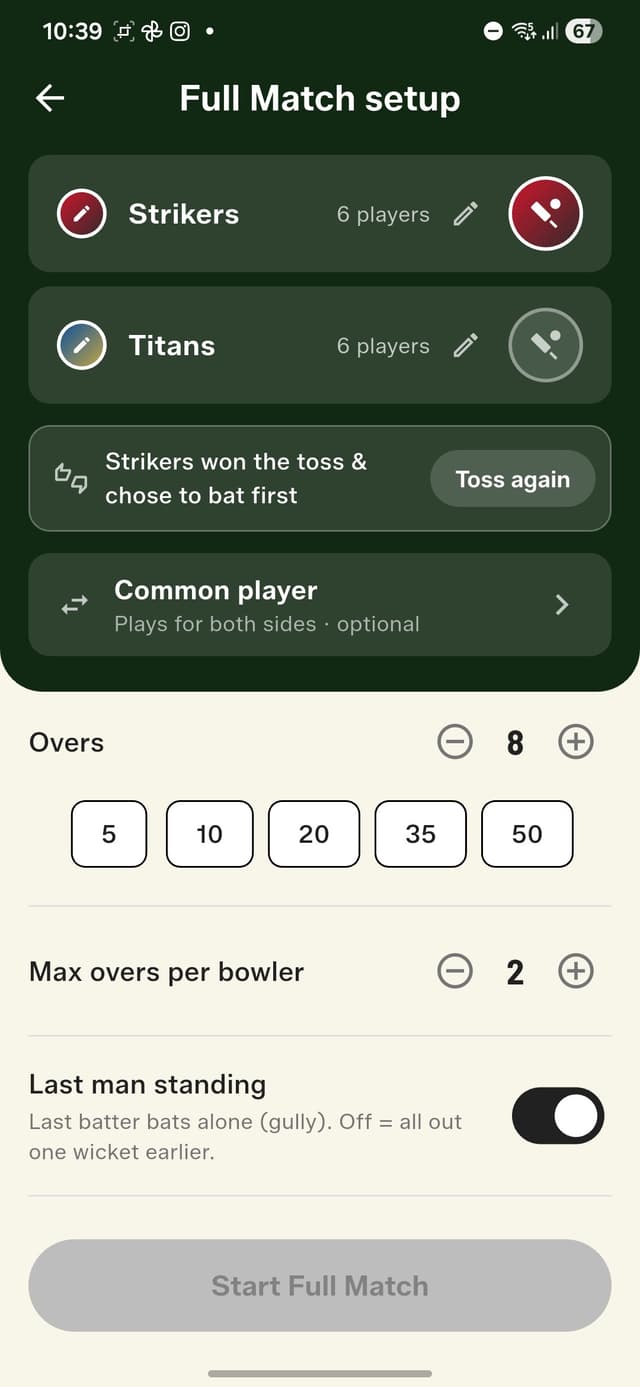
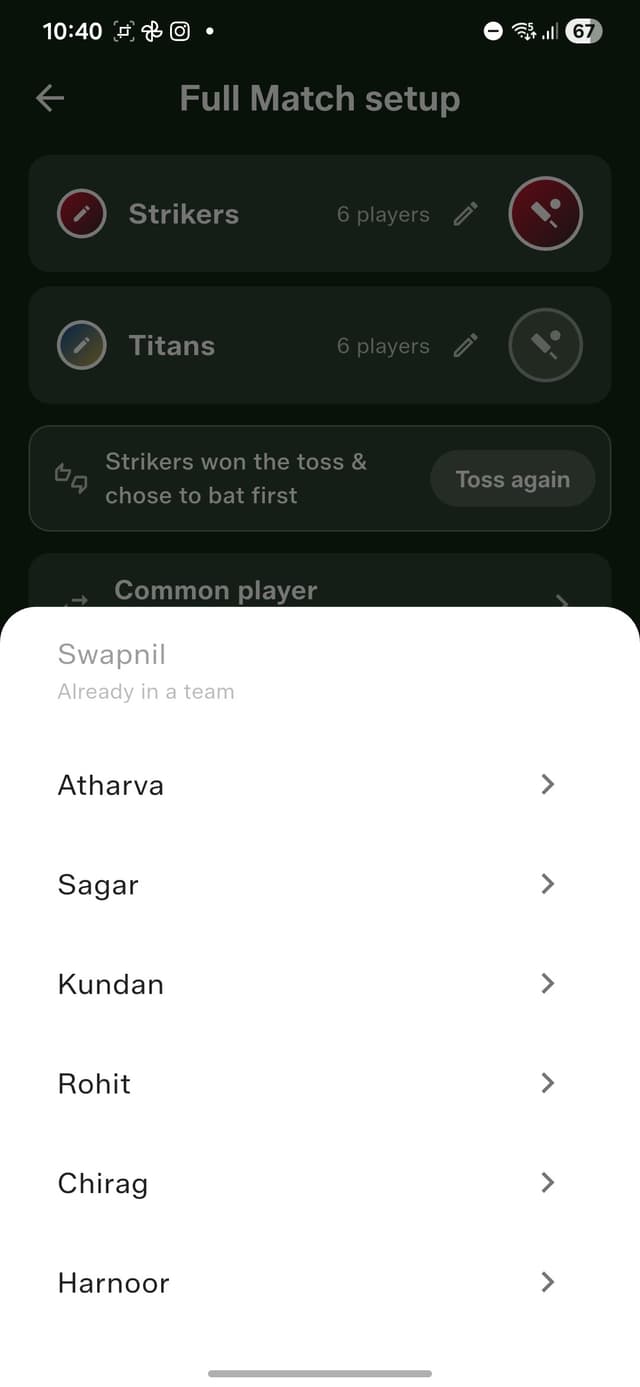
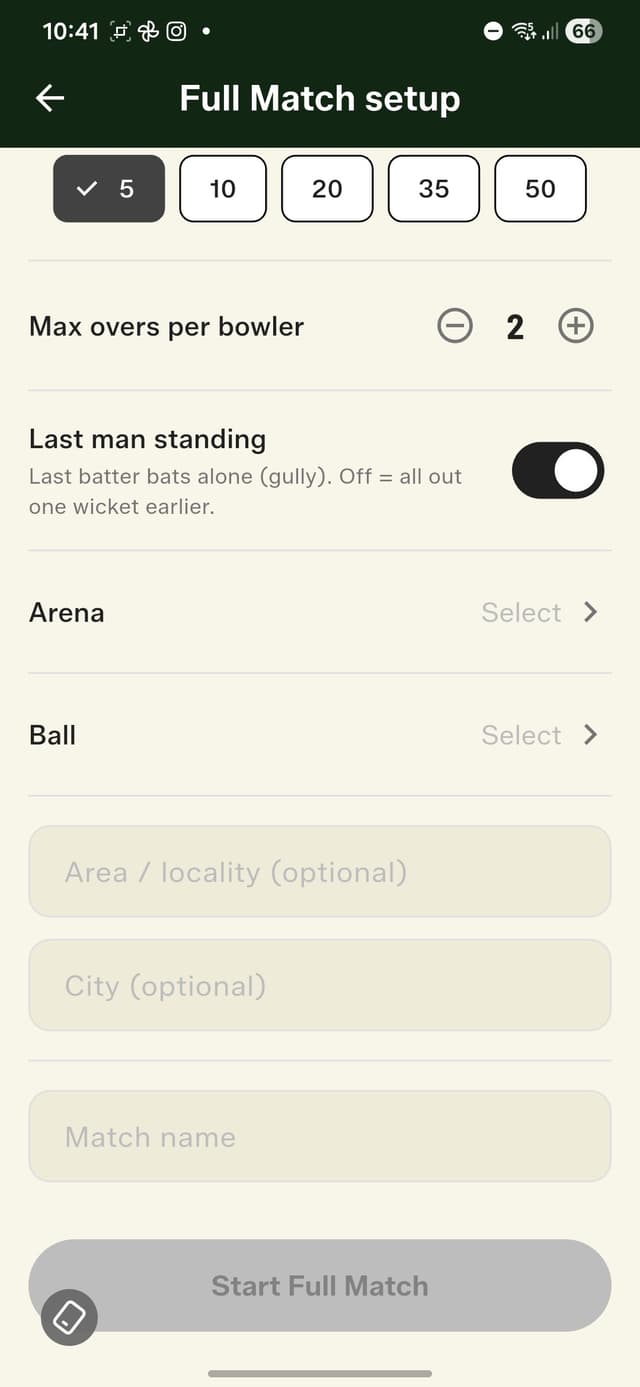
Saved teams, one tap each. Then toss the coin.
Scoring, With Real Names On It
Pick your openers and opening bowler, sit through the new 3… 2… 1… countdown, and you're in the new scoring screen. The batting team's colours fill the scoreboard; the bowler bar wears the bowling team's colours — and the whole thing swaps automatically between innings. Both batters are on screen with runs, balls, and strike rate, next to the partnership and run rate you already know from Quick Match. At the end of each over, the app asks who bowls next — and enforces the rules for you: quota used up, locked out; bowled the last over, locked out. Picked someone by accident? Change them before the first ball. Bowler pulls up injured mid-over? Swap them and someone else finishes it.
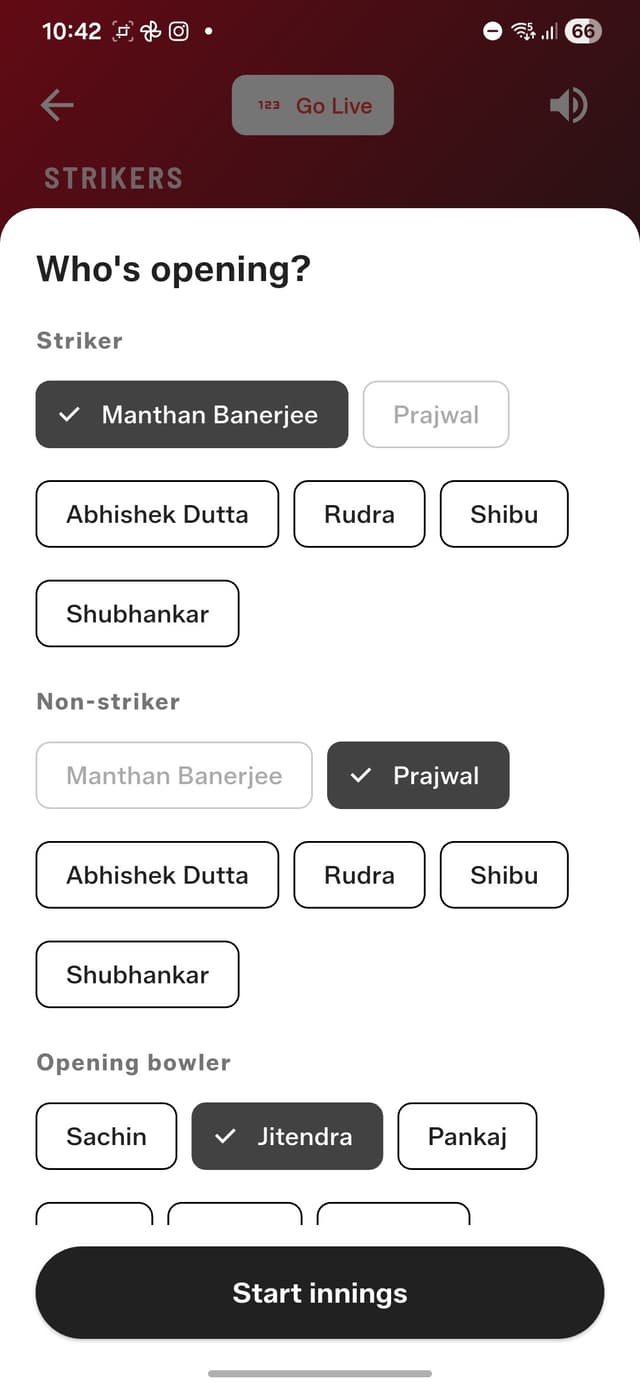
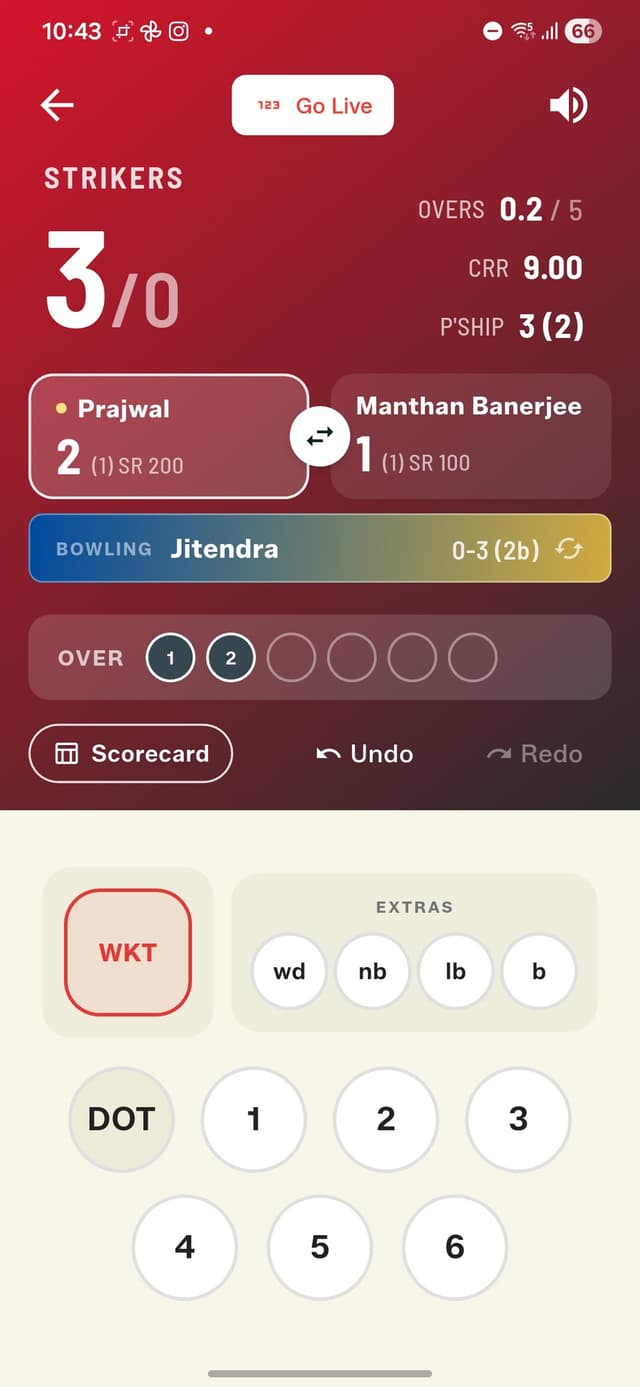
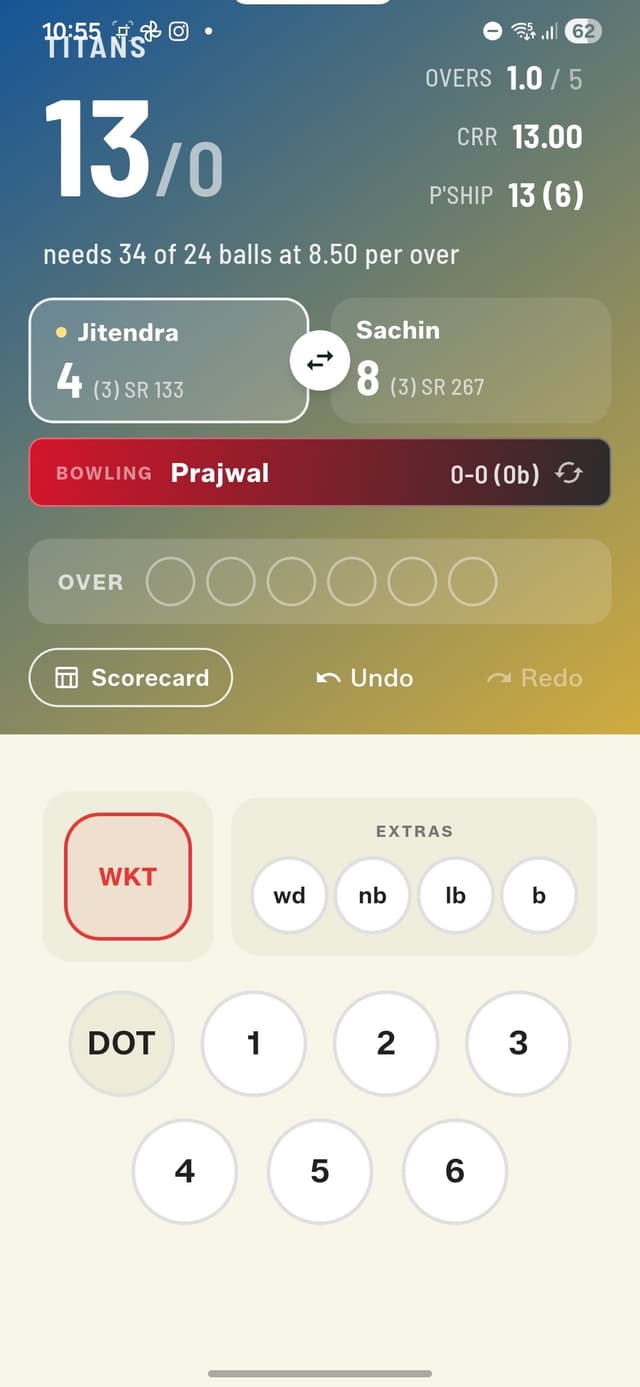
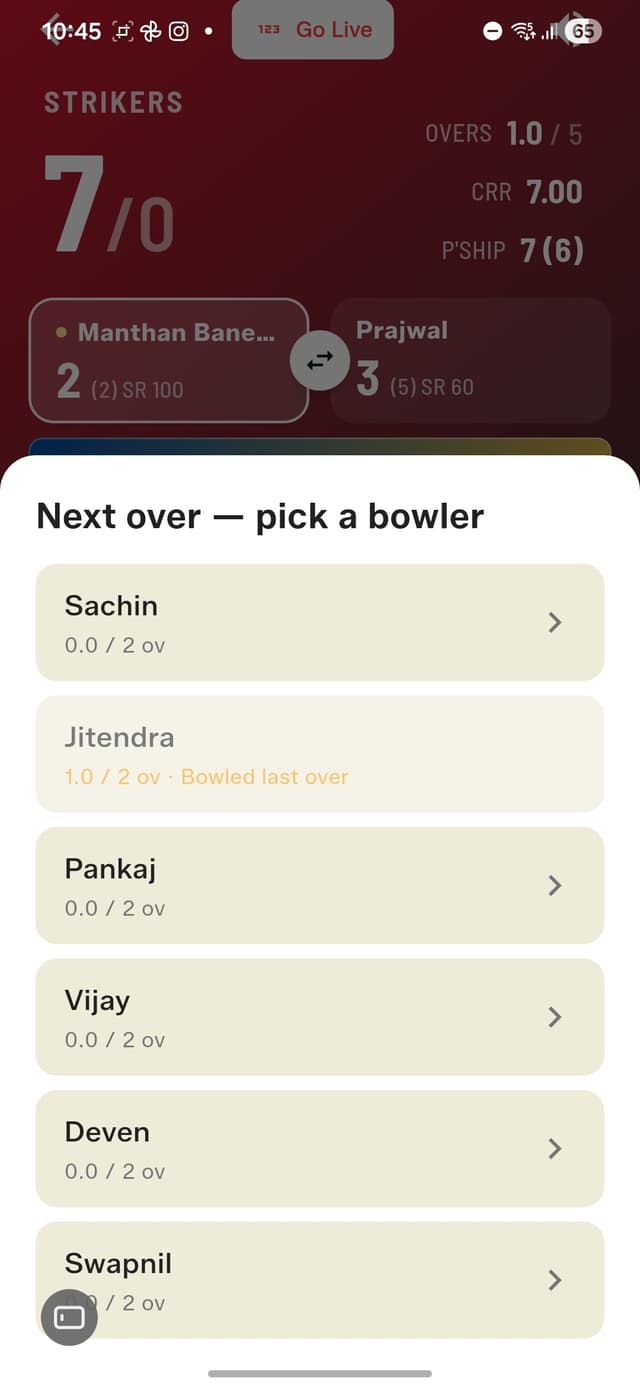
Striker, non-striker, opening bowler — and you're off.
Every Dismissal, Handled Properly
Bowled, Caught, LBW, Run Out, Stumped, Hit Wicket, Retired Hurt, Retired Out — they're all here, and each one asks exactly the questions a real scorer would. Caught? Credit the fielder. Stumped? The keeper's pre-filled. Run out? Pick which batter was out, credit up to two fielders, and answer whether the batters crossed — that decides which end the new batter takes. And Retired Hurt does what it should: no wicket counted, and the batter stays in the Next Batter list so they can walk back in later, resuming exactly where they left off.
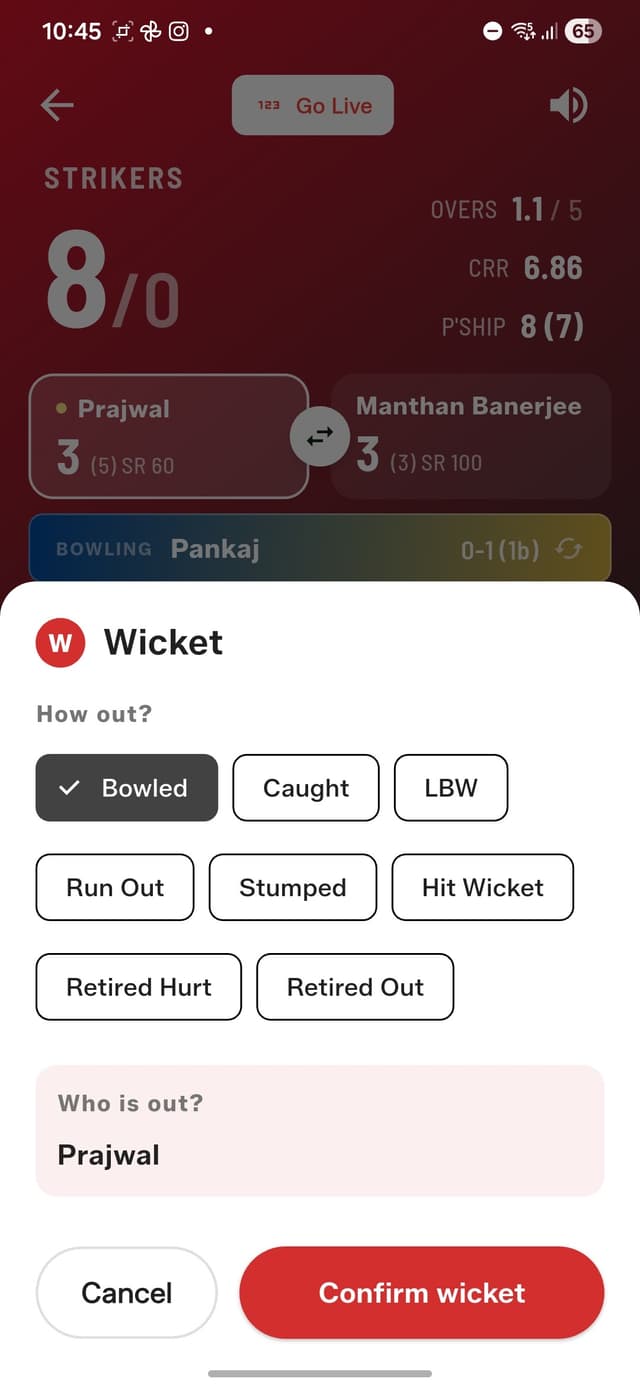
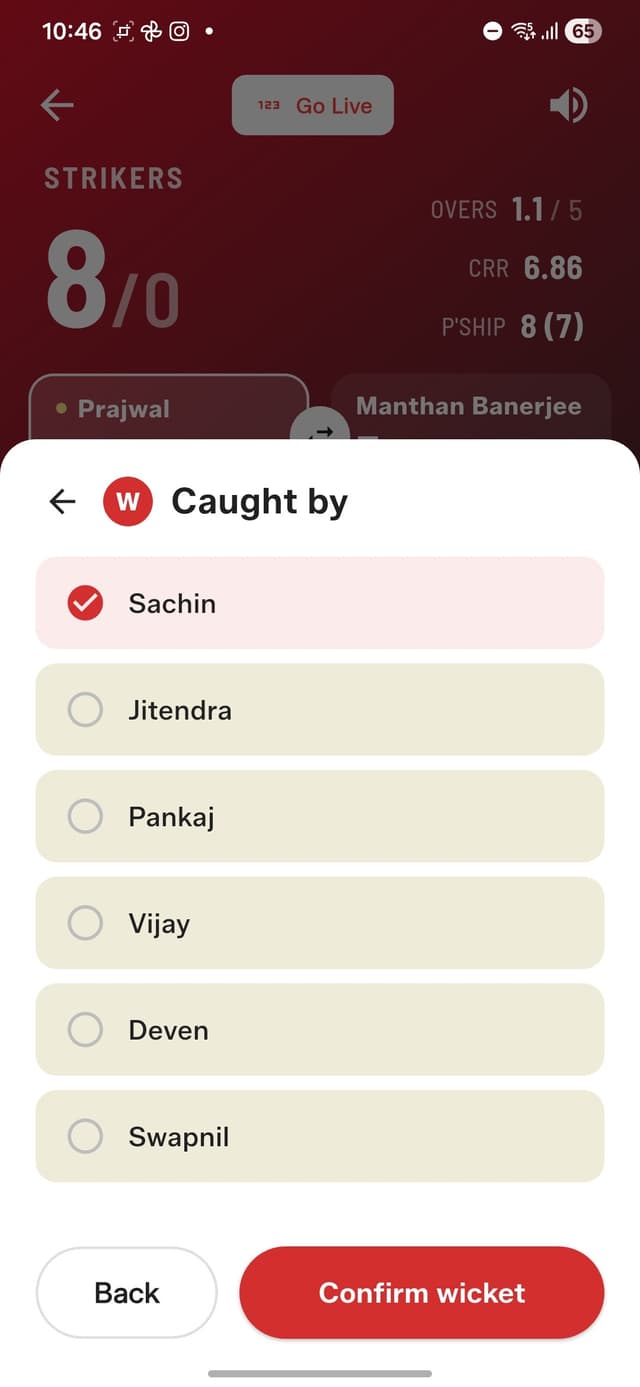
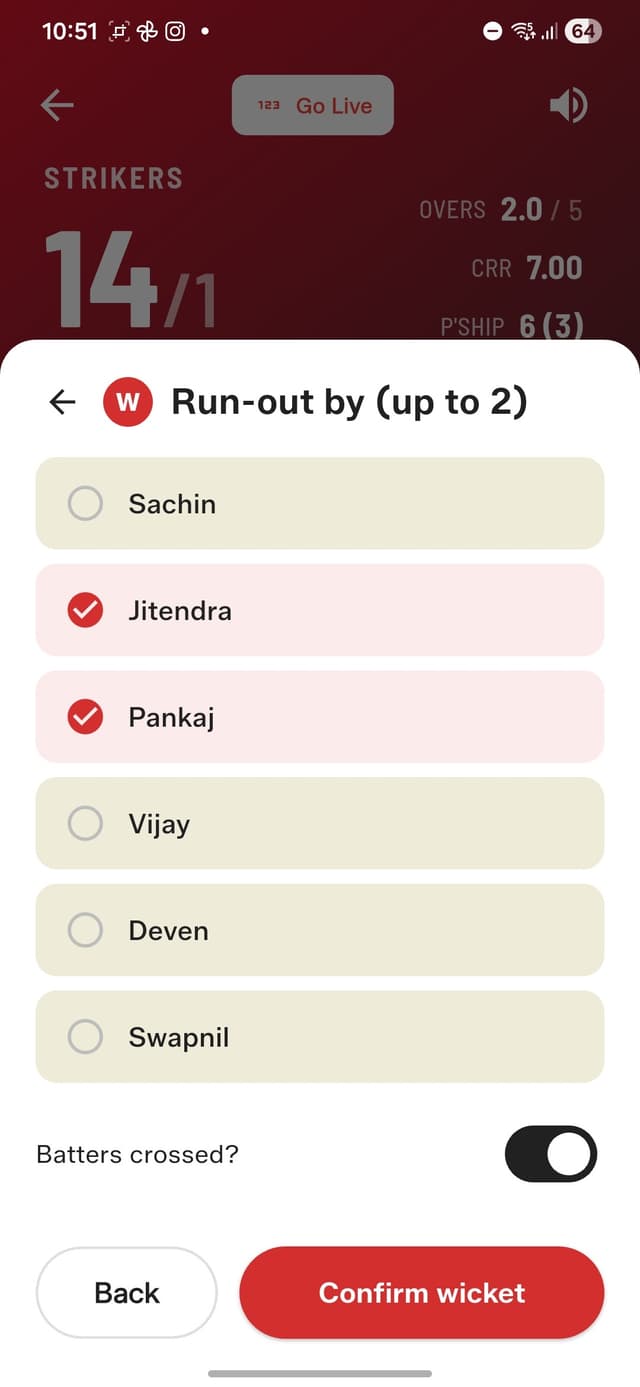
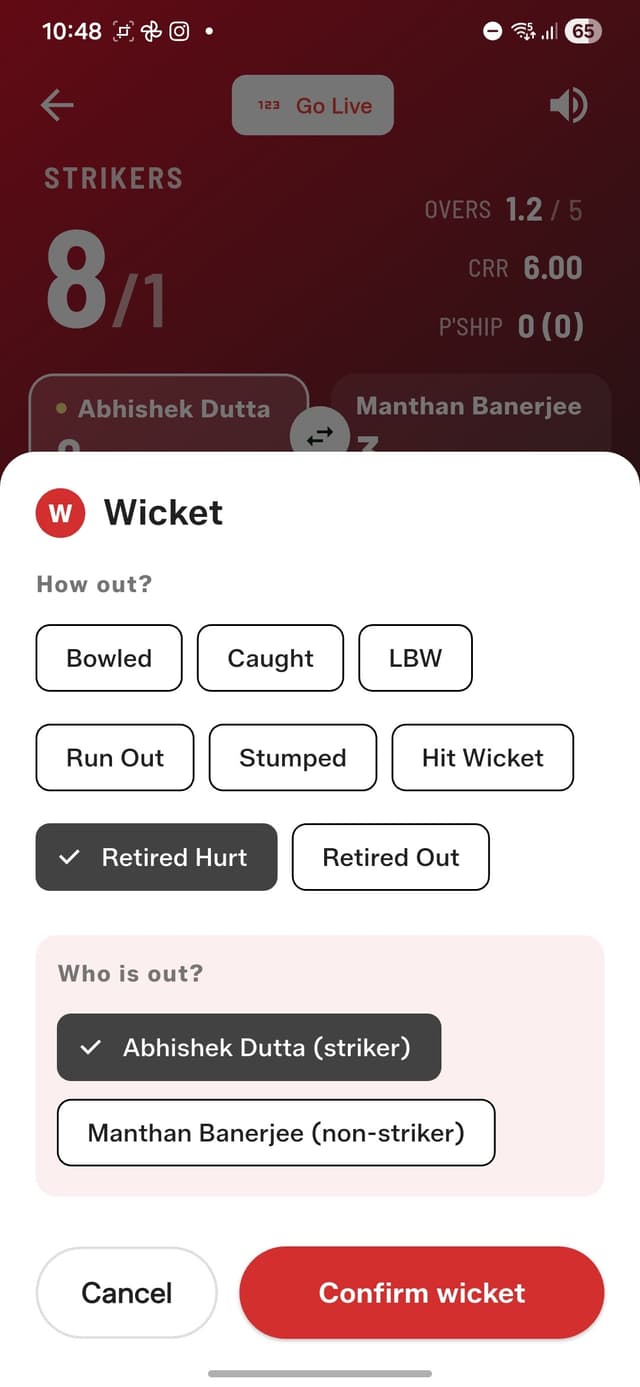
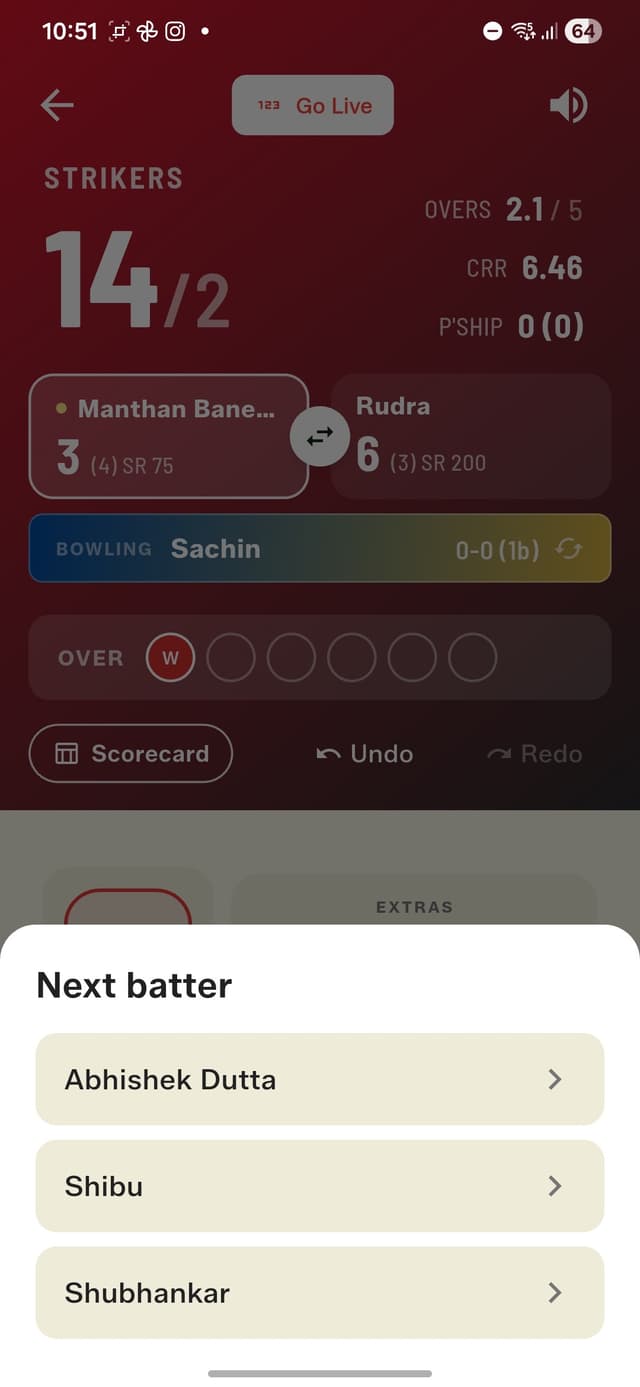
Every way a gully batter can go.
A Scorecard You'd Actually Frame
Tap Scorecard at any point and you get the full picture: a batting card with proper dismissal lines ('c Jitendra b Pankaj'), strike rates, extras, and who's yet to bat; bowling figures with economy; and fall of wickets. The Stats tab draws the match progress worm and over-by-over comparison charts, and the Over by Over view breaks down every ball of every over with total 4s, 6s, and extras. Mid-match, tapping the current over gets you there instantly.
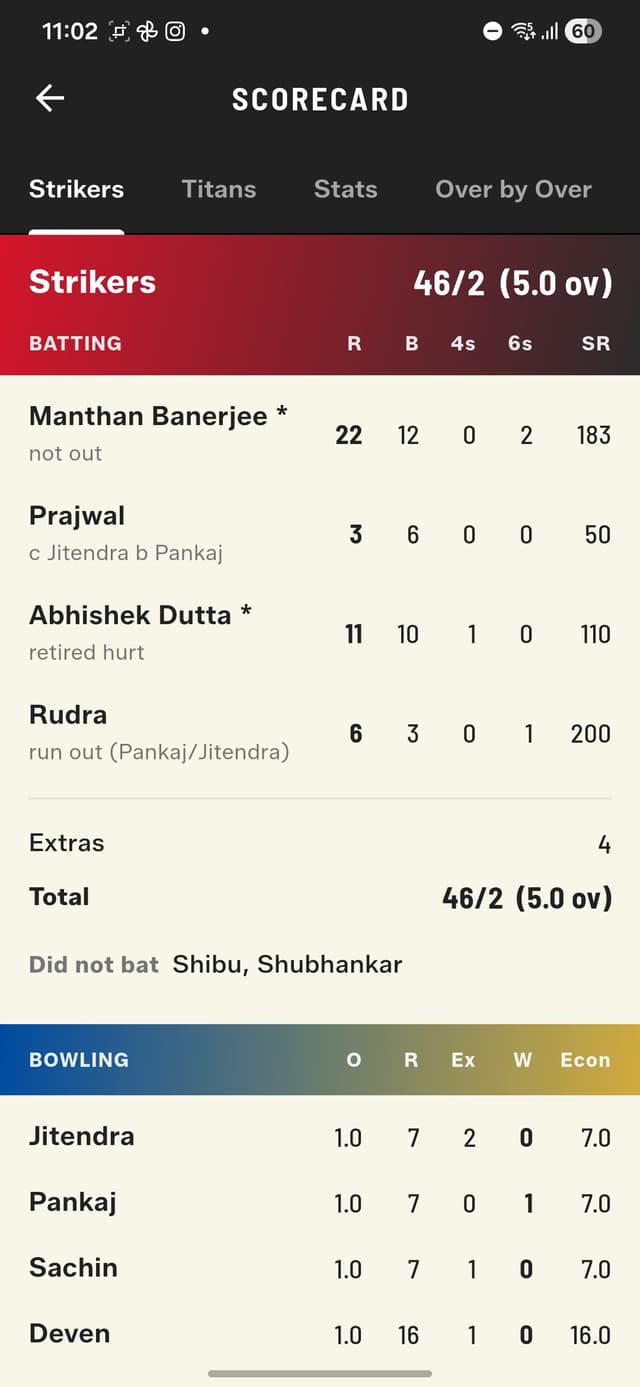
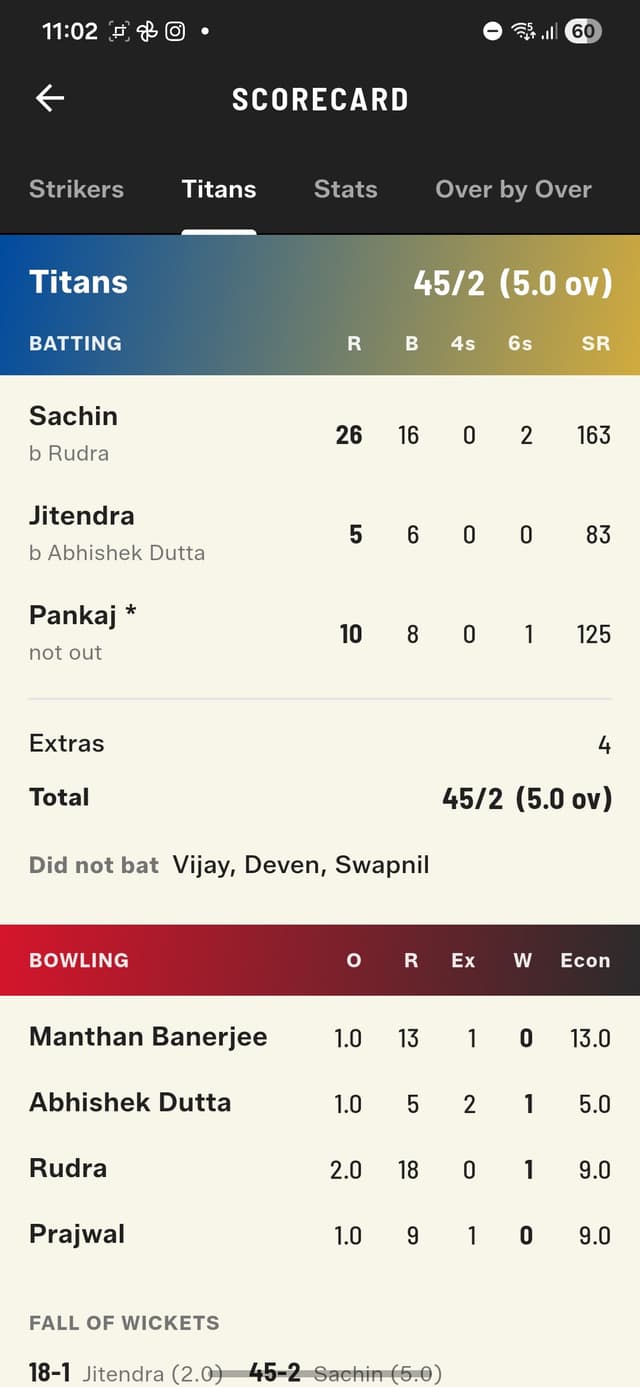
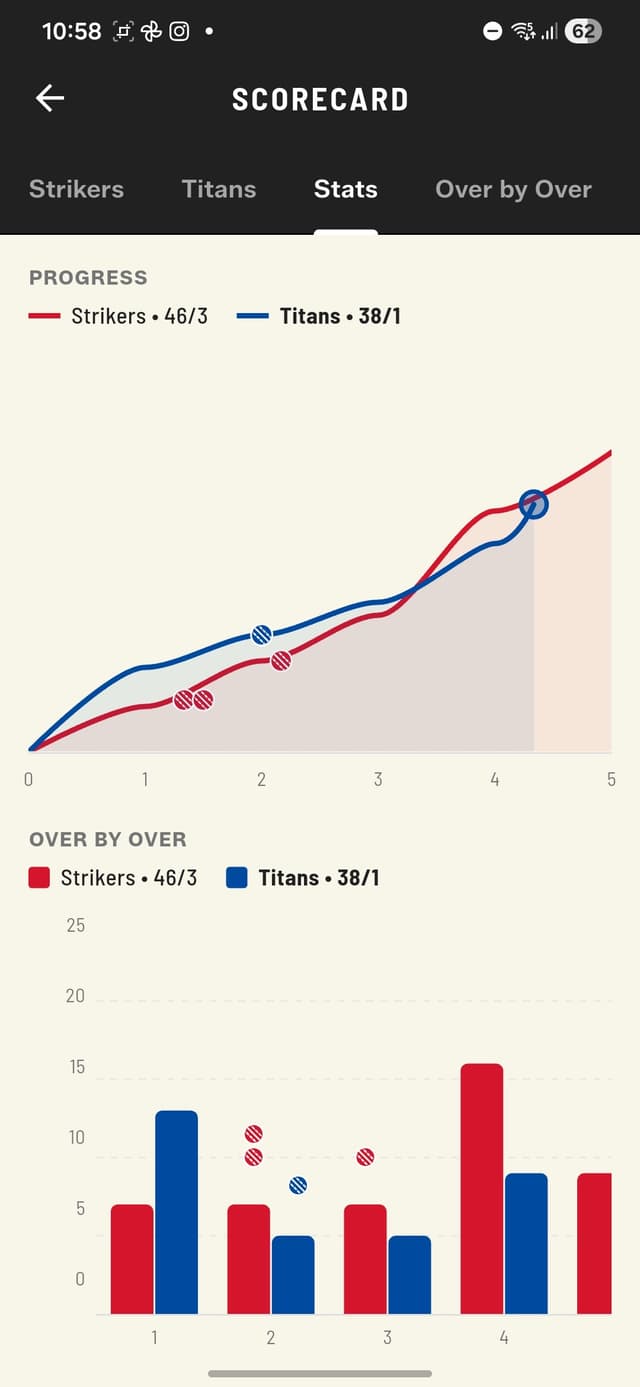
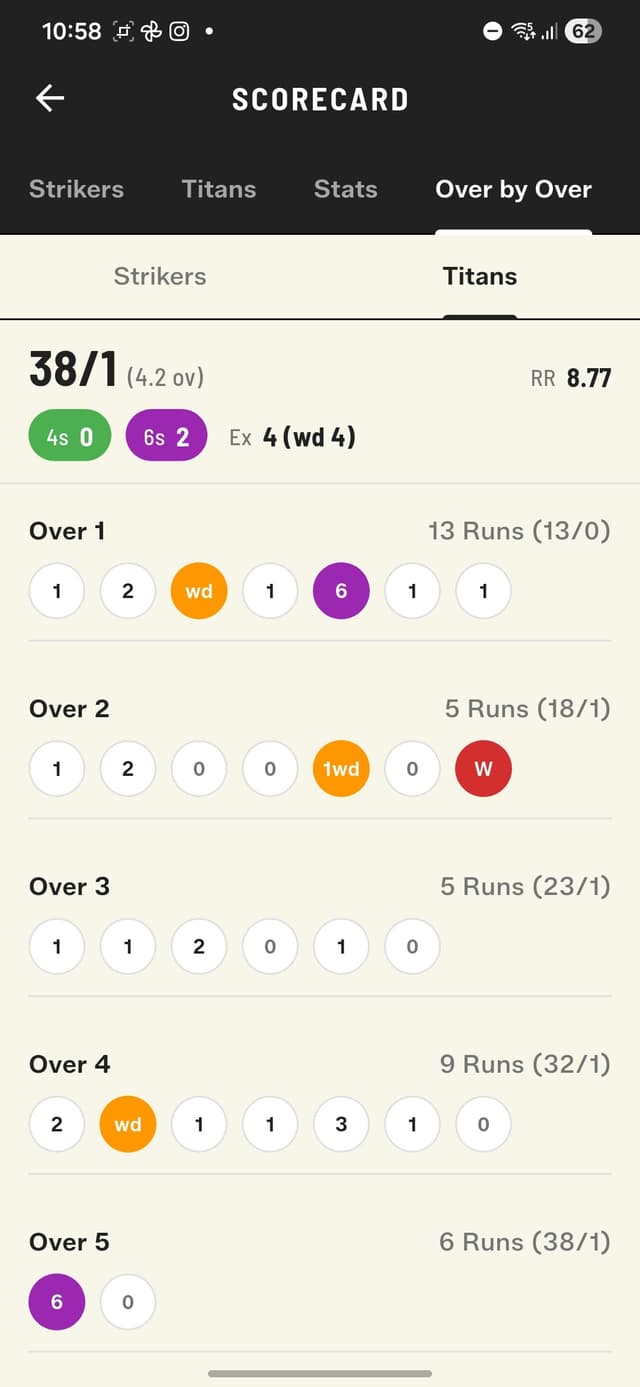
Dismissals, strike rates, extras, yet to bat.
Share the Win, Grow the Legend
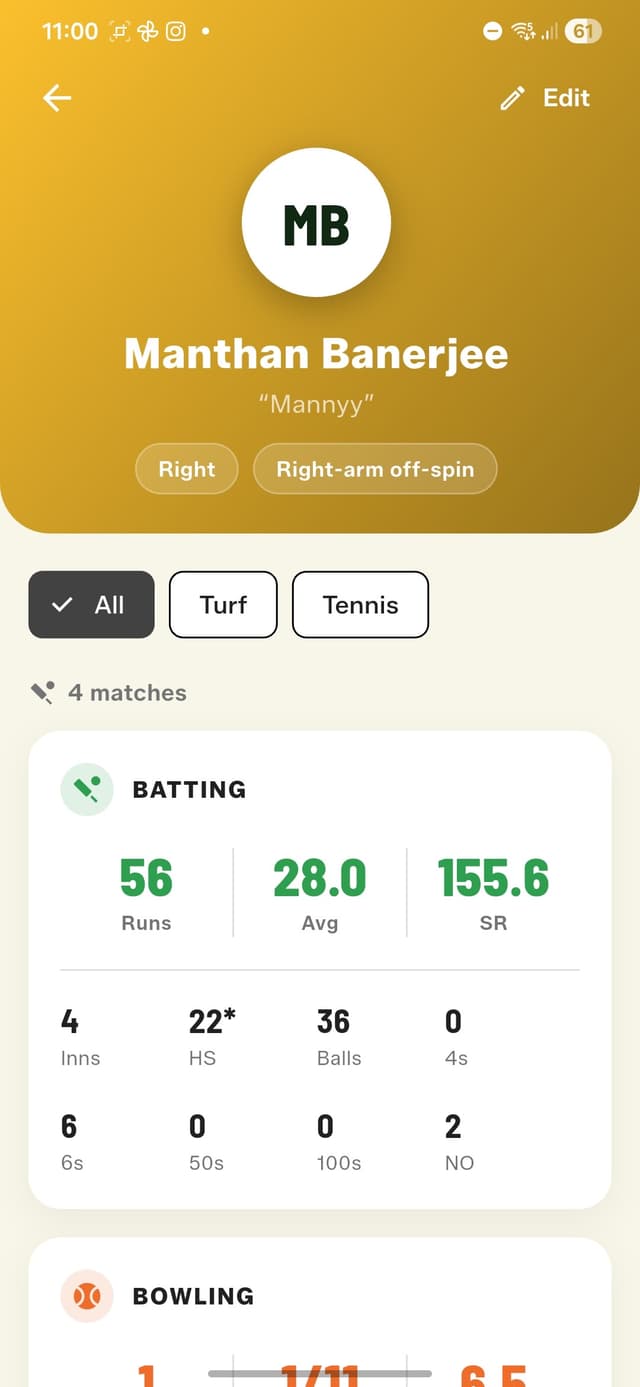
When it's done, the winners get confetti — and everyone gets the new shareable match card: both team scores plus the top performers from each side, two batters and a bowler each, with their figures. Drop it in the group chat and let it do the talking. And here's where the arena and ball type pay off: every Full Match feeds each player's career stats in the Squad Book — runs, average, strike rate, high score, 4s, 6s, and full bowling figures — and you can filter all of it by conditions. Turf versus street. Tennis versus tape. The numbers finally know the difference.
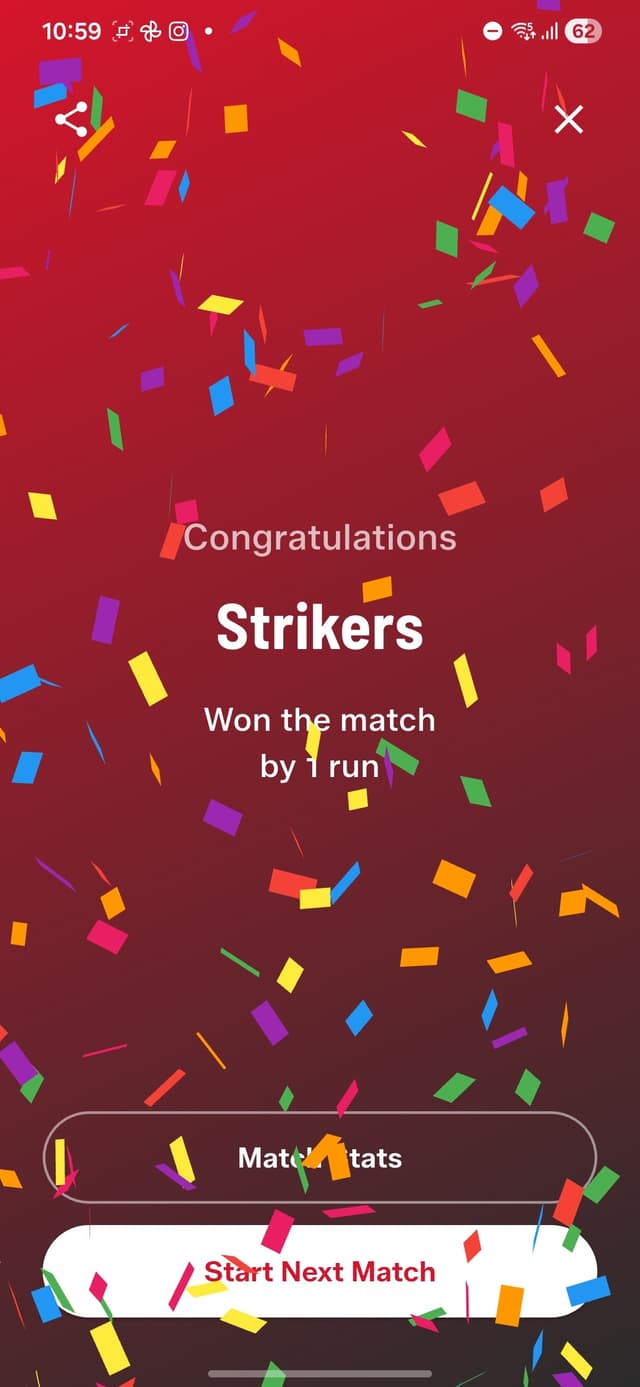
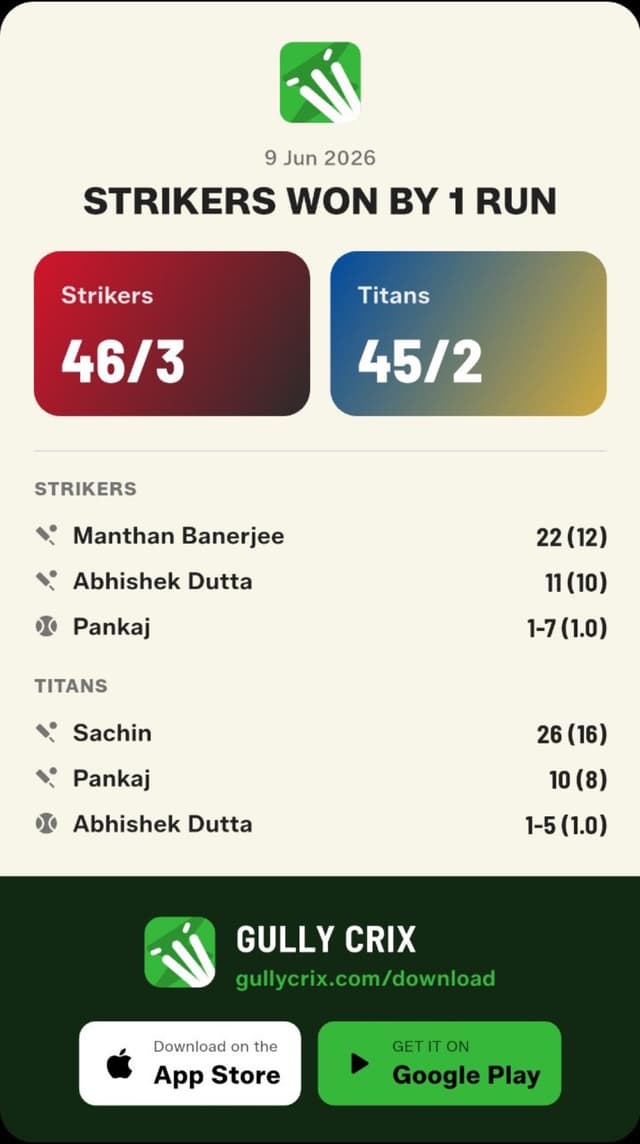

Won by 1 run. Confetti earned.
What's Next: Your Stats, Yours
This release lays the foundation for something bigger. Soon, players will be able to claim their own stats — you'll register with your phone number, invite your squad, and every player will own their career record, for free. The optional phone field in the Squad Book is the first piece of that puzzle. If you want to shape how it works, join the Telegram community — that's where the roadmap gets argued about, gully style.
Want the full tour? Explore Full Match mode in depth, see everything new in 3.0 with screenshots, or grab the app and score your next match properly.